
ZWILLING 1026120
ZWILLING BBQ+ Digital Cooking Thermometer User Manual
Model: 1026120
Introduction
Welcome to the ZWILLING BBQ+ Digital Cooking Thermometer. This manual provides comprehensive instructions for the proper use, care, and maintenance of your new thermometer. Designed for precision and ease of use, this thermometer will help you achieve perfect cooking results every time.
Product Overview
The ZWILLING BBQ+ Digital Cooking Thermometer features a main unit with a fold-away probe and a wired leave-in probe for versatile temperature monitoring. It includes a backlit digital display for clear readings and a USB charging cable.
Components
- Main Thermometer Unit with Fold-Away Probe
- Wired Leave-In Probe
- USB Charging Cable

Image: The ZWILLING BBQ+ Digital Cooking Thermometer components, including the main unit with its integrated fold-away probe, the wired external probe, and the USB charging cable.
Setup
Initial Charging
Before first use, fully charge the thermometer's built-in lithium-ion battery using the provided USB cable.
- Locate the USB charging port on the thermometer unit.
- Connect the USB cable to the thermometer and a compatible USB power source (e.g., computer USB port, wall adapter).
- The display will indicate charging status. A full charge ensures optimal performance.

Image: A close-up of hands connecting the USB charging cable to the ZWILLING BBQ+ Digital Cooking Thermometer.
Attaching the Wired Probe (Optional)
If using the wired probe for continuous monitoring:
- Insert the wired probe's jack firmly into the designated port on the thermometer unit.
- Ensure a secure connection for accurate readings.
Operating Instructions
Power On/Off
- To power on, unfold the integrated probe or press any button.
- To power off, fold the integrated probe back into the unit or the device will auto-off after a period of inactivity.
Taking Temperature Readings
Using the Fold-Away Probe
- Unfold the stainless steel probe.
- Insert the probe tip into the thickest part of the food, avoiding bone or gristle.
- The temperature will display on the illuminated screen within 2-4 seconds.

Image: A person using the ZWILLING BBQ+ Digital Cooking Thermometer to measure the internal temperature of meat on a grill.

Image: A close-up of hands holding the ZWILLING BBQ+ Digital Cooking Thermometer, showing the fold-away probe extended.
Using the Wired Leave-In Probe
- Insert the wired probe into the thickest part of the food.
- Position the food with the probe inside on the grill, oven, or smoker.
- The thermometer unit can remain outside the heat source for continuous monitoring.
- Use the 'ALARM SET' buttons to set desired temperature alerts.
Temperature Unit Selection (°C/°F)
Press the "°F/°C" button to switch between Fahrenheit and Celsius readings.
Hold/Reset Function
Press the "HOLD/RESET" button to hold the current temperature reading on the display or to reset any active alarms.
Maintenance
Cleaning
To ensure hygiene and longevity, clean the thermometer after each use.
- The stainless steel probes can be cleaned with warm, soapy water.
- The main unit is not fully waterproof; wipe it with a damp cloth. Avoid submerging the main unit in water.
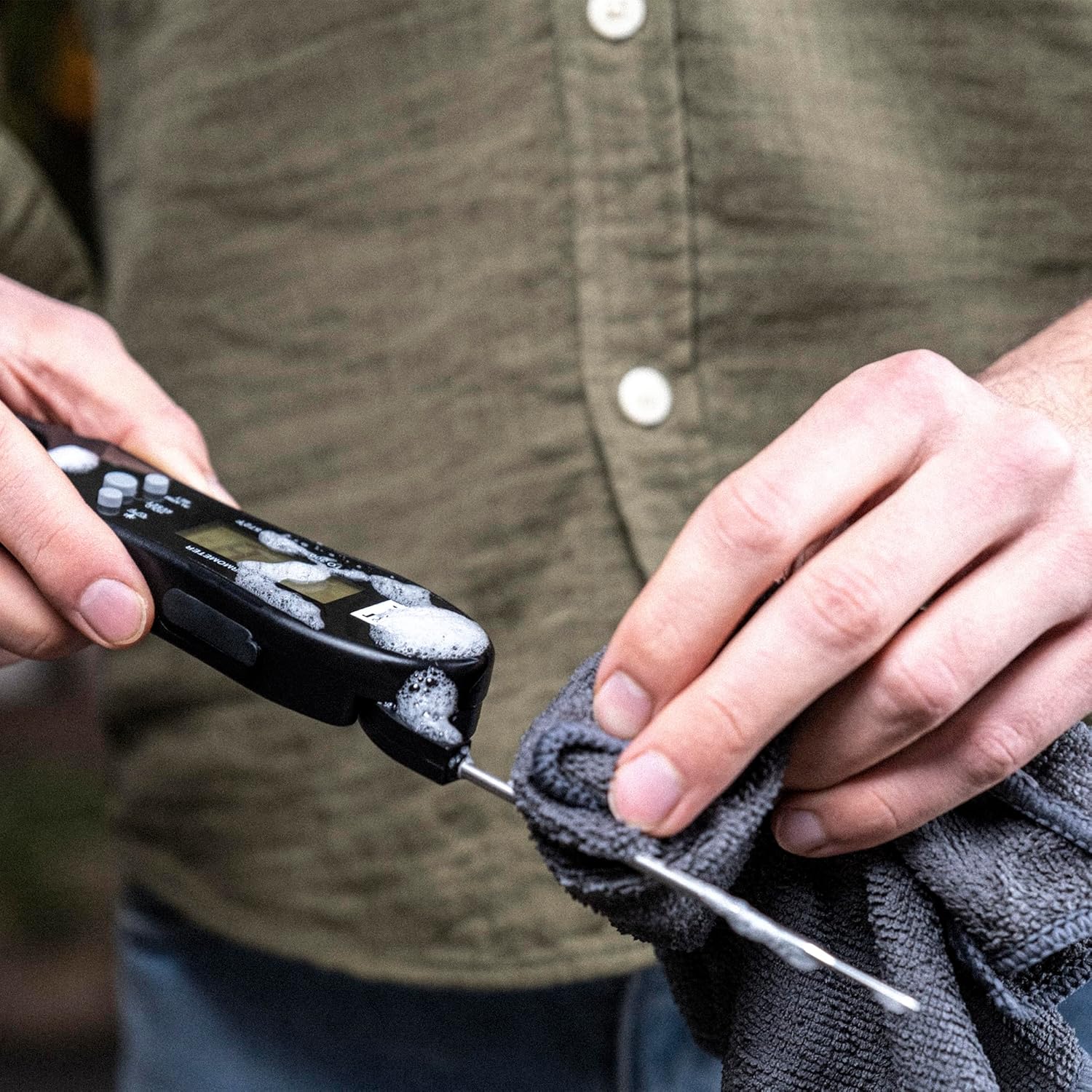
Image: Hands cleaning the probe of the ZWILLING BBQ+ Digital Cooking Thermometer with a soapy cloth.
Storage
Store the thermometer in a clean, dry place when not in use. Ensure the fold-away probe is retracted.
Troubleshooting
Inaccurate Readings
- Ensure the probe is inserted into the thickest part of the food, away from bones.
- Check for a secure connection if using the wired probe.
- Verify the battery level; low battery can affect accuracy.
Display Not Working
- Check if the battery is charged. Recharge if necessary.
- Ensure the unit is powered on (unfold probe or press button).
Probe Not Registering Temperature
- Ensure the probe is fully inserted into the food.
- If using the wired probe, ensure it is securely plugged into the main unit.
- If the issue persists, the probe may be damaged and require replacement.
Specifications
| Feature | Detail |
|---|---|
| Model Number | 1026120 |
| Brand | ZWILLING |
| Temperature Range | -40°F to 572°F (-40°C to 300°C) |
| Response Time | 2-4 seconds |
| Resolution | 0.1°C |
| Display Type | Digital, Backlit |
| Power Source | Rechargeable Lithium-Ion Battery |
| Connectivity | USB (for charging) |
| Probe Material | Stainless Steel |
| Unit Dimensions | 6.75 Inches (Length) |
| Weight | 4.6 ounces |
Warranty and Support
For warranty information and customer support, please refer to the ZWILLING official website or contact their customer service directly. Keep your proof of purchase for any warranty claims.
Ask a question about this manual
Ask about setup, troubleshooting, compatibility, parts, safety, or missing instructions. Manuals+ will review the question and use this page’s manual context to help answer it.