

Product Overview
The SJCAM C300 Pocket Camera is a versatile action camera designed for capturing high-quality video and photos in various environments. It features a dual-battery design for extended recording times, stunning 4K 20MP resolution, and advanced stabilization for smooth footage. Its robust design, including an IP68 waterproof housing, makes it suitable for extreme sports and underwater adventures. With 5G WiFi transfer and multiple shooting modes, the C300 offers flexibility for both casual users and content creators.
Key Features
- Extended Battery Life: Dual-battery design provides up to 420 minutes of continuous recording.
- Stunning 4K 20MP: Captures crystal-clear 4K HD video and delicate 20MP images.
- Underwater Camera Waterproof: IP68 waterproof housing allows for use up to 30 meters (100 feet).
- Stabilization & Noise Reduction: Equipped with 2.0 stabilization and noise reduction for stable and clear audio-visual capture.
- 5G WiFi Transfer & 8X Zoom: Enables fast file transfers and versatile framing options.
- Multi-scene, Multi-accessories: Comes with a comprehensive set of accessories for diverse shooting scenarios.
Setup Guide
Unboxing and Initial Inspection
Carefully unpack all components and verify that all items are present:
- C300 Camera Unit
- Battery Handle
- Frame Mount
- Waterproof Case
- USB Cable
- Lanyard
- Bracket
- Back Clip
- Flat Bottom Bracket
- Helmet Base
- Micro SD Card
- Wiping Cloth
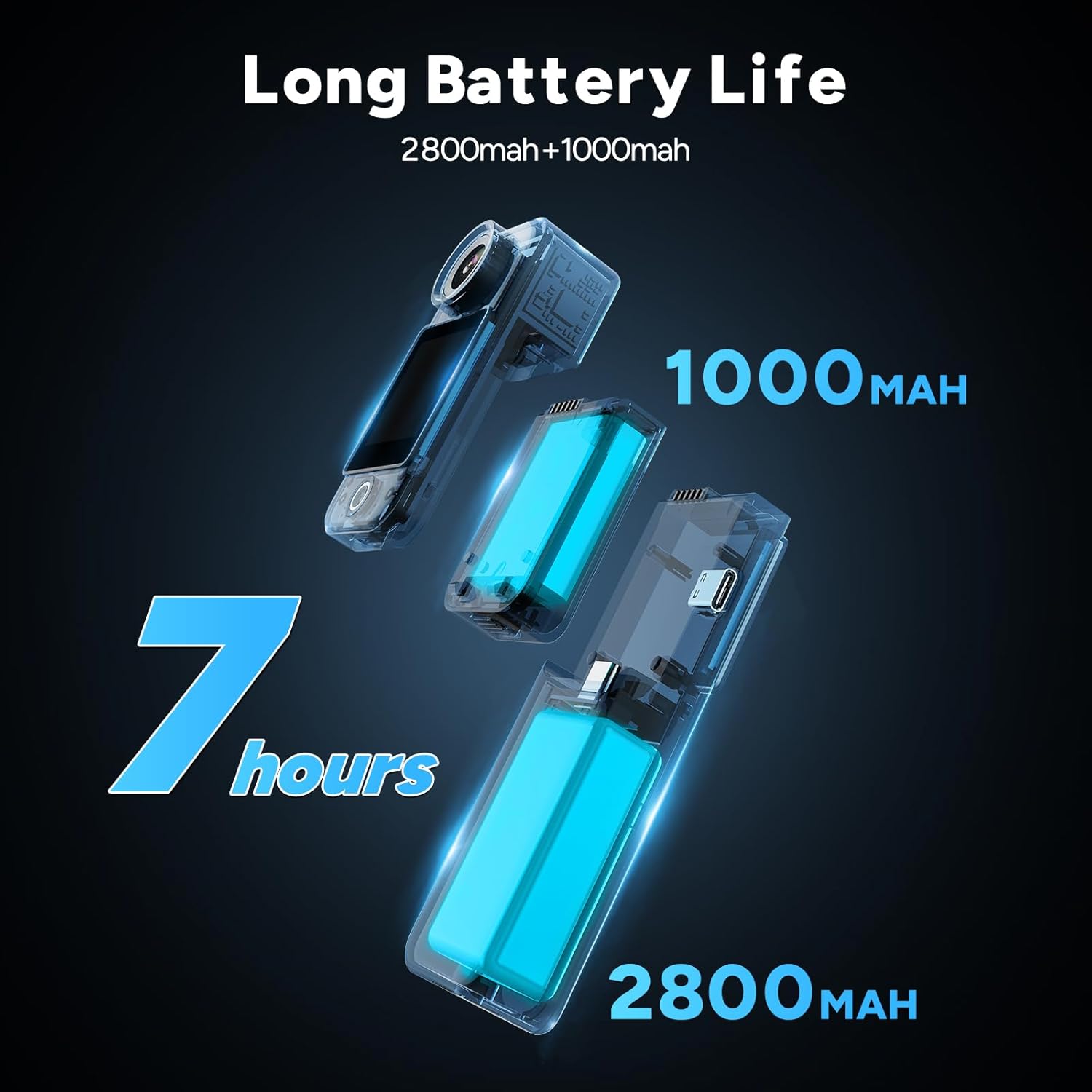
Image: A detailed layout of all items included in the SJCAM C300 package, showing the camera, various mounts, cables, and a cleaning cloth.
Charging the Battery
The C300 features a dual-battery design for extended use. Before first use, fully charge both the main camera unit and the detachable battery handle using the provided USB cable. A full charge can provide up to 420 minutes of continuous operation.

Image: An illustrative diagram highlighting the camera's dual battery system, showing the 2800mAh main battery and the 1000mAh battery handle, contributing to a total of 7 hours of battery life.
Inserting the Micro SD Card
Locate the Micro SD card slot on the camera unit. Insert the provided Micro SD card with the gold contacts facing down until it clicks into place. Ensure the card is properly formatted before recording.
Operating Instructions
Powering On/Off
Press and hold the power button (usually located on the side or front) for a few seconds to turn the camera on or off. The screen will illuminate upon power-on.
Dual Touchscreen Navigation
The C300 features dual 1.33-inch HD touchscreens (front and rear) for easy control and selfie framing. Swipe and tap on the screens to navigate menus, change settings, and preview your shots.

Image: The SJCAM C300 camera displaying its dual 1.3-inch HD touchscreens, illustrating how both front and rear screens can be used for framing and control.
Recording Video
Select video mode from the main interface. The camera supports up to 4K HD resolution at 30 frames per second. Press the record button to start and stop recording. Ensure sufficient lighting for optimal video quality, especially with the F2.0 large aperture for enhanced brightness in low-light conditions.
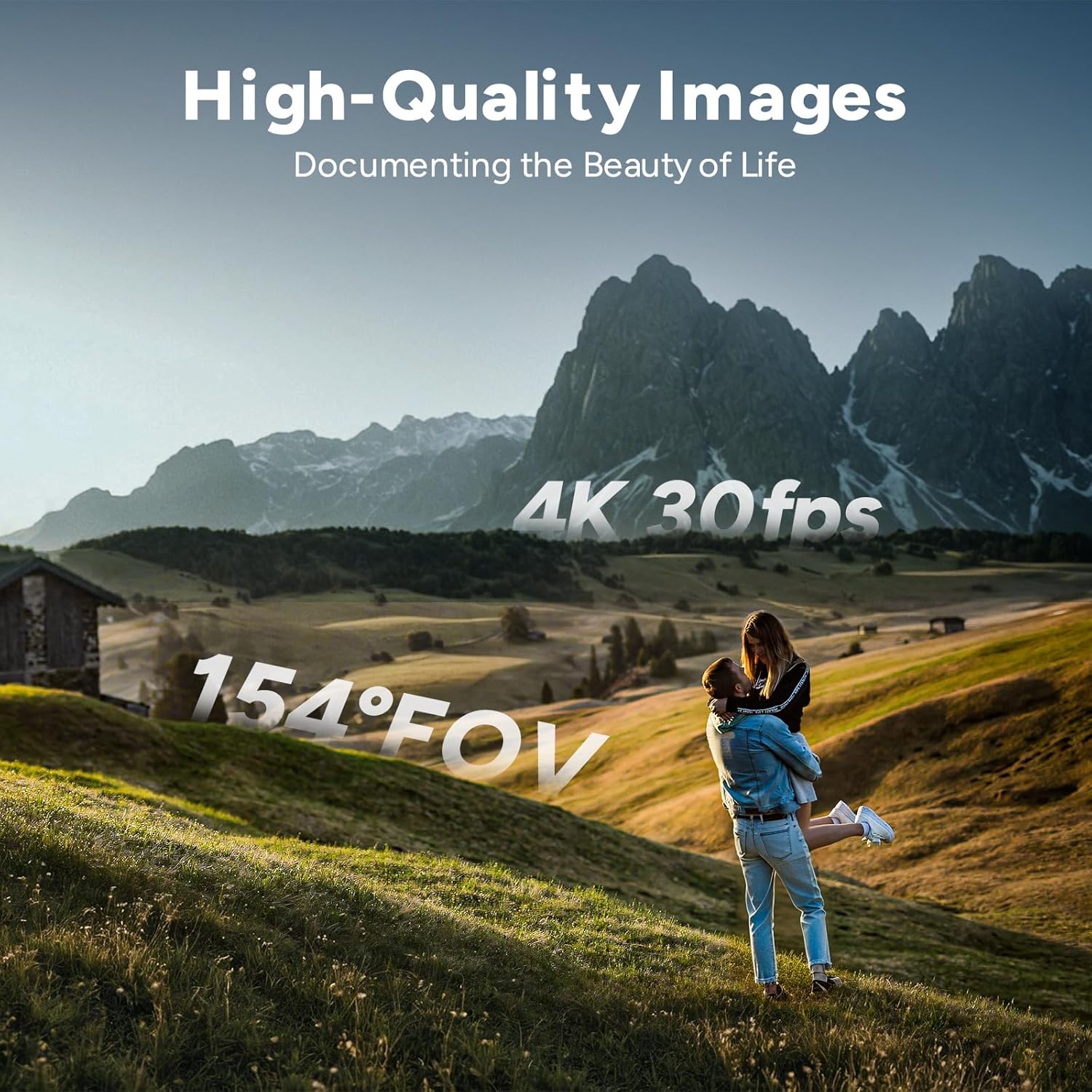
Image: A beautiful outdoor scene with mountains and a couple, illustrating the camera's capability to capture high-quality 4K video at 30 frames per second with a wide 154-degree field of view.
Capturing Photos
Switch to photo mode. The C300 captures 20MP images, ensuring high detail. Press the shutter button to take a photo.
Stabilization and Noise Reduction
The C300 is equipped with 6-axis gyro stabilization to reduce camera shake and noise reduction functions to improve audio clarity. These features are crucial for capturing smooth video and clear sound, especially during dynamic activities.
Video: An official SJCAM video demonstrating the features of the C300 Action Camera, including its stabilization and various shooting capabilities.
Waterproof Usage
For underwater use, ensure the camera is securely placed within its IP68 waterproof housing. This housing allows the camera to be submerged up to 30 meters (100 feet), making it ideal for diving and water sports.

Image: An underwater scene showing the SJCAM C300 in its waterproof housing being used by a diver, demonstrating its capability for capturing luminous and detailed underwater footage.
Connectivity (5G WiFi)
Utilize the camera's 5G WiFi connectivity for lightning-fast file transfers to your smartphone or other devices. This allows for quick sharing and uploading of your high-resolution videos and photos.
Special Modes
The C300 offers various shooting modes to enhance your creative possibilities, including:
- 8X Zoom: For capturing distant subjects.
- Time Lapse: Condense long events into short, dynamic videos.
- Pre-Record: Capture footage before you even press the record button.
- Burst Photo: Take multiple photos in quick succession.
- Car Mode: Optimizes settings for use as a dashcam.
Maintenance and Care
Cleaning the Camera
Use the provided wiping cloth or a soft, lint-free cloth to clean the camera body and lenses. For the waterproof housing, rinse with fresh water after saltwater use and allow to air dry.
Battery Care
To prolong battery life, avoid extreme temperatures. Store the camera with a partial charge (around 50%) if not used for extended periods. Do not expose batteries to direct sunlight or heat sources.
Storage
Store the camera in a cool, dry place away from direct sunlight and dust. Ensure the camera is dry before storing, especially after using the waterproof housing.
Troubleshooting
Common Issues
- Camera not powering on: Ensure batteries are fully charged and correctly inserted. Try connecting to a power source.
- Poor video/photo quality: Check lighting conditions. Ensure lenses are clean. Verify stabilization is enabled for dynamic shots.
- Connectivity issues (WiFi): Ensure the camera's WiFi is enabled and your device is within range. Restart both devices if necessary.
- Micro SD card errors: Ensure the card is properly inserted and formatted. Try a different compatible card if issues persist.
Technical Specifications
| Feature | Specification |
|---|---|
| Brand Name | SJCAM |
| Item Weight | 10.6 ounces |
| Product Dimensions | 0.87 x 1.26 x 5.1 inches |
| Country of Origin | China |
| Item model number | C300 |
| Batteries | 2 Lithium Ion batteries required. (included) |
| Color Name | White |
| Special Features | Night Vision, Lightweight, H.265 |
| Photo Sensor Technology | CMOS |
| Video Capture Resolution | 4K |
| Maximum Focal Length | 30 Millimeters |
| Maximum Aperture | 1.7 f |
| Flash Memory Type | Micro SD |
| Video Capture Format | MP4 |
| Supported Audio Format | MP4 |
| Screen Size | 1.3 Inches |
| Connectivity Technology | Wi-Fi |
Warranty and Customer Support
The SJCAM C300 Pocket Camera comes with a manufacturer's warranty. For detailed warranty information, product support, or technical assistance, please refer to the official SJCAM website or contact their customer service directly. Keep your proof of purchase for warranty claims.