
Introduction
Thank you for choosing the MAHANCRIS 78.7" Console Table with Power Outlet. This manual provides essential information for the safe assembly, operation, and maintenance of your new furniture. Please read these instructions carefully before beginning assembly and retain them for future reference.

Image: The MAHANCRIS 78.7" Console Table, showcasing its rustic brown top, black metal frame, and integrated power strip with a laptop, vase, and fruit bowl on top.

Image: The console table positioned behind a sofa, demonstrating its use as a narrow surface for drinks, devices, and decor, accompanied by two bar stools.
Safety Information
To ensure safe use of this product, please observe the following guidelines:
- Children Safety: Children are not allowed to climb on or play with the product for safety reasons. Always supervise children around the furniture.
- Stability: This console table is designed to be stable. However, for added safety, especially in households with children or pets, consider using the included anti-tipping device to secure the table to a wall.
- Weight Capacity: Do not exceed the maximum load-bearing capacity of 220 lb (100 kg) on the tabletop. Distribute weight evenly.
- Electrical Safety: Ensure the power cord is not pinched or damaged during assembly or use. Do not overload the power outlets or USB ports. Use only in dry indoor environments.
- Assembly: Follow all assembly instructions carefully. Do not use power tools unless explicitly stated, as over-tightening screws can damage the product.
Package Contents
Before assembly, please verify that all components listed below are present and undamaged. If any parts are missing or damaged, contact customer support.
| Part | Description | Quantity |
|---|---|---|
| A | Tabletop Panels (Engineered Wood) | 2 |
| B | Metal Frame Legs | 4 |
| C | Bottom Support Bars | 2 |
| D | Power Outlet Unit (2 AC, 2 USB, 59" cord) | 1 |
| E | Adjustable Feet | 4 |
| F | Anti-Tipping Device | 1 set |
| G | Assembly Hardware (Screws, Allen Wrench) | 1 set |
Assembly Instructions
Follow these steps to assemble your console table. It is recommended to assemble the product on a soft, clean surface to prevent scratches.
- Unpack Components: Carefully remove all parts from the packaging and lay them out. Check against the "Package Contents" list.
- Attach Adjustable Feet: Screw the adjustable feet (E) into the bottom of each metal frame leg (B).
- Assemble Frame: Connect the metal frame legs (B) using the bottom support bars (C) with the provided hardware (G). Do not fully tighten screws yet.
- Attach Tabletop Panels: Place the tabletop panels (A) onto the assembled metal frame. Secure them using the provided screws (G). Ensure the pre-drilled holes align.
- Install Power Outlet Unit: Insert the power outlet unit (D) into the designated slot on one of the tabletop panels. The panel is designed to be rotatable, allowing you to position the power strip on the side or in the middle as preferred. Secure the unit.
- Final Tightening: Once all parts are aligned and loosely assembled, gradually tighten all screws until secure. Do not overtighten.
- Install Anti-Tipping Device: For enhanced stability, attach the anti-tipping device (F) to the back of the table and secure it to a wall stud according to the separate instructions provided with the device.

Image: Illustration showing two possible orientations for installing the power outlet unit: on the side or in the middle of the tabletop.
Operating Instructions
This console table features an integrated power outlet unit for convenient charging.
- Connecting to Power: Plug the 59-inch power cord from the console table into a standard 120V AC wall outlet.
- Using AC Outlets: The unit includes two 120V/12A AC outlets. Plug your electronic devices (e.g., lamps, laptops) directly into these outlets.
- Using USB Ports: The unit includes two 5V/2A USB ports. Connect your USB-compatible devices (e.g., smartphones, tablets) using their respective USB cables for charging.
- Power Strip Orientation: The tabletop panel holding the power strip can be rotated during assembly to position the outlets either towards the side or the center of the table, depending on your preference and setup.

Image: A detailed view of the integrated power strip, highlighting the two AC outlets and two USB ports, with a phone charging.
Maintenance and Care
Proper care will extend the life and appearance of your console table.
- Cleaning: Wipe the surface with a soft, damp cloth. Avoid harsh chemicals or abrasive cleaners, as they may damage the finish.
- Spills: Immediately wipe up any spills to prevent staining or damage to the engineered wood surface.
- Heat and Moisture: Avoid placing hot items directly on the surface. Use coasters or protective pads. Protect from excessive moisture.
- Inspection: Periodically check all screws and connections to ensure they remain tight. Retighten if necessary.
- Adjustable Feet: Use the adjustable feet to level the table on uneven floors and prevent wobbling.
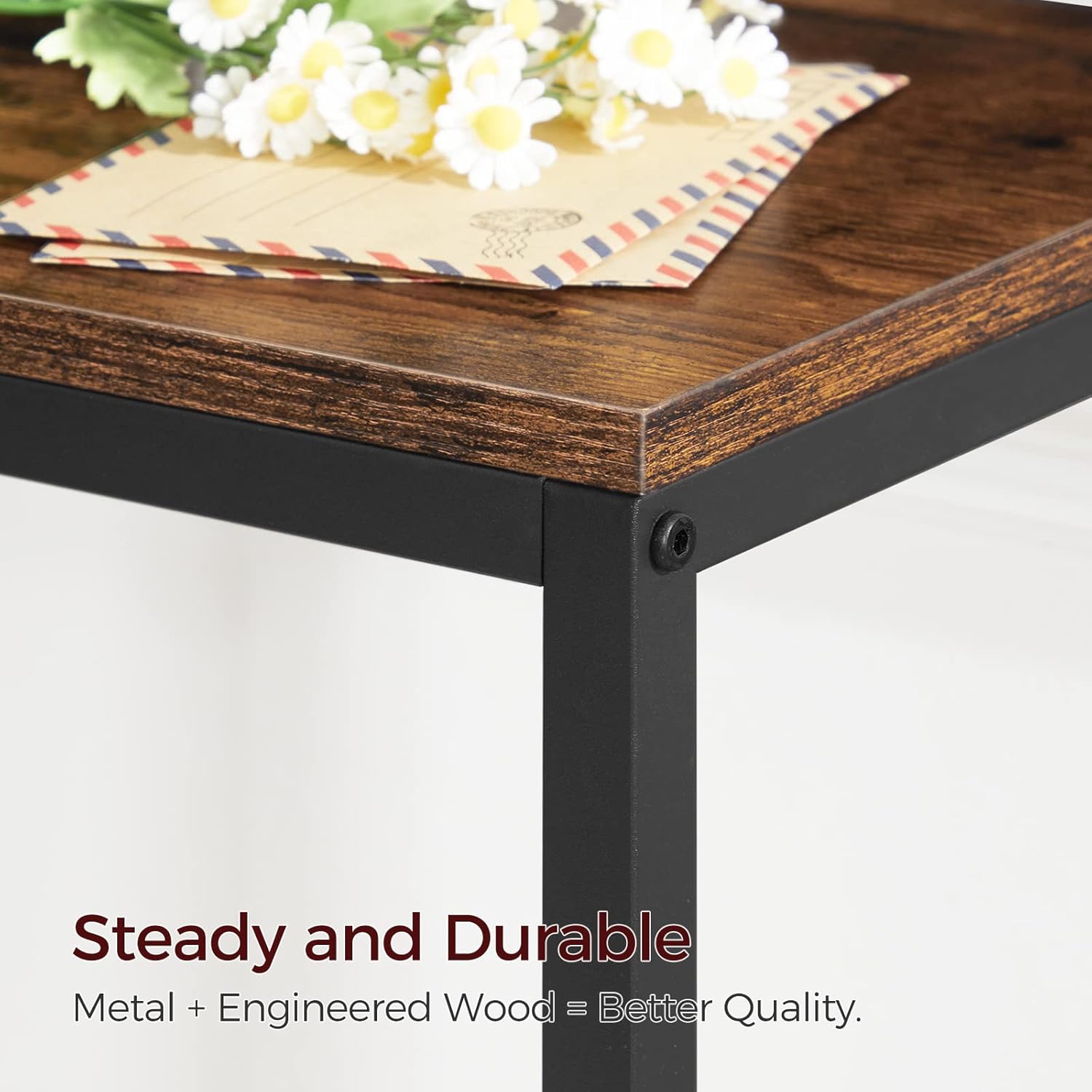
Image: A close-up view highlighting the robust construction of the table, featuring the connection between the engineered wood tabletop and the metal frame, emphasizing its steady and durable design.
Troubleshooting
| Problem | Possible Cause | Solution |
|---|---|---|
| Table is wobbly. | Uneven floor; loose screws. | Adjust the leveling feet at the bottom of the legs. Ensure all assembly screws are tightened securely. Consider using the anti-tipping device. |
| Power outlets/USB ports not working. | Power cord not plugged in; wall outlet issue; overloaded circuit; faulty device. | Ensure the table's power cord is fully plugged into a functional wall outlet. Test the wall outlet with another device. Reduce the number of devices plugged into the power strip. If the issue persists, contact customer support. |
| Parts missing or damaged. | Shipping damage; packaging error. | Do not proceed with assembly. Contact MAHANCRIS customer support immediately with your purchase details. |
Specifications
| Feature | Detail |
|---|---|
| Model Number | CTHR20E01 |
| Dimensions (L x W x H) | 78.7" x 7.9" x 31.7" (199.9 cm x 20.1 cm x 80.5 cm) |
| Weight | 8.3 kg (18.3 lbs) |
| Material | Engineered Wood (Tabletop), Metal (Frame) |
| Color | Rustic Brown (Tabletop), Black (Frame) |
| Maximum Weight Capacity (Tabletop) | 220 lb (100 kg) |
| AC Outlets | 2 (120V/12A) |
| USB Ports | 2 (5V/2A) |
| Power Cord Length | 59 inches (1.5 meters) |
| Included Components | Assembly Guide, Anti-Tipping Device |
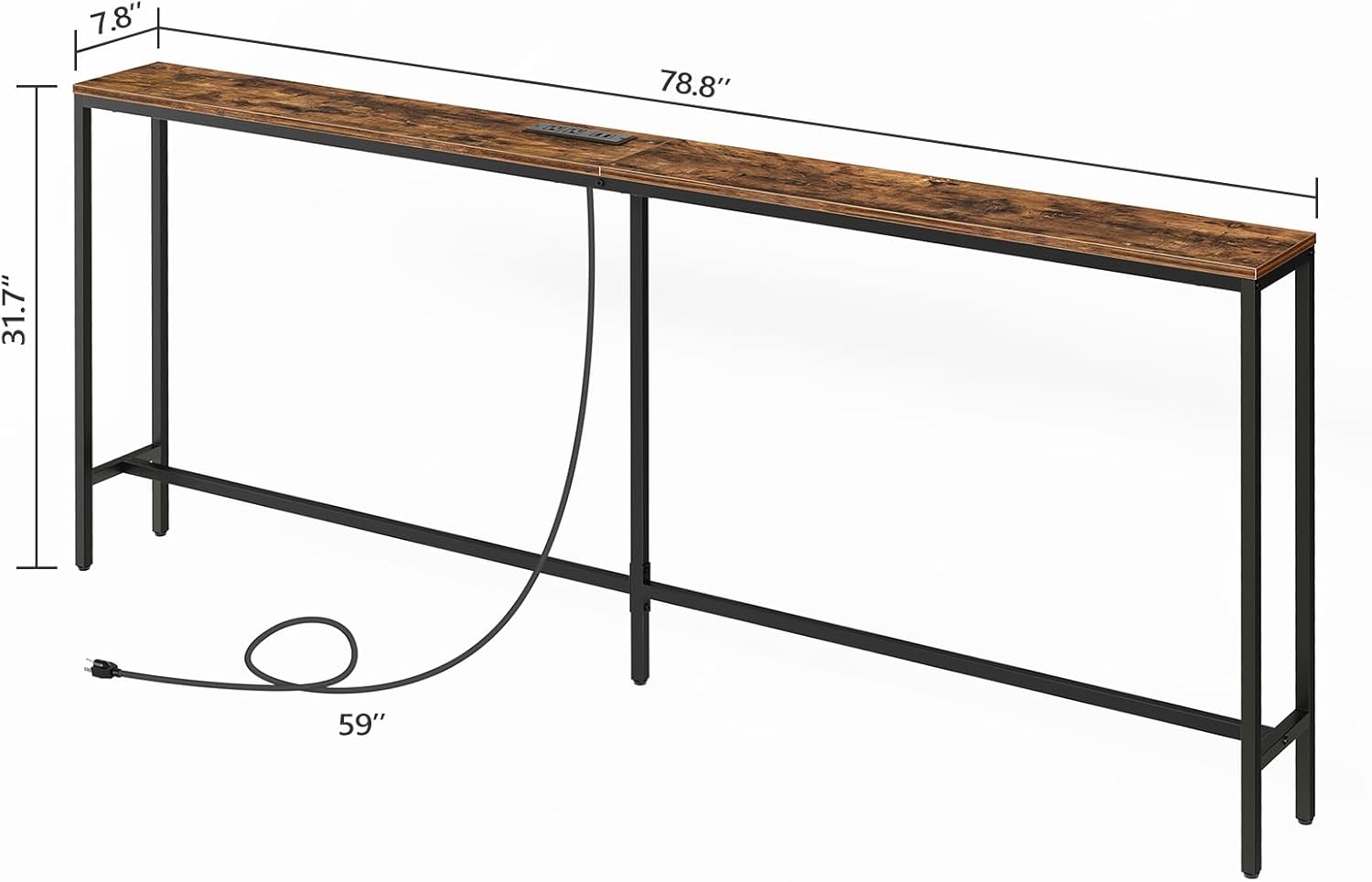
Image: A diagram illustrating the key dimensions of the console table, including length, width, height, and power cord length.
Warranty and Support
MAHANCRIS products are designed for quality and durability. For warranty information, product support, or to report missing/damaged parts, please contact MAHANCRIS customer service through your original purchase platform or visit the official MAHANCRIS store online.
Contact Information: Refer to your purchase receipt or the MAHANCRIS brand store for the most current contact details.