
1. Introduction
This manual provides detailed instructions for the installation, operation, and maintenance of your Menggood Wireless Security Camera (Model: MG-CAMERA004). This 2-pack of 2K HD cameras is designed for both indoor and outdoor use, featuring color night vision, two-way audio, AI motion detection, and compatibility with Alexa. Please read this manual thoroughly before using the product to ensure proper functionality and safety.

Image 1.1: Two Menggood MG-CAMERA004 wireless security cameras.
2. What's in the Box
Verify that all components are present in your package:
- 2 x Menggood Security Cameras
- 2 x Mounting Brackets
- 2 x Sets of Screws
- 2 x USB Chargers
- 1 x User Manual
3. Product Overview
The Menggood MG-CAMERA004 is a compact, wireless security camera designed for versatile placement. Key features include a 2K HD lens, PIR motion sensor, built-in microphone and speaker for two-way audio, and LED lights for color night vision. The camera is powered by a rechargeable battery and features an IP65 weather-resistant design.

Image 3.1: Overview of Menggood camera features including 2K HD, PIR Motion Detect, Battery Powered, IP65 Waterproof, and Full Color Night Vision.
4. Setup Instructions
4.1 Initial Charging
Before first use, fully charge your cameras using the provided USB chargers. The charging indicator light will change once charging is complete.
4.2 App Installation
- Search for the "O-KAM" app in your device's App Store (iOS) or Google Play Store (Android).
- Download and install the "O-KAM" application.
4.3 Account Registration and Login
- Open the O-KAM app.
- Register a new account using your email address and create a secure password.
- Log in to your newly created account.
4.4 Powering On the Camera
Press and hold the power button on the camera to turn it on. The camera will indicate its status with an LED light.
4.5 Device Pairing with O-KAM App
- In the O-KAM app, tap on "Add a new device" or the "+" icon.
- Select the option to add a Wi-Fi camera.
- Follow the on-screen prompts to confirm the camera is in pairing mode (e.g., flashing indicator light).
- Enter your 2.4GHz Wi-Fi network name and password. Note: The camera only supports 2.4GHz Wi-Fi.
- The app will generate a QR code. Position your camera approximately 15-30 cm (6-11 inches) in front of your phone screen to scan the QR code. The camera will emit a sound upon successful scan.
- Once connected, the app will confirm the successful pairing.
Video 4.1: This video demonstrates the step-by-step process of connecting the Menggood security camera to the O-KAM mobile application, including app download, account setup, and QR code scanning for network configuration.
4.6 Mounting the Camera
Use the provided mounting brackets and screws to securely install the camera in your desired location. Ensure the camera has a clear field of view and is within range of your Wi-Fi network.
5. Operating Instructions
5.1 Live View and Recording
Access the live feed of your camera through the O-KAM app. You can initiate manual recordings or capture screenshots directly from the live view interface.
5.2 2K HD Video Quality
The camera records and streams video in 2K HD resolution, providing clear and detailed images. You can adjust the video quality settings (Super HD, HD, SD) within the app to optimize for bandwidth or storage.
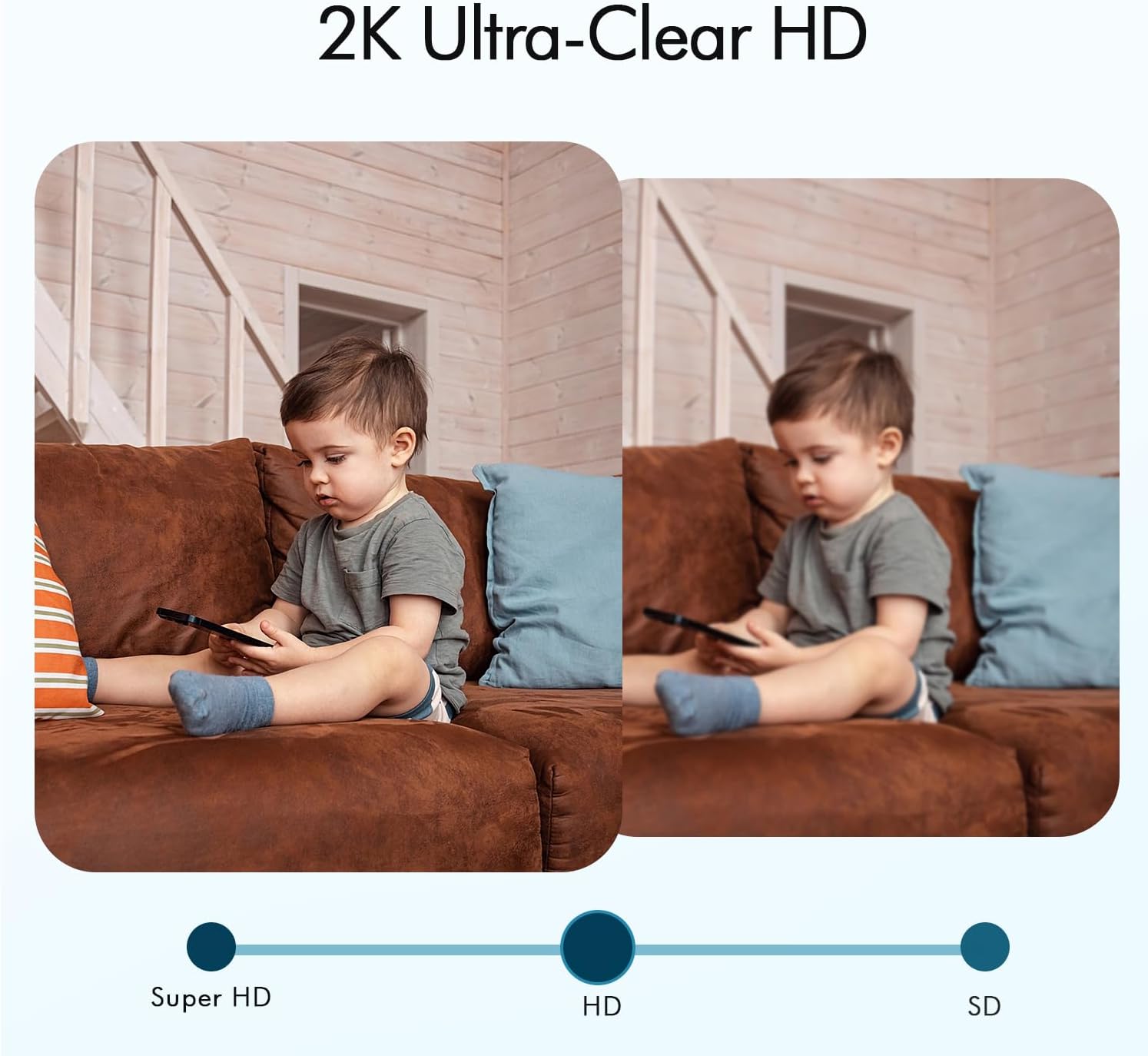
Image 5.1: Visual comparison demonstrating the clarity of 2K Ultra-Clear HD versus standard HD and SD resolutions.
5.3 Night Vision Modes
The camera offers two night vision modes:
- Infrared (IR) Night Vision: Provides clear black and white video in low-light conditions.
- Full Color Night Vision: Utilizes built-in spotlights to capture full-color video even in darkness. This mode can be activated manually or automatically upon motion detection.
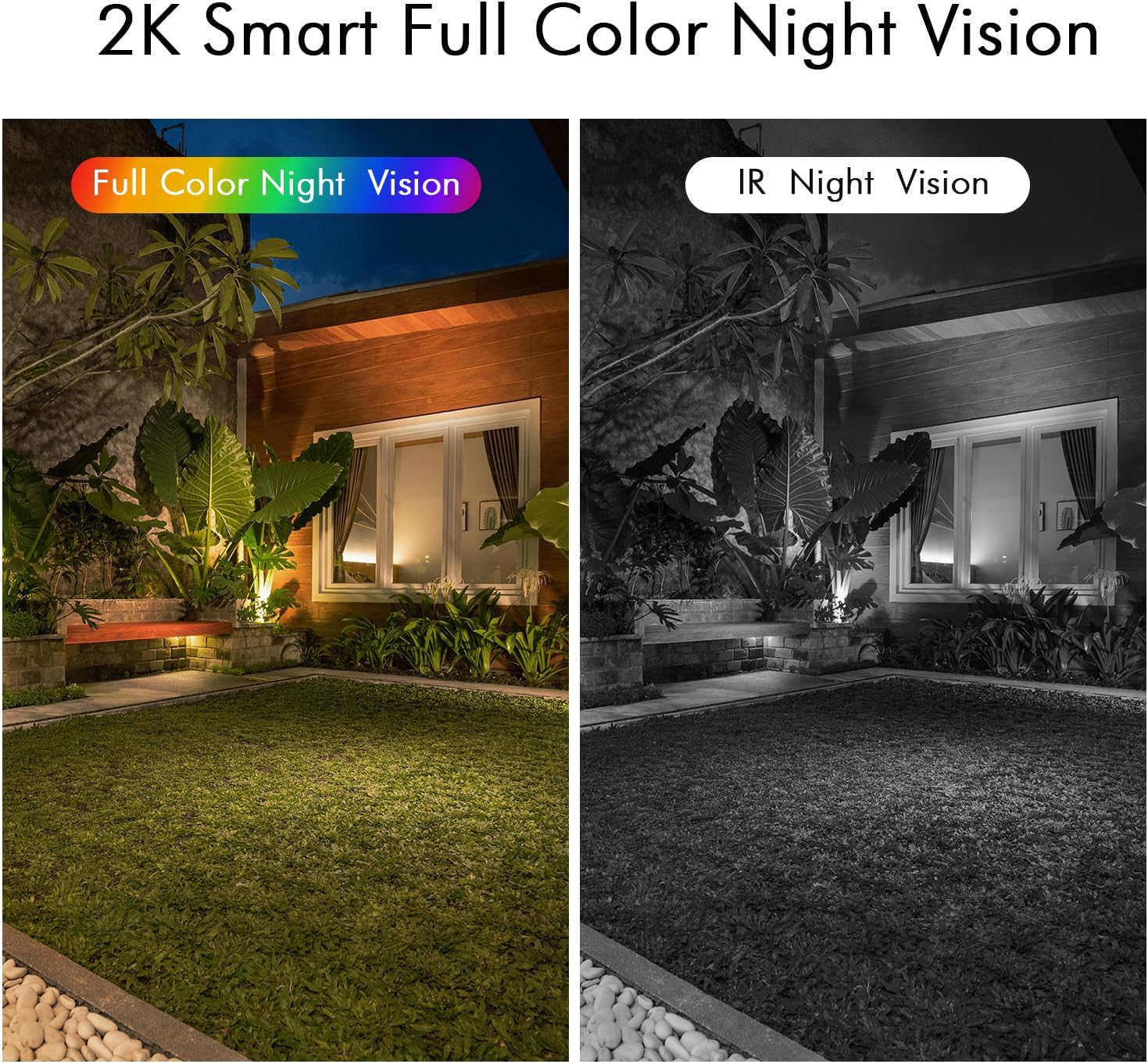
Image 5.2: Illustration of 2K Smart Full Color Night Vision and IR Night Vision capabilities.
5.4 PIR Motion Detection & AI
The integrated Passive Infrared (PIR) sensor, combined with AI detection, intelligently identifies human movement, reducing false alarms from pets or environmental factors. When motion is detected, you will receive instant notifications on your mobile device.

Image 5.3: The camera's Intelligent PIR Effective Recording feature, highlighting its ability to detect human figures while ignoring irrelevant movements.
5.5 Two-Way Audio
The camera features a built-in microphone and speaker, enabling real-time two-way communication through the O-KAM app. This allows you to speak with visitors or deter unwanted individuals.

Image 5.4: Demonstrating the two-way audio functionality for communication.
5.6 Siren Alarm and Spotlights
In the event of suspicious activity, you can manually trigger a loud siren alarm and activate the built-in spotlights via the O-KAM app to warn intruders and enhance security.

Image 5.5: The camera's siren and spotlight features for deterring unwanted visitors.
5.7 Customized Activity Zones
Define specific areas within the camera's field of view for motion detection. This allows you to focus on critical zones and ignore irrelevant movements outside these areas.

Image 5.6: Setting customized activity zones for precise motion detection.
5.8 Storage Options
The camera supports both Micro SD card storage (up to 256GB, not included) and cloud storage. A lifetime free 3-day loop cloud event recording is provided, with options to subscribe for longer storage cycles.

Image 5.7: Storage options including Micro SD card and free 3-day rolling cloud storage.
5.9 Alexa Compatibility
The camera is compatible with Amazon Alexa, allowing you to view live feeds on compatible Alexa-enabled devices using voice commands (e.g., "Alexa, show me the backyard").

Image 5.8: Using Alexa to view camera feeds.
6. Maintenance
6.1 Battery Management
The camera is equipped with a rechargeable battery. Monitor the battery level through the O-KAM app and recharge as needed using the provided USB charger. Battery life can vary based on usage and environmental conditions.
6.2 Cleaning
Gently wipe the camera lens and body with a soft, dry cloth to remove dust or smudges. Avoid using harsh chemicals or abrasive materials that could damage the camera.
6.3 Weather Resistance
The camera has an IP65 rating, indicating it is protected against dust and water jets. While designed for outdoor use, extreme weather conditions may affect performance. Ensure proper installation to prevent water accumulation.
7. Troubleshooting
- Camera not connecting to Wi-Fi: Ensure your Wi-Fi network is 2.4GHz. Verify the Wi-Fi password is correct. Move the camera closer to the router to improve signal strength. Reset the camera and attempt pairing again.
- Frequent false motion alerts: Adjust the motion detection sensitivity settings in the O-KAM app. Utilize the customized activity zones to exclude areas with frequent irrelevant movement (e.g., swaying trees, busy roads).
- Short battery life: High activity levels, frequent live view access, and extreme temperatures can reduce battery life. Ensure the camera is fully charged. Consider reducing recording duration or motion detection frequency if possible.
- Poor video quality: Check your Wi-Fi signal strength. Ensure the camera lens is clean and free from obstructions. Adjust video quality settings in the app to a higher resolution if your network supports it.
- Two-way audio issues: Ensure your phone's volume is up and the camera's microphone/speaker are not obstructed. Check app permissions for microphone access.
8. Specifications
| Feature | Specification |
|---|---|
| Model Name | MG-CAMERA004 |
| Indoor/Outdoor Usage | Indoor/Outdoor |
| Video Capture Resolution | 3 MP (2K HD) |
| Connectivity Technology | Wireless (2.4GHz Wi-Fi) |
| Power Source | Battery Powered (5200 mAh) |
| Special Features | 100% Wireless, Smart Color Night Vision, AI & PIR Motion Sensor, Siren Alarm, Two-Way Audio, Rechargeable, IP65 Waterproof, Customize Detection Zones, No Monthly Fee |
| Compatible Devices | Alexa, Smartphone |
| Viewing Angle | 110 Degrees |
| Night Vision Range | Up to 33 feet |
| Storage | Micro SD Card (up to 256GB), Cloud Storage (3-day free loop) |
| Material | Plastic |
| Item Weight | 1.32 pounds (for 2 cameras) |
9. Warranty and Support
For warranty information, technical support, or any product-related inquiries, please refer to the contact details provided on the product packaging or the official Menggood website. Keep your purchase receipt for warranty claims.