
Introduction
This manual provides detailed instructions for the PUSOKEI SQ11 Mini Camera. Please read this manual carefully before using the product to ensure proper operation and to maximize its lifespan. Keep this manual for future reference.
Safety Information
- Do not expose the camera to extreme temperatures, humidity, or dust.
- Avoid dropping or subjecting the camera to strong impacts.
- Keep the camera away from water and other liquids.
- Do not attempt to disassemble or modify the camera. This will void the warranty.
- Use only the provided charging cable or a compatible 5V 1A USB power source.
- Ensure the camera is used in compliance with local laws and regulations regarding surveillance.
Package Contents
Verify that all items are present in the package:
- 1 x PUSOKEI SQ11 Wireless Mini Camera
- 1 x Clip
- 1 x Base
- 1 x Charging Cable
- 1 x Instruction Manual

Image: PUSOKEI SQ11 Mini Camera with its accessories, including the camera unit, a mounting clip, a stand base, and a USB charging cable.
Product Overview
The PUSOKEI SQ11 Mini Camera is a compact, high-definition security camera designed for indoor use. It features 1080p video recording, a 160-degree wide-angle lens, and night vision capabilities.
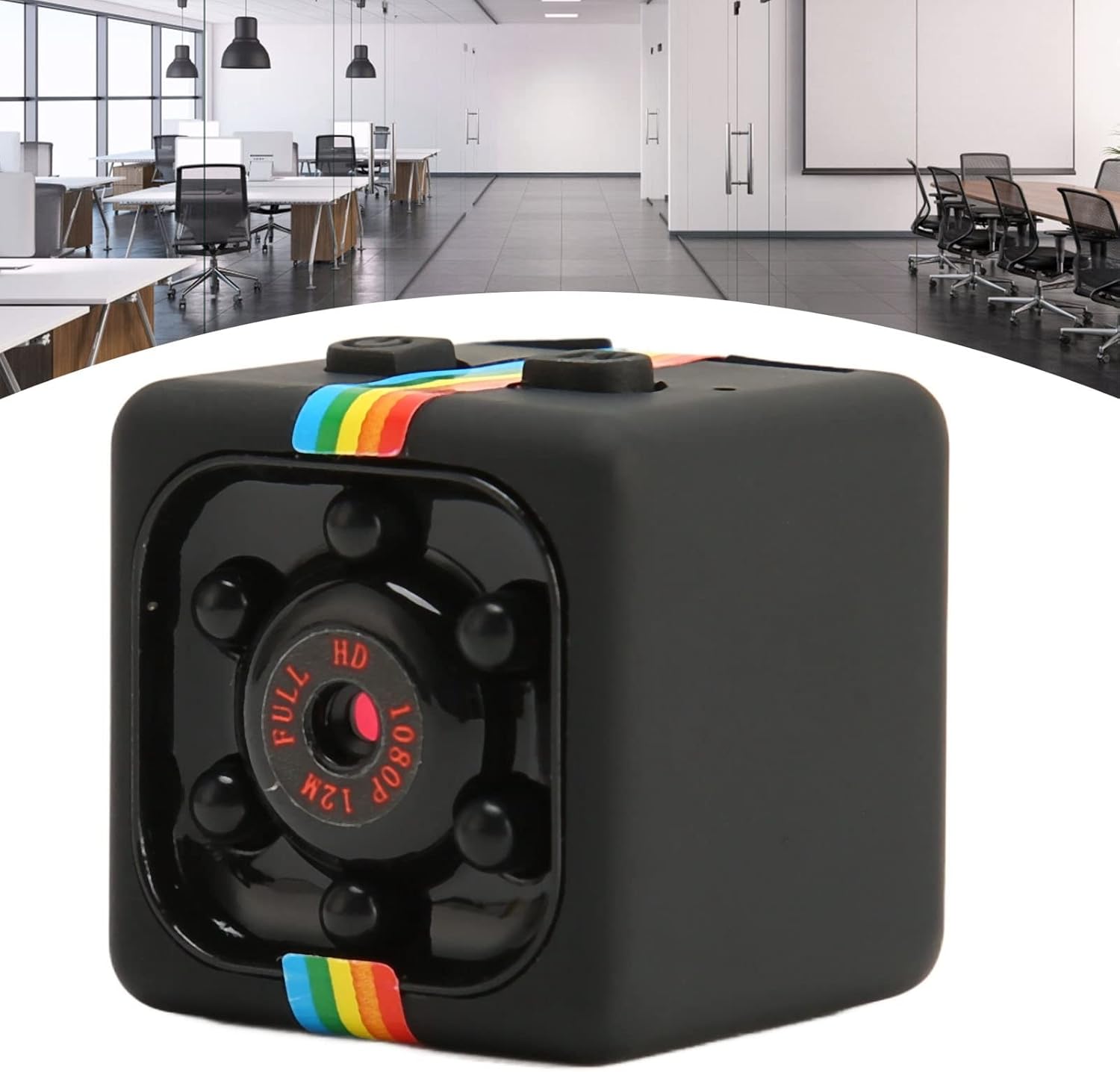
Image: Front view of the PUSOKEI SQ11 Mini Camera, highlighting the lens and surrounding infrared LEDs for night vision.
Components and Controls:
- Lens: Main camera lens for video capture.
- Indicator Lights: Status indicators for power, recording, and night vision.
- Power Button: To turn the camera on/off.
- Mode Button: To switch between different recording modes (e.g., video, photo).
- Micro USB Port: For charging and data transfer.
- Micro SD Card Slot: For inserting a memory card (up to 32GB).
Setup
- Charge the Camera: Before first use, fully charge the camera. Connect the provided USB charging cable to the camera's Micro USB port and to a 5V 1A USB power adapter (not included) or a computer USB port. The indicator light will show charging status and turn off when fully charged.
- Insert Micro SD Card: Insert a Micro SD card (up to 32GB, not included) into the card slot. Ensure the card is inserted correctly until it clicks into place. The camera requires a memory card to record video.
- Mounting: Attach the camera to the provided clip or base. You can place the camera on a flat surface or mount it discreetly in a corner.

Image: The PUSOKEI SQ11 Mini Camera shown mounted on its adjustable base, ready for placement in a home or office environment.
Operating Instructions
Power On/Off:
- To power on, press and hold the Power button until the indicator light turns on.
- To power off, press and hold the Power button until the indicator light turns off.
Video Recording:
- After powering on, the camera typically enters standby mode.
- Press the Mode button to select the desired video recording mode (e.g., 1080p).
- Press the Power button once to start recording. The indicator light will flash to indicate recording is in progress.
- Press the Power button again to stop recording and save the file.
Night Vision:
- The camera supports night vision for clear recording in low light conditions.
- Refer to the specific instructions in the included paper manual for activating or deactivating night vision, as this may vary by firmware version.
Continuous Operation:
For extended recording, connect the camera to a 5V 1A or higher USB power source (e.g., a wall adapter or a power bank). This allows the camera to operate continuously, bypassing the internal battery's 50-minute limit.

Image: The PUSOKEI SQ11 Mini Camera positioned near a plant, demonstrating its compact size and suitability for discreet placement for continuous home monitoring.
Maintenance
- Cleaning: Use a soft, dry cloth to clean the camera body. For the lens, use a specialized lens cleaning cloth. Do not use liquid cleaners.
- Storage: When not in use for extended periods, store the camera in a cool, dry place.
- Battery Care: To prolong battery life, avoid fully discharging the battery frequently. Charge the camera regularly, even if not in active use.
- Firmware Updates: Check the manufacturer's website (if available) for any firmware updates that may improve performance or add features.
Troubleshooting
| Problem | Possible Cause | Solution |
|---|---|---|
| Camera does not turn on. | Low battery; faulty power button. | Charge the camera fully. Ensure the power button is pressed correctly. |
| Cannot record video. | No Micro SD card; card full; card error; incorrect mode. | Insert a Micro SD card. Format or replace the card. Ensure sufficient storage. Check recording mode. |
| Poor video quality. | Dirty lens; low light conditions (without night vision); incorrect resolution setting. | Clean the lens. Activate night vision in low light. Ensure 1080p resolution is selected. |
| Short battery life. | Battery degradation; continuous recording without external power. | Ensure the camera is fully charged. For extended use, connect to a continuous 5V 1A USB power source. |
Specifications
| Model | SQ11 |
| Material | ABS |
| Battery | 200 mAh Lithium Battery |
| Video Format | AVI |
| Video Resolution | 1920 x 1080 (1080p) |
| Video Frame Rate | 30 fps |
| Image Ratio | 16:9 |
| Operating Time | Approx. 50 minutes (on battery) |
| Charging Voltage | 5V |
| Storage Support | Micro SD Card (up to 32GB, not included) |
| Interface | Mini 8 Pin USB |
| Supported Systems | Windows, OS X, Linux |
| Special Features | HD Resolution, Night Vision |
| Connectivity | Wired, Wireless |
| Viewing Angle | 160 Degrees |
| IP Rating | IP54 |
Warranty and Support
For warranty information and technical support, please refer to the documentation included with your purchase or contact PUSOKEI customer service through the retailer where the product was purchased. Keep your proof of purchase for warranty claims.
Online Support: For additional resources or frequently asked questions, please visit the official PUSOKEI brand store on Amazon: PUSOKEI Store