
SENLIFANG SLF-500W
SENLIFANG SLF-500W ATX 500W 80 Plus Gold Non-Modular PC Power Supply User Manual
Model: SLF-500W
1. Introduction
This manual provides essential information for the proper installation, operation, and maintenance of your SENLIFANG SLF-500W ATX 500W 80 Plus Gold Non-Modular PC Power Supply. Please read this manual thoroughly before installation and retain it for future reference.

Image 1.1: The SENLIFANG SLF-500W ATX 500W Power Supply, showcasing its compact design and integrated cables.
2. Safety Precautions
- Always disconnect the power supply from the AC outlet before installation or maintenance.
- Do not open the power supply unit. High voltages are present inside, and there are no user-serviceable parts.
- Ensure proper grounding to prevent electrical shock.
- Install the power supply in a well-ventilated area, away from heat sources and moisture.
- Use only the provided cables and ensure they are securely connected.
3. Setup and Installation
Follow these steps to install your SENLIFANG SLF-500W power supply into your personal computer system.
3.1 Unpacking
- Carefully remove the power supply from its packaging.
- Inspect the unit for any visible damage. If damaged, do not proceed with installation and contact support.
3.2 Physical Installation
- Ensure your computer case is open and ready for component installation.
- Position the power supply in the designated PSU bay of your computer case. Ensure the fan is oriented correctly for optimal airflow (typically facing downwards or towards the interior of the case, depending on case design).
- Secure the power supply to the case using the appropriate screws.
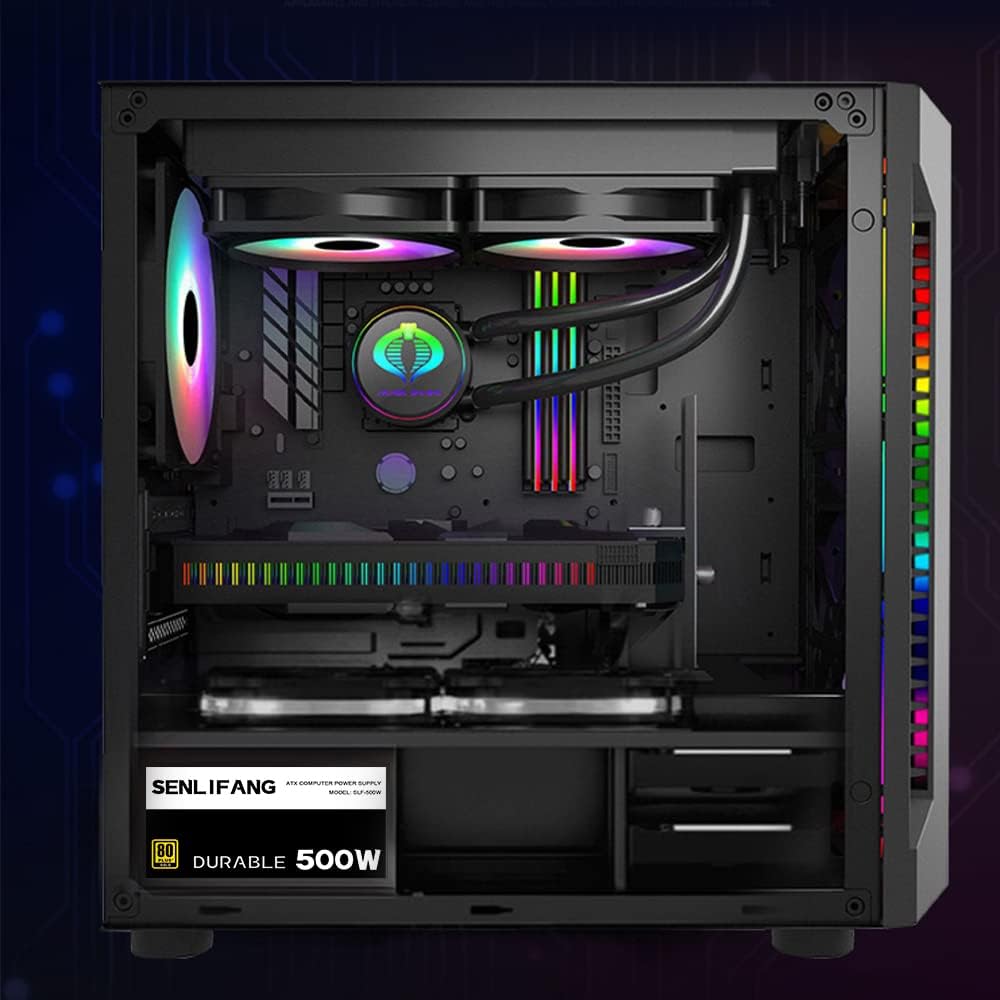
Image 3.1: Example of a power supply installed within a PC case, demonstrating typical placement.
3.3 Cable Connections
The SENLIFANG SLF-500W is a non-modular power supply, meaning all cables are permanently attached. Connect the necessary cables to your motherboard and components.

Image 3.2: Overview of the included cable types and their approximate lengths for the SLF-500W power supply.
- 24(20+4)Pin Main Power Connector: Connect this to the main ATX power socket on your motherboard.
- 8(4+4)Pin CPU Power Connector: Connect this to the CPU power socket on your motherboard.
- 8(6+2)Pin PCI-E Connectors: Connect these to your graphics card(s) if required. The SLF-500W includes two such connectors.
- SATA Power Connectors: Connect these to your SATA hard drives, SSDs, and optical drives. The SLF-500W provides four SATA connectors.
- IDE (Molex) Power Connectors: Connect these to older peripherals or case fans that use this connector type. The SLF-500W provides three IDE connectors.
Ensure all connections are firm and properly seated. Avoid excessive force when connecting cables.
4. Operating Instructions
Once the power supply is physically installed and all necessary cables are connected, you can power on your system.
- Connect the AC power cord to the power supply's AC inlet and then to a wall outlet.
- Flip the power switch on the back of the power supply to the 'ON' (I) position.
- Press the power button on your computer case to start the system.
4.1 Fan Operation
The SENLIFANG SLF-500W features an auto-thermally controlled 120mm fan. This fan adjusts its speed based on the power supply's internal temperature, ensuring efficient cooling while minimizing noise during lighter loads.
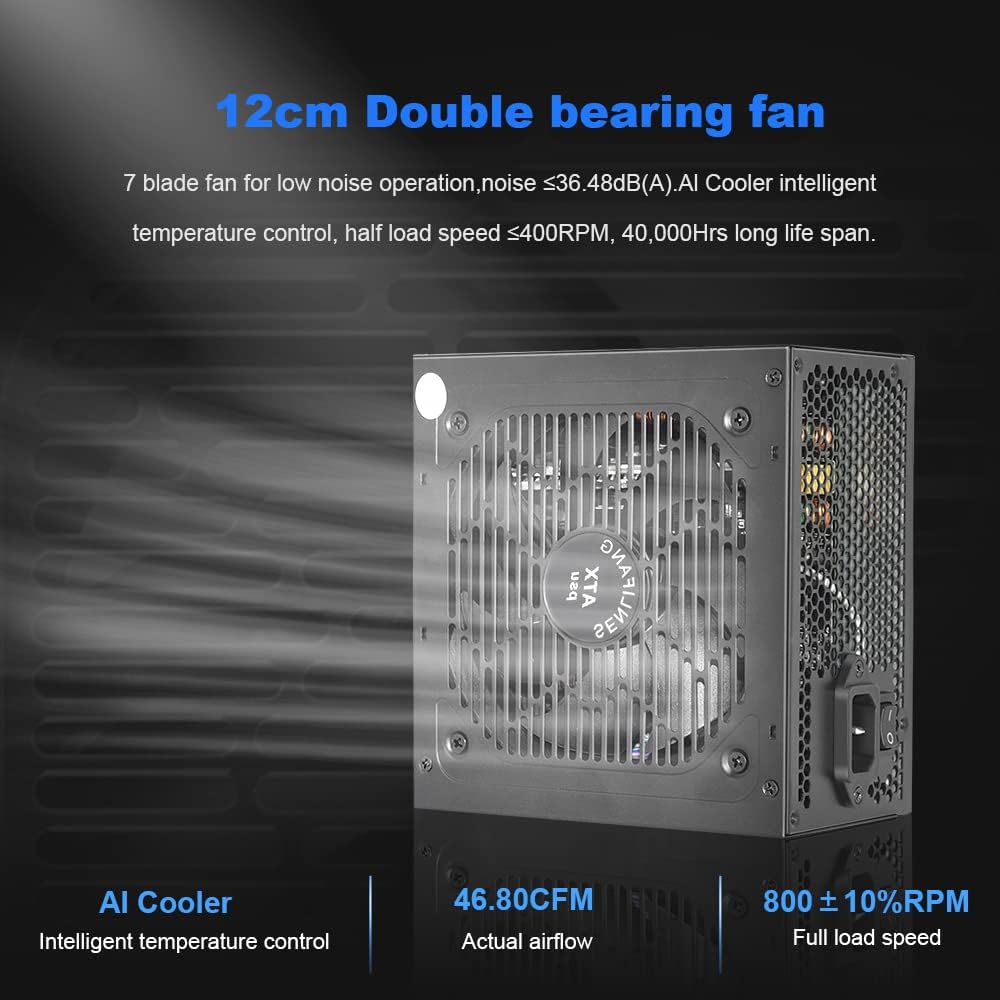
Image 4.1: Close-up of the 120mm double bearing fan, highlighting its intelligent temperature control features.
5. Maintenance
Proper maintenance ensures the longevity and optimal performance of your power supply.
- Dust Cleaning: Periodically clean dust from the power supply's fan grille and vents using compressed air. Ensure the system is powered off and unplugged before cleaning.
- Cable Management: Ensure cables are neatly managed to promote better airflow within the PC case, which helps in cooling all components, including the PSU.
- Environmental Conditions: Operate the power supply within recommended temperature and humidity ranges. Avoid extreme conditions.
6. Troubleshooting
If you encounter issues with your power supply, refer to the following common problems and solutions.
- No Power:
- Check if the AC power cord is securely connected to both the power supply and the wall outlet.
- Ensure the power switch on the back of the PSU is in the 'ON' (I) position.
- Verify that the motherboard's 24-pin and CPU's 8-pin (4+4) connectors are firmly seated.
- Test the wall outlet with another device to ensure it has power.
- System Instability/Random Shutdowns:
- This could indicate an overloaded power supply or a faulty component. Ensure your system's total power draw does not exceed the PSU's 500W capacity.
- Check for proper ventilation and ensure the PSU fan is spinning.
- The power supply includes multiple protections (short circuit, overload, overheating, low voltage). If these protections are triggered, the PSU may shut down to prevent damage.
- Unusual Noises:
- A slight fan noise is normal, especially under load. However, if you hear grinding or excessive noise, ensure no cables are obstructing the fan.
- If the noise persists, contact customer support.
7. Specifications
Detailed technical specifications for the SENLIFANG SLF-500W Power Supply.

Image 7.1: A visual representation of the product specifications table.
| Feature | Specification |
|---|---|
| Rated Power | 500W |
| Fan | 12cm Double Bearing Fan |
| Temperature Control | AI Cooler Smart Temperature Control |
| Conversion Efficiency | 87.47% (at 50% Load, 230V) |
| PFC | Active PFC |
| Motherboard Power Interface | 24(20+4)Pin x 1 |
| CPU Power Interface | 8(4+4)Pin x 1 |
| PCI-E Interface | 8(6+2)Pin x 2 |
| D-type 4PIN Interface (Molex) | 3 |
| SATA Interface | 4 |
| AC Input Voltage | 100V - 240V |
| Safety Certifications | CE, FCC |
| Dimensions (L x W x H) | 15cm x 14cm x 8.5cm (5.9 x 5.51 x 3.34 inches) |
| Overall Weight | ~1.66 Kg (3.66 lbs) |

Image 7.2: Physical dimensions of the SENLIFANG SLF-500W power supply.

Image 7.3: The power supply rating label, detailing input and output specifications.
8. Warranty
The SENLIFANG SLF-500W Power Supply comes with a 5-year warranty from the date of purchase. This warranty covers defects in materials and workmanship under normal use. Please retain your proof of purchase for warranty claims. The warranty does not cover damage caused by misuse, accident, modification, or unauthorized repair.
9. Support
For technical assistance, warranty claims, or any other inquiries regarding your SENLIFANG SLF-500W Power Supply, please contact SENLIFANG customer support through the retailer where the product was purchased or visit the official SENLIFANG website for contact information.
Ask a question about this manual
Ask about setup, troubleshooting, compatibility, parts, safety, or missing instructions. Manuals+ will review the question and use this page’s manual context to help answer it.