
VASAGLE ULWD092B56
VASAGLE LED Gaming Desk with Power Outlets Instruction Manual
Model: ULWD092B56
Brand: VASAGLE
Introduction
This manual provides comprehensive instructions for the assembly, operation, maintenance, and troubleshooting of your new VASAGLE LED Gaming Desk. Please read this manual carefully before beginning assembly or use to ensure proper function and longevity of your product.

Figure 1: Overview of the VASAGLE LED Gaming Desk, featuring its integrated power outlets, USB ports, and LED lighting.
Setup and Assembly
The VASAGLE LED Gaming Desk is designed for straightforward assembly. All necessary parts are labeled, and clear instructions are provided to guide you through the process.
1. Unpacking and Part Identification
- Carefully unpack all components from the packaging.
- Verify that all parts listed in the assembly kit are present. Refer to the included parts list for identification.
- Ensure you have adequate space for assembly.
2. Assembly Steps
- Begin by attaching the main frame components as per the assembly instructions.
- Secure the tabletop to the frame.
- Install the monitor stand, ensuring it is firmly attached.
- Attach the side hooks for headphones or other accessories.
- Connect the LED light strip and power strip wiring according to the diagrams.
All assembly tools are included with the product. Follow the step-by-step instructions provided in the separate assembly guide for detailed visual assistance.

Figure 2: The gaming desk integrated into a home office environment, highlighting its versatile design.
3. Placement and Stability
Position the desk on a flat, stable surface. The desk is equipped with adjustable feet to compensate for uneven floors, preventing wobbles and ensuring a stable workspace. Adjust each foot individually until the desk is level and secure.
For safety, an anti-tip kit is included. It is recommended to install this kit, especially if the desk will be placed in an area with high traffic or if there is a risk of tipping.

Figure 3: Key structural features including wear-resistant panels, sturdy steel, side hooks, and adjustable levelling feet.
Operating Instructions
1. Power Outlets and USB Ports
The desk features a convenient built-in power strip with 2 AC outlets (120V/12A) and 2 USB ports (5V/2A). This allows for simultaneous charging and powering of multiple devices directly from your desk. A 5 ft (1.5 m) extension cord is integrated for easy access to power.
- Plug the desk's main power cord into a wall outlet.
- Connect your devices (e.g., laptop, phone, tablet, monitor) to the AC outlets or USB ports as needed.
- Ensure devices are compatible with the provided voltage and amperage.

Figure 4: The integrated power strip with AC outlets and USB ports for convenient device charging.
2. LED Lighting System
Enhance your gaming or working atmosphere with the integrated LED light strip. The lights offer customizable settings to suit your mood and preference.
- Colors: Choose from 20 different colors.
- Flashing Modes: Select from 6 distinct flashing modes.
- Brightness Levels: Adjust the intensity with 5 brightness levels.
- Flashing Rates: Control the speed of flashing modes with 5 rates.
Use the included remote control to cycle through settings and personalize your lighting experience.
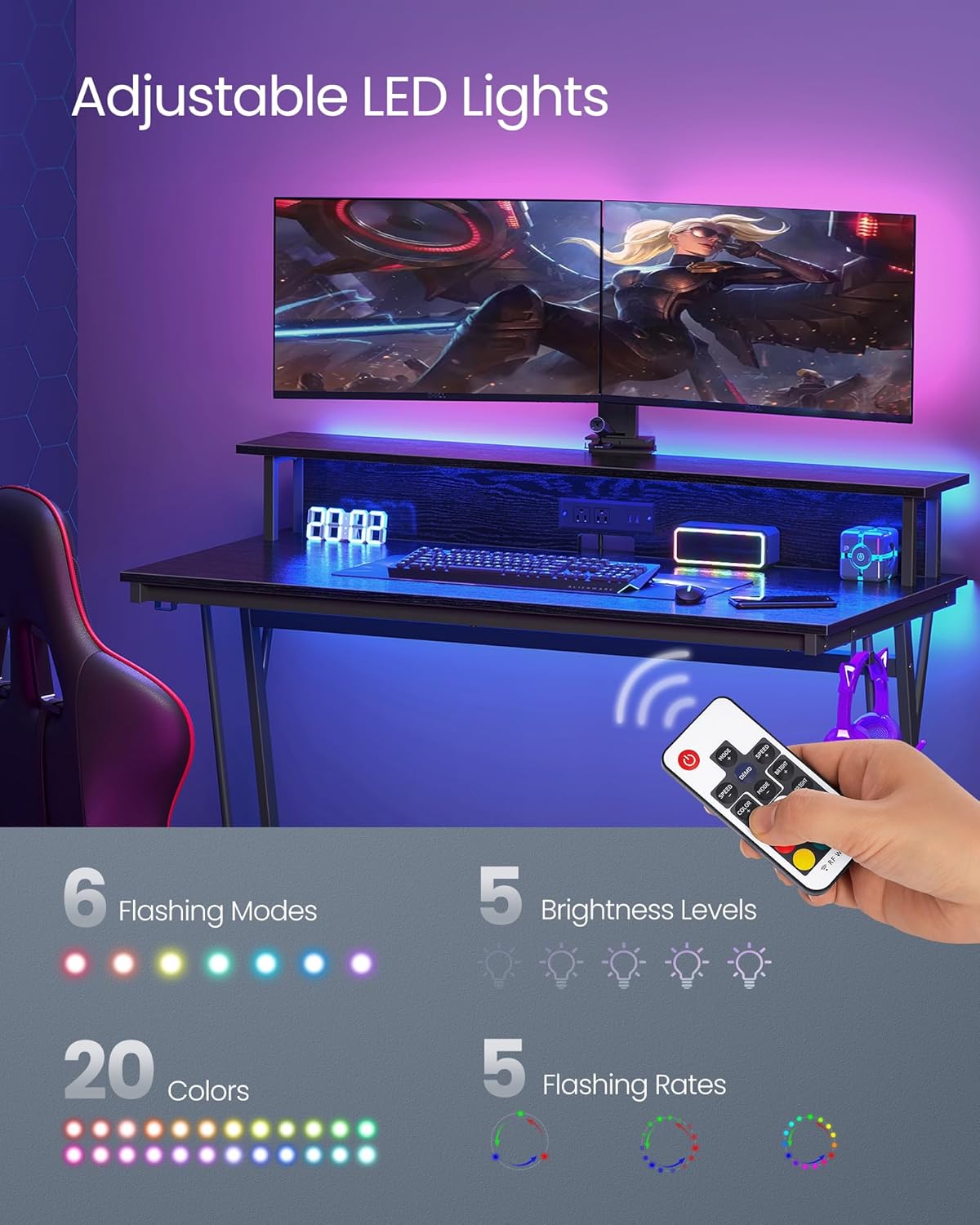
Figure 5: Adjustable LED lights with options for colors, flashing modes, brightness, and flashing rates.
3. Ergonomic Monitor Stand
The elevated monitor stand is designed to position your monitors at eye level, promoting ergonomic posture and reducing strain on your neck and back during prolonged use. It can accommodate up to two monitors.
- Place your monitors directly on the stand.
- Utilize the compartment underneath the monitor stand for additional storage, helping to keep your desktop tidy.

Figure 6: The ergonomic monitor stand helps maintain proper posture, reducing neck and back strain.
Maintenance and Care
Proper maintenance will ensure the longevity and appearance of your VASAGLE LED Gaming Desk.
1. Cleaning
- For general cleaning, wipe the desk surfaces with a soft, damp cloth.
- Avoid using harsh chemicals, abrasive cleaners, or polishes, as these can damage the finish.
- Immediately wipe up any spills to prevent staining or damage to the engineered wood and steel components.
2. Structural Integrity
The desk is constructed with a sturdy steel frame and reinforced by a bottom crossbar, designed to hold up to 220 lb (100 kg) on the tabletop. The quality panels are scratch-resistant and durable.
- Periodically check all screws and fasteners to ensure they remain tight. Retighten if necessary.
- Avoid placing excessively heavy items on the monitor stand (maximum static load capacity of 44 lb / 20 kg).
- Do not drag the desk when moving it; lift it to prevent damage to the legs and floor.

Figure 7: Details of the robust and stable construction, including scratch-resistant panels and steel reinforcement.
Troubleshooting
| Problem | Possible Cause | Solution |
|---|---|---|
| Desk is wobbly or unstable. | Uneven floor surface; loose fasteners. | Adjust the leveling feet at the bottom of the desk legs until stable. Check and tighten all assembly screws. |
| LED lights are not turning on. | Power cord not plugged in; remote control battery low/dead; loose connection. | Ensure the desk's power cord is securely plugged into a working wall outlet. Check the remote control battery and replace if necessary. Verify all LED strip connections are secure. |
| Power outlets/USB ports are not working. | Desk's main power cord not plugged in; circuit overload. | Confirm the desk's main power cord is fully inserted into a live wall outlet. Ensure the total power draw of connected devices does not exceed the strip's capacity (120V/12A). |
| Missing parts during assembly. | Packaging error. | Double-check all packaging materials. If parts are still missing, contact VASAGLE customer support with your product model and a list of missing components. |
Product Specifications

Figure 8: Detailed dimensions and weight capacities of the gaming desk.
| Feature | Detail |
|---|---|
| Brand | VASAGLE |
| Model Number | ULWD092B56 |
| Product Dimensions (D x W x H) | 23.6"D x 47.2"W x 29.5"H (60cm x 120cm x 75cm) |
| Color | Ebony Black |
| Style | Modern |
| Base Material | Metal |
| Top Material Type | Engineered Wood |
| Finish Type | Particleboard, Steel |
| Special Feature | LED Lights, Built-in Power Strip (2 AC outlets, 2 USB ports), Monitor Stand, Headphone Hooks, Adjustable Feet |
| Maximum Weight Recommendation (Desktop) | 220 Pounds (100 kg) |
| Maximum Weight Recommendation (Monitor Stand) | 44 Pounds (20 kg) |
| Included Components | 1 x Gaming Desk, 1 x Assembly Kit, 1 x Anti-Tip Kit, 1 x Instructions |
| Assembly Required | Yes (All assembly tools included) |
| UPC | 194343126357 |
Warranty Information
This VASAGLE product comes with a limited warranty. For specific details regarding the terms and conditions of your warranty, please refer to the warranty card included in your product packaging or visit the official VASAGLE website.
Please retain your proof of purchase for any warranty claims.
Customer Support
Should you have any questions, require assistance with assembly, or encounter any issues with your VASAGLE LED Gaming Desk, please do not hesitate to contact our customer support team.
- Online Support: Visit the official VASAGLE website for FAQs, support articles, and contact forms.
- Amazon Store: For product-related inquiries, you can also visit the VASAGLE Store on Amazon.
When contacting support, please have your product model number (ULWD092B56) and purchase information ready to expedite assistance.
Ask a question about this manual
Ask about setup, troubleshooting, compatibility, parts, safety, or missing instructions. Manuals+ will review the question and use this page’s manual context to help answer it.