
AIRHOT HD-TM400
AIRHOT Walking Pad, 2 in 1 Under Desk Treadmill
Model: HD-TM400 User Manual
1. Important Safety Instructions
Before operating the AIRHOT Walking Pad, please read and understand all safety instructions. Failure to follow these instructions may result in injury or damage to the product.
- Always place the walking pad on a flat, stable surface.
- Ensure adequate clear space around the walking pad during operation.
- Keep children and pets away from the walking pad while it is in use.
- Do not operate the walking pad if it has a damaged cord or plug, or if it is not working properly.
- Wear appropriate athletic footwear during use.
- Do not exceed the maximum weight capacity of 265 pounds (120 kg).
- Disconnect the power cord when not in use or before cleaning and maintenance.
- Consult a physician before starting any exercise program.
2. Package Contents
Verify that all items are present in the package:
- AIRHOT Walking Pad (1 unit)
- Remote Control (1 unit)
- Wrench (1 unit)
- Button Battery (CR2032, 1 unit, included with remote)
- User Manual (this document)
- Lubricant (2 bottles)

3. Product Overview
3.1 Key Features
- 2-in-1 Design: Functions as both a walking pad and an under-desk treadmill.
- Powerful & Quiet Motor: 2.5 HP motor operates below 45 dB, supporting users up to 265 lbs.
- Advanced Shock Absorption: Features a dual-layer belt, 10 shock absorbers, and 4 rubber cushions to reduce joint impact.
- Spacious Running Surface: 40" x 16" (101.6 cm x 40.6 cm) turf-texture non-slip running belt.
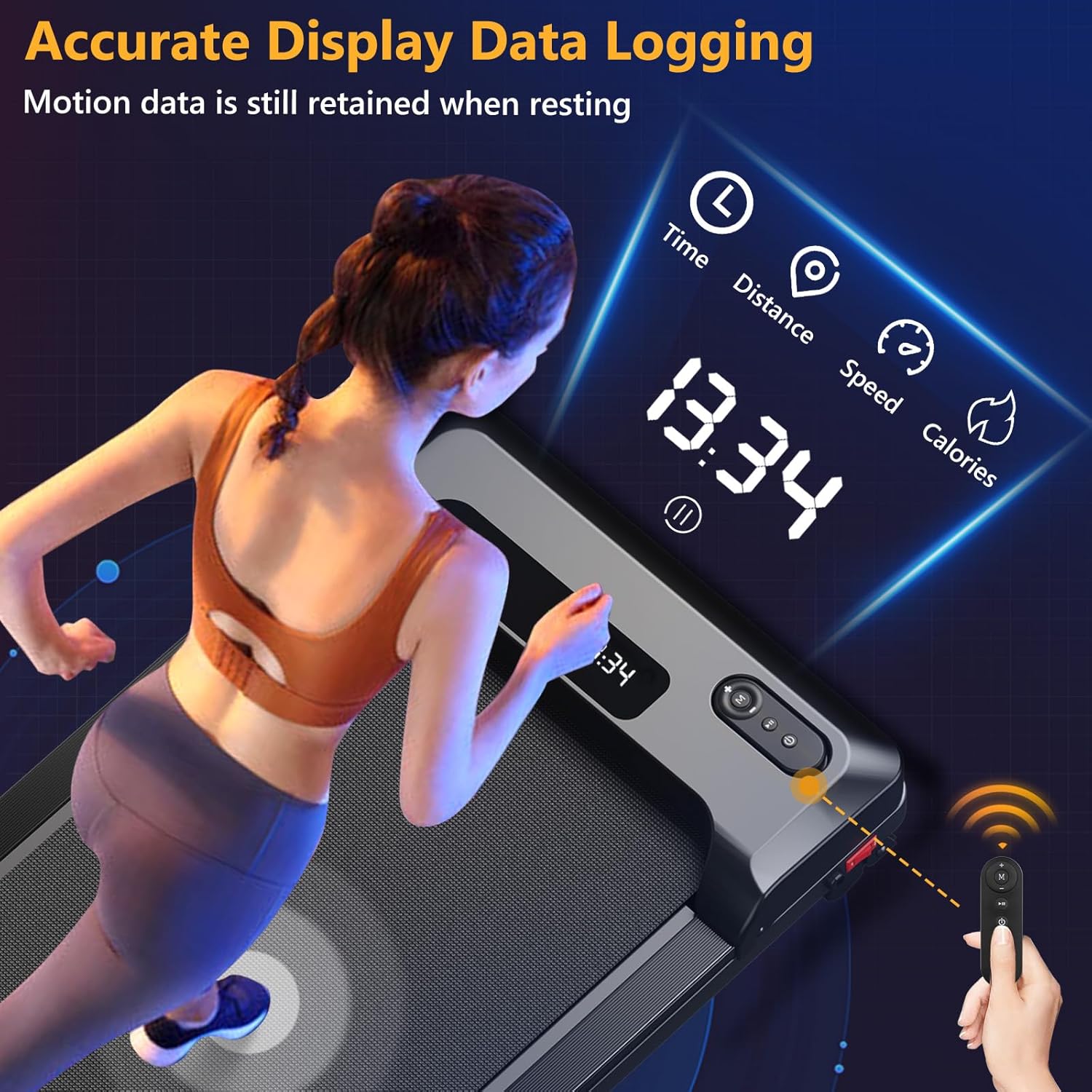
- LED Display & Remote Control: Tracks speed, time, distance, and calories.
- Adjustable Speed: Range from 0.6 MPH to 3.7 MPH (1 km/h to 6 km/h).
- Compact & Portable: Ultra-thin design (4.6 inches / 11.7 cm thickness) with built-in wheels for easy storage and movement.
- Optional 15° Incline: Allows for varied workout intensity.
3.2 Components Diagram




4. Setup
- Unboxing: Carefully remove the walking pad and all components from the packaging.
- Placement: Place the walking pad on a firm, level surface. Ensure there is at least 2 feet (60 cm) of clear space behind the unit and 1 foot (30 cm) on each side.
- Power Connection: Plug the power cord into a grounded electrical outlet.
- Remote Control Battery: Insert the included CR2032 button battery into the remote control.
- Initial Check: Before first use, ensure the running belt is centered and free of any obstructions.

5. Operating Instructions
5.1 Power On/Off
- To power on, press the power button on the walking pad or the remote control. The LED display will illuminate.
- To power off, press and hold the power button on the remote control or the walking pad until the display turns off.
5.2 Using the Remote Control
The remote control allows you to start, stop, and adjust the speed of the walking pad.
- Start/Stop: Press the 'Start/Stop' button to begin or pause your workout.
- Speed Adjustment: Use the '+' and '-' buttons to increase or decrease the speed. The speed range is 0.6-3.7 MPH.
- Mode Selection: The walking pad may have different modes (e.g., walking mode, running mode). Refer to the display for current mode indication.
5.3 Display Information
The LED display cycles through the following metrics:
- Time: Duration of your workout.
- Speed: Current speed in miles per hour (MPH).
- Distance: Total distance covered during the workout.
- Calories: Estimated calories burned.
5.4 Incline Adjustment (if applicable)
Some models feature an adjustable incline. To adjust the incline to 15 degrees, locate the adjustment mechanism (typically a lever or pin) at the front or rear of the walking pad and follow the instructions provided in the quick start guide or on the unit itself.
6. Maintenance
Regular maintenance ensures the longevity and optimal performance of your walking pad.
6.1 Cleaning
- Always unplug the walking pad before cleaning.
- Wipe down the surface of the walking pad with a damp cloth. Do not use abrasive cleaners or solvents.
- Regularly vacuum dust and debris from around the motor cover.
6.2 Lubrication
The running belt requires periodic lubrication to reduce friction and extend its lifespan. Use the provided lubricant.
- Unplug the walking pad.
- Lift the edge of the running belt on one side.
- Apply a small amount of lubricant (approximately 5-10 ml) in a thin line along the center of the deck, underneath the belt.
- Repeat on the other side.
- Plug in the walking pad and run it at a low speed (e.g., 1 MPH) for 3-5 minutes to distribute the lubricant evenly.
- Lubricate every 3 months or after 50 hours of use, whichever comes first.
6.3 Belt Adjustment
If the running belt starts to slip or move off-center, it may need adjustment.
- Centering the Belt: If the belt drifts to one side, use the provided wrench to turn the corresponding rear roller bolt a quarter turn clockwise. If it drifts to the other side, turn the opposite bolt a quarter turn clockwise. Run the walking pad at a low speed and observe. Repeat until the belt is centered.
- Tightening the Belt: If the belt slips during use, turn both rear roller bolts a quarter turn clockwise. Test the belt. Repeat if necessary, but do not overtighten.
7. Troubleshooting
| Problem | Possible Cause | Solution |
|---|---|---|
| Walking pad does not power on. | Power cord not plugged in; power switch off; circuit breaker tripped. | Ensure power cord is securely plugged in. Check the power switch on the unit. Reset the household circuit breaker if necessary. |
| Remote control not working. | Battery depleted or incorrectly inserted. | Replace the CR2032 battery in the remote control. Ensure it is inserted with correct polarity. |
| Running belt slips during use. | Belt too loose; insufficient lubrication. | Tighten the running belt (refer to Section 6.3). Apply lubricant if needed (refer to Section 6.2). |
| Running belt drifts to one side. | Belt off-center. | Adjust the running belt (refer to Section 6.3). |
| Unusual noise from the motor area. | Loose components; debris in motor housing; worn parts. | Unplug the unit and inspect for loose screws. Clean any visible debris. If noise persists, contact customer support. |
| Walking pad unexpectedly speeds up or stops. | Electronic interference; sensor issue; internal fault. | Ensure no other electronic devices are causing interference. Power cycle the unit. If the issue persists, discontinue use and contact customer support. |
8. Specifications
| Feature | Specification |
|---|---|
| Model Number | HD-TM400 |
| Product Dimensions (L x W x H) | 121 x 50 x 10.5 cm (47.6 x 19.7 x 4.1 inches) |
| Item Weight | 17.6 kg (38.8 lbs) |
| Motor Horsepower | 2.5 HP |
| Speed Range | 0.6 - 3.7 MPH (1 - 6 km/h) |
| Maximum Weight Capacity | 265 lbs (120 kg) |
| Running Belt Dimensions | 40" x 16" (101.6 cm x 40.6 cm) |
| Noise Level | < 45 dB |
| Display Type | LED |
| Frame Material | Alloy Steel |
| Power Source | Corded Electric |
| Included Components | Remote Control, Wrench, Button Battery, User Manual, Lubricant |
9. Warranty and Support
For warranty information, technical support, or service inquiries, please refer to the warranty card included with your product or contact AIRHOT customer service directly. Contact details are typically available on the official AIRHOT website or through your purchase platform.
Please have your model number (HD-TM400) and purchase date ready when contacting support.
Ask a question about this manual
Ask about setup, troubleshooting, compatibility, parts, safety, or missing instructions. Manuals+ will review the question and use this page’s manual context to help answer it.