
COSTWAY FP10262US-WH
COSTWAY Portable Air Conditioner User Manual
Model: FP10262US-WH | Brand: COSTWAY
1. Product Overview
The COSTWAY Portable Air Conditioner (Model: FP10262US-WH) is a versatile 4-in-1 unit designed to provide optimal climate control for your living space. It functions as an air conditioner, fan, and dehumidifier, and includes a smart sleep mode for enhanced comfort.
With a powerful 10000 BTU cooling capacity (ASHRAE) and 6000 BTU (SACC), this unit can efficiently cool rooms up to 350 sq.ft. Its compact design and universal wheels allow for easy mobility between rooms.
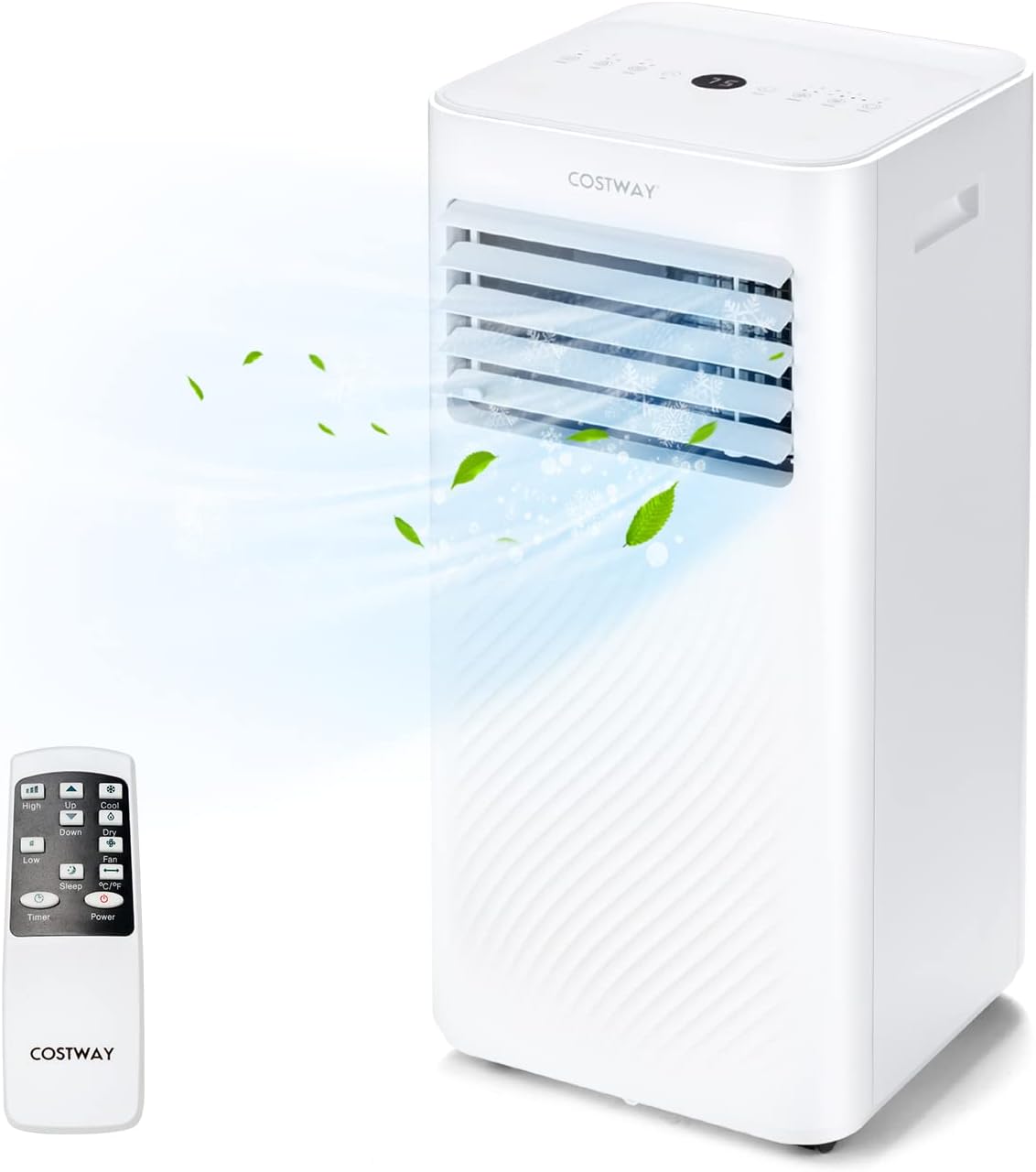
Figure 1: COSTWAY Portable Air Conditioner and Remote Control.

Figure 2: Cooling capacity for various room sizes, up to 350 sq.ft.
Key Features:
- 4-in-1 Functionality: Cool, Fan, Dehumidifier, and Sleep modes.
- Adjustable Fan Speeds: High and Low settings.
- Wide Temperature Range: Adjustable from 61℉ to 90℉.
- High Dehumidifying Capacity: Removes up to 51 Pints/Day.
- 24-Hour Timer: Programmable shut-off for convenience.
- Dual Control: LED touch panel and remote control for easy operation.
- Quiet Operation: Noise level ≤55dB, ideal for sleep mode.
- Multiple Safety Protections: Child lock, overflow protection, and overload protection.
- Easy Mobility: Equipped with carry handles and universal wheels.
2. Setup and Installation
This portable air conditioner comes with a complete window kit for easy installation in most window types, including vertical and horizontal sliding windows. Follow these steps for proper setup:
2.1 Unpacking and Components
Carefully remove all components from the packaging. Ensure all listed items are present:
- 1 x Portable Air Conditioner Unit
- 1 x Exhaust Hose (5.2 ft length, 5.9" diameter)
- 1 x Hose Connector
- 1 x Adapter
- 1 x Window Kit (adjustable for 25.5"-47" width/height)
- 1 x Drain Hose (2.1 ft length, 0.6" diameter)
- 1 x Remote Control
- 1 x User Guide (this manual)

Figure 3: All components included in the package.
2.2 Window Kit Installation
- Assemble the window kit panels to fit your window's width or height (25.5" to 47").
- Insert the assembled window kit into the window opening and secure it.
- Attach the hose connector to one end of the exhaust hose.
- Connect the other end of the exhaust hose to the adapter.
- Insert the adapter into the designated opening on the window kit.
- Connect the exhaust hose to the exhaust port on the back of the air conditioner unit.

Figure 4: Visual guide for installing the window kit and exhaust hose.
2.3 Drainage Setup
The unit offers two drainage options: manual and continuous.
- Manual Drainage: When the internal water tank is full, the unit will indicate an overflow. You can then remove the bottom drain plug and empty the water into a suitable container.
- Continuous Drainage: For continuous operation, attach the provided drain hose to the continuous drainage port (located on the lower back of the unit). Route the hose to a floor drain or a larger container to allow water to drain automatically.

Figure 5: Manual and Continuous Drainage options.
3. Operating Instructions
The COSTWAY Portable Air Conditioner can be operated using either the LED touch panel on top of the unit or the included remote control. Both offer full functionality.

Figure 6: LED Touch Panel and Remote Control.
3.1 Control Panel Functions
- Power Button: Turns the unit On/Off.
- Mode Button: Cycles through Cool, Fan, Dehumidifier, and Sleep modes.

Figure 7: Four operating modes.
- Speed Button: Adjusts fan speed (High/Low).
- Up/Down Arrows: Adjusts temperature (61℉-90℉) or timer settings.
- Timer Button: Sets the auto On/Off timer (1-24 hours).
- Lock Button: Activates/deactivates the child lock feature by holding for a few seconds. This prevents accidental changes to settings.
- Sleep Button: Activates sleep mode, which dims lights and reduces noise for a comfortable sleeping environment. The temperature will gradually increase by 1.8℉/h before automatically shutting off after 12 hours.
3.2 Airflow Adjustment
The unit features 90° manual vertical swing for directing airflow. Adjust the front vents manually to achieve desired air distribution.
4. Maintenance
Regular maintenance ensures optimal performance and longevity of your air conditioner.
4.1 Filter Cleaning
The unit has removable and washable filters located at the top and bottom rear. It is recommended to clean the filters regularly, especially if the unit is used continuously. To clean:
- Gently pop off the filter covers on the back of the unit.
- Remove the filters.
- Rinse the filters under running water to remove dust and debris.
- Allow filters to air dry completely before reinserting them.
- Snap the filter covers back into place.
4.2 Water Drainage
If not using continuous drainage, the internal water tank will fill up, especially when using the dehumidifier mode. The unit has an overflow protection feature that automatically cuts off power when the tank is full. To drain manually:
- Turn off and unplug the unit.
- Locate the manual drainage plug at the bottom rear of the unit.
- Place a shallow pan or container beneath the plug.
- Remove the plug to allow water to drain.
- Once drained, securely replace the plug.
5. Troubleshooting
If you encounter issues with your COSTWAY Portable Air Conditioner, refer to the following common troubleshooting tips:
- Unit not turning on:
- Ensure the power cord is securely plugged into a functioning 115V/60Hz outlet.
- Check if the child lock feature is activated (indicated by a light on the control panel). Deactivate it by holding the lock button for a few seconds.
- Verify that the internal water tank is not full, triggering the overflow protection. Drain the water if necessary.
- Insufficient cooling:
- Check if the exhaust hose is properly installed and not kinked or blocked.
- Ensure the window kit is securely sealed to prevent warm air from entering the room.
- Clean the air filters if they are dirty, as this can restrict airflow.
- Verify the room size is within the recommended 350 sq.ft. cooling area.
- Ensure doors and windows are closed to prevent cool air from escaping.
- Water leakage:
- Check if the drain plugs (manual and continuous) are securely in place.
- If using continuous drainage, ensure the drain hose is not blocked and is properly sloped for water to flow out.
- Unusual noise:
- Ensure the unit is placed on a flat, stable surface.
- Check for any obstructions around the air intake or exhaust vents.
For more detailed troubleshooting or persistent issues, please refer to the comprehensive User Guide included with your product or contact COSTWAY customer support.
6. Specifications
| Feature | Specification |
|---|---|
| Brand | COSTWAY |
| Model Number | FP10262US-WH |
| Product Dimensions (L x W x H) | 12.5" x 12" x 27.5" |
| Item Weight | 49.5 lbs |
| Cooling Capacity (ASHRAE) | 10000 BTU |
| Cooling Capacity (SACC) | 6000 BTU |
| Cooling Area | Up to 350 sq.ft. |
| Dehumidifying Capacity | 51 Pints/Day |
| Temperature Setting Range | 61℉~90℉ |
| Noise Level | ≤55dB |
| Voltage | 115V/60Hz |
| Wattage | 920 watts |
| Exhaust Hose Length | 5.2 ft |
| Drain Hose Length | 2.1 ft |
| Power Cord Length | 5.9 ft |
| Max Remote Control Distance | 16.5 ft |
| Material Type | ABS Plastic |
7. Warranty and Support
For detailed warranty information and customer support, please refer to the official User Guide included in your product package. You can also visit the COSTWAY Store on Amazon for additional resources and contact information.
Please retain your proof of purchase for any warranty claims.
Related Documents - FP10262US-WH
 |
Costway ES10043 Portable Air Conditioner User Manual User manual for the Costway ES10043 portable air conditioner, detailing parts, operation, installation, maintenance, and troubleshooting. |
 |
Costway Portable Air Conditioner User Manual Comprehensive user manual for the Costway portable air conditioner, detailing safety instructions, product overview, installation, operation, and maintenance. |
 |
Costway EP24581US-WH Portable Air Conditioner User Manual This user manual provides comprehensive instructions for the Costway EP24581US-WH portable air conditioner, covering safety precautions, parts identification, accessories, control panel functions, remote control operation, installation, maintenance, and troubleshooting. |
 |
Costway FP10111US-BK Portable Air Conditioner: User Manual & Safety Guide This user manual provides essential safety instructions, operating procedures, maintenance tips, and specifications for the Costway FP10111US-BK portable air conditioner. Learn how to effectively use its cooling, dehumidifier, and fan modes. |
 |
COSTWAY Portable Air Conditioner User's Manual Discover the COSTWAY Portable Air Conditioner (FP10115US-WH/FP10116US-WH) user manual. This comprehensive guide covers installation, operation, maintenance, and troubleshooting for the versatile cooling, heating, dehumidifying, and fan unit. Learn about its smart features, including Wi-Fi connectivity via the Smart Life app, and ensure safe and efficient use of your portable air conditioner. |
 |
Costway ES10115US-WH Portable Air Conditioner User Manual - Installation, Operation, and Maintenance Guide Official user manual for the Costway ES10115US-WH portable air conditioner. Find detailed instructions on setup, safety precautions, operating modes (Cool, Dry, Fan), drainage, filter cleaning, troubleshooting, and storage. |