
EVJUICION Evjuicion
EVJUICION Level 2 EV Charger User Manual
Model: Evjuicion
1. Introduction
Thank you for choosing the EVJUICION Level 2 EV Charger. This portable electric vehicle charger is designed to provide efficient and reliable charging for all J1772 compatible electric vehicles and PHEVs sold in North America. With its robust features and user-friendly design, it ensures a safe and convenient charging experience at home or on the go.
2. Safety Information
Your safety is paramount. Please read and understand all safety instructions before using the charger.
- The charger is certified with CE, FCC, and UL safety reports, ensuring high quality and safety standards.
- The control box is IP67 waterproof and the EV connector is IP55 rated, providing protection against water and dust.
- The charger features multiple protection functions including overcurrent, overheat, low voltage, overvoltage, low current, leakage, short-circuit, surge, overload, and lightning protection.
- An integrated temperature monitoring system automatically limits charging power or stops charging if the device temperature exceeds safety limits.
- Ensure the NEMA 14-50 outlet is properly installed and grounded by a qualified electrician.
- Do not use the charger if the cable or connector is damaged.
- Avoid submerging the charger in water beyond its IP67 rating for the control box.

3. Product Overview
3.1 Components
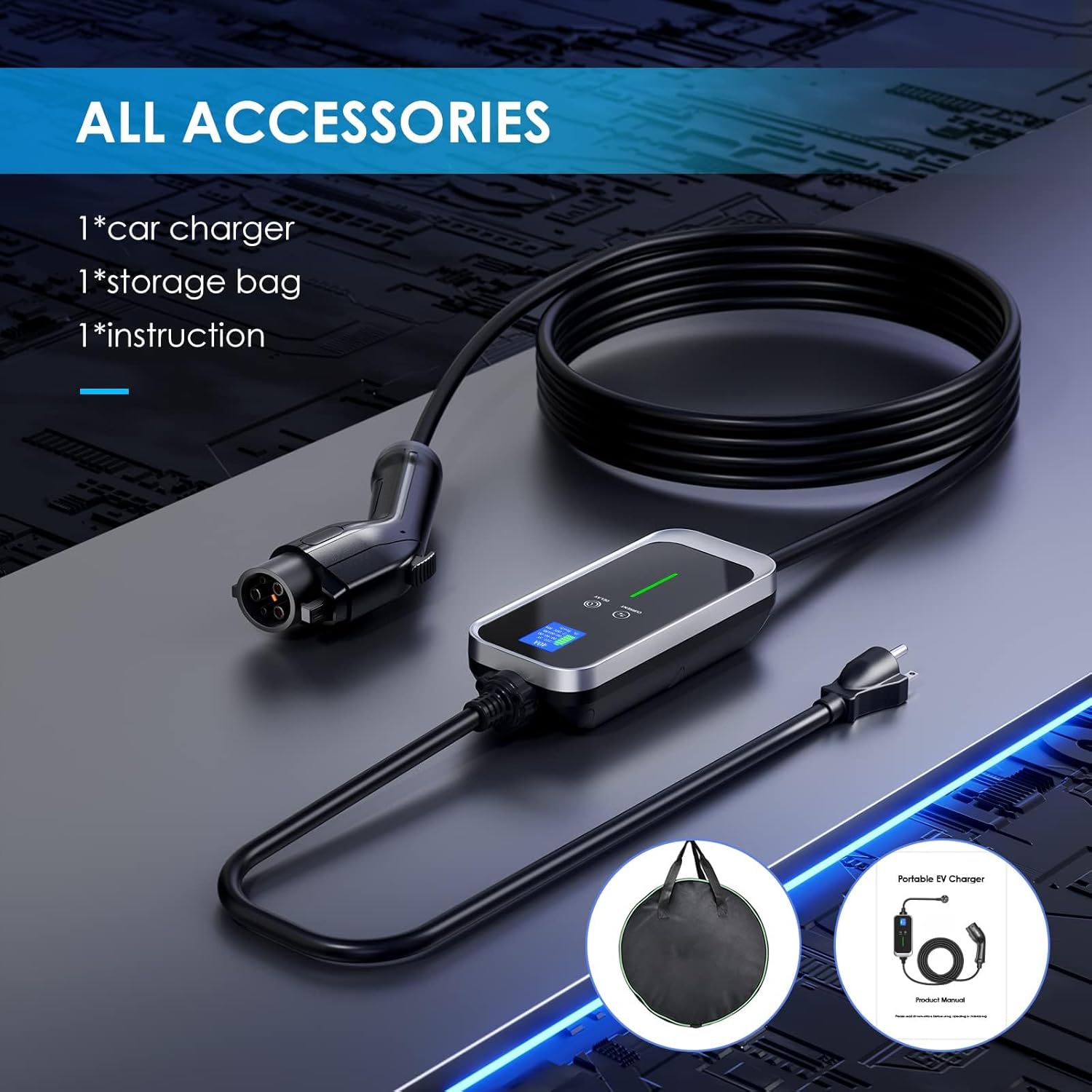
The EVJUICION Level 2 EV Charger package includes:
- 1 x Portable EV Charger (with 25ft cable and NEMA 14-50 plug)
- 1 x Tote Bag for convenient storage and transport
- 1 x User Manual (this document)
3.2 Key Features
- Fast Charging: Delivers up to 7.6 kW (32A at 240V), providing 6 times faster charging speed than standard Level 1 chargers.
- Universal Compatibility: Equipped with a J1772 TYPE 1 standard connector, compatible with all North American standard hybrid vehicles, including Tesla (with adapter).
- Adjustable Amperage: Current can be adjusted from 10A to 32A to suit your electrical setup and charging needs.
- 25ft Cable: Provides ample reach for flexible vehicle placement during charging.
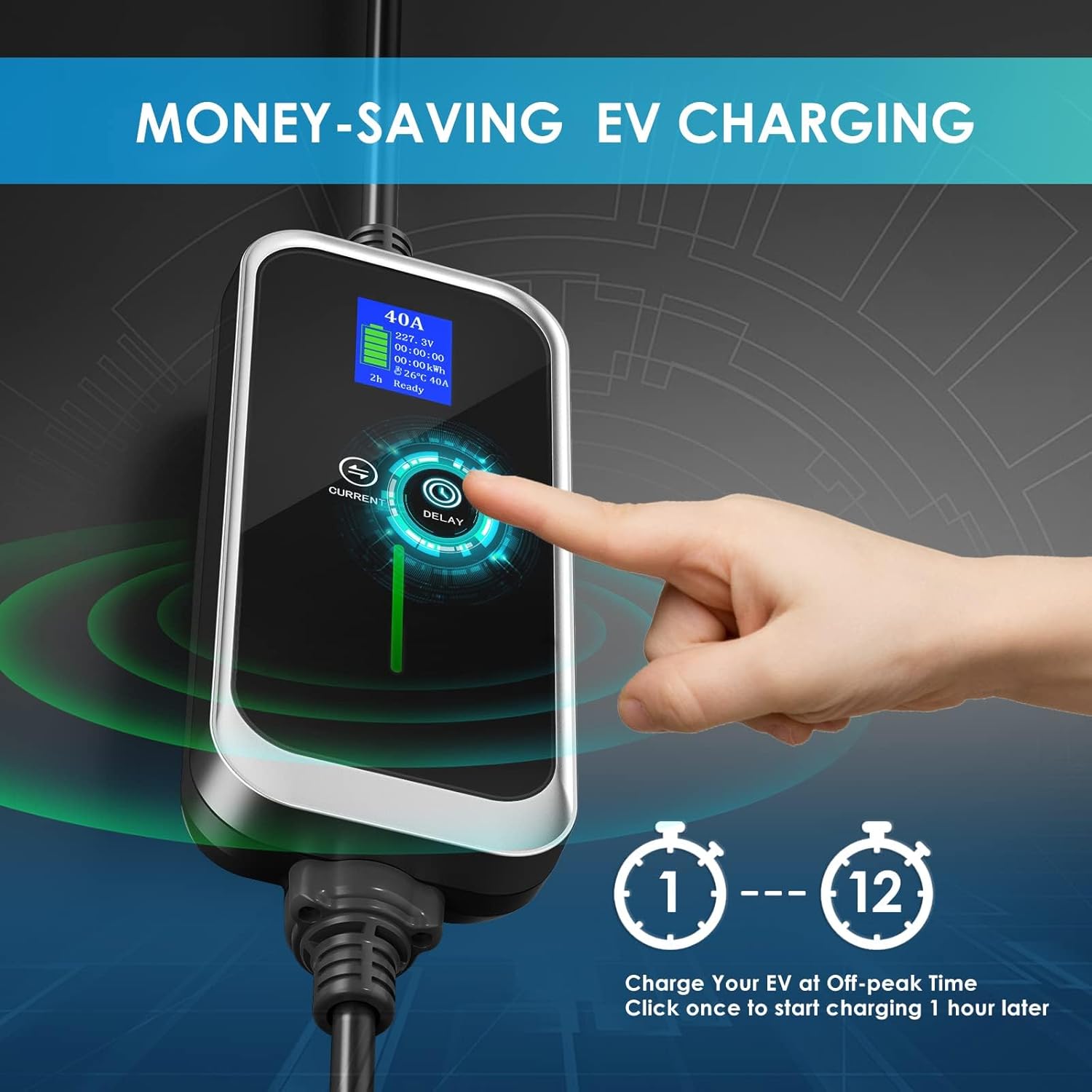
- Delay Timer: Schedule charging sessions from 1 to 12 hours to take advantage of off-peak electricity rates.
- Real-Time LCD Screen: Displays essential charging information including current rate, voltage, temperature, and time.
- Durable Design: Constructed with compression-resistant materials and designed to withstand various weather conditions, including extreme cold (-13°F) and heat (131°F).


3.3 Official Product Videos
Video 3.1: An overview of the EVJUICION Level 2 EV Charger, highlighting its design, real-time data display, and fast charging capabilities. (Duration: 1:00)
Video 3.2: Demonstrates the charger's IP67 waterproof and dustproof features, showcasing its resilience in various outdoor conditions. (Duration: 0:24)
Video 3.3: Highlights the charger's anti-freezing capabilities and robust design for reliable performance in extreme temperatures. (Duration: 0:14)
4. Setup
Follow these steps to set up your EVJUICION Level 2 EV Charger:
- Unpack: Remove the charger and all accessories from the tote bag.
- Power Connection: Plug the NEMA 14-50 plug into a compatible 240V outlet. Ensure the outlet is properly installed and capable of handling the charger's power output.
- Initial Check: The LCD screen on the control box will illuminate, displaying current voltage and other parameters.
- Adjust Amperage (Optional): If desired, press the 'CURRENT' button on the control box to cycle through available amperage settings (10A, 16A, 20A, 24A, 32A). Select an amperage suitable for your vehicle and electrical circuit.
- Connect to Vehicle: Open your vehicle's charging port and firmly insert the J1772 connector. Ensure a secure connection.
- Begin Charging: The charger will automatically begin charging, or you can set a delay as described in the Operating Instructions. The indicator light on the control box will turn green when charging is active.
5. Operating Instructions
5.1 Adjusting Charging Current
To adjust the charging current:
- Press the CURRENT button on the control box.
- Each press will cycle through the available amperage options: 10A, 16A, 20A, 24A, and 32A.
- The selected amperage will be displayed on the LCD screen.
5.2 Using the Delay Timer
To set a delayed charging session:
- Press the DELAY button on the control box.
- Each press will increase the delay time by one hour, from 1 hour up to 12 hours.
- The charger will automatically start charging after the set delay period has elapsed. This feature is ideal for utilizing off-peak electricity rates.
5.3 Monitoring Charging Status
The LCD screen provides real-time information:
- Current Charging Rate: Displays the active amperage.
- Voltage: Shows the input voltage.
- Temperature: Indicates the internal temperature of the control box.
- Time: Shows the duration of the current charging session.
- Kilowatt-hours (kWh): Displays the total energy dispensed.
The indicator light on the control box provides quick status updates:
- Green (Solid): Charging actively.
- Green (Flashing): Fully charged.
- Red (Solid): Connection error or fault.
6. Maintenance
To ensure the longevity and optimal performance of your EVJUICION charger, follow these maintenance guidelines:
- Regular Cleaning: Wipe the control box and cables with a soft, dry cloth to remove dust and dirt. For stubborn grime, use a slightly damp cloth and ensure the unit is completely dry before next use.
- Inspect Cables and Connectors: Periodically check the charging cable and connectors for any signs of wear, cuts, fraying, or damage. Ensure the NEMA 14-50 plug and J1772 connector are free from debris.
- Proper Storage: When not in use, coil the cable neatly and store the charger in its provided tote bag in a dry, cool place, away from direct sunlight or extreme temperatures.
- Avoid Physical Damage: While the charger is built with compression-resistant material, avoid dropping it or subjecting it to heavy impacts.
7. Troubleshooting
If you encounter issues with your EVJUICION charger, refer to the following common problems and solutions:
| Problem | Possible Cause | Solution |
|---|---|---|
| Charger not powering on / LCD screen is blank. | No power from the outlet; Faulty outlet; Damaged charger. | Check the NEMA 14-50 outlet and circuit breaker. Try a different known-working outlet. If issue persists, contact support. |
| Charging does not start after connecting to vehicle. | Loose connection; Vehicle communication error; Delay timer active; Amperage setting too low for vehicle. | Ensure the J1772 connector is firmly seated. Disconnect and reconnect the charger. Check if the delay timer is set. Increase amperage setting if necessary. |
| Charger or vehicle connector gets excessively hot. | Overcurrent; Poor connection; High ambient temperature. | Reduce the charging amperage using the 'CURRENT' button. Ensure connections are secure. Charge in a cooler environment if possible. The charger has built-in temperature protection. |
| Circuit breaker trips during charging. | Overload on circuit; Faulty circuit breaker; Charger drawing too much current. | Reduce the charging amperage. Ensure the circuit capacity matches or exceeds the charger's output. Consult an electrician to inspect the circuit. |
| Indicator light shows red (fault). | Internal error; Ground fault; Overload. | Unplug the charger from both the vehicle and the outlet, wait a few minutes, then reconnect. If the fault persists, contact customer support. |
8. Specifications
| Specification | Detail |
|---|---|
| Brand | EVJUICION |
| Model Number | Evjuicion |
| Charging Level | Level 2 |
| Input Voltage | 240 Volts |
| Amperage | Adjustable 10A-32A |
| Wattage | 7680 watts (7.6 kW) |
| Cable Length | 25 feet |
| Connector Type | J1772 (Vehicle Side), NEMA 14-50 (Wall Side) |
| Waterproof Rating | Control Box: IP67, EV Connector: IP55 |
| Operating Temperature | -25°C to 55°C (-13°F to 131°F) |
| Item Weight | 9.41 pounds |
| Package Dimensions | 15 x 14.9 x 4 inches |
9. Warranty and Support
EVJUICION is committed to providing high-quality products and customer satisfaction.
- Warranty: This product comes with a 24-month warranty from the date of purchase. Please retain your proof of purchase for warranty claims.
- Customer Support: For any questions, technical assistance, or warranty inquiries, please contact EVJUICION customer service. Refer to the product packaging or the official EVJUICION website for contact details.
Ask a question about this manual
Ask about setup, troubleshooting, compatibility, parts, safety, or missing instructions. Manuals+ will review the question and use this page’s manual context to help answer it.