
Introduction
This manual provides detailed instructions for the assembly, operation, and maintenance of your Gyfimoie 63" Wing-Shaped Gaming Desk. Please read all instructions carefully before assembly and use to ensure proper function and safety.
The desk features a spacious wing-shaped desktop, integrated power outlets with USB ports, wireless charging, LED lighting, a full monitor stand, storage shelves, and a headphone hook, designed for an optimized home office or gaming setup.

Image: Gyfimoie 63-inch Wing-Shaped Gaming Desk with a complete gaming setup, showcasing its spacious design and various features.
Setup and Assembly
All parts and accessories are clearly numbered. Follow the step-by-step instructions provided in the included user manual for a smooth assembly process. It is recommended to have two people for assembly to ensure stability and ease of handling larger components.
Included Components:
- 1x Gaming Desk
- 1x Built-in Power Outlet (2 AC sockets, 2 USB ports)
- 1x RGB Mouse Mat
- 1x Headphone Hook
- 1x Ergonomically Designed Full Monitor Stand
- 1x Installation Kit Bag (includes all assembly tools)
- 1x Instructions Manual
Assembly Video:
Video: Official assembly guide for the Gyfimoie Large Wing-Shaped Computer Desk, demonstrating the step-by-step installation process.
Key Assembly Steps:
- Unpack all components and verify against the parts list.
- Assemble the main frame of the desk using the provided tools.
- Attach the desktop panels, ensuring proper alignment for the wing-shaped design.
- Install the monitor stand, ensuring it is securely fastened.
- Integrate the power outlet, wireless charging unit, and LED light strips according to the instructions.
- Attach the headphone hook and any additional storage shelves.
- Adjust the leveling feet to ensure the desk is stable on uneven surfaces.

Image: Adjustable leveling feet ensure stability on various floor types.
Operating Instructions
Power Outlet and USB Ports:
The desk includes a built-in power outlet with two 120V/12A AC sockets and two 5V/2A USB ports. Simply plug the desk's main power cord into a wall outlet. Use the AC sockets for standard electronics and the USB ports for charging compatible devices.
Wireless Charging:
The integrated wireless charging pad is located on the desktop. Place your Qi-compatible device directly onto the charging pad to initiate charging. Ensure the device is centered for optimal charging efficiency.

Image: Integrated power outlet and wireless charging for convenient device power.
LED Lights and RGB Mouse Pad:
The desk features LED lights and an RGB mouse pad to enhance your gaming or work environment. The LED lights can be controlled via a switch or app (if applicable) to change colors and lighting modes. The RGB mouse pad also offers various lighting effects.
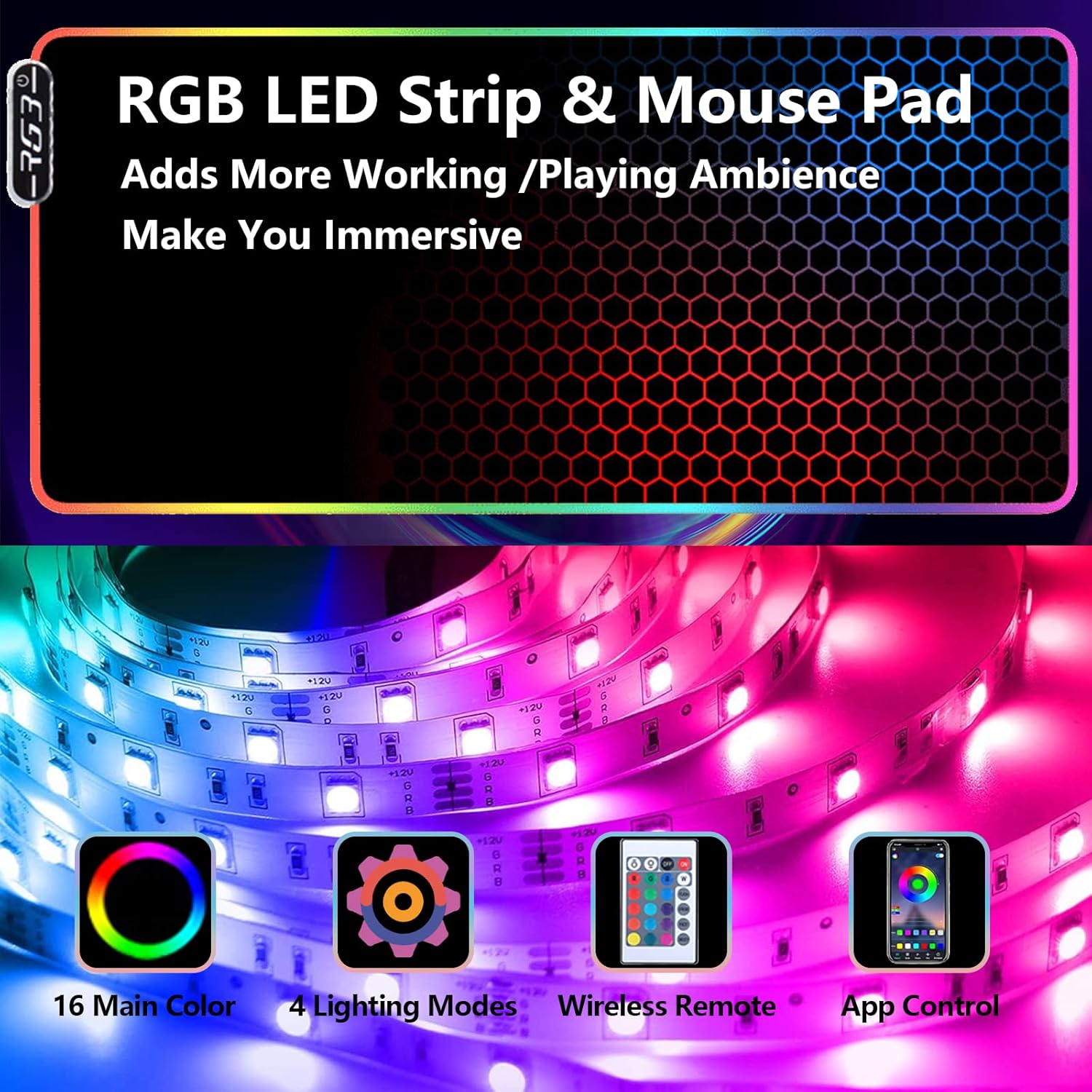
Image: RGB LED strip and mouse pad with 16 main colors, 4 lighting modes, wireless remote, and app control.
Monitor Stand:
The full monitor stand is designed to raise your screens to an ergonomic height, reducing eye and neck strain. It can accommodate multiple monitors, providing ample space for an immersive setup.

Image: Ergonomic design of the monitor stand helps improve posture and reduce strain.
Headphone Hook and Cable Management:
Utilize the integrated headphone hook to keep your headphones within easy reach and off the desktop. The two cable management holes help organize wires, maintaining a tidy workspace.

Image: A gaming setup on the desk, highlighting the cable management and headphone hook for an organized space.
Maintenance
To ensure the longevity and optimal performance of your desk, please follow these maintenance guidelines:
- Stability Check: Ensure the desk is on a level surface and stable before use. Periodically check all screws and connections to ensure they are tight.
- Weight Limit: Be aware of the desk’s weight limit when loading items to prevent damage or instability.
- Cleaning: Wipe the carbon fiber sticker surface with a soft, damp cloth. Avoid harsh chemicals or abrasive cleaners that could damage the finish.
- Cable Management: Regularly check and organize cables to prevent tangling and potential damage.
Troubleshooting
If you encounter any issues with your Gyfimoie Gaming Desk, please refer to the following common troubleshooting tips:
- Wobbly Desk: Check that all screws are tightened. Adjust the leveling feet at the bottom of the desk legs to compensate for uneven flooring.
- Power Outlet/Wireless Charging Not Working: Ensure the desk's main power cord is securely plugged into a functional wall outlet. Verify that devices are correctly placed on the wireless charging pad.
- LED Lights Not Functioning: Check all connections of the LED strip. Ensure the power source for the LED lights is connected and functioning. Refer to the LED light controller instructions for specific modes and settings.
- Missing Parts: If any parts are missing upon unboxing, please contact customer support with your purchase details.
Specifications
| Brand | Gyfimoie |
| Model Number | 714A1 |
| Shape | Wing-Shaped |
| Desk Design | Computer Desk |
| Product Dimensions | 62.5"D x 29.72"W x 36.02"H |
| Color | Black |
| Style | Modern |
| Base Material | Metal |
| Top Material Type | Durable Commercial Grade Laminate |
| Finish Type | Carbon Fiber Sticker |
| Special Feature | Ergonomic |
| Item Weight | 57.5 Pounds |
| Number Of Shelves | 1 |
| Required Assembly | Yes |
| Recommended Number of People for Assembly | 2 |
| Includes All Assembly Tools | Yes |
Warranty and Support
This product comes with a Limited Warranty. The manufacturer provides a limited warranty for parts. For specific details regarding warranty coverage, terms, and conditions, please refer to the warranty information included in your product packaging or contact Gyfimoie customer support.
For any further assistance, technical support, or inquiries, please contact Gyfimoie customer service through their official channels.