
1. Introduction
Thank you for choosing the HOETEK L51 Smartwatch. This manual provides essential information for setting up, operating, and maintaining your device. Please read it carefully to ensure optimal performance and longevity of your smartwatch.
The HOETEK L51 Smartwatch is designed to enhance your daily life with features such as Bluetooth calling, comprehensive health monitoring, and various sports modes. It features a 1.95-inch full touch screen and is compatible with Android and iOS devices.
2. Package Contents
Verify that all items are present in the package:
- HOETEK L51 Smartwatch
- Charging Cable
- User Manual
3. Setup
3.1 Charging the Smartwatch
Before first use, fully charge the smartwatch. Connect the magnetic charging cable to the charging contacts on the back of the watch and plug the USB end into a standard USB power adapter (not included).

Image: The smartwatch connected to its magnetic charging cable, displaying a charging icon on the screen.
A full charge typically takes about 2 hours. The watch has an ultra-long standby life of up to 20 days and 7 days of normal use.
3.2 App Installation and Pairing
The HOETEK L51 Smartwatch uses the 'Da Fit' application. Download the 'Da Fit' app from the App Store (iOS) or Google Play Store (Android).
- Ensure your smartphone's Bluetooth is enabled.
- Open the 'Da Fit' app and create an account or log in.
- In the app, navigate to 'Device' and select 'Add Device'.
- Select 'L51' from the list of available devices to pair.
- Confirm the pairing request on both your phone and the smartwatch.
3.3 Bluetooth Call Function Setup
To enable the Bluetooth call function:
- After initial pairing, go to your phone's Bluetooth settings.
- Look for a second Bluetooth device named 'L51_CALL' (or similar) and pair with it.
- Once connected, you can make and receive calls directly from your smartwatch.

Image: A person wearing the smartwatch, which displays a phone dial pad and call records. This illustrates the Bluetooth call function.
4. Operating Instructions
4.1 Basic Navigation
The HOETEK L51 Smartwatch features a 1.95-inch full touch screen and a rotatable crown for navigation.
- Swipe Up/Down: Scroll through menus and notifications.
- Swipe Left/Right: Access quick functions or different screens.
- Tap: Select an item or confirm an action.
- Press Crown: Return to the home screen or wake the device.
- Rotate Crown: Scroll through lists or adjust settings.

Image: Close-up views of the smartwatch highlighting its 1.95-inch touch screen, 240x282 resolution, customizable dial, and rotatable crown.
4.2 Customizing Watch Faces
The smartwatch offers over 200 watch faces through the 'Da Fit' app. You can also upload personal photos to create custom dials.
- On Watch: Long-press the home screen to quickly change watch faces.
- Via App: Open the 'Da Fit' app, go to 'Device' > 'Watch Faces' to browse and apply more options or customize with your photos.

Image: The smartwatch displaying a custom watch face with a family photo, demonstrating the custom dial feature.

Image: A row of smartwatches displaying different customizable watch faces, including a pet photo and abstract designs, illustrating the variety available.
4.3 Sports Modes and Activity Tracking
The smartwatch supports over 120 sports modes, including walking, running, cycling, yoga, hiking, jump rope, and football. It tracks daily steps, calories burned, and distance traveled.
- Access sports modes from the main menu.
- Select your desired activity to start tracking.
- View detailed activity records in the 'Da Fit' app.

Image: A collage showing various sports icons, the smartwatch displaying activity data (calories, distance, steps), and a close-up of the heart rate sensor on the back of the watch.

Image: A woman exercising in a gym, wearing the smartwatch which displays a 'Sports Record' screen with total moves, steps, calories, and average heart rate.
4.4 Health Monitoring
The L51 Smartwatch includes a high-performance sensor for 24/7 heart rate and sleep monitoring.
- Heart Rate: The watch continuously monitors your heart rate. View real-time data on the watch or detailed trends in the 'Da Fit' app.
- Sleep Monitoring: The watch automatically tracks your sleep patterns, including light, moderate, and deep sleep, and awake time. Access sleep quality reports in the 'Da Fit' app to understand your body's state.
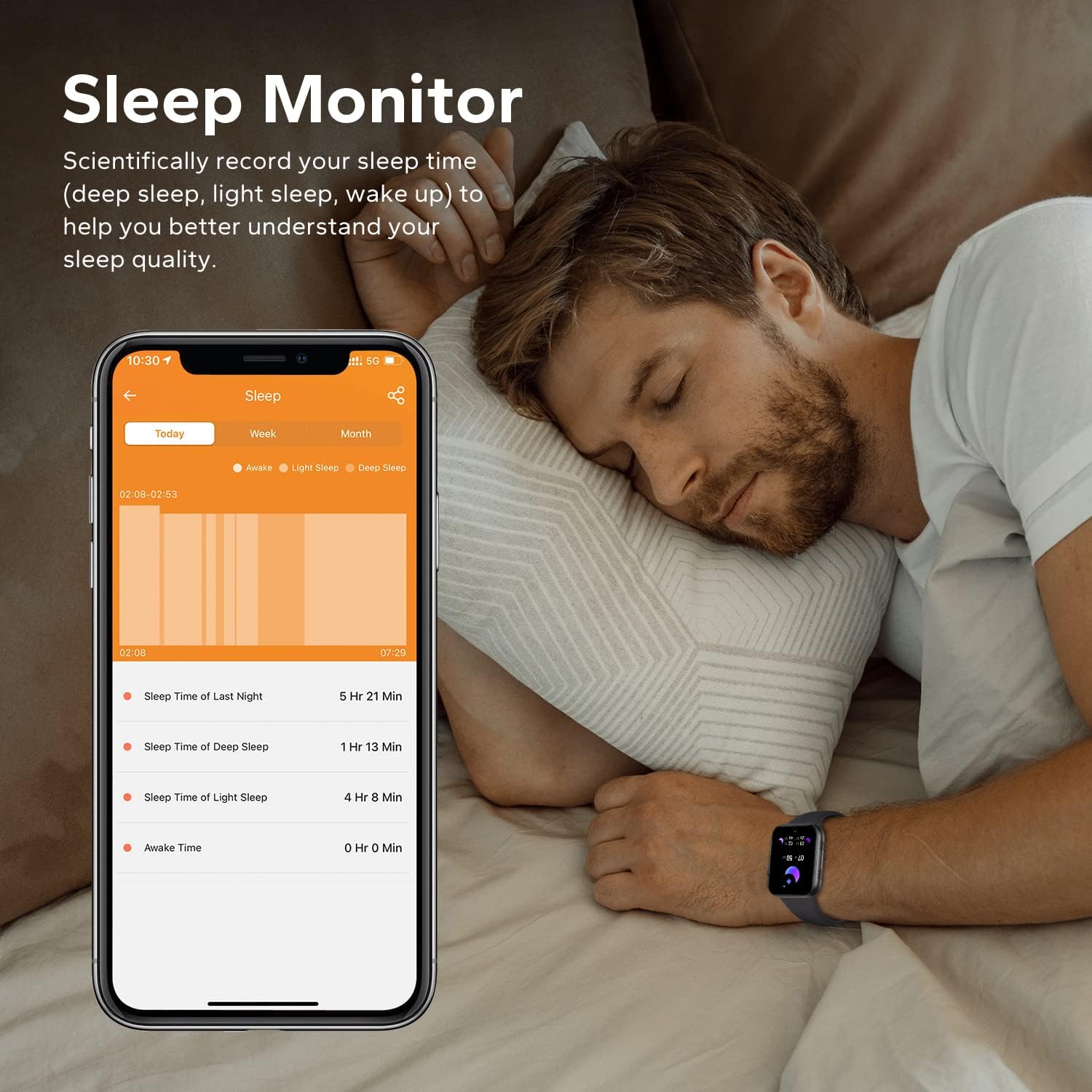
Image: A man sleeping while wearing the smartwatch, with a smartphone next to him displaying detailed sleep monitoring data, including sleep duration and stages.

Image: A close-up of the back of the smartwatch, showing the green light of the heart rate monitor sensor.
4.5 Smart Notifications
Receive call records and message notifications directly on your wrist. The watch supports notifications from various apps like Facebook, Twitter, WhatsApp, Instagram, and Messenger.
- Ensure the 'Da Fit' app has notification permissions enabled on your phone.
- In the app, select which applications you want to receive notifications from.
- Lift your wrist to view incoming messages and alerts.
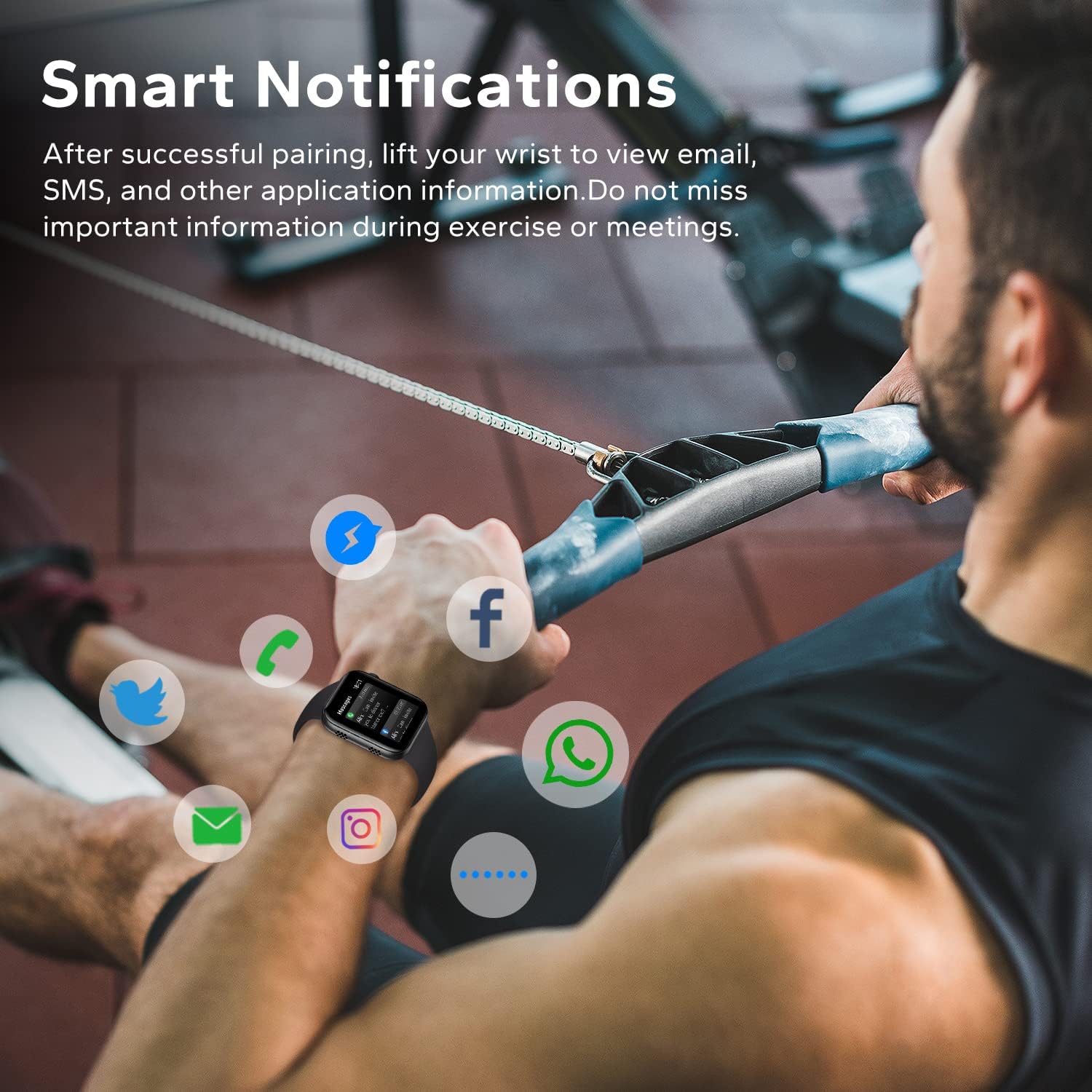
Image: A man exercising, wearing the smartwatch which displays various social media and communication app icons floating around it, indicating smart notification capabilities.
4.6 Other Practical Functions
The HOETEK L51 Smartwatch offers additional features for convenience:
- Music Control: Control music playback on your phone directly from the watch.
- Camera Control: Use the watch as a remote shutter for your phone's camera.
- Sedentary Reminder: Get alerts to move after periods of inactivity.
- Water Reminder: Set reminders to drink water.
- Alarm Clock: Set alarms directly on the watch or via the app.
- Stopwatch & Timer: Basic timing functions.
- Find Phone: Locate your paired smartphone by making it ring.

Image: The smartwatch screen showing a music player interface with playback controls and album art.

Image: Two people taking a selfie, with one person's smartwatch displaying a camera shutter button, indicating remote photo control.

Image: A hand wearing the smartwatch, which displays a 'Remind to Move' notification, encouraging activity.
5. Maintenance
5.1 Cleaning
Regularly clean your smartwatch and strap to prevent skin irritation and maintain device functionality.
- Wipe the screen and body with a soft, damp, lint-free cloth.
- For the strap, use mild soap and water, then rinse thoroughly and dry completely before wearing.
- Avoid using harsh chemicals or abrasive materials.
5.2 Water Resistance (IP67)
The HOETEK L51 Smartwatch is IP67 rated, meaning it is resistant to dust and can withstand immersion in water up to 1 meter for 30 minutes. It is suitable for daily use, such as hand washing or light rain.

Image: The smartwatch covered in water droplets, with the text 'IP67 Waterproof', demonstrating its water resistance.
Important:
- Do not use the watch for swimming, diving, or in hot water (e.g., showers, saunas), as steam and hot water can damage the seals.
- Water resistance is not permanent and may decrease over time with normal wear and tear.
5.3 Battery Care
- Avoid extreme temperatures, which can degrade battery life.
- Charge the device regularly, but avoid leaving it fully discharged for extended periods.
6. Troubleshooting
If you encounter issues with your HOETEK L51 Smartwatch, refer to the following common solutions:
| Issue | Possible Solution |
|---|---|
| Watch not turning on | Ensure the watch is fully charged. Connect it to the charger for at least 30 minutes. |
| Cannot pair with phone | 1. Ensure Bluetooth is enabled on your phone. 2. Make sure the watch is within range. 3. Restart both the watch and your phone. 4. Try unpairing and re-pairing through the 'Da Fit' app. |
| Notifications not received | 1. Check if 'Da Fit' app has notification permissions. 2. Ensure notifications are enabled for specific apps within 'Da Fit'. 3. Verify Bluetooth connection. |
| Heart rate/sleep data inaccurate | Ensure the watch is worn snugly on your wrist, not too tight or too loose. Clean the sensor regularly. Note that data is for reference and not for medical use. |
| Bluetooth call not working | Ensure both 'L51' and 'L51_CALL' (or similar) are paired in your phone's Bluetooth settings. |
7. Specifications
| Feature | Detail |
|---|---|
| Brand | HOETEK |
| Model Number | L51 |
| Screen Size | 1.95 inches |
| Operating System | Android (4.4 and above), iOS (10.0 and above) |
| Connectivity | Bluetooth 5.0 |
| Special Features | Heart Rate Monitor, Sleep Monitor, Bluetooth Call, Activity Tracker |
| Battery Composition | Lithium-polymer |
| Battery Life (Normal Use) | 7 days |
| Standby Time | 20 days |
| Water Resistance | IP67 |
| Target Audience | Adult (Unisex) |
8. Warranty and Support
For warranty information and customer support, please refer to the documentation provided with your purchase or contact HOETEK customer service through their official website or the retailer where the product was purchased.
