
Introduction
This manual provides detailed instructions for the setup, operation, and maintenance of your HOETEK L51 Smartwatch. Please read this manual thoroughly before using the device to ensure proper function and to maximize your user experience. Keep this manual for future reference.
Safety Information
- Do not attempt to disassemble or modify the device. This may cause damage and void the warranty.
- Keep the device away from extreme temperatures, direct sunlight, and strong magnetic fields.
- Avoid exposing the device to chemicals or corrosive substances.
- The device is IP67 waterproof, meaning it is resistant to dust and can withstand immersion in water up to 1 meter for 30 minutes. It is not suitable for hot water baths, saunas, or deep diving.
- Consult a medical professional before starting any new exercise regimen, especially if you have pre-existing health conditions. The health data provided by the watch is for reference only and should not be used for medical diagnosis.
- Ensure the charging contacts are clean and dry before charging to prevent corrosion or damage.
Package Contents
Please check the package for the following items:
- HOETEK L51 Smartwatch
- Charging Cable
- User Manual
If any items are missing or damaged, please contact customer support.
Product Overview
The HOETEK L51 Smartwatch features a 1.95-inch full-touch color display and a durable design. It includes a built-in microphone and Hi-Fi speaker for Bluetooth calls, and a high-performance sensor for health monitoring.

Image: Front view of the HOETEK L51 Smartwatch, showcasing its large display and sleek design.

Image: Rear view of the HOETEK L51 Smartwatch, highlighting the optical sensors for heart rate monitoring and charging contacts.
Setup
1. Charging the Smartwatch
Before initial use, fully charge your smartwatch. Connect the magnetic charging cable to the charging contacts on the back of the watch and plug the USB end into a power adapter (not included) or a computer's USB port. The watch display will indicate charging status.
2. App Installation
To unlock the full features of your smartwatch, download and install the "Da Fit" application on your smartphone. You can find the app on the App Store (for iOS devices) or Google Play Store (for Android devices).
- Scan the QR code in the manual or on the watch (if available) to directly download the app.
- Search for "Da Fit" in your phone's app store.
3. Pairing with Your Smartphone
After installing the "Da Fit" app, follow these steps to pair your smartwatch:
- Ensure Bluetooth is enabled on your smartphone.
- Open the "Da Fit" app and create an account or log in.
- Navigate to the "Device" or "Add Device" section within the app.
- The app will search for available devices. Select "L51" or the corresponding device name from the list.
- Confirm the pairing request on both your phone and the smartwatch.
- For Bluetooth call functionality, you may need to pair the watch separately as an audio device in your phone's Bluetooth settings (look for "L51_Audio" or similar).
Once paired, the watch will synchronize data with the app, and you can customize settings.
Operating Instructions
Basic Navigation
- Touch Screen: Swipe left, right, up, or down to navigate through menus and functions. Tap to select an option.
- Side Button/Crown: Press to wake up the screen, return to the home screen, or access the app menu. Rotate the crown (if applicable) to scroll through lists or zoom.
Bluetooth Call Function
The HOETEK L51 Smartwatch allows you to make and receive calls directly from your wrist, thanks to its built-in microphone and Hi-Fi speaker.
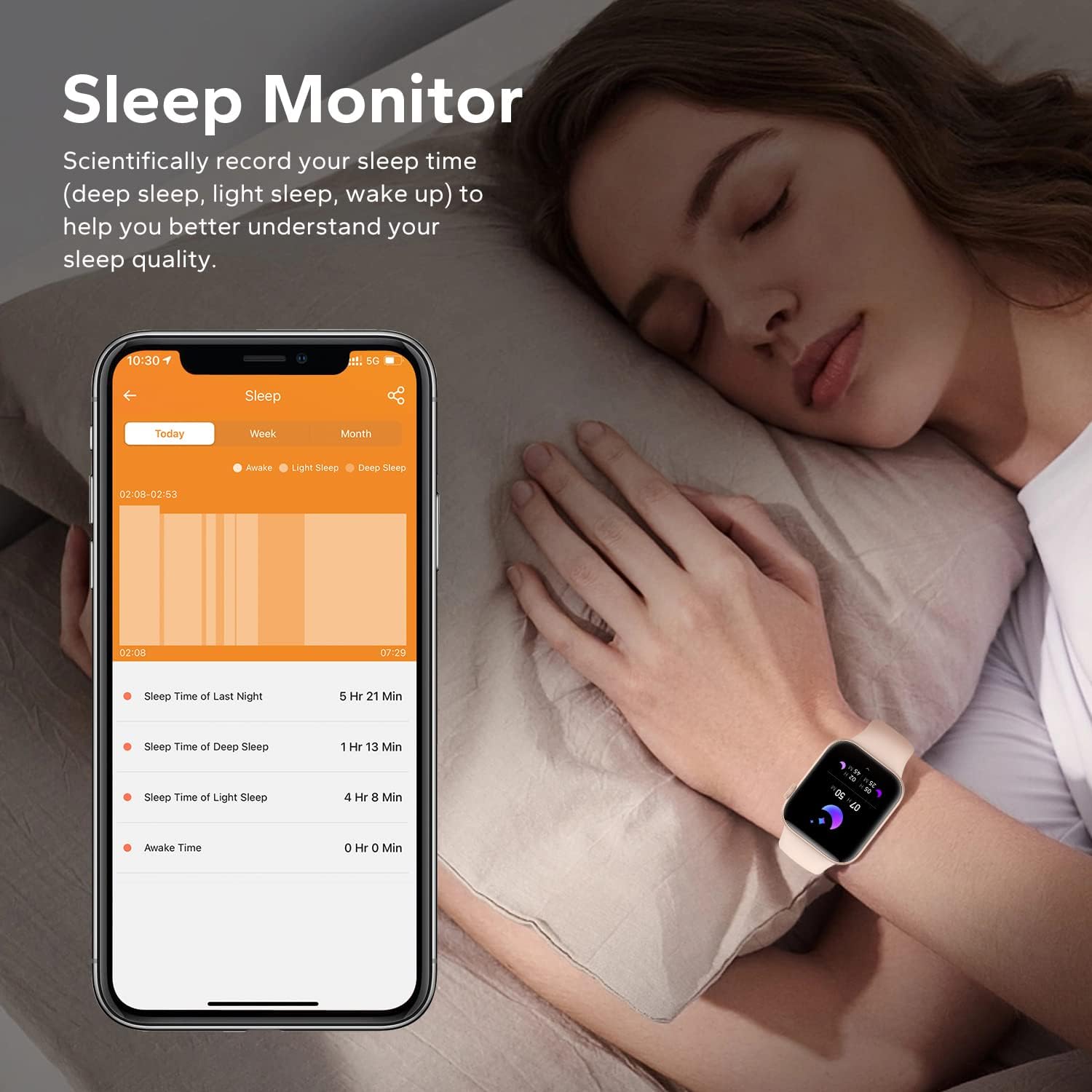
Image: The smartwatch screen showing a dial pad and call history, demonstrating its Bluetooth call capabilities.
- Making Calls: Access the dial pad on the watch or select a contact from your synchronized phonebook to initiate a call.
- Receiving Calls: When a call comes in, the watch will display the caller ID. You can answer or reject the call directly from the watch.
- Frequent Contacts: Add frequently used contacts through the "Da Fit" app for quick access on your watch.
Custom Dials
Personalize your smartwatch with over 200 available watch faces. You can also upload your own photos (family, pets, etc.) to create custom dials through the "Da Fit" app.
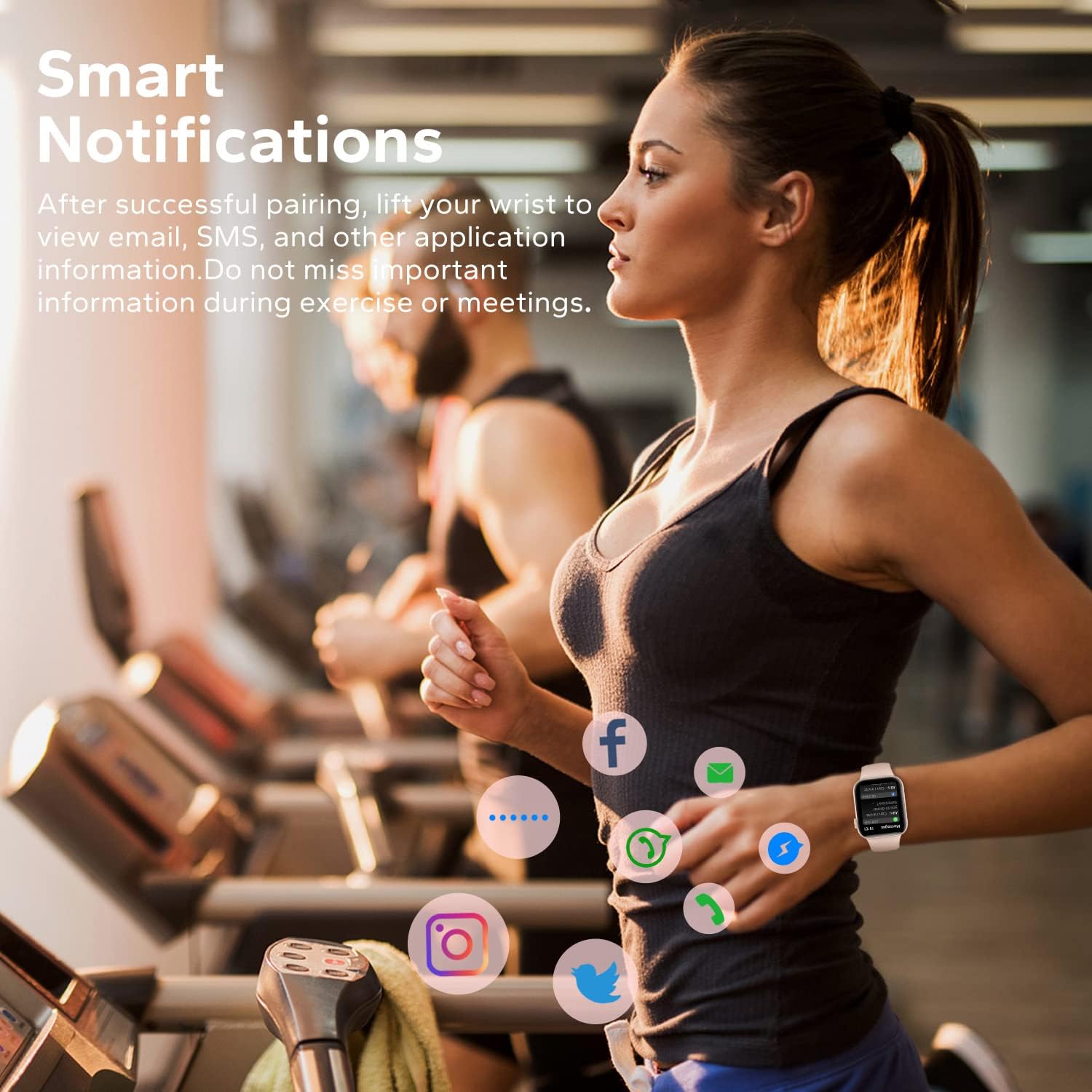
Image: The smartwatch displaying a customized watch face with a space-themed background, illustrating the customization feature.
Sports Modes and Activity Tracking
The activity tracker records daily steps, calories burned, and distance. It offers over 120 sports modes, including walking, running, cycling, yoga, hiking, rope skipping, and football, to cater to various exercise needs.
Image: The smartwatch screen showing icons for different sports modes and a data display for calories, distance, and steps.
- Select your desired sport mode from the watch menu before starting an activity.
- The watch will track relevant metrics for the chosen activity.
- Review your activity records in the "Da Fit" app for detailed analysis.
Health Monitoring
The smartwatch features a high-performance sensor for continuous health monitoring.
- Heart Rate Monitor: Tracks your heart rate 24/7. View real-time data on the watch and historical trends in the "Da Fit" app.
- Sleep Monitor: Scientifically records your sleep patterns, including deep sleep, light sleep, and awake time. Analyze your sleep quality through the "Da Fit" app to better understand your body's state.
Image: A smartphone screen showing detailed sleep data from the "Da Fit" app, including deep, light, and awake sleep durations, with the smartwatch visible on a wrist.
Smart Notifications
Receive notifications for calls, SMS, and various social media apps (Facebook, Twitter, WhatsApp, Instagram, Messenger, etc.) directly on your wrist. Simply raise your wrist to view incoming alerts.

Image: A person wearing the smartwatch while exercising, with icons of various social media apps floating around the watch, indicating smart notification functionality.
Other Practical Functions
The HOETEK L51 Smartwatch includes additional features to enhance your daily life:
- Sedentary Reminder: Alerts you to move after periods of inactivity.
- Alarm Clock: Set alarms directly from the watch or app.
- Stopwatch & Timer: Useful for tracking time during workouts or daily tasks.
- Music Control: Control music playback on your smartphone (play, pause, skip tracks).
- Water Reminder: Reminds you to drink water at regular intervals.
- Remote Photography: Use your watch as a remote shutter for your phone's camera.
- Find Phone: Helps locate your misplaced smartphone by making it ring.
- AI Voice Assistant: Access your phone's voice assistant directly from the watch.
Maintenance
Water Resistance (IP67)
The HOETEK L51 Smartwatch has an IP67 dust and water resistance rating. This means it is protected against dust ingress and can withstand immersion in 1 meter of fresh water for up to 30 minutes. It is suitable for daily use, such as washing hands or light rain exposure. However, it is not recommended for swimming, diving, hot showers, saunas, or exposure to high-velocity water.

Image: The smartwatch being splashed with water, illustrating its IP67 waterproof capability.
After exposure to water, wipe the watch dry with a soft cloth before charging or using any buttons.
Cleaning
Regularly clean your smartwatch and strap to prevent skin irritation and maintain device performance.
- Wipe the screen and body with a soft, damp, lint-free cloth.
- For the strap, use mild soap and water if necessary, then rinse thoroughly and dry completely before reattaching to your wrist.
- Avoid using harsh chemicals or abrasive materials.
Battery Life
The smartwatch offers approximately 7 days of normal use and up to 20 days in standby mode. Actual battery life may vary based on usage patterns and settings.
- To prolong battery life, reduce screen brightness, limit frequent notifications, and disable continuous heart rate monitoring if not needed.
- Charge the watch fully when the battery is low.
Troubleshooting
| Problem | Possible Solution |
|---|---|
| Watch does not turn on | Ensure the watch is fully charged. Connect it to the charger for at least 30 minutes. |
| Cannot pair with phone |
|
| Notifications not received |
|
| Inaccurate health data |
|
| Bluetooth call function not working |
|
Specifications
| Feature | Detail |
|---|---|
| Brand | HOETEK |
| Model Number | L51 |
| Display Size | 1.95 inches |
| Display Type | Full Touch Color Screen |
| Connectivity | Bluetooth |
| Operating System Compatibility | Android 5.1+, iOS 10.0+ |
| Water Resistance Rating | IP67 |
| Battery Type | Lithium Polymer |
| Battery Life (Normal Use) | Up to 7 days |
| Battery Life (Standby) | Up to 20 days |
| Special Features | Bluetooth Calling, Notifications, Sleep Monitor, Heart Rate Monitor, 120+ Sports Modes, Custom Dials, AI Voice Assistant |
| Product Dimensions | 27.8 x 7.2 x 2.3 cm; 118 grams |
Warranty and Support
For warranty information and customer support, please refer to the documentation included with your purchase or contact the retailer. Keep your proof of purchase for warranty claims.
For technical assistance or further inquiries, please visit the official HOETEK website or contact their customer service department.
