
Halco ProLED 150-Watt LED Temporary Work Light (WKL150-850-LED) Instruction Manual
Introduction
This manual provides essential information for the safe and effective use of your Halco ProLED 150-Watt LED Temporary Work Light (Model WKL150-850-LED). Please read these instructions thoroughly before installation, operation, or maintenance. Keep this manual for future reference.
Safety Instructions
Always observe the following safety precautions to reduce the risk of fire, electric shock, or injury.
- Ensure the power supply voltage matches the light's requirements.
- Do not operate the light with a damaged cord or plug.
- Avoid direct eye exposure to the light source when illuminated.
- Do not disassemble or modify the light. Refer all servicing to qualified personnel.
- Keep the light away from flammable materials.
- Always unplug the light from the power source before cleaning or performing any maintenance.
- Use only in environments suitable for the product's IP rating.
Package Contents
Verify that all items are present in the package:
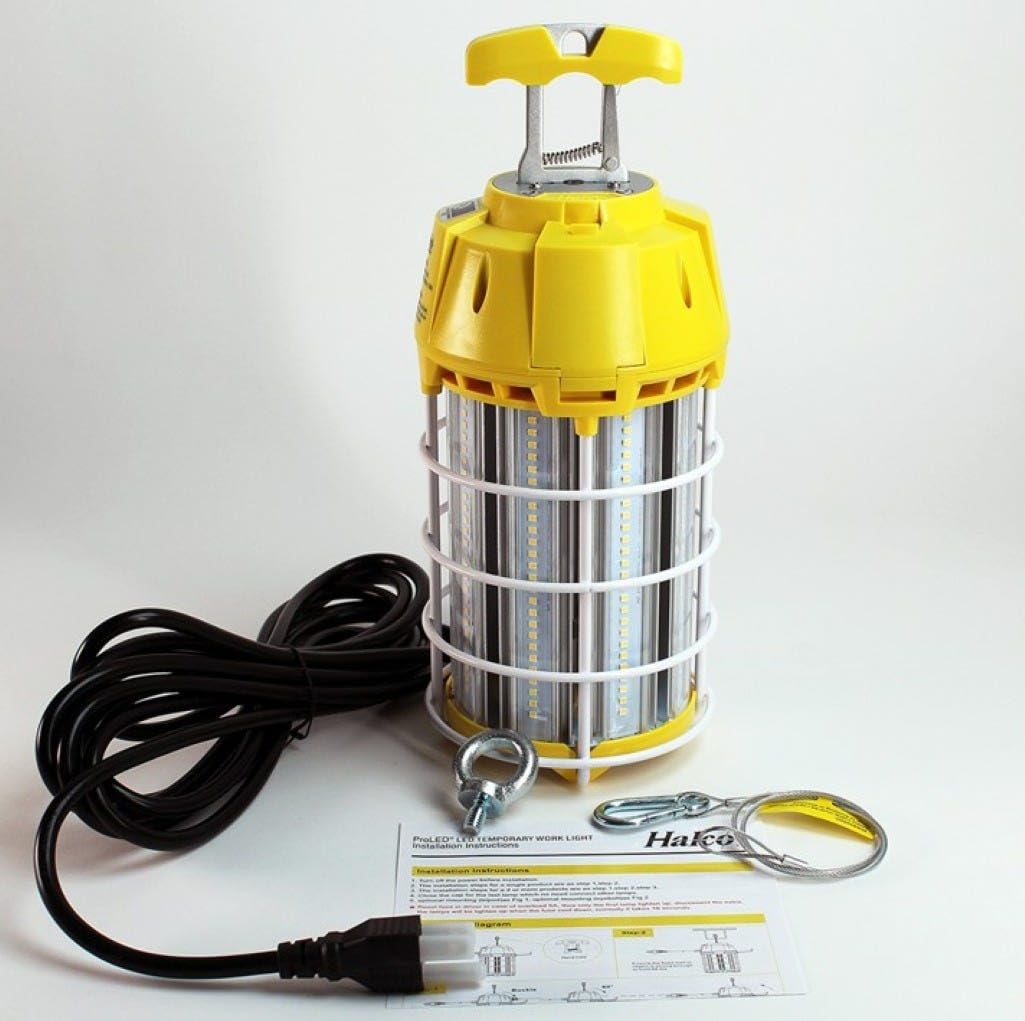
- Halco ProLED 150-Watt LED Temporary Work Light
- Integrated 15-foot Power Cord with Plug
- Self-locking Hook (doubles as carrying handle)
- Safety Carabiner with Cable
- Instruction Sheet
Setup and Installation
The Halco ProLED Temporary Work Light is designed for easy setup and mobility.
- Unpacking: Carefully remove the work light and all accessories from the packaging. Inspect for any damage.
- Mounting:
- Hanging: Use the integrated self-locking hook to suspend the light from a suitable overhead structure. Ensure the structure can safely support the weight of the light.
- Safety Cable: For added security, attach the safety carabiner and cable to a secondary support point.
- Portable Use: The self-locking hook also functions as a carrying handle for easy repositioning.
- Power Connection: Plug the 15-foot power cord into a standard electrical outlet.
- Linking Multiple Units (Optional): This light features a linkable design. To connect multiple lights, plug the power cord of a second unit into the auxiliary outlet located on the first unit (if available and compatible). Do not exceed the maximum wattage for linked units as specified on the product label.
Operating Instructions
Once properly installed and connected to power, the Halco ProLED Temporary Work Light will illuminate. There are no external switches; operation is controlled by plugging and unplugging the unit or by an external switch on the power circuit.
Maintenance
Regular maintenance ensures optimal performance and longevity of your work light.
- Cleaning: Disconnect power before cleaning. Use a soft, damp cloth to wipe the exterior of the light. Do not use abrasive cleaners or solvents.
- Inspection: Periodically inspect the power cord, plug, and housing for any signs of damage. If damage is found, discontinue use and contact customer support.
- Storage: When not in use, store the light in a dry, clean environment, away from extreme temperatures.
Troubleshooting
If you encounter issues with your work light, refer to the following common problems and solutions:
- Light does not turn on:
- Check if the power cord is securely plugged into a working outlet.
- Verify that the power outlet has electricity (test with another device).
- If linked, ensure the primary unit is powered and the connection between units is secure.
- Light flickers:
- Ensure stable power supply.
- Check for loose connections.
- Reduced brightness:
- Clean the light's surface to remove dust or debris.
- Ensure the ambient temperature is within the operating range.
If problems persist, contact customer support.
Specifications
| Feature | Specification |
|---|---|
| Model | WKL150-850-LED |
| Brand | Halco |
| Wattage | 150 Watts |
| Lumen Output | 18,000 lumens |
| Color Temperature | 5000K (Daylight) |
| Color Rendering Index (CRI) | 80 |
| Beam Angle | 360 Degrees |
| Cord Length | 15 feet |
| Durability | Heavy-duty cage for vibration, shock, and impact resistance |
| Features | Linkable design, self-locking hook/carrying handle |
| UPC | 807154823802 |
Warranty Information
This product is covered by Halco's standard manufacturer's warranty. Please refer to the warranty card included with your purchase or visit the official Halco website for detailed warranty terms and conditions. Keep your proof of purchase for warranty claims.
Customer Support
For technical assistance, troubleshooting, or warranty inquiries, please contact Halco customer support. Contact information can typically be found on the product packaging or the official Halco website.


