1. Introduction and Overview
The BOROFONE BD2 Smart Sports Watch is a versatile wearable device designed to assist you in monitoring your health and fitness activities, as well as providing convenient smart notifications. It features a durable design with IP68 waterproof rating, making it suitable for daily use and various sports activities.
Key features include a 1.28-inch display, heart rate monitoring, Bluetooth 5.1 connectivity for call support, and robust memory for smooth operation.

Image 1.1: Front view of the BOROFONE BD2 Smart Sports Watch, showcasing its round display and sleek design.
2. Setup Guide
2.1 Charging the Device
Before first use, fully charge your BOROFONE BD2 Smart Sports Watch. Connect the magnetic charging cable to the charging points on the back of the watch and plug the USB end into a standard USB power adapter (5V/1A recommended). The watch display will indicate charging status. A full charge typically takes approximately 2 hours.
2.2 App Installation and Pairing
- Download the Companion App: Search for the official BOROFONE companion app (e.g., 'WearFit Pro' or similar, refer to packaging for exact name) on your smartphone's app store (Google Play Store for Android or Apple App Store for iOS).
- Enable Bluetooth: Ensure Bluetooth is enabled on your smartphone.
- Open the App: Launch the installed app and follow the on-screen instructions to create an account or log in.
- Add Device: Within the app, navigate to the 'Device' or 'Add Device' section. The app will scan for available devices. Select 'BD2' or 'BOROFONE BD2' from the list.
- Confirm Pairing: A pairing request may appear on both your watch and smartphone. Confirm the pairing on both devices to establish a connection.
Once paired, the watch will synchronize time and data with your smartphone. Ensure the app is running in the background for continuous data synchronization and notification delivery.

Image 2.1: Side view of the BOROFONE BD2 Smart Sports Watch, showing the strap and profile.
3. Operating Instructions
3.1 Basic Navigation
- Touch Screen: Swipe left/right, up/down to navigate through menus and watch faces. Tap to select an option.
- Side Button: Press the side button to wake the screen, return to the main watch face, or access the app menu (functionality may vary based on single/long press).
3.2 Key Functions
- Time Display: The main watch face displays the current time, date, and other selected information.
- Notifications: Receive call, SMS, and app notifications directly on your watch when connected to your smartphone. Swipe down from the main screen to view recent notifications.
- Heart Rate Monitoring: Access the heart rate function from the app menu. The watch will automatically measure your heart rate. For accurate readings, ensure the watch is snug on your wrist.
- Activity Tracking: The watch tracks steps, distance, and calories burned. View your daily progress on the watch or in the companion app.
- Sleep Monitoring: Wear the watch to bed to track your sleep patterns. Detailed sleep analysis is available in the app.
- Sports Modes: Select from various sports modes (e.g., running, walking, cycling) to track specific workout data.
- Call Support: With Bluetooth connectivity, the watch supports receiving and making calls directly from your wrist.
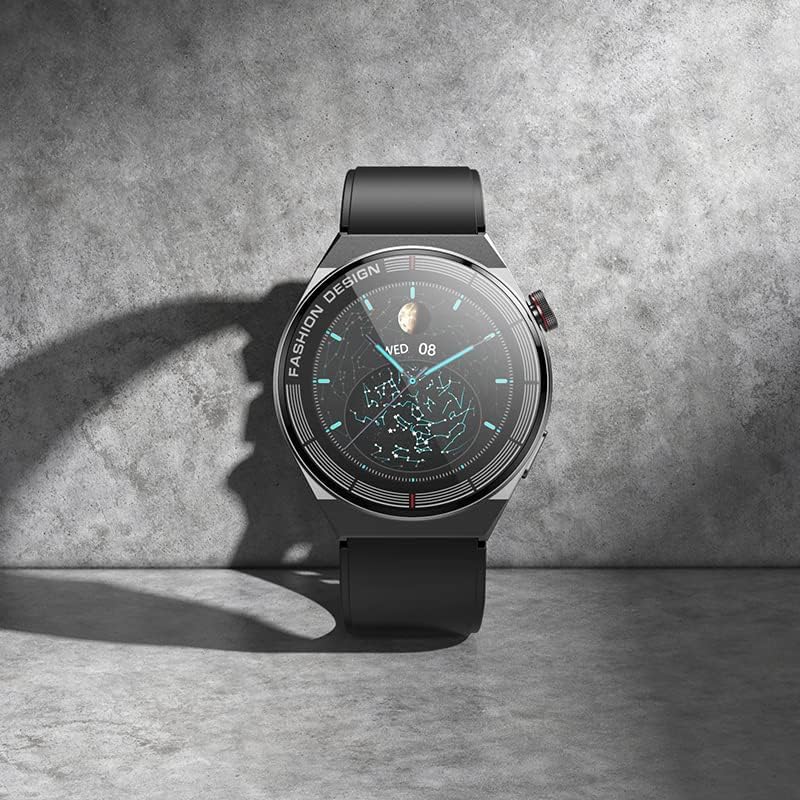
Image 3.1: The BOROFONE BD2 Smart Sports Watch resting on a surface, highlighting its display.
4. Maintenance
4.1 Cleaning
Regularly clean your watch and strap to prevent skin irritation and maintain device longevity. Use a soft, lint-free cloth. For stubborn dirt, slightly dampen the cloth with water. Do not use harsh chemicals or abrasive materials.
4.2 Water Resistance (IP68)
The BOROFONE BD2 is IP68 waterproof, meaning it is resistant to dust and can withstand immersion in water up to 1.5 meters for up to 30 minutes. It is suitable for washing hands, rain, and shallow swimming. However, it is not recommended for hot showers, saunas, or diving, as steam and high pressure can compromise the seals.
4.3 Battery Care
- Avoid fully discharging the battery frequently.
- Charge the watch using the provided cable and a compatible power adapter.
- Store the watch in a cool, dry place if not used for extended periods.
4.4 Software Updates
Periodically check the companion app for firmware updates. Keeping your watch's software up-to-date ensures optimal performance and access to new features.
5. Troubleshooting
If you encounter issues with your BOROFONE BD2 Smart Sports Watch, refer to the following common problems and solutions:
- Watch not turning on: Ensure the watch is fully charged. Connect it to the charger and wait a few minutes before attempting to power it on.
- Cannot connect/pair with smartphone:
- Ensure Bluetooth is enabled on your smartphone and the watch.
- Make sure the watch is within Bluetooth range of your phone.
- Restart both the watch and your smartphone.
- Forget the device in your phone's Bluetooth settings and try pairing again through the companion app.
- Ensure the companion app is updated to the latest version.
- Inaccurate heart rate/activity data:
- Ensure the watch is worn snugly on your wrist, about one finger's width above the wrist bone.
- Clean the sensor on the back of the watch.
- Avoid excessive movement during measurement.
- Notifications not received:
- Check if the watch is properly connected to the app.
- Ensure notification permissions are enabled for the companion app in your smartphone's settings.
- Verify that notification settings are enabled within the companion app for specific applications.
- Battery drains quickly:
- Reduce screen brightness.
- Disable continuous heart rate monitoring if not needed.
- Limit the number of apps sending notifications to the watch.
- Ensure the watch firmware is up-to-date.
If the problem persists, consider performing a factory reset via the watch settings or the companion app (note: this will erase all data on the watch). For further assistance, contact BOROFONE customer support.
6. Specifications
| Feature | Detail |
|---|---|
| Model Name | Borofone BD2 |
| Brand Name | BOROFONE |
| Screen Size | 1.28 Inches |
| Item Shape | Round |
| GPS | No GPS |
| Wireless Communication Standard | Bluetooth |
| Connectivity Technology | Bluetooth |
| Special Features | Waterproof, Heart Rate, Smart, Wearable, Bluetooth |
| Memory Storage Capacity | 192 KB |
| Operating System | Smartwatch |
| Item model number | BD2 |
| ASIN | B0C28PL2GJ |
| Manufacturer | BOROFONE |
| Date First Available | 28 May 2023 |
| Package Dimensions | 22.2 x 7.1 x 3.2 cm; 190 g |

Image 6.1: Packaging of the BOROFONE BD2 Smart Sports Watch.
7. Warranty and Support
The BOROFONE BD2 Smart Sports Watch is manufactured by BOROFONE. For information regarding warranty coverage, terms, and conditions, please refer to the warranty card included with your product or visit the official BOROFONE website. For technical support or service inquiries, please contact BOROFONE customer service through their official channels.
This product was first made available on 28 May 2023.


