
TYPE S TOURING ITEMS AUTOLEDALIGHT
TYPE S Smart Wheel Well Rock Lights (Model AUTOLEDALIGHT) - Instruction Manual
Brand: TYPE S TOURING ITEMS
Model: AUTOLEDALIGHT
1. Product Overview
The TYPE S Smart Wheel Well Rock Lights are a 6-pod RGB LED underglow lighting system designed for various vehicles, including trucks, ATVs, UTVs, SUVs, and other off-road vehicles. This kit provides customizable illumination with 49 vibrant colors and 25 dynamic lighting modes, all controllable via a Bluetooth-enabled smartphone app. The lights feature an IP68 waterproof rating and durable diecast aluminum construction, ensuring resilience in challenging environments.
Package Contents
- 2 x Wheel Well Lights with 194.5” Wire
- 4 x Wheel Well Lights with 135.4” Wire
- Installation Kit
- User Manual
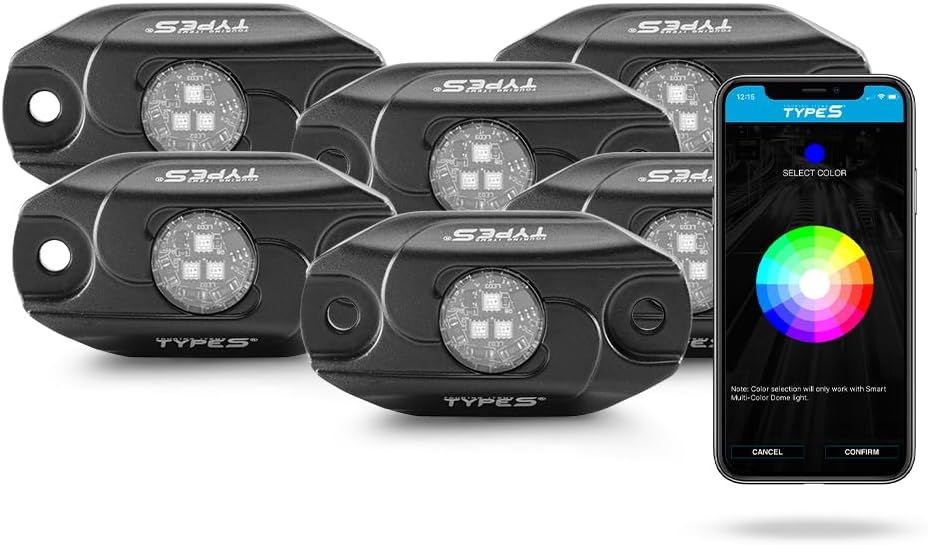
This image displays the six TYPE S Smart Wheel Well Rock Light pods alongside a smartphone screen showing the color selection interface of the TYPE S LED app. The app allows users to customize the lighting colors and modes.
2. Safety Information
- Read all instructions carefully before installation and use.
- Ensure the vehicle's power is disconnected before performing any electrical work.
- Always wear appropriate safety gear, including eye protection, during installation.
- Do not modify the product or its components. Unauthorized modifications may void the warranty and pose safety risks.
- Keep wiring away from hot engine parts, moving components, and sharp edges. Secure all wiring to prevent damage.
- Verify local regulations regarding vehicle lighting before operating the product on public roads.
3. Installation Guide
Proper installation is crucial for the performance and longevity of your rock lights. The kit includes all necessary mounting accessories for a secure fit.
3.1 Planning the Installation
- Determine the desired mounting locations for each rock light. Common areas include wheel wells, undercarriages, and truck beds.
- Consider the wire lengths provided (194.5” for two lights, 135.4” for four lights) to ensure proper reach to the central control unit and power source.
- Clean the mounting surfaces thoroughly to ensure optimal adhesion for VHB adhesive if used.
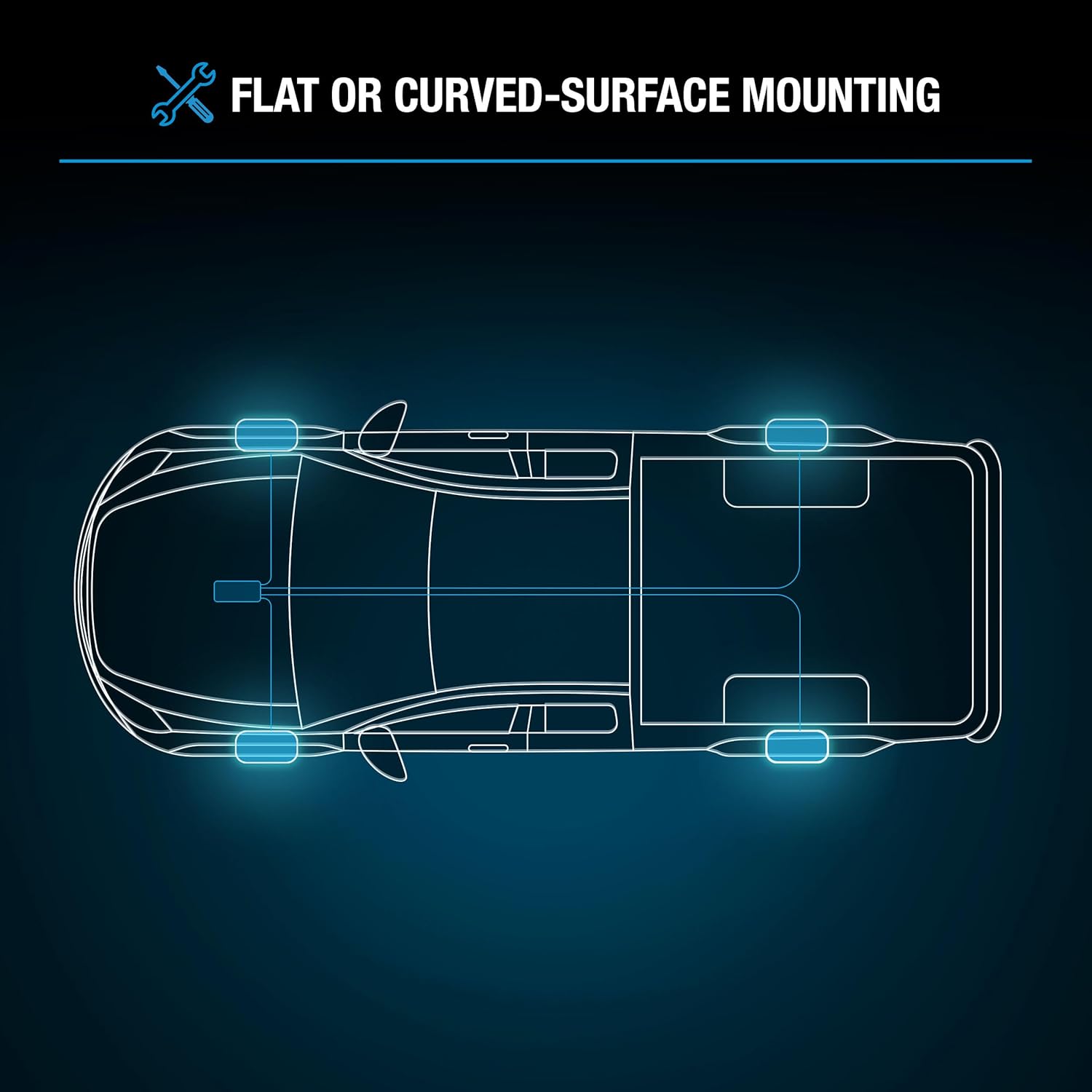
A diagram illustrating potential mounting locations for the rock lights on a vehicle's undercarriage, specifically around the wheel wells. It highlights the flexibility for installation on both flat and curved surfaces.
3.2 Mounting the Rock Lights
- The lights can be mounted using screws, VHB adhesive, or cable ties. Rubber seats are provided for curved surfaces to ensure a stable mount.
- Securely attach each light pod to the chosen location, ensuring it is firmly in place and will not interfere with vehicle operation or moving parts.
3.3 Wiring the System
- Connect the individual rock light wires to the central Bluetooth smart hub.
- Route all wiring carefully, avoiding areas of high heat, sharp edges, or moving components. Use cable ties to secure the wiring neatly.
- Connect the hardwire cable from the smart hub to a stable 12V power source on your vehicle. Ensure proper polarity (positive to positive, negative to negative).
- It is recommended to connect the power cable through a fuse for circuit protection.

This image displays all the components included in the TYPE S Smart Wheel Well Rock Lights installation kit, including the light pods, wiring, mounting hardware, and cable ties.
4. Operating Your Rock Lights
The TYPE S Smart Wheel Well Rock Lights are controlled wirelessly via the TYPE S LED app on your smartphone.
4.1 Downloading the App
- Download the TYPE S LED app from the Apple App Store (for iOS devices) or Google Play Store (for Android devices).
4.2 Connecting to the Lights
- Ensure Bluetooth is enabled on your smartphone.
- Open the TYPE S LED app. The app will automatically search for and connect to your rock light system.
- Follow any on-screen prompts to complete the connection process.
4.3 Customizing Lighting Effects
Once connected, you can access various customization options:
- Color Selection: Choose from 49 vibrant colors using the color wheel or preset options.
- Lighting Modes: Select from 25 dynamic modes, including strobe effects, fade patterns, and multi-zone lighting.
- Brightness Adjustment: Adjust the intensity of the lights to your preference.
- Music Sync: Activate the music sync feature to have the lights react to the beat of your music.
- Custom Patterns: Create and save your own unique lighting patterns.
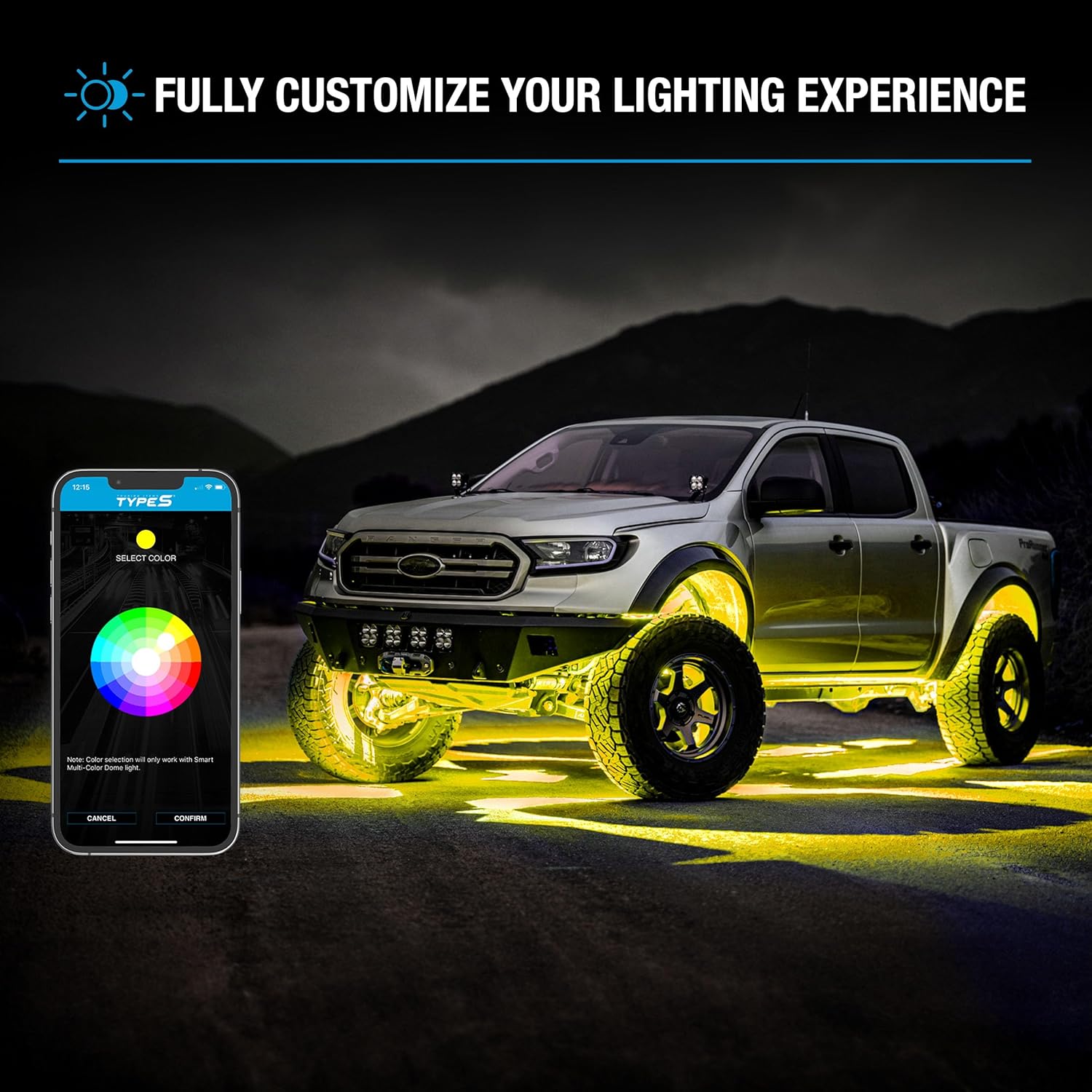
A truck is shown with its wheel wells illuminated by yellow TYPE S Smart Rock Lights, demonstrating the customizable lighting effect. A smartphone displaying the TYPE S LED app's color selection is also visible.

An off-road truck is depicted with vibrant blue underglow lighting from the TYPE S Smart Rock Lights, demonstrating their visual impact and suitability for rugged terrain.
5. Care and Maintenance
To ensure the longevity and optimal performance of your TYPE S Smart Wheel Well Rock Lights, follow these maintenance guidelines:
- Cleaning: Periodically clean the light pods with a soft, damp cloth. Avoid abrasive cleaners or solvents that could damage the housing or lens.
- Connection Checks: Regularly inspect all wiring connections for tightness and signs of wear or corrosion. Re-secure or replace any damaged components.
- IP68 Rating: The lights are IP68 waterproof, meaning they are protected against dust ingress and can withstand immersion in water up to 1.5 meters for 30 minutes. While durable, avoid prolonged submersion or high-pressure water jets directly on the lights.
- Housing Inspection: Check the diecast aluminum housing for any physical damage that could compromise its integrity.

A close-up view of a TYPE S rock light pod, with water and dirt effects around it, highlighting its IP68 waterproof rating and durable diecast aluminum construction, designed for harsh environments.
6. Troubleshooting Common Issues
If you encounter problems with your rock lights, refer to the following troubleshooting steps:
- Lights Not Turning On:
- Check the 12V power connection to ensure it is secure and receiving power.
- Verify the fuse in the power line is intact.
- Ensure all light pods are correctly connected to the smart hub.
- App Connectivity Issues:
- Confirm Bluetooth is enabled on your smartphone.
- Restart the TYPE S LED app.
- Ensure your smartphone is within range of the Bluetooth smart hub.
- Try restarting your smartphone.
- Inconsistent Lighting/Colors:
- Check for loose or damaged wiring connections to individual light pods.
- Ensure the app is updated to the latest version.
- Reset the smart hub by temporarily disconnecting and reconnecting its power.
7. Product Specifications
| Brand | TYPE S TOURING ITEMS |
| Model | AUTOLEDALIGHT |
| Color Options | 49 colors |
| Form Factor | Pod |
| Recommended Uses | Vehicle Exterior |
| Auto Part Position | Outer |
| Material | Aluminum |
| Water Resistance Level | IP68 Waterproof |
| Number of Pieces | 6 |
| Special Features | 49 Colors & 25 Modes, Bluetooth App Control, Bright & Energy-Efficient LEDs, IP68 Waterproof & Durable, Versatile Mounting Options |
8. Warranty and Customer Support
TYPE S is committed to providing quality products and support.
- Extended Warranty: Register your product online for extended warranty coverage. Refer to the TYPE S website for details.
- Customer Care: For assistance, contact the US-based customer care hotline. Contact information can be found on the TYPE S website or in the included documentation.
- Installation Videos: Visit the official TYPE S YouTube channel for helpful installation videos and product demonstrations.
Ask a question about this manual
Ask about setup, troubleshooting, compatibility, parts, safety, or missing instructions. Manuals+ will review the question and use this page’s manual context to help answer it.