
Introduction
This manual provides detailed instructions for the installation, operation, and maintenance of your Podofo 10.1'' Android 13 Car Stereo. Please read this manual thoroughly before using the product to ensure proper functionality and safety. Keep this manual for future reference.
Setup and Installation
The Podofo 10.1'' Android 13 Car Stereo is designed for universal 2-DIN installation. Ensure your vehicle's dashboard opening is compatible with the unit's dimensions.
Package Contents
Before installation, verify that all components are present in the package:
- 1 x Car Stereo Unit
- 1 x Power Cable
- 1 x GPS Antenna
- 1 x Rear Camera Input Cable
- 1 x AHD Backup Camera
- 1 x RCA Cable
- 2 x USB Cables
- 2 x Mounting Brackets
- 4 x Screws
- 1 x User Manual

Image: Dimensions of the car stereo unit (250mm width, 145mm height, 240mm depth) and a visual representation of all included accessories: Power Cable, USB Cables, Rear Camera, Camera, Brackets, GPS Antenna, RCA Cable, and User Manual.
Installation Steps
- Preparation: Disconnect the vehicle's battery to prevent electrical shorts.
- Remove Old Unit: Carefully remove the existing car stereo from the dashboard.
- Wiring:
- Connect the provided power cable to the car stereo and the vehicle's wiring harness.
- Connect the GPS antenna and position it in a location with clear sky view (e.g., dashboard).
- If installing the backup camera, route the camera cable from the rear of the vehicle to the stereo unit and connect it to the dedicated input.
- Connect USB cables for external devices as needed.
- Connect RCA cables for external amplifiers or video outputs if applicable.
- Mounting: Attach the mounting brackets to the sides of the car stereo unit using the provided screws. Slide the unit into the dashboard opening and secure it.
- Test: Reconnect the vehicle's battery. Turn on the ignition and test the car stereo's basic functions (power, audio, display).
- Final Assembly: Reassemble the dashboard trim panels.
Note: Professional installation is recommended if you are unfamiliar with car audio wiring.
Operating Instructions
Your Podofo car stereo runs on Android 13, offering a wide range of features and customization options.
Basic Operation and User Interface
The 10.1-inch touchscreen provides intuitive control. The system features 2GB RAM and 32GB ROM for smooth performance and ample storage.

Image: The main user interface of the Podofo car stereo, displaying various application icons such as WhatsApp, Spotify, Maps, Message, Pandora, SiriusXM Radio, MLB, and Waze, along with system status indicators.
You can customize the desktop theme. Long-press on the screen to access 26 different UI themes and select your preferred look.

Image: A visual representation of the 26 different user interface desktop themes available on the Podofo car stereo, showcasing various color schemes and layouts.
Wireless Carplay & Android Auto / Mirror Link
Connect your smartphone wirelessly or via USB to access Apple Carplay or Android Auto. This allows you to use phone contacts, emails, notifications, music, and map navigation directly on the car stereo display, minimizing distractions while driving.
- Wireless/Wired Apple Carplay: For iPhone users.
- Wireless/Wired Android Auto: For Android smartphone users.
- Mirror Link: Synchronize most mobile applications from your phone to the 10.1'' screen.

Image: Demonstrates the Apple Carplay interface (top) and Android Auto interface (bottom) on the car stereo screen, showing how smartphone apps are integrated for in-car use.
Navigation (Online/Offline)
The unit supports GPS/QZSS/SBAS with built-in GPS navigation. Connect to Wi-Fi for real-time online navigation using applications like Google Maps. The included GPS antenna ensures accurate positioning.
Bluetooth, FM/RDS Radio, and EQ Settings
- Bluetooth: Enjoy hands-free calling and Bluetooth music playback. The system automatically loads your phonebook.
- FM/RDS Radio: Access 30 preset radio stations. The high-end radio chip provides powerful noise reduction and anti-interference capabilities. Supports FM/AM RDS function for clear channel search.
- EQ Settings: Adjust audio equalization settings to customize your sound experience.
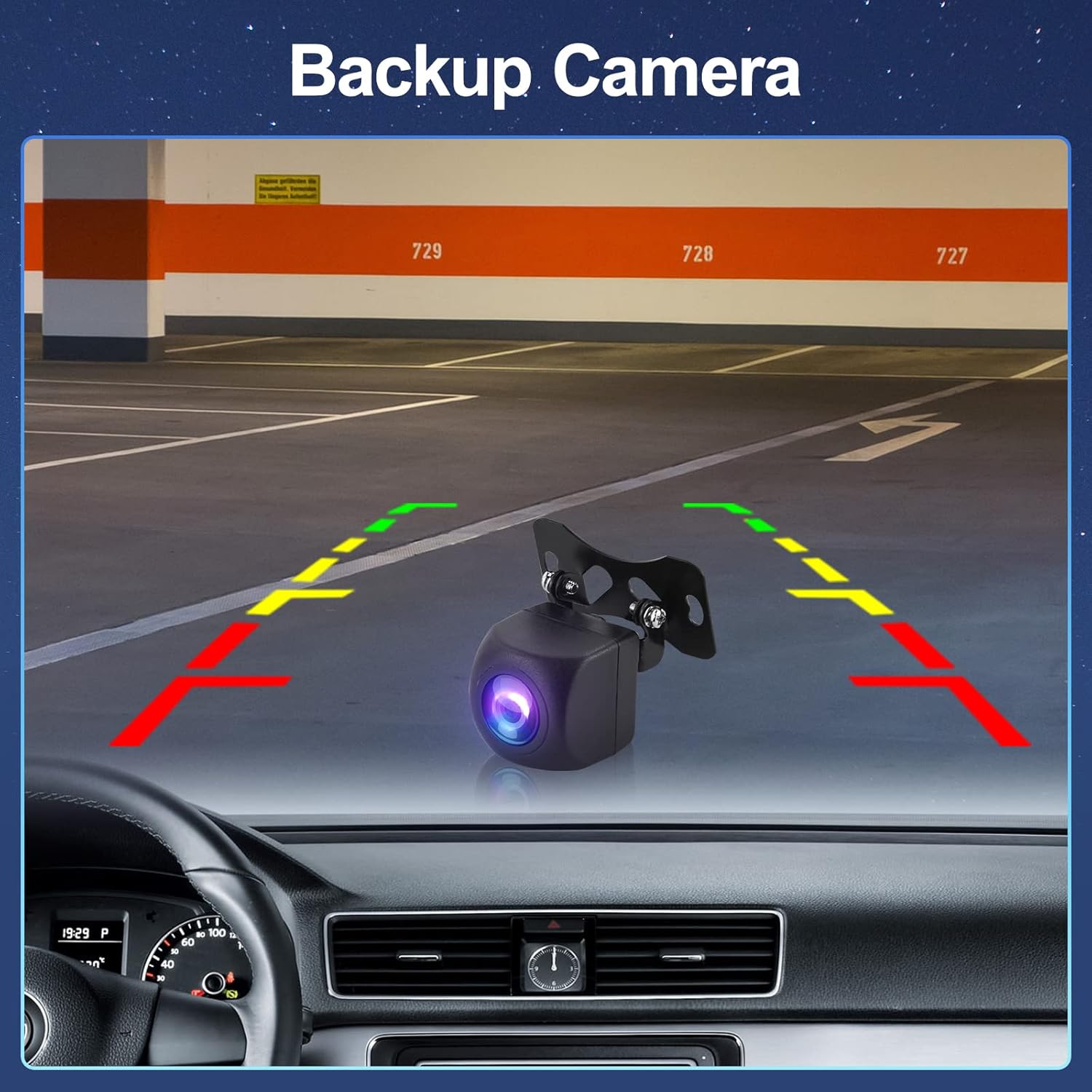
Image: The FM/RDS radio interface of the car stereo, showing frequency display, station presets, and RDS information.

Image: The Bluetooth music playback interface (top) and the detailed Equalizer (EQ) settings screen (bottom) on the car stereo, allowing for audio customization.
AHD Backup Camera
The included AHD backup camera automatically displays the rear view on the screen when the vehicle is put into reverse gear. This feature enhances safety during parking and maneuvering.

Image: A simulated view from the AHD backup camera displayed on the car stereo screen, showing parking guidelines and the rear environment.
Steering Wheel Control (SWC)
The unit supports Steering Wheel Control. Connect your vehicle's SWC cable to the car stereo's control cable. Follow the instructions in the user manual to program the buttons, allowing you to control functions directly from your steering wheel.
Maintenance
Proper maintenance ensures the longevity and optimal performance of your car stereo.
- Cleaning: Use a soft, dry cloth to clean the screen and unit. For stubborn smudges, slightly dampen the cloth with water or a screen-safe cleaner. Avoid abrasive materials or harsh chemicals.
- Software Updates: Periodically check for software updates from the manufacturer to ensure the system runs efficiently and has the latest features and security patches.
- Environmental Conditions: Avoid exposing the unit to extreme temperatures, direct sunlight for prolonged periods, or excessive moisture.
Troubleshooting
If you encounter issues with your Podofo car stereo, refer to the following common problems and solutions:
| Problem | Possible Cause / Solution |
|---|---|
| Unit does not power on. | Check power cable connections. Ensure vehicle battery is connected and charged. Check vehicle's fuse box for blown fuses. |
| No sound. | Check speaker connections. Verify volume level is not muted or too low. Check audio settings (EQ, balance, fader). |
| GPS signal weak or lost. | Ensure GPS antenna is properly connected and placed in an unobstructed location. Move to an open area away from tall buildings or dense foliage. |
| Bluetooth connection issues. | Ensure Bluetooth is enabled on both the stereo and your phone. Delete previous pairings and re-pair the devices. Restart both devices. |
| Backup camera not displaying. | Check the camera's power and video signal connections. Ensure the vehicle is in reverse gear. Verify camera settings in the stereo menu. |
| Touchscreen unresponsive. | Perform a soft reset (refer to the manual for reset button location, usually a small pinhole). If persistent, contact support. |
For issues not listed here, or if troubleshooting steps do not resolve the problem, please contact Podofo customer support.
Specifications
| Feature | Detail |
|---|---|
| Brand | Podofo |
| Model Name | Radio de Coche 2 DIN |
| Operating System | Android 13 |
| RAM / ROM | 2GB RAM / 32GB ROM |
| Screen Size | 10.1 Inches |
| Vehicle Service Type | Car |
| Special Features | Wireless Carplay, Android Auto, Mirror Link, 26 UI Themes |
| Connectivity Technology | Wi-Fi, Bluetooth |
| Map Type | Street (GPS/QZSS/SBAS support) |
| Audio Output Mode | Surround Sound |
| Mounting Type | Dashboard Mount |
Warranty and Support
Podofo is committed to providing excellent customer service and product support.
- Warranty: The product typically comes with a warranty period. Please refer to your purchase documentation for specific warranty terms.
- Returns: A 60-day no-worry return policy may apply.
- Customer Service: If you have any questions, concerns, or require technical assistance, please do not hesitate to contact Podofo customer service. They aim for quick replies, often within 18 hours, and offer professional support.
- Contact: For support, please reach out to the seller "Podofo electronic" through the platform where you made your purchase, or refer to the contact information provided in your product packaging.