
1. Introduction
Thank you for choosing the Ankbit E600 Wireless Over-Ear Bluetooth Headphones. These headphones are designed to provide a superior audio experience with advanced features for both music enjoyment and clear communication. Please read this manual carefully before using the product to ensure proper operation and to maximize its lifespan.
Key Features:
- High-Resolution Audio: Equipped with LDAC, AptX, and AptX HD codecs, along with integrated 40mm dynamic drivers, for high-definition sound and incredible musical detail.
- Effective Noise Cancellation: Features active noise cancellation to reduce ambient distractions, allowing you to focus on your audio.
- Clear Call Quality: Qualcomm cVc Echo 8.0 Noise Cancellation and Suppression (ECNS) technology ensures clear calls even in noisy environments.
- Comfortable Over-Ear Design: Designed for extended wear with a circum-aural form factor.
- Intuitive Touch Controls: Manage your audio playback and calls with simple touch gestures.
2. Safety Information
To ensure safe and proper operation, please observe the following precautions:
- Do not expose the headphones to extreme temperatures, humidity, or corrosive substances.
- Avoid dropping or subjecting the headphones to strong impacts.
- These headphones are not waterproof. Avoid contact with water or other liquids.
- Do not attempt to disassemble, repair, or modify the headphones yourself. This will void the warranty and may cause damage or injury.
- Prolonged listening at high volume levels can cause permanent hearing damage. Adjust the volume to a safe and comfortable level.
- Exercise caution when using headphones in situations where you need to be aware of your surroundings, such as while driving, cycling, or walking in traffic.
- Keep out of reach of children and pets.
3. Package Contents
Please check the package contents upon unboxing:
- Ankbit E600 Wireless Over-Ear Bluetooth Headphones
- Charging Cable
- User Manual (this document)
4. Product Overview
Familiarize yourself with the components and controls of your Ankbit E600 headphones.

Figure 4.1: Ankbit E600 Headphones - Front View. This image shows the overall design of the black over-ear headphones, highlighting the earcups and headband.

Figure 4.2: Ankbit E600 Headphones - Side View with Controls. This image provides a closer look at the right earcup, showing the power button, volume controls, and other touch-sensitive areas.
Controls and Indicators:
- Power Button: Used to turn the headphones on/off and initiate Bluetooth pairing.
- Volume Controls: Adjust audio volume up or down.
- Multi-function Touch Area: For playback control (play/pause, skip tracks) and call management (answer/end calls).
- ANC Button: Activates or deactivates the Active Noise Cancellation feature.
- LED Indicator: Displays power status, pairing mode, and charging status.
- USB-C Charging Port: For connecting the charging cable.
- Microphone: For voice calls.
5. Setup
5.1 Charging the Headphones
Before first use, fully charge your Ankbit E600 headphones.
- Connect the provided charging cable to the USB-C charging port on the headphones.
- Connect the other end of the cable to a USB power adapter (not included) or a computer's USB port.
- The LED indicator will show the charging status. It typically takes approximately 2 hours for a full charge.
- Once fully charged, the LED indicator will change (e.g., turn off or change color) to indicate completion. Disconnect the charging cable.
Note: The headphones use a Lithium-polymer battery. For optimal battery life, avoid completely draining the battery frequently.
5.2 Bluetooth Pairing
To connect your headphones to a Bluetooth-enabled device (e.g., smartphone, tablet, TV), follow these steps:
- Power On: Press and hold the Power button on the headphones until the LED indicator lights up.
- Enter Pairing Mode: If this is the first time pairing, the headphones will automatically enter pairing mode, and the LED indicator will flash (e.g., blue and red alternately). If not, press and hold the Power button for an extended period (e.g., 5-7 seconds) until the LED flashes rapidly.
- Activate Bluetooth on Your Device: Go to the Bluetooth settings on your smartphone, tablet, or other device.
- Search for Devices: Enable Bluetooth and search for available devices.
- Select "Ankbit E600": From the list of found devices, select "Ankbit E600".
- Confirm Connection: Once connected, the LED indicator on the headphones will stop flashing and may glow solid blue. A voice prompt may also confirm the connection.
Note: The headphones will automatically try to reconnect to the last paired device when powered on. If connection fails, repeat the pairing steps.
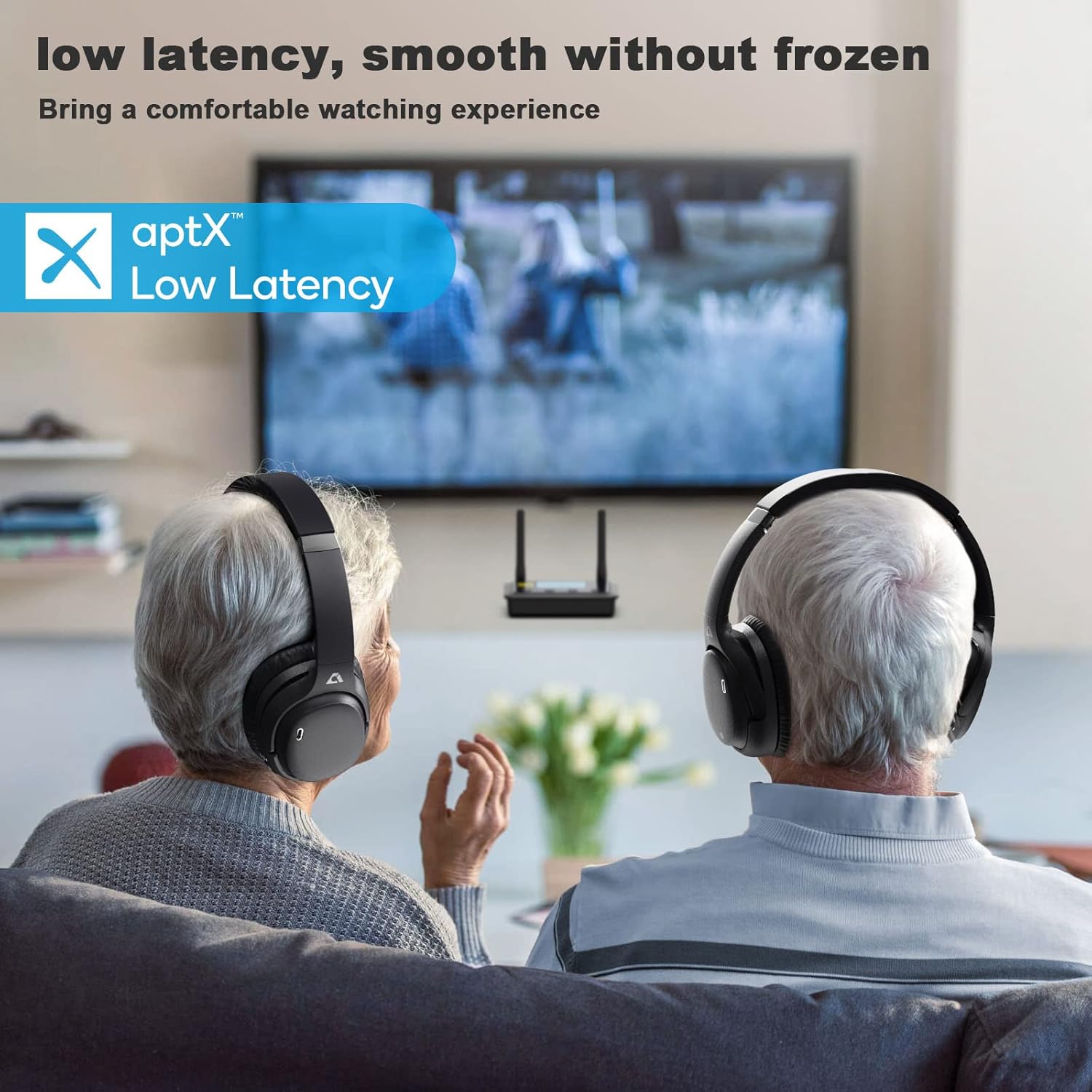
Figure 5.1: Headphones in Use with TV. This image illustrates the headphones being used with a television, emphasizing their low latency capabilities for a smooth viewing experience.
6. Operating Instructions
6.1 Power On/Off
- Power On: Press and hold the Power button for approximately 2-3 seconds until the LED indicator lights up and you hear a power-on prompt.
- Power Off: Press and hold the Power button for approximately 3-4 seconds until the LED indicator turns off and you hear a power-off prompt.
6.2 Music Playback
- Play/Pause: Tap the Multi-function Touch Area once.
- Volume Up: Tap the Volume Up (+) button.
- Volume Down: Tap the Volume Down (-) button.
- Next Track: Double-tap the Multi-function Touch Area.
- Previous Track: Triple-tap the Multi-function Touch Area.
6.3 Call Management
- Answer/End Call: Tap the Multi-function Touch Area once during an incoming call or an active call.
- Reject Call: Press and hold the Multi-function Touch Area for approximately 2 seconds during an incoming call.
- Voice Assistant: Press and hold the Multi-function Touch Area for approximately 1 second to activate your device's voice assistant (Siri, Google Assistant, etc.).
6.4 Active Noise Cancellation (ANC)
- Activate ANC: Press the ANC button once. The ANC indicator light will illuminate.
- Deactivate ANC: Press the ANC button again. The ANC indicator light will turn off.
7. Maintenance and Care
- Cleaning: Use a soft, dry, lint-free cloth to clean the headphones. Do not use abrasive cleaners, alcohol, or chemical solvents.
- Storage: When not in use, store the headphones in a cool, dry place, away from direct sunlight and extreme temperatures.
- Battery Care: To preserve battery life, charge the headphones regularly, even if not used for extended periods (e.g., once every 3 months).
- Avoid Moisture: As the headphones are not waterproof, keep them away from rain, spills, and excessive sweat.
8. Troubleshooting
| Problem | Possible Cause | Solution |
|---|---|---|
| Headphones do not power on. | Low battery. | Charge the headphones fully. |
| Cannot pair with device. | Headphones not in pairing mode; Bluetooth off on device; device too far. | Ensure headphones are in pairing mode. Turn Bluetooth on your device. Move device closer to headphones (within 10 meters). Clear previous pairings on your device and try again. |
| No sound or distorted sound. | Volume too low; headphones not connected; audio source issue. | Increase volume on headphones and device. Reconnect headphones. Check audio source (e.g., app, media player). |
| Poor call quality. | Weak signal; environmental noise; microphone obstruction. | Move closer to your device. Ensure microphone is not covered. Try moving to a quieter environment. |
| ANC not working effectively. | ANC not activated; specific noise types. | Ensure ANC is activated (check indicator light). ANC is most effective against low-frequency, constant noise. |
9. Specifications
| Feature | Detail |
|---|---|
| Brand | Ankbit |
| Model Name | E600 |
| Model Number | Ankbit E600 |
| Connectivity Technology | Wireless (Bluetooth) |
| Form Factor | Over-Ear (Circum-Aural) |
| Ear Placement | Over-Ear |
| Special Features | Active Noise Cancellation, LDAC, AptX, AptX HD, Qualcomm cVc Echo 8.0 |
| Control Type | Touch Control |
| Frequency Range | 20 Hz - 20,000 Hz |
| Weight | 250 Grams |
| Battery Composition | Lithium-polymer |
| Charging Time | Approximately 2 hours |
| Water Resistance Level | Not Waterproof |
| Recommended Use | Music, Gaming, Calls, Watching TV/Movies |
| Compatible Devices | Television, other Bluetooth-enabled devices |
10. Warranty and Support
Ankbit products are designed and manufactured to the highest quality standards. For information regarding warranty coverage, please refer to the warranty card included with your product or visit the official Ankbit website.
- Spare Parts Availability: Information unavailable.
- Software Updates Guaranteed Until: Information unavailable.
For technical support, troubleshooting assistance, or any other inquiries, please contact Ankbit customer service through their official channels. Details can typically be found on the product packaging or the official brand website.


