
1. Introduction
This manual provides essential information for the safe and effective use of your Rolanstar Standing Desk. This electric height-adjustable desk features integrated LED lighting, a convenient charging station, and a monitor stand, designed to enhance your home office or gaming setup. Please read these instructions thoroughly before assembly and operation to ensure proper function and longevity of your product.

This image displays the Rolanstar standing desk, highlighting its sleek carbon fiber surface, integrated LED lighting, and convenient charging station. The desk is shown in its lower position, ready for use in a home or office environment.
2. Safety Information
For your safety and to prevent damage to the product, please observe the following warnings:
- This product may emit noise during operation.
- Assembly is required. Improper assembly could pose safety concerns. Always follow the instructions provided in the assembly guide carefully.
- Be aware of your surroundings when using or assembling the product to avoid accidents.
- Do not overload the desk. Refer to the specifications for maximum weight recommendations.
- Keep children and pets away from the desk during height adjustment.
3. Product Features
The Rolanstar Standing Desk is equipped with several features designed for comfort and functionality:
- Convenient Power Outlets: Equipped with 2 AC outlets, 2 USB-A ports, and 1 USB-C port on the desktop for easy device charging.
- Cool LED RGB Light: Features 7 colors and 12 display modes, allowing for personalized ambiance.
- Electric Height Adjustable Lift System: Smooth height adjustments from 28.3" to 45.7" at 1"/second with low noise. Includes a memory function.
- User-Friendly Design: Full monitor stand promotes healthy posture and maximizes desktop space.
- Spacious Work Area: Dimensions of 22.4"D x 47.2"W provide ample space for work and entertainment.
- Headphone Hooks: Integrated hooks keep your headphones or bag within easy reach.

A detailed view of the desk's built-in charging station, featuring 2 AC outlets, 2 USB-A ports, and 1 USB-C port, allowing for easy power access for various devices. The image also showcases the vibrant LED light strip beneath the monitor stand, which can be customized to different colors and modes.
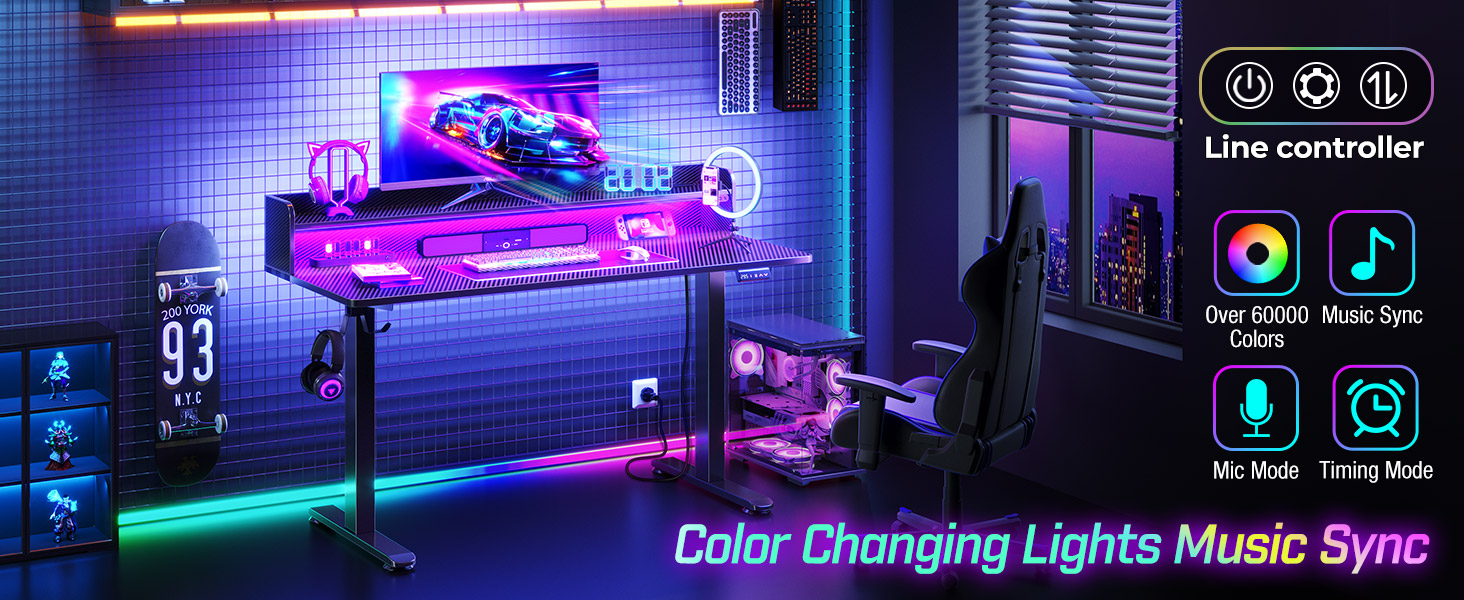
This image illustrates the dynamic RGB LED lighting capabilities of the desk, showing a vibrant purple hue. Accompanying icons highlight features such as over 60,000 color options, music sync mode, microphone mode, and timing mode, all controllable via a dedicated mobile application.

This comparison image highlights the organizational benefits of the desk's integrated monitor stand. The 'Before' section shows a cluttered desk, while the 'After' section demonstrates how the monitor stand helps to neatly store items, keeping the main desktop clear and organized.

A detailed shot of the convenient 360-degree rotating hooks located on the side of the desk. These hooks are designed to hold items such as headphones, bags, or other accessories, keeping them easily accessible and off the main work surface.
4. Setup and Assembly
The Rolanstar Standing Desk requires assembly. Please ensure all components are present before beginning. Refer to the separate assembly guide included in your package for detailed, step-by-step instructions. It is recommended to assemble the desk on a soft, clean surface to prevent scratches.

This diagram provides key dimensions of the Rolanstar standing desk, including its width (47.2 inches), depth (22.4 inches), and height adjustment range (28.3 to 45.7 inches). It also indicates the weight capacities for the monitor stand (44 lbs) and the main desktop (132 lbs).
Ensure all connections are secure and cables are managed properly after assembly to avoid tripping hazards or damage to the electrical components.
5. Operating Instructions
5.1 Height Adjustment
The desk's height can be adjusted using the control panel located on the front edge of the desktop. Press the UP or DOWN arrows to move the desk to your desired height. The digital display will show the current height.
A close-up view of the desk's control panel, featuring a digital display and intuitive buttons for height adjustment. It includes memory presets (1, 2) and up/down arrows for precise control, making operation straightforward and user-friendly.
To save a preferred height, adjust the desk to the desired position, then press and hold one of the memory preset buttons (e.g., 1 or 2) until the display flashes or beeps, indicating the height has been saved. You can then recall this height by pressing the corresponding memory button.
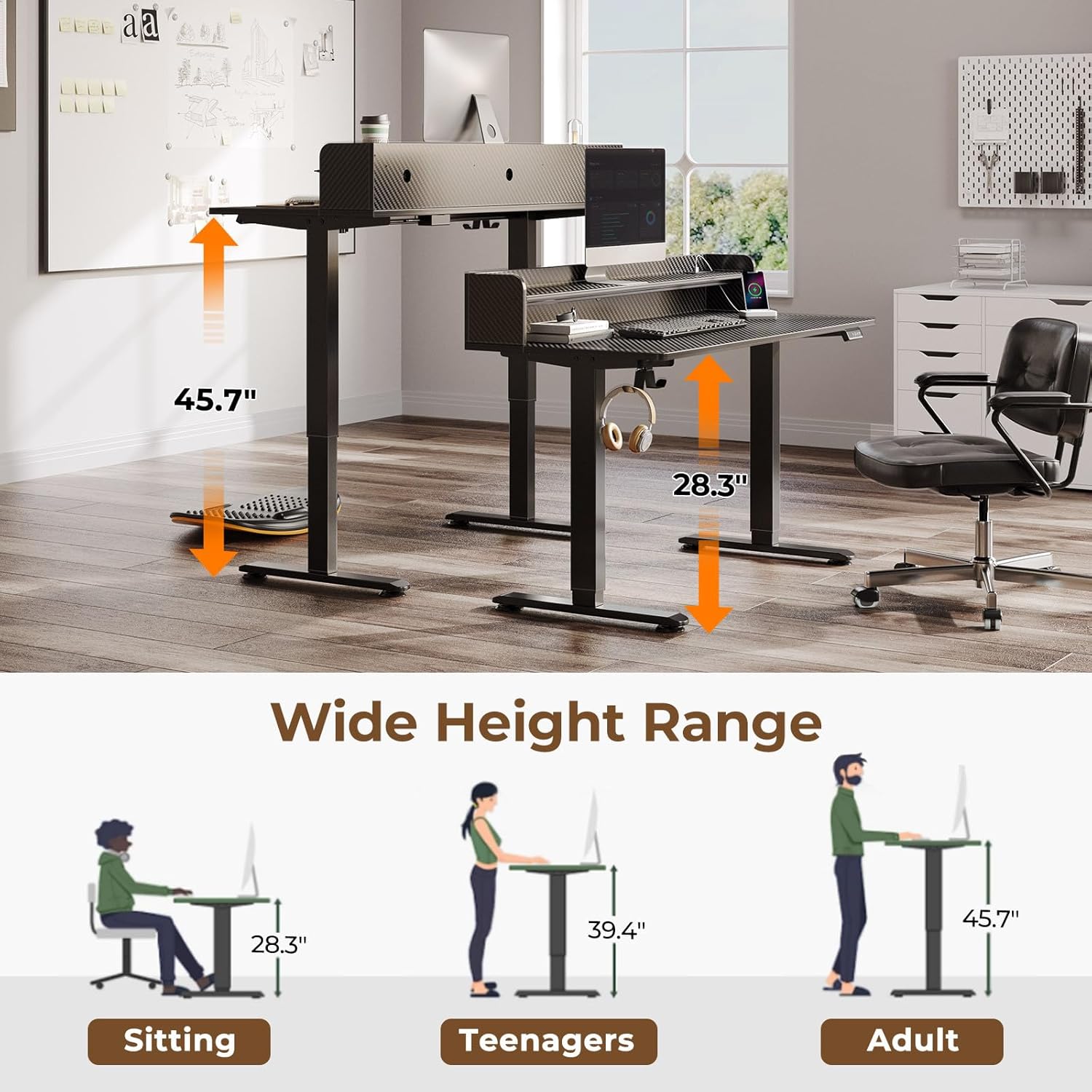
A visual representation demonstrating the wide height adjustment range of the desk, from 28.3 inches for sitting to 45.7 inches for standing. The diagram includes silhouettes of a person sitting, a teenager, and an adult, indicating suitable heights for different users and postures.
5.2 LED Lights Operation
The LED lights can be controlled via a dedicated button on the desk or through a mobile application (if applicable). Refer to the LED light specific instructions in your package for details on changing colors, modes, and utilizing features like music sync.
5.3 Charging Station Use
Plug your devices into the available AC outlets, USB-A ports, or the USB-C port on the desktop for convenient charging. Ensure devices are compatible with the provided power output.
6. Maintenance
To maintain your Rolanstar Standing Desk in optimal condition:
- Cleaning: Wipe the desk surface with a soft, damp cloth. Avoid harsh chemicals or abrasive cleaners that may damage the carbon fiber finish.
- Motor Care: The electric motor is designed for durability. Avoid spilling liquids on the motor or control panel.
- Cable Management: Periodically check and organize cables to prevent tangles and ensure smooth operation during height adjustments.
- Weight Distribution: Distribute weight evenly on the desktop and monitor stand to prevent strain on the lifting mechanism.
7. Troubleshooting
If you encounter issues with your Rolanstar Standing Desk, consider the following common solutions:
- Desk Not Moving: Check if the power cord is securely plugged into both the desk and a working wall outlet. Ensure no obstructions are blocking the desk's movement.
- Uneven Height: If the desk appears uneven, try resetting the system by unplugging it for 30 seconds and then plugging it back in. Follow the calibration steps in your assembly guide if available.
- LED Lights Not Working: Verify the power connection to the LED strip. Check if the control button or app settings are correctly configured.
- Charging Ports Not Functioning: Ensure the desk is powered on. Test with different devices and cables to rule out device-specific issues.
For persistent issues, please refer to the detailed troubleshooting section in your assembly manual or contact customer support.

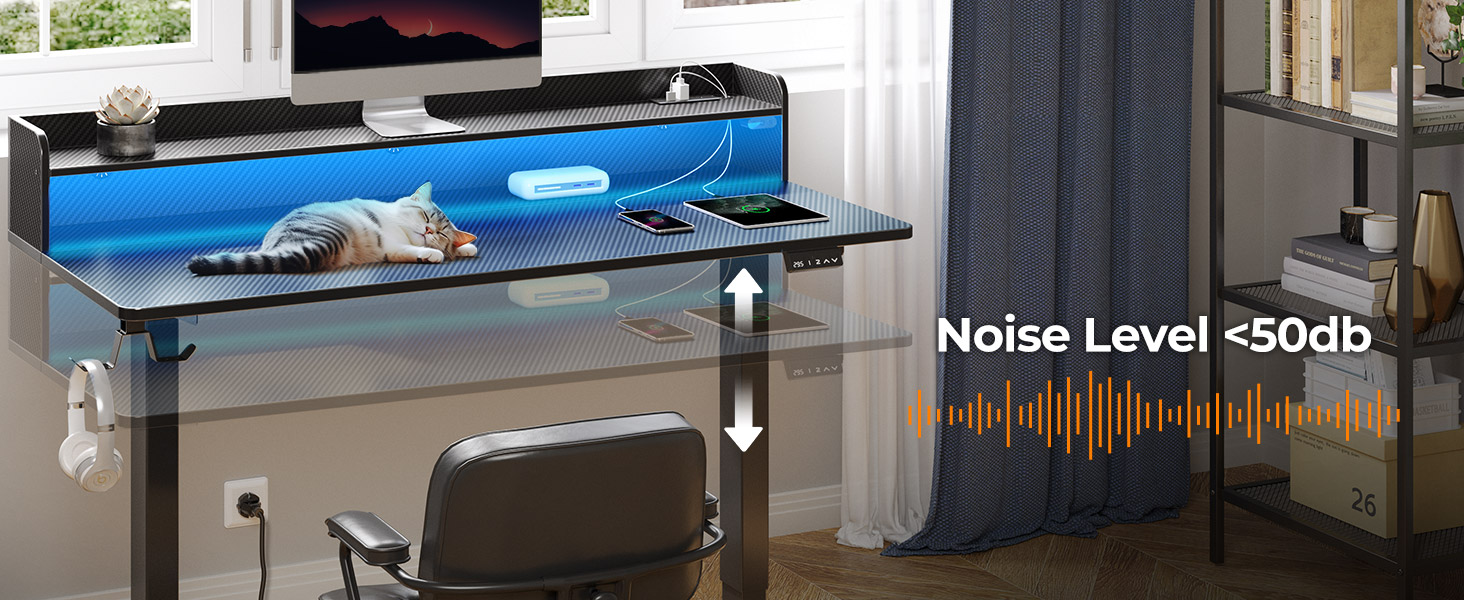
This image visually represents the quiet operation of the electric height adjustment mechanism, indicating a noise level of less than 50dB. This ensures a peaceful working environment even when adjusting the desk's height.
8. Specifications
| Attribute | Value |
|---|---|
| Brand | Rolanstar |
| Product Dimensions | 22.4"D x 47.2"W x 28.3"H |
| Color | Black |
| Style | Modern |
| Base Material | Alloy Steel |
| Top Material Type | Engineered Wood |
| Finish Type | Laminated |
| Special Feature | Adjustable Height |
| Room Type | Office, Study Room |
| Recommended Uses For Product | Gaming |
| Item Weight | 25.4 Kilograms |
| Minimum Height | 28.3 Inches |
| Maximum Height | 45.7 Inches |
| Required Assembly | Yes |
| Maximum Weight Recommendation | 132 Pounds |
9. Warranty and Support
The Rolanstar Standing Desk comes with a limited warranty. Please refer to the warranty card included in your product packaging for specific terms and conditions.
For customer support, technical assistance, or to inquire about replacement parts, please visit the Rolanstar Store on Amazon or contact their customer service directly through the contact information provided in your product documentation.