
Introduction
This manual provides comprehensive instructions for the setup, operation, and maintenance of your ALLIMITY RC4390A Replacement Remote Control. This remote is designed to be compatible with various AKAI TV models, offering a seamless replacement for your original remote.
Compatible Models:
- AKT409TS
- AKTV290
- AKTV3219M
- AKTV3225
- LT2210
- LT2411
- LT-2411AD
- LT2803
- LT3224
- LT-3224HD
- LT3905HD
- LT-3906
- AKT-409TS
- AKTV-290
- AKTV-3219M
- AKTV-3225
Product Overview
The ALLIMITY RC4390A remote control is designed for ease of use and direct compatibility. It features a standard button layout for television control, including dedicated buttons for popular streaming services.

Figure 1: Front view of the ALLIMITY RC4390A remote control. This image displays the ergonomic design and the full array of buttons, including power, number pad, navigation, volume, channel, and dedicated streaming service buttons like Netflix and YouTube.
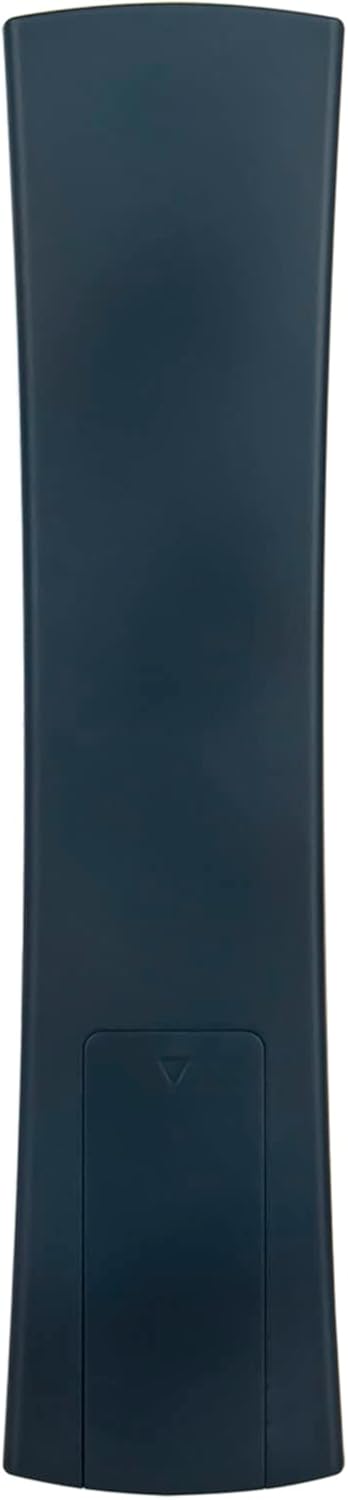
Figure 2: Back view of the ALLIMITY RC4390A remote control. This image highlights the smooth, curved back panel and the location of the battery compartment cover at the bottom.
Setup
- Unpacking: Carefully remove the remote control from its packaging.
- Battery Installation:
- Locate the battery compartment on the back of the remote control.
- Slide the battery cover downwards to open it.
- Insert two AAA (1.5V) alkaline batteries, ensuring the positive (+) and negative (-) terminals align with the markings inside the compartment.
- Close the battery cover by sliding it back into place until it clicks.
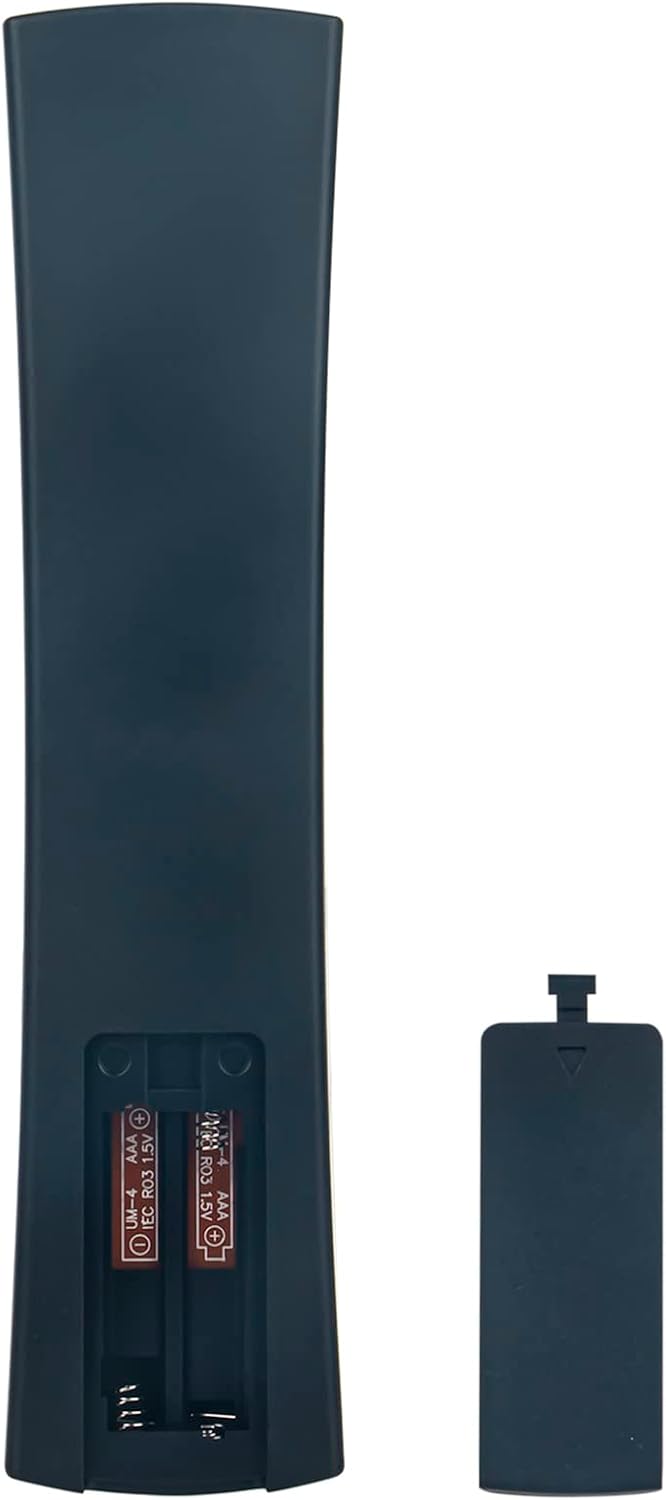
Figure 3: Battery installation for the ALLIMITY RC4390A remote control. This image shows the open battery compartment with two AAA batteries correctly inserted, demonstrating the proper orientation of the positive and negative terminals.
- No Programming Required: This replacement remote control is pre-programmed and does not require any additional setup or code entry. It is designed to work immediately with compatible AKAI TV models upon battery insertion.
Operating Instructions
Point the remote control directly at the infrared sensor on your television. Ensure there are no obstructions between the remote and the TV.
Key Functions:
| Button | Function |
|---|---|
| Power (●) | Turns the TV on or off. |
| Number Buttons (0-9) | Direct channel selection. |
| Volume Up/Down (V+/V-) | Adjusts the volume level. |
| Mute | Mutes or unmutes the TV audio. |
| Channel Up/Down (P+/P-) | Changes the TV channel. |
| Navigation Arrows (Up, Down, Left, Right) | Navigates through menus and options. |
| OK | Confirms selections in menus. |
| Back | Returns to the previous screen or menu. |
| Exit | Exits the current menu or application. |
| Home (●) | Accesses the TV's home screen or smart hub. |
| Netflix | Direct access to the Netflix application. |
| YouTube | Direct access to the YouTube application. |
| Kids | Direct access to a Kids content application (if supported by TV). |
| USB | Switches input to USB (if supported by TV). |
| Media Playback Controls (Play, Pause, Stop, Rewind, Fast Forward) | Controls media playback. |
Maintenance
- Cleaning: Use a soft, dry cloth to clean the remote control. Do not use liquid cleaners or abrasive materials, as they may damage the surface or internal components.
- Battery Replacement: Replace batteries when the remote control's response becomes sluggish or stops working. Always replace both batteries at the same time with new AAA alkaline batteries.
- Storage: If the remote control will not be used for an extended period, remove the batteries to prevent leakage and potential damage. Store in a cool, dry place.
- Avoid Extreme Conditions: Do not expose the remote control to direct sunlight, high temperatures, humidity, or strong vibrations.
Troubleshooting
| Problem | Possible Cause | Solution |
|---|---|---|
| Remote control not working. | Batteries are dead or incorrectly inserted. | Replace batteries with new ones, ensuring correct polarity (+/-). |
| Remote control has limited range or intermittent response. | Low battery power; Obstruction between remote and TV; Remote not pointed directly at TV sensor. | Replace batteries; Remove any objects blocking the signal path; Ensure remote is pointed directly at the TV's IR sensor. |
| Certain buttons do not function. | Button may be stuck or damaged; TV model may not support that specific function. | Gently press the button multiple times; Verify if your TV model supports the function (e.g., specific streaming buttons). |
| Remote works for some functions but not others. | Compatibility issue with a specific TV function. | While this remote is broadly compatible, some highly specific or advanced functions of your original TV remote might not be replicated. This is rare but possible. |
Specifications
- Model: QYSY-RC4390A-AK-QYSY
- Brand: ALLIMITY
- Power Source: 2 x AAA Batteries (1.5V)
- Dimensions: 4 x 12 x 0.3 cm (approximately)
- Weight: 80 g (without batteries)
- Color: Black
- Special Features: Ergonomic design
- Compatible Devices: AKAI TVs (specific models listed in Introduction)
Warranty and Support
For any issues or inquiries regarding your ALLIMITY RC4390A Replacement Remote Control, please refer to the seller or manufacturer for warranty information and technical support.
This product is typically covered by standard consumer protection laws. Please retain your purchase receipt for warranty claims.
Note: This is a replacement remote control and its functionality is dependent on the original TV's capabilities. Some advanced features of the original remote may not be supported.