
Introduction
Thank you for purchasing the Platinet Desk Lamp PDL008 5W. This manual provides essential information for the safe and efficient use of your new desk lamp. Please read these instructions carefully before use and retain them for future reference.
Package Contents
- Platinet Desk Lamp PDL008
- Power Adapter (if separate)
- User Manual
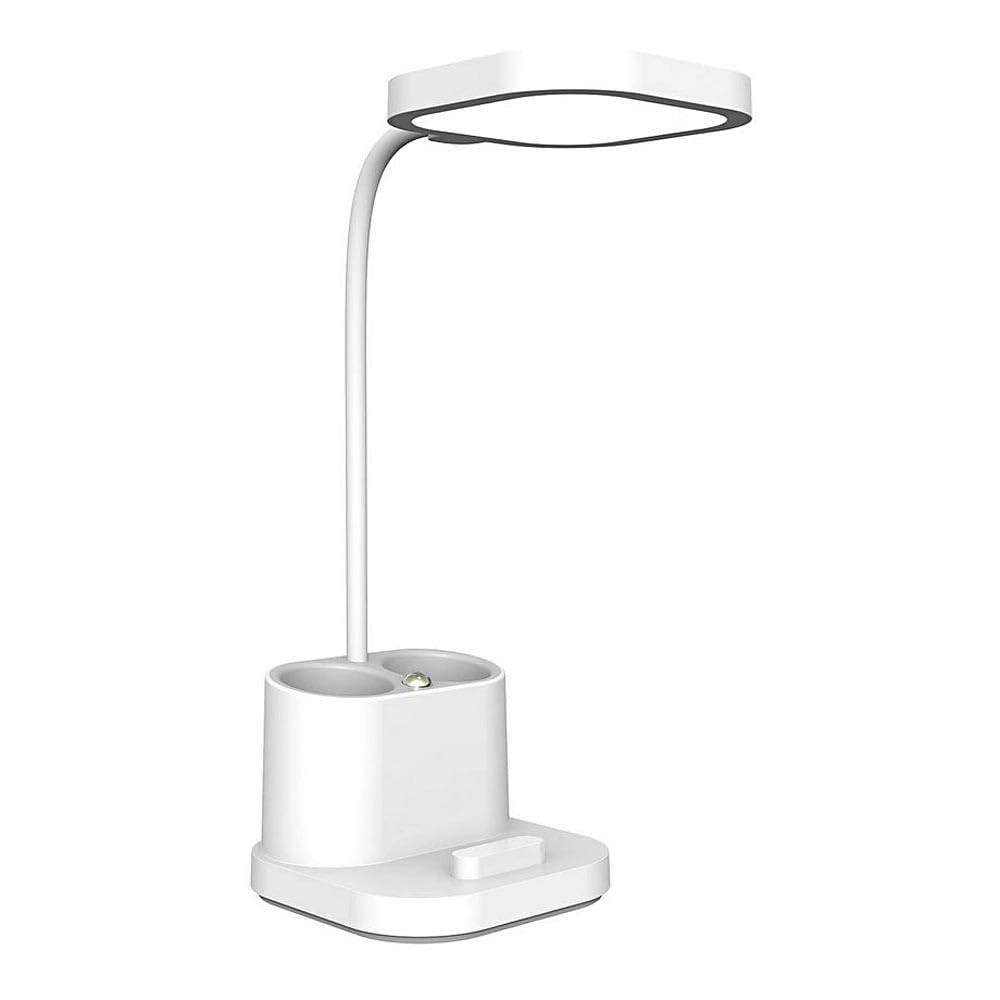
Image: The Platinet Desk Lamp PDL008, showing its compact design and adjustable head.
Setup Instructions
- Unpack the Lamp: Carefully remove all components from the packaging. Inspect for any damage.
- Position the Lamp: Place the lamp on a stable, flat surface. Ensure there is adequate space around the lamp for ventilation and adjustment.
- Install the Bulb:
- Ensure the lamp is unplugged from the power source.
- Gently screw an E27 base bulb (not included) into the lamp socket until it is secure. Do not overtighten.
- Note: The lamp is designed for a maximum wattage of 5W. Using a bulb with higher wattage may damage the lamp or pose a safety risk.
- Connect to Power: Insert the power adapter plug into the lamp's power input port. Then, plug the power adapter into a standard electrical outlet.
Operating Instructions
- Power On/Off: The lamp features touch control. Gently touch the designated touch sensor on the lamp base or stem to turn the lamp on or off.
- Adjusting Brightness/Modes: Repeatedly touch the sensor to cycle through available brightness levels or lighting modes (if applicable). Refer to the product specifications for specific features.
- Positioning: Adjust the lamp head and arm to direct light as needed. Handle the lamp gently to avoid damage to moving parts.
Maintenance
- Cleaning: Disconnect the lamp from the power supply before cleaning. Use a soft, dry cloth to wipe the lamp. Do not use abrasive cleaners, solvents, or excessive moisture, as these can damage the finish or electrical components.
- Bulb Replacement:
- Always unplug the lamp before replacing the bulb.
- Allow the old bulb to cool completely before touching it.
- Unscrew the old E27 bulb counter-clockwise and remove it.
- Screw in a new E27 bulb (max 5W) clockwise until secure.
- Reconnect the lamp to power.
- Storage: If storing the lamp for an extended period, ensure it is clean, dry, and stored in a safe place away from extreme temperatures or humidity.
Troubleshooting
| Problem | Possible Cause | Solution |
|---|---|---|
| Lamp does not turn on. |
|
|
| Light flickers. |
|
|
Specifications
- Model: PDL008
- Brand: Platinet
- Wattage: 5 Watt
- Lamp Base: E27
- Control Method: Touch
- Product Dimensions: 50 x 50 x 28 cm
- Weight: 5.66 kg
- Manufacturer: Platinet
Warranty Information
This Platinet Desk Lamp PDL008 5W comes with a 2-year manufacturer's warranty. This warranty covers defects in materials and workmanship under normal use. It does not cover damage caused by misuse, accidents, unauthorized modifications, or normal wear and tear. Please retain your proof of purchase for warranty claims.
Support
For further assistance, technical support, or warranty inquiries, please contact your retailer or the Platinet customer service department. Refer to the product packaging or the Platinet official website for contact details.