
Music Sound BTMSTWSSWAGU
Music Sound SWAG Wireless Earbuds User Manual
Model: BTMSTWSSWAGU | Brand: Music Sound
Introduction
The Music Sound SWAG Wireless Capsule Earbuds are designed to provide a balanced sound experience and optimal wearing comfort. Available in a variety of vibrant colors, these Bluetooth earbuds offer up to 20 hours of music playback, ensuring uninterrupted listening to your favorite playlists. The integrated controls on the earbuds allow for easy management of music and calls.
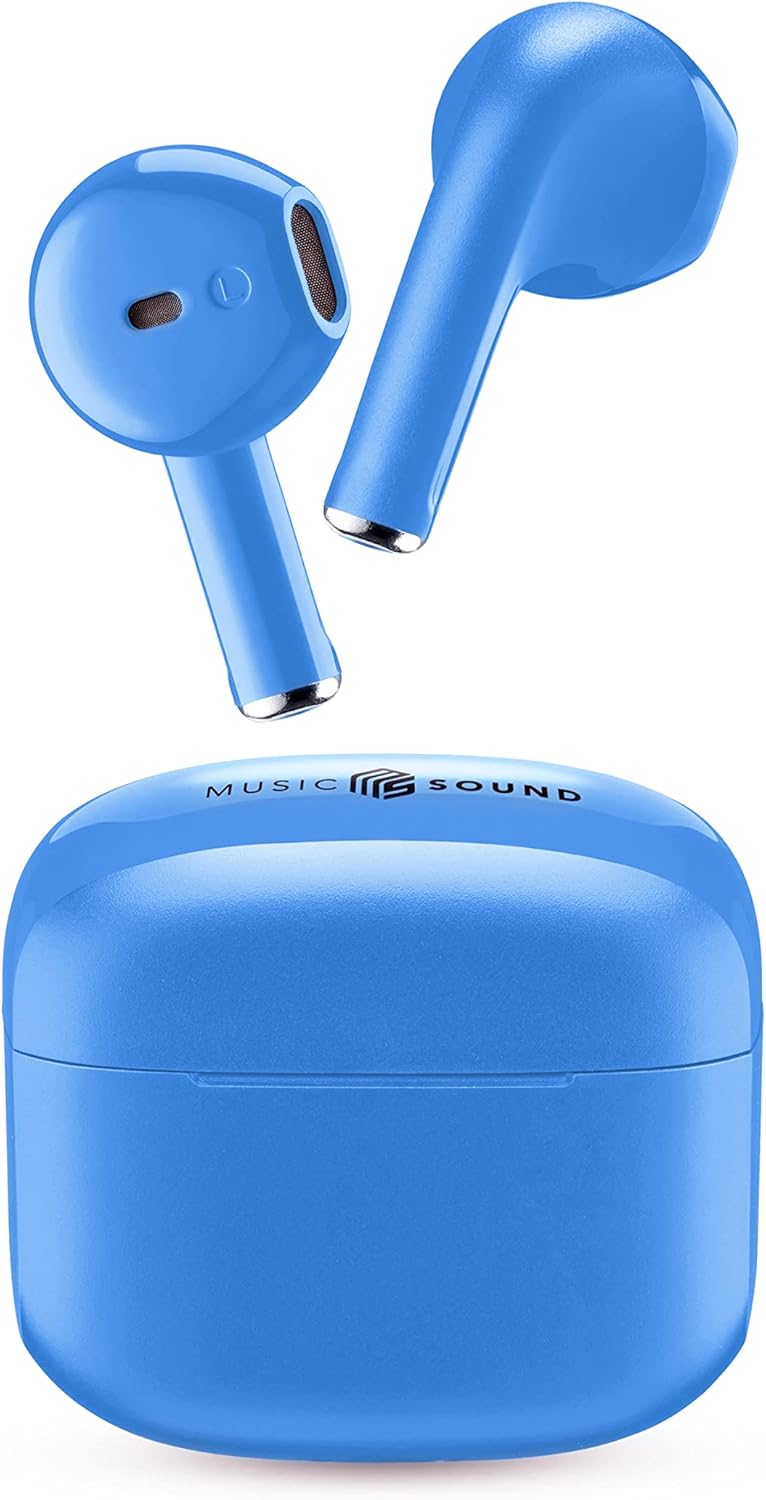
Image: Music Sound SWAG Wireless Earbuds and their compact charging case in blue.
What's in the Box
Before you begin, please ensure all components are present in the package:
- Earbuds
- Charging Cable (USB-C)
- User Manual
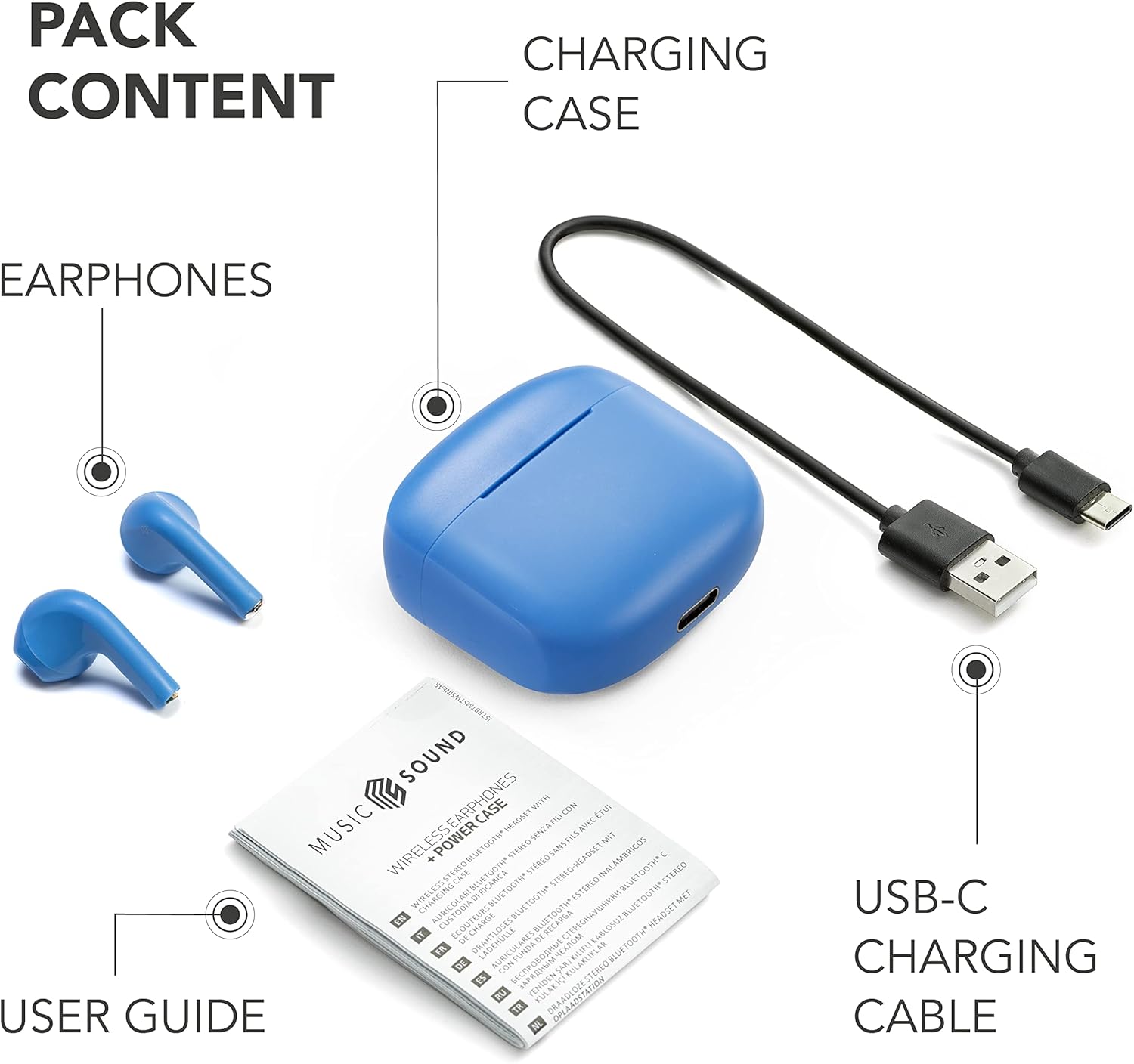
Image: The complete package contents, showing the earbuds, charging case, USB-C charging cable, and user guide.
Product Overview
Familiarize yourself with the key features and components of your Music Sound SWAG earbuds:

Image: Detailed view of the earbuds highlighting the touch control area and the LED battery level indicator.
- Touch Control: Located on the outer surface of each earbud for managing music playback and calls.
- LED Indicator: Provides visual feedback on battery status and pairing mode.
Charging the Device
To ensure optimal performance and battery life, fully charge your earbuds and charging case before first use.
- Place both earbuds into the charging case.
- Connect the USB-C charging cable to the port on the charging case and plug the other end into a compatible USB power source (e.g., wall adapter, computer USB port).
- The LED indicator on the case will show charging status. Once fully charged, the indicator will change or turn off.
A full charge provides up to 4 hours of single charge playtime, with the charging case extending total playtime to up to 15-20 hours.

Image: Battery life illustration, showing 4 hours of playtime per single charge and 15 hours total with the charging case.
Setup and Pairing
The Music Sound SWAG earbuds feature automatic pairing for a seamless connection experience.
- Initial Pairing:
- Open the charging case. The earbuds will automatically enter pairing mode.
- On your Bluetooth-enabled device (smartphone, tablet, laptop), go to the Bluetooth settings.
- Search for "BTSWAG" or "Music Sound SWAG" in the list of available devices.
- Select the device name to connect. Once connected, you will hear an audio confirmation, and the LED indicator on the earbuds will change.
- Automatic Reconnection: After the initial pairing, the earbuds will automatically connect to the last paired device when taken out of the charging case, provided Bluetooth is enabled on your device.
Operating Instructions
The touch controls on your earbuds allow for easy management of various functions.
Music Control
- Play/Pause: Single tap on either earbud.
- Next Track: Double tap on the right earbud.
- Previous Track: Double tap on the left earbud.
- Volume Up: Triple tap on the right earbud.
- Volume Down: Triple tap on the left earbud.
Call Management
- Answer/End Call: Single tap on either earbud.
- Reject Call: Press and hold either earbud for 2 seconds.
Voice Assistant
- Activate Voice Assistant: Press and hold either earbud for 3 seconds (e.g., Siri, Google Assistant).
Maintenance and Care
To ensure the longevity and optimal performance of your Music Sound SWAG earbuds, follow these care guidelines:
- Cleaning: Use a soft, dry, lint-free cloth to clean the earbuds and charging case. Do not use abrasive cleaners, alcohol, or chemical solvents.
- Storage: When not in use, store the earbuds in their charging case to protect them from dust and damage.
- Avoid Moisture: While designed for daily use, avoid exposing the earbuds to excessive moisture, rain, or liquids.
- Temperature: Do not expose the device to extreme temperatures (hot or cold).
Troubleshooting
If you encounter any issues with your earbuds, refer to the following common problems and solutions:
| Problem | Solution |
|---|---|
| Earbuds not pairing. | Ensure earbuds are charged. Turn off and on Bluetooth on your device. Forget "BTSWAG" from your device's Bluetooth list and try pairing again. |
| No sound from one earbud. | Place both earbuds back into the charging case, close the lid, wait a few seconds, then take them out again. Ensure both are charged. |
| Earbuds not charging. | Check the charging cable and power source. Ensure the earbuds are correctly seated in the charging case. Clean charging contacts if necessary. |
| Poor sound quality. | Ensure earbuds are clean and free of debris. Check the audio source and connection stability. Move closer to your connected device. |
Technical Specifications
| Brand | Music Sound |
| Model Name | BTSWAGU |
| Item Model Number | BTMSTWSSWAGU |
| Connectivity Technology | Wireless (Bluetooth) |
| Ear Placement | In-Ear |
| Form Factor | True Wireless |
| Noise Control | None |
| Average Battery Life | 20 Hours (Total Playtime) |
| Battery Cell Composition | Lithium Polymer |
| Batteries Included | Yes (2 Lithium Ion batteries required, included) |
| Item Weight | 60 g |
| Package Dimensions | 14.1 x 7.6 x 2.9 cm |
| Manufacturer | Cellularline S.p.A. |
| Compatible Devices | Mobile Phones, Laptops, Tablets |
Warranty and Support
For warranty information and customer support, please refer to the documentation provided with your purchase or visit the official Music Sound website. Keep your proof of purchase for any warranty claims.
For further assistance, you may contact Music Sound customer service through their official channels.
Related Documents - BTMSTWSSWAGU
 |
Music Sound SWAG True Wireless Earbuds User Manual User manual for the Music Sound SWAG True Wireless Earbuds, detailing setup, usage, and technical specifications in multiple languages. |
 |
MUSIC SOUND SWAG Bluetooth Earphones: User Manual, Specifications, and Safety Information Comprehensive guide for MUSIC SOUND SWAG Bluetooth earphones, covering setup, usage, touch controls, technical specifications, EU declarations of conformity, warranty, safety precautions, and disposal instructions. |
 |
Music Sound SWAG True Wireless Earphones - Bluetooth Audio Explore the Music Sound SWAG True Wireless Earphones, featuring a vibrant design, comfortable fit, up to 20 hours of playtime, and easy Bluetooth connectivity. Includes USB-C cable and user guide. Available in multiple colors. |
 |
SWAG Wireless Earphones - Product Information Discover the SWAG True Wireless Earphones, featuring balanced sound, 20-hour playtime, auto-pairing, and convenient controls. Available in multiple vibrant colors with a compact charging case. |
 |
Music Sound SWAG WIRELESS EARPHONES - Bluetooth 5.1, 20H Playtime, White Discover the Music Sound SWAG WIRELESS EARPHONES. Featuring Bluetooth 5.1, 20-hour battery life, touch controls, and a comfortable in-ear design. Includes charging case and USB-C cable. Ideal for music and calls. |
Ask a question about this manual
Ask about setup, troubleshooting, compatibility, parts, safety, or missing instructions. Manuals+ will review the question and use this page’s manual context to help answer it.