
Mojgar 4457402
Mojgar 24 Inch Outdoor Beverage Refrigerator
Instruction Manual - Model 4457402
1. Important Safety Instructions
Read all instructions before using this appliance to reduce the risk of fire, electric shock, or injury. Keep this manual for future reference.
- Electrical Safety: Ensure the appliance is connected to a properly grounded outlet. Do not use extension cords.
- Ventilation: Maintain adequate ventilation around the unit. Do not block the front vent.
- Placement: Place the refrigerator on a stable, level surface. Avoid direct sunlight or heat sources.
- Children Safety: Supervise children to ensure they do not play with the appliance.
- Flammable Materials: Do not store explosive substances or flammable materials inside the refrigerator.
2. Product Overview
The Mojgar 24 Inch Outdoor Beverage Refrigerator (Model 4457402) is designed for both indoor and outdoor use, offering a robust and weather-resistant solution for beverage storage. With a capacity of 190 cans, it features a foam door, 3 removable shelves, and precise temperature control.

Figure 2.1: Mojgar 24 Inch Outdoor Beverage Refrigerator (Model 4457402)
Key Features:
- Large Capacity: Holds up to 190 standard beverage cans with 5.3 cubic feet of storage.
- Outdoor Durability: Constructed with outdoor-grade 304 stainless steel and IPX4 weather resistance.
- Efficient Cooling: Equipped with an upgraded compressor and fan circulation system for stable and fast cooling, operating below 38 dB.
- Precise Temperature Control: Digital touch blue LED display with a temperature range of 37°F-65°F.
- Automatic Defrost: Defrosts automatically every 6 hours for easy maintenance.
- Flexible Installation: Designed for both built-in undercounter and freestanding applications with a front vent.

Figure 2.2: Interior view with beverage storage capacity
3. Setup and Installation
3.1 Unpacking
- Carefully remove all packaging materials, including foam and tape.
- Inspect the refrigerator for any shipping damage. Report any damage immediately to the retailer.
- Remove any internal packing materials and accessories.
3.2 Placement
This appliance can be installed as a built-in unit or freestanding. Ensure proper ventilation regardless of the installation type.
- Built-in Installation: Ensure the opening dimensions allow for adequate clearance around the unit. The front vent must not be obstructed.
- Freestanding Installation: Allow at least 2 inches (5 cm) of space at the back and sides for proper air circulation.
- Avoid placing the unit near heat sources (e.g., oven, radiator) or in direct sunlight.
- The refrigerator is designed for outdoor use, but extreme weather conditions should be considered for optimal performance.

Figure 3.1: Built-in and Freestanding Installation Examples

Figure 3.2: Front Hidden Vent Design
3.3 Leveling
The refrigerator must be level for proper operation. It comes with adjustable feet to compensate for uneven surfaces.
- Turn the adjustable feet clockwise to raise the unit, or counter-clockwise to lower it.
- Use a level to ensure the appliance is perfectly balanced.
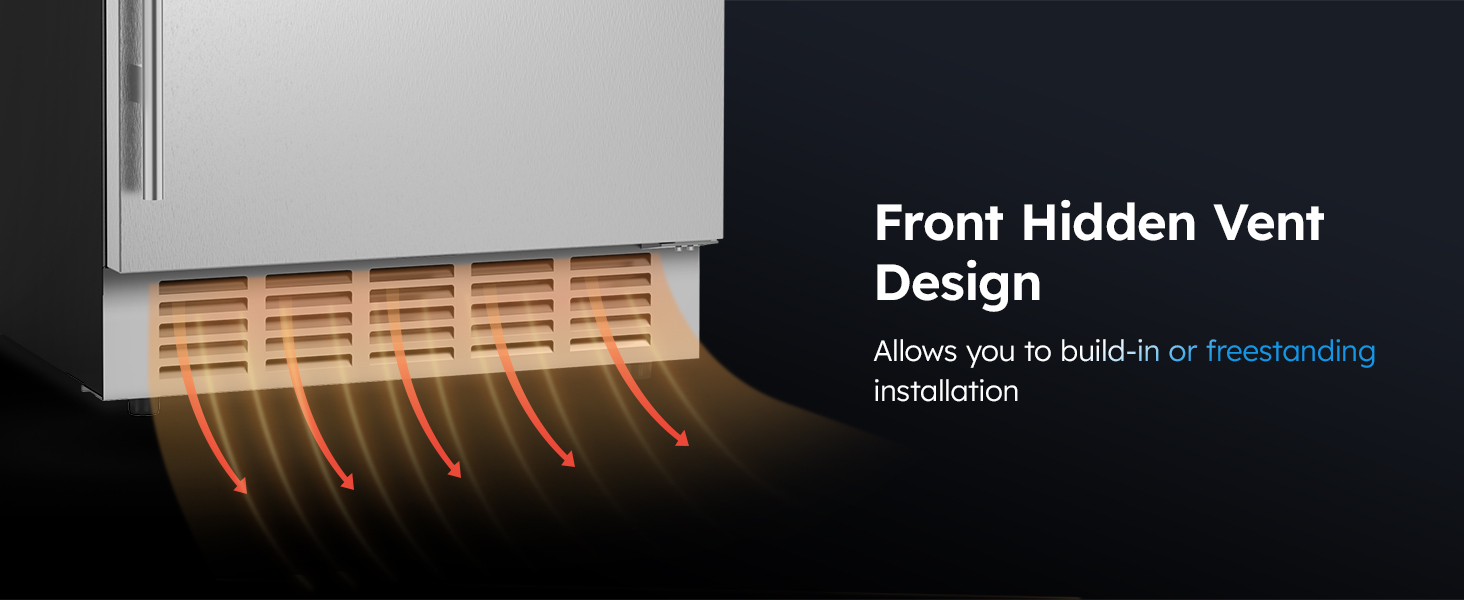
Figure 3.3: Adjustable Foot Pads
3.4 Initial Power-On
After placement and leveling, wait at least 2-4 hours before plugging in the unit to allow refrigerants to settle.
Video 3.1: Mojgar 15 Inch Outdoor Fridge - Demonstrates setup and features (similar to 24-inch model).
4. Operating Instructions
4.1 Control Panel
The control panel is located at the top inside the refrigerator. It features a digital display and touch buttons for various functions.

Figure 4.1: Control Panel
4.2 Temperature Setting
To adjust the temperature, use the '+' and '-' buttons on the control panel. The temperature range is 37°F to 65°F (3°C to 18°C).
- Press the '+' button to increase the temperature.
- Press the '-' button to decrease the temperature.
- The display will show the set temperature, then revert to the actual internal temperature.
Video 4.1: Mojgar 24 Inch Outdoor Beverage Fridge - Demonstrates temperature adjustment and other features.
4.3 Internal Lighting
The refrigerator features an internal LED light. Use the light button on the control panel to turn it on or off.
4.4 Power Outage Memory Function
In case of a power outage, the refrigerator will automatically restore to the last set temperature once power is restored, protecting your beverages.
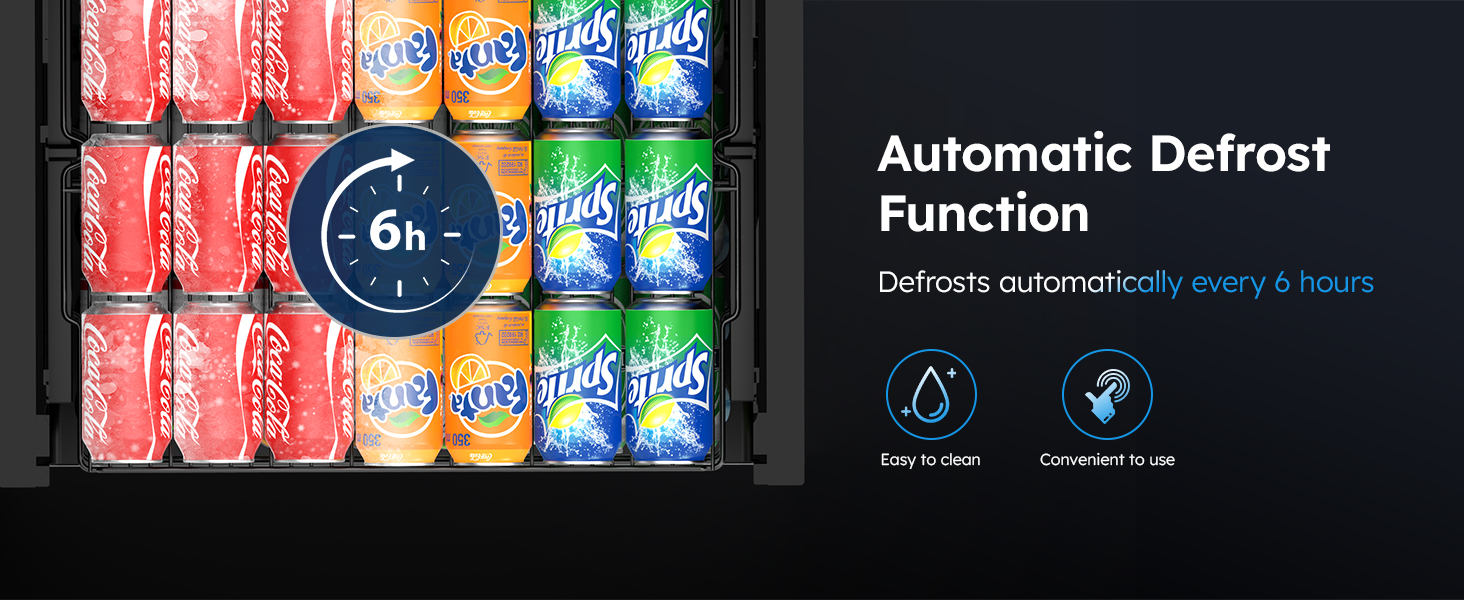
Figure 4.2: Power Outage Memory Function
5. Care and Maintenance
5.1 Cleaning
- Always unplug the appliance before cleaning.
- Clean the interior with a soft cloth and a mild detergent solution. Avoid abrasive cleaners.
- Wipe down the exterior stainless steel surfaces with a soft cloth and a stainless steel cleaner.
- Clean the front vent regularly to ensure proper airflow.
5.2 Automatic Defrost Function
The refrigerator is equipped with an automatic defrost system that activates every 6 hours. During this cycle, frost on the evaporator is melted and the water drains into a tray at the back of the unit, where it evaporates.
- No manual defrosting is required under normal operating conditions.
- Ensure the drain hole at the back of the interior is not blocked.
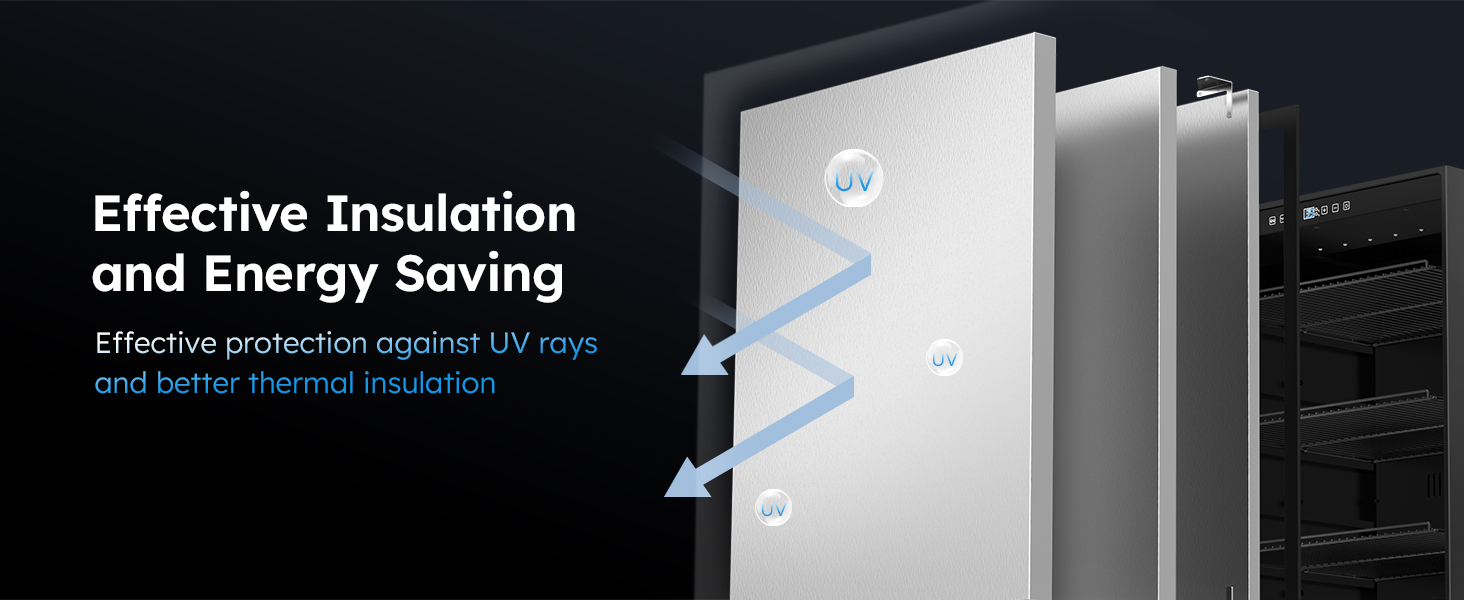
Figure 5.1: Automatic Defrost Function
5.3 Shelves
The refrigerator includes 3 removable shelves, allowing for flexible storage options. The shelves feature a drop-proof design.
- To remove a shelf, gently lift the front and pull it out.
- To reinsert, align the shelf with the guides and push it in until it locks into place.
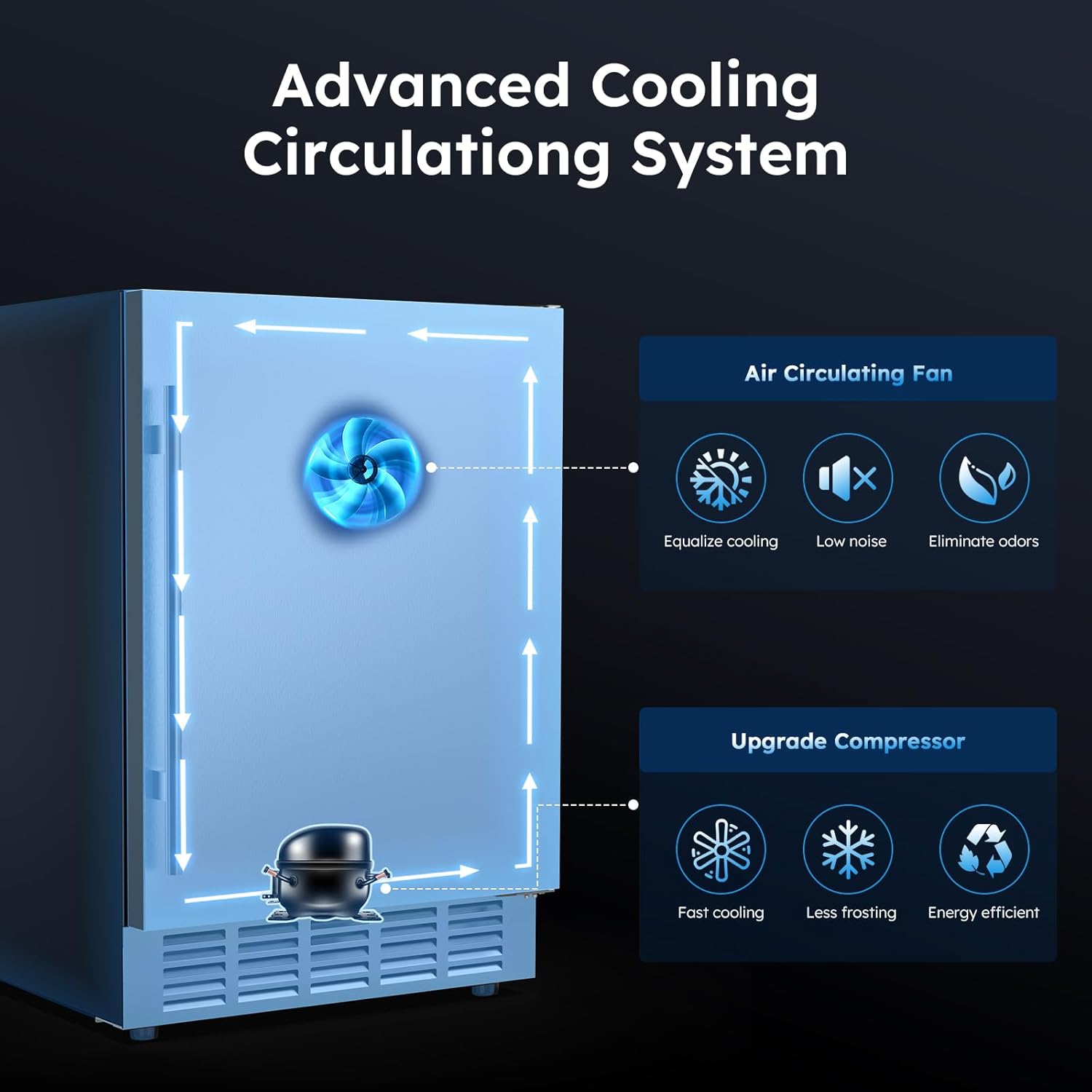
Figure 5.2: Drop-proof Shelf Design
6. Troubleshooting Guide
Before contacting customer support, please refer to the following table for common issues and solutions.
| Problem | Possible Cause | Solution |
|---|---|---|
| Refrigerator does not operate. | No power; power cord unplugged; circuit breaker tripped. | Check power supply; ensure plug is secure; reset circuit breaker. |
| Temperature is not cold enough. | Temperature setting too high; door not closed properly; excessive door openings; poor ventilation. | Lower temperature setting; ensure door seals tightly; reduce door openings; check for obstructions around vents. |
| Unit is making unusual noise. | Unit not level; objects vibrating against the unit; fan obstruction. | Adjust leveling feet; ensure no objects are touching the unit; check for fan obstructions. |
| Internal light not working. | Light switch off; LED bulb failure. | Press the light button on the control panel; contact customer support if bulb is faulty. |
7. Product Specifications
| Feature | Specification |
|---|---|
| Model Number | 4457402 |
| Product Dimensions (D x W x H) | 22.6"D x 23.4"W x 34.2"H |
| Capacity | 5.3 Cubic Feet (approx. 190 Cans) |
| Temperature Range | 37°F - 65°F (3°C - 18°C) |
| Voltage | 115 Volts |
| Defrost System | Automatic |
| Refrigerant | R-290 or R-600A |
| Material | Stainless Steel |
| Number of Shelves | 3 removable shelves |
| Item Weight | 97 Pounds |
| Annual Energy Consumption | 175 Kilowatt Hours Per Year |

Figure 7.1: Product Dimensions
8. Warranty Information and Customer Support
This Mojgar beverage refrigerator comes with a 1-Year Manufacturer Warranty from the date of purchase. This warranty covers defects in materials and workmanship under normal use.
For warranty claims, technical assistance, or any questions regarding your product, please contact Mojgar customer support. Keep your purchase receipt as proof of purchase.
Customer Support: Refer to the contact information provided with your purchase or visit the official Mojgar website for assistance.
Related documents4457402


Ask a question about this manual
Ask about setup, troubleshooting, compatibility, parts, safety, or missing instructions. Manuals+ will review the question and use this page’s manual context to help answer it.