1. Important Safety Information
Please read all instructions carefully before using the product. Keep this manual for future reference.
- This product is not waterproof. Do not immerse the product in water or expose it to excessive moisture.
- Do not attempt to disassemble or modify the device.
- Keep out of reach of small children.
- Use only the provided Type-C cable for charging.
2. Package Contents
Verify that all items are present in the package:
- 1 × Voice Activated Sensor Light
- 1 × Base
- 1 × Type-C Charging Cable
3. Product Specifications
| Product Name | Voice-activated Sensor Light |
| Product Model | NO-HB034 |
| Light Source | LED |
| Light Color | Warm Yellow (3000 Kelvin) |
| Light Power | 1W |
| Battery Capacity | 1500mAh Lithium Battery |
| Rated Voltage | DC5V 1A |
| Product Material | Sapele wood, Iron, Plastic, Electronic Components |
| IP Grade | IP20 (Not waterproof) |
| Product Dimensions | 70mm (D) x 70mm (W) x 186mm (H) / 2.75"D x 2.75"W x 7.32"H |
| Net Weight | 360 grams / 12.7 ounces |
| Control Methods | Voice Control, Touch Control |
| Special Features | Cordless, Dimmable (3 levels), Rechargeable |
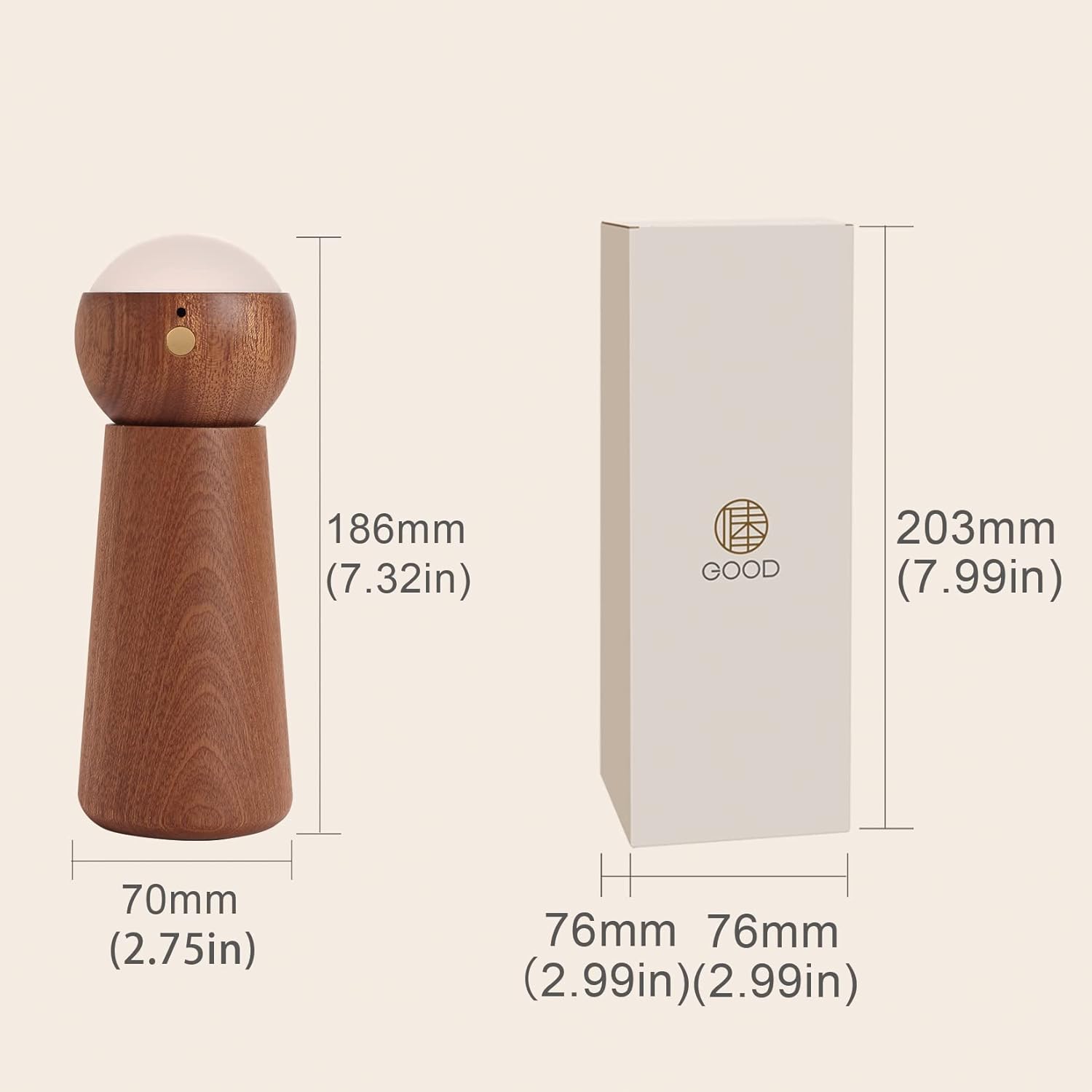
Figure 1: Product Dimensions (70mm x 70mm x 186mm)
4. Setup
- Unpack: Carefully remove all components from the packaging.
- Assemble: The light module can be separated from its base. Place the light module securely onto the base. The direction of the light can be adjusted by rotating the light module on the base.
- Initial Charge: Before first use, fully charge the device using the provided Type-C cable. Refer to the 'Charging the Device' section for details.
- Power On/Standby Mode: Long press the switch button on the light module for 2 seconds to enter standby mode. Once in standby mode, you can enable either voice control or touch control mode.
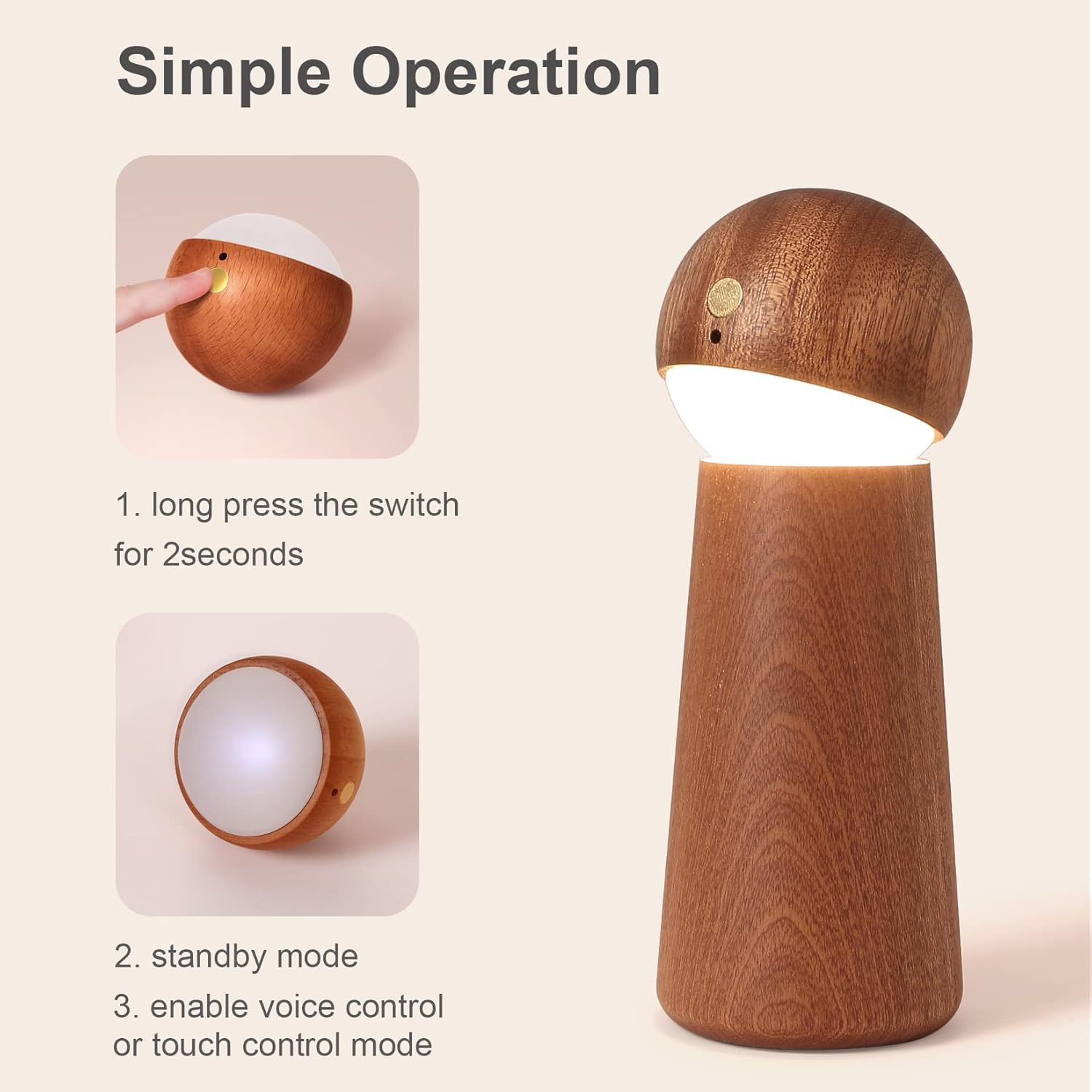
Figure 2: Simple Operation - Power On
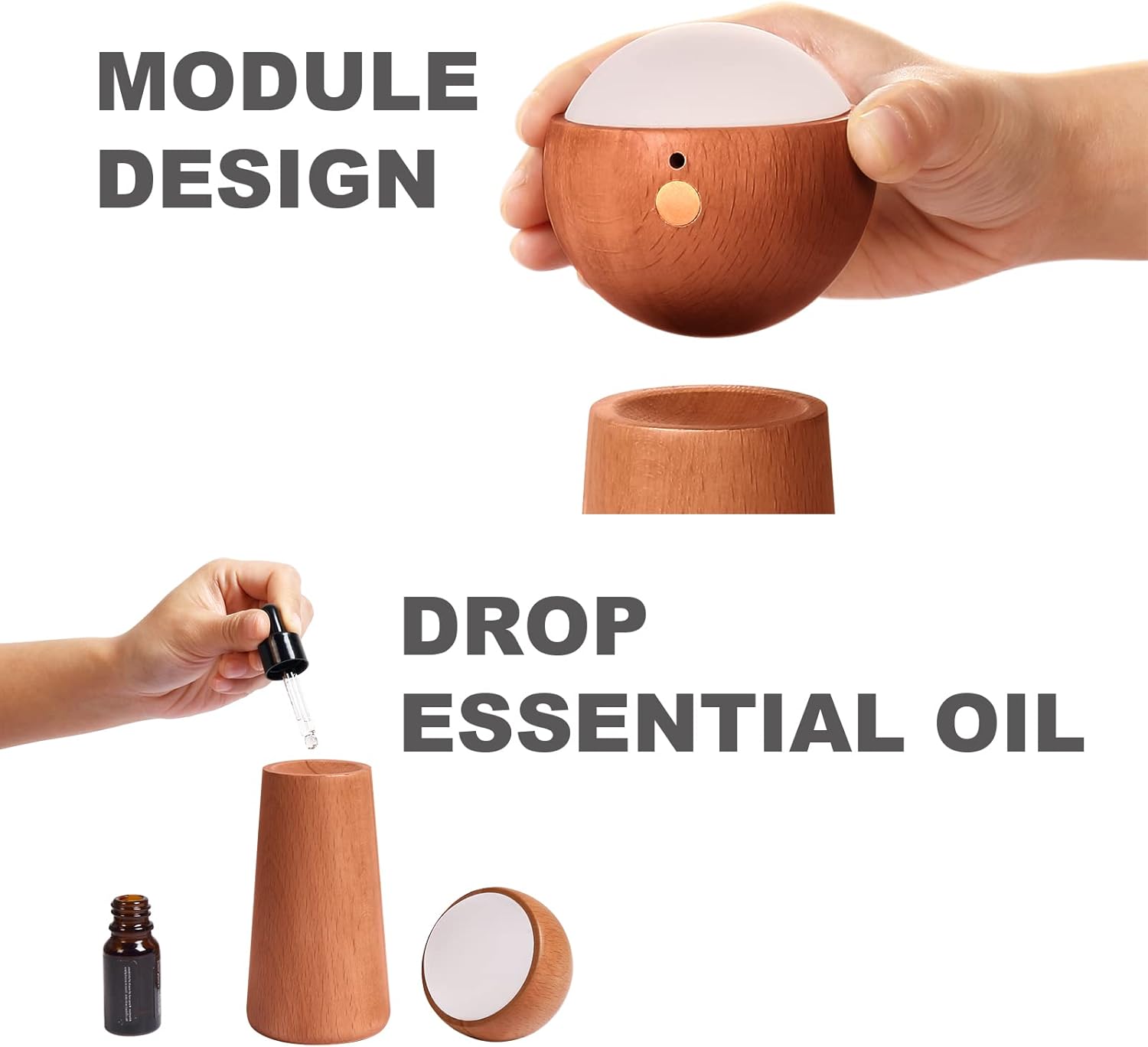
Figure 3: Module Design and Essential Oil Application
5. Operating Instructions
5.1 Voice Control Mode
The night light features an AI artificial intelligence chip for independent voice recognition, requiring no internet connection. Ensure ambient noise is below 60dB for optimal performance within a 5-meter range.
To activate voice control, ensure the device is in standby mode. Use the following commands:
- "Light on": Turns the light on.
- "Light off": Turns the light off.
- "Brighten the light": Increases the brightness level.
- "Dim the light": Decreases the brightness level.

Figure 4: Voice Control Commands
5.2 Touch Control Mode
The night light also offers touch control for adjusting brightness.
- Activate: Ensure the device is in standby mode. Gently touch the designated touch area on the light module.
- Adjust Brightness: Each touch will cycle through three brightness levels: Low, Medium, and High. Continue touching until the desired brightness is achieved.

Figure 5: Smart Touch Control and Brightness Levels
5.3 Essential Oil Diffusion
The wooden base of the night light can be used for essential oil diffusion.
- Separate Module: Gently lift the light module from its wooden base.
- Apply Essential Oil: Add a few drops of your preferred essential oil directly onto the wooden base. The wood will absorb the oil and slowly release its fragrance.
- Reassemble: Place the light module back onto the base.
6. Charging the Device
The night light is equipped with a 1500mAh lithium battery and charges via a Type-C port.
- Connect Cable: Insert the Type-C charging cable into the charging port on the light module.
- Connect Power: Connect the other end of the cable to a compatible USB power source (e.g., adapter, power bank, computer, laptop).
- Charging Indicator: During normal charging, the indicator light will be red.
- Full Charge: The indicator light will turn off once the battery is fully charged.

Figure 6: Charging via Type-C Port
7. Maintenance
- Cleaning: Use a soft, dry cloth to wipe the surface of the night light. Do not use abrasive cleaners or solvents.
- Storage: Store the device in a cool, dry place when not in use for extended periods.
- Battery Care: To prolong battery life, avoid fully discharging the battery frequently. Charge the device regularly, even if not in constant use.
8. Troubleshooting
- Light does not turn on:
- Ensure the battery is charged. Connect the device to a power source and check the charging indicator.
- Long press the switch button for 2 seconds to ensure it is in standby mode.
- Voice control is not responsive:
- Ensure the ambient noise level is below 60dB. High background noise can interfere with voice recognition.
- Speak clearly and within 5 meters of the device.
- Confirm the device is in standby mode.
- Touch control is not working:
- Ensure the device is in standby mode.
- Ensure your finger is making proper contact with the touch area.
9. Warranty and Support
For product support, warranty information, or any inquiries, please contact the manufacturer or your retailer. Please have your product model number (NO-HB034) available when seeking assistance.
