
HOMCOM ES833-132V00CW0731
HOMCOM Lounge Chair with Adjustable Footrest User Manual
Model: ES833-132V00CW0731 | Brand: HOMCOM
1. Introduction
Thank you for choosing the HOMCOM Lounge Chair. This manual provides essential information for the safe assembly, operation, and maintenance of your new lounge chair. Please read these instructions carefully before use and retain them for future reference.
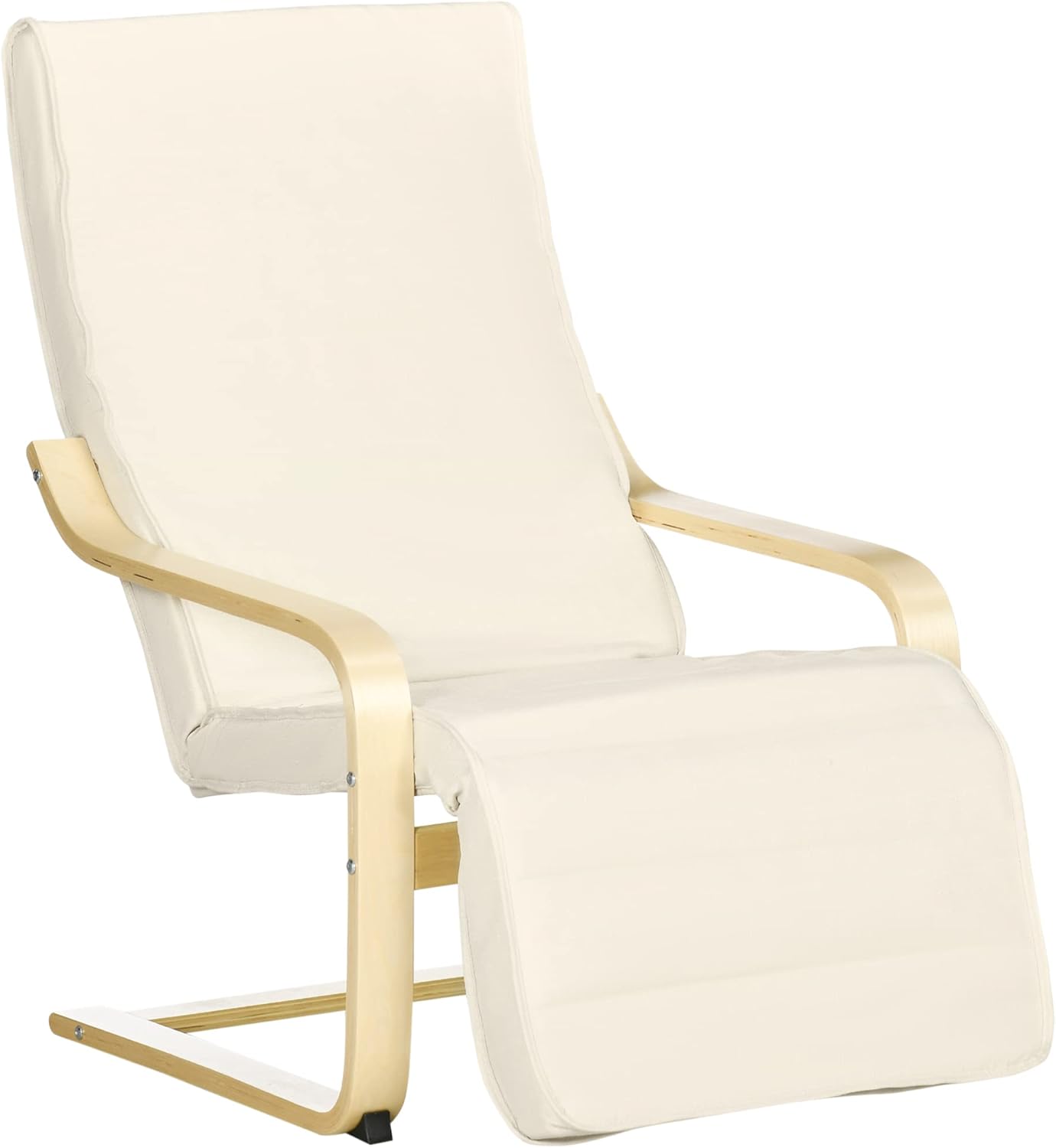
Image 1.1: The HOMCOM Lounge Chair, featuring a cream-colored fabric cushion and a light wooden frame, designed for comfort and relaxation.
2. Key Features
The HOMCOM Lounge Chair is designed with user comfort and durability in mind:
- Adjustable Footrest: The footrest can be extended and locked into 5 different positions, allowing for personalized comfort and relaxation.
- Maximum Comfort: Features thick foam padding for an excellent seating experience and wooden armrests for additional support. The removable cushion cover simplifies cleaning.
- Secure and Durable: Constructed with a high-quality wooden frame for stability and longevity. The cushion includes an internal metal rod for added support, and non-slip pads on the front legs protect your floors.

Image 2.1: Detail showing the comfortable armrest and thick foam padding for enhanced seating comfort.

Image 2.2: Detail illustrating the sturdy curved wooden frame and protective non-slip pads on the chair's base.
3. Safety Instructions
To ensure safe operation and prevent injury or damage, please adhere to the following safety guidelines:
- Do not exceed the maximum weight capacity of 120 kg (265 lbs).
- Ensure all screws and bolts are securely tightened before and during use. Periodically check and re-tighten as necessary.
- Keep hands and fingers clear of moving parts, especially when adjusting the footrest.
- Place the chair on a flat, stable surface. The front legs are equipped with non-slip pads for added stability and floor protection.
- Do not stand on the chair or use it as a step stool.
- Keep the chair away from open flames, heat sources, and direct sunlight to prevent material degradation.
- This product is intended for indoor use only.
4. Package Contents
Before assembly, verify that all components listed below are present in your package:
- 1 x Backrest
- 1 x Seat Cushion
- 1 x Footrest
- Wooden Frame Components (Left and Right Armrests, Base)
- Hardware Pack (Screws, bolts, Allen key)
5. Setup and Assembly
Assembly typically takes about 15-30 minutes. It is recommended to assemble the chair with two people. Lay out all components on a soft, clean surface to prevent scratches.
Step 1: Assemble the Frame.
Connect the wooden armrests to the base components using the provided screws and Allen key. Ensure the frame is stable and all connections are snug.

Image 5.1: Illustration showing the initial assembly of the chair frame, connecting the backrest to the side supports.
Step 2: Attach the Seat Cushion.
Carefully place the seat cushion onto the assembled frame, aligning it with the pre-drilled holes. Secure the cushion to the frame using the designated screws.

Image 5.2: Diagram demonstrating how to attach the main seat cushion to the chair's wooden frame.
Step 3: Install the Footrest.
Connect the adjustable footrest to the front of the seat frame. Ensure the mechanism for adjusting the footrest is correctly aligned and secured.

Image 5.3: Visual guide for attaching the adjustable footrest component to the chair's main structure.
Step 4: Final Checks.
Once all components are assembled, double-check all screws and connections to ensure they are tight and secure. The cushion with the metal rod inside provides additional support.

Image 5.4: Depiction of securing the cushion and performing final checks to ensure stability and proper assembly.
6. Operating Instructions
Adjusting the Footrest
The HOMCOM Lounge Chair features an adjustable footrest that can be extended or retracted to 5 different positions, allowing you to find the most comfortable angle for your legs and relaxation.
- To extend the footrest, gently push it outwards until it clicks into the desired position.
- To retract the footrest, lift it slightly and push it inwards until it folds back under the seat.
- Ensure the footrest is securely locked into place before applying full weight.
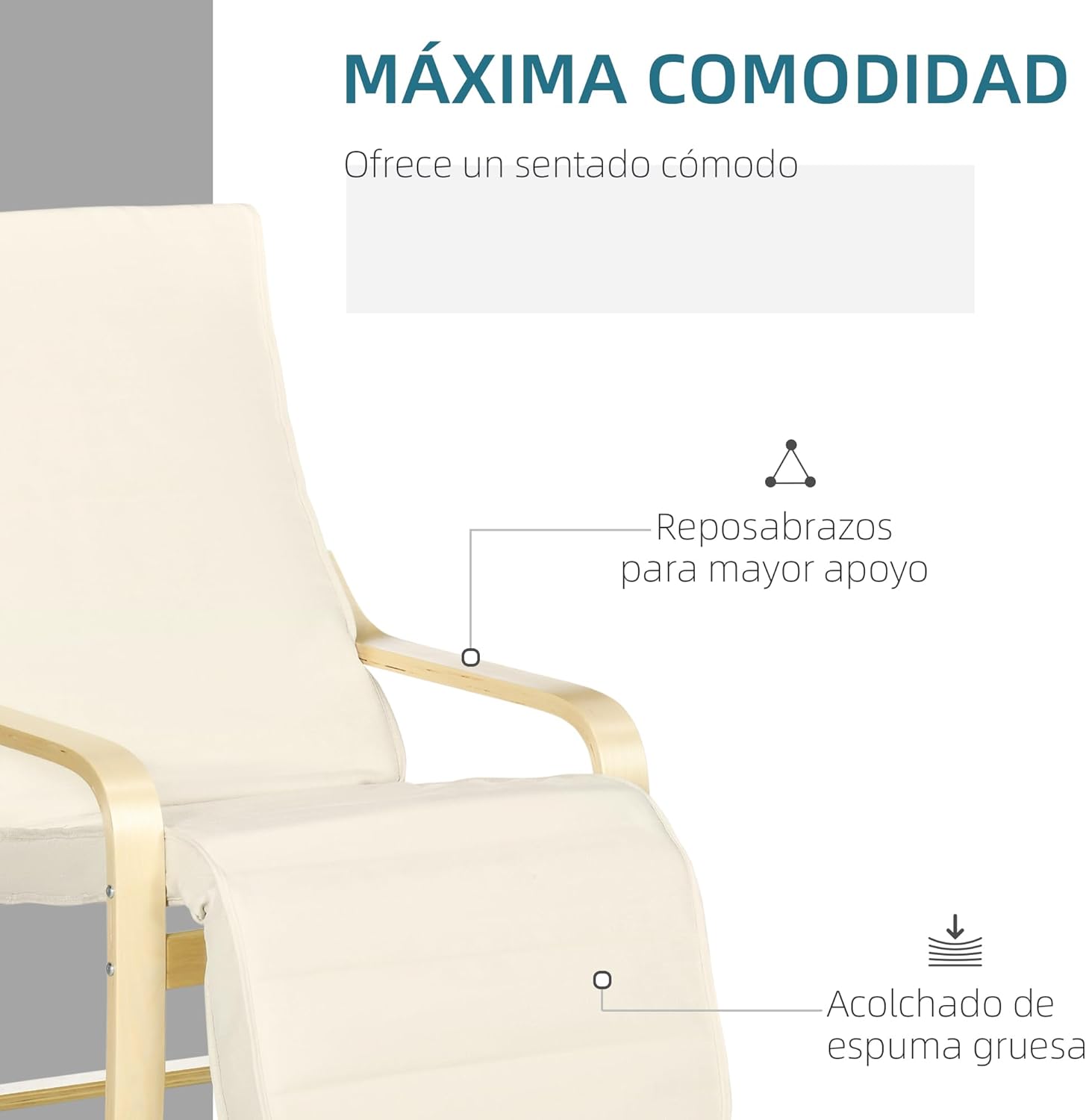
Image 6.1: The lounge chair with its footrest fully extended, demonstrating its adjustable feature for optimal comfort.

Image 6.2: A detailed view highlighting the adjustable footrest mechanism, allowing for multiple reclining positions.
7. Maintenance
Regular maintenance will prolong the life and appearance of your lounge chair.
- Cleaning the Fabric: The cushion cover is removable for easy cleaning. Spot clean minor spills with a damp cloth and mild detergent. For deeper cleaning, remove the cover and follow the care instructions on the label (if available). Allow to air dry completely before reattaching.
- Cleaning the Wooden Frame: Wipe the wooden frame with a soft, damp cloth. Avoid abrasive cleaners or harsh chemicals that could damage the wood finish. Dry immediately with a clean cloth.
- Hardware Check: Periodically inspect all screws and bolts to ensure they remain tight. Re-tighten any loose fasteners to maintain stability and safety.
- General Care: Avoid placing the chair in direct sunlight or near heat sources, which can cause fading or damage to the materials.
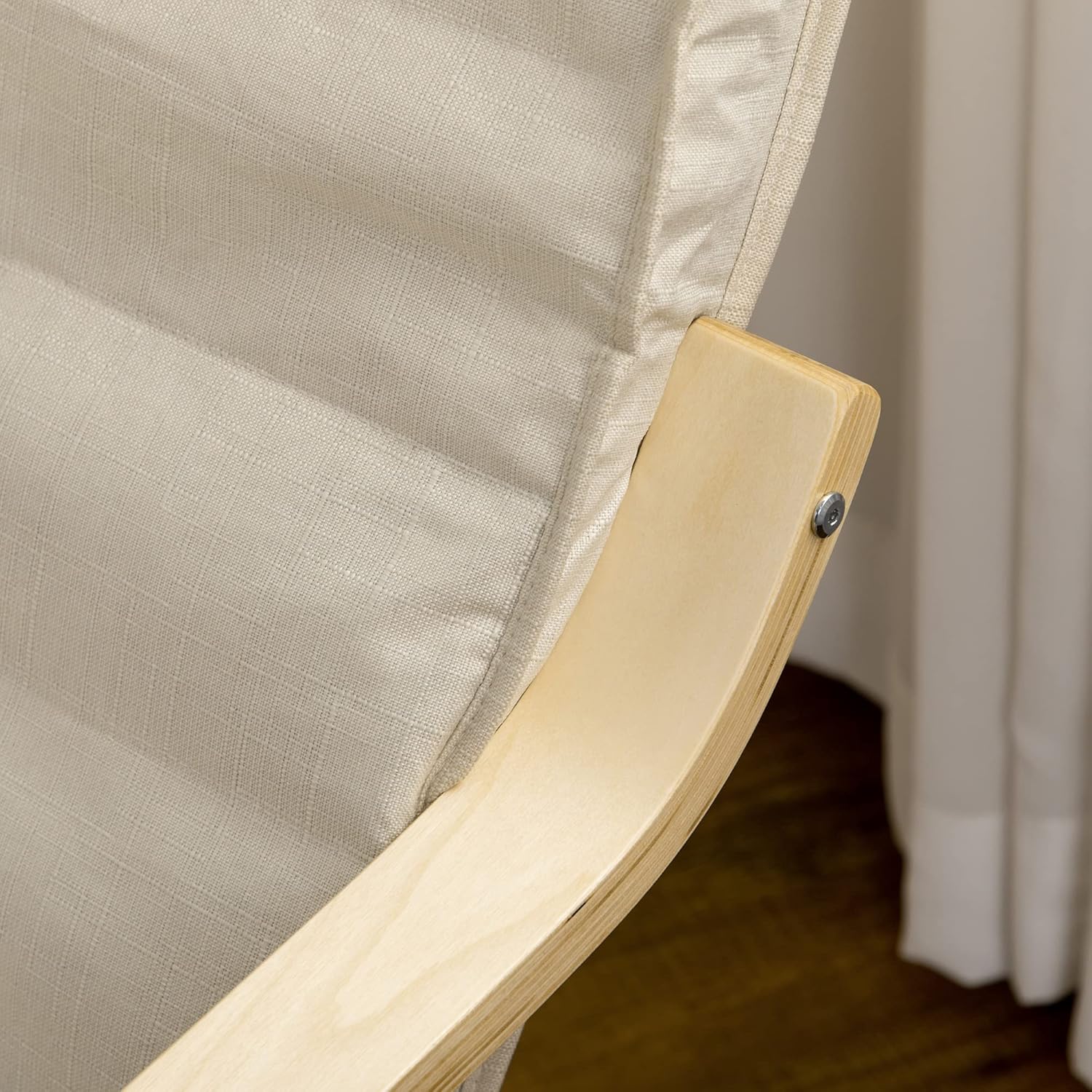
Image 7.1: The lounge chair integrated into a living space, emphasizing its aesthetic appeal and ease of maintenance.
8. Troubleshooting
If you encounter any issues with your HOMCOM Lounge Chair, refer to the following common problems and solutions:
| Problem | Possible Cause | Solution |
|---|---|---|
| Chair feels wobbly or unstable. | Loose screws or uneven placement. | Check and tighten all assembly screws. Ensure the chair is on a flat, level surface. |
| Footrest does not stay in position. | Mechanism not fully engaged or damaged. | Ensure the footrest is pushed or pulled until it clicks into one of the 5 positions. Inspect the mechanism for any obstructions or damage. |
| Squeaking noises during use. | Loose connections or friction between parts. | Tighten all screws. Apply a small amount of silicone lubricant to any friction points if necessary, avoiding contact with fabric. |
If the problem persists after attempting these solutions, please contact HOMCOM customer support for further assistance.
9. Specifications
Key technical specifications for the HOMCOM Lounge Chair:
| Feature | Detail |
|---|---|
| Brand | HOMCOM |
| Model Number | ES833-132V00CW0731 |
| Color | Cream |
| Overall Dimensions (L x W x H) | 66.5 x 94 x 100 cm (26.2 x 37 x 39.4 inches) |
| Maximum Load Capacity | 120 kg (265 lbs) |
| Item Weight | 8.5 kg (18.7 lbs) |
| Footrest Adjustment | 5 positions |
| Material | Fabric upholstery, Wooden frame (Birch) |

Image 9.1: Detailed dimensions of the HOMCOM Lounge Chair, including height, width, and depth, for accurate placement and fit.
10. Warranty and Support
HOMCOM products are designed for quality and durability. For information regarding warranty coverage, returns, or technical support, please refer to the purchase documentation or contact your retailer. You may also visit the official HOMCOM website for customer service contact details.
For general inquiries or to explore more products, visit the HOMCOM Store on Amazon.
Ask a question about this manual
Ask about setup, troubleshooting, compatibility, parts, safety, or missing instructions. Manuals+ will review the question and use this page’s manual context to help answer it.