
ZAFRO A4215-12K
ZAFRO Portable Air Conditioner User Manual
Model: A4215-12K
Introduction
Thank you for choosing the ZAFRO Portable Air Conditioner. This manual provides essential information for the safe operation, installation, maintenance, and troubleshooting of your new appliance. Please read it thoroughly before use and retain it for future reference.
Safety Information
Always follow basic safety precautions when using electrical appliances to reduce the risk of fire, electric shock, and injury.
- Ensure the power supply matches the voltage specified on the unit's rating label.
- Do not operate the unit with a damaged cord or plug.
- Keep the unit away from flammable gases or combustible materials.
- Do not block air inlets or outlets.
- Unplug the unit before cleaning or servicing.
- This appliance is not intended for use by persons (including children) with reduced physical, sensory or mental capabilities, or lack of experience and knowledge, unless they have been given supervision or instruction concerning use of the appliance by a person responsible for their safety.
Package Contents
Verify that all items are present in the package:
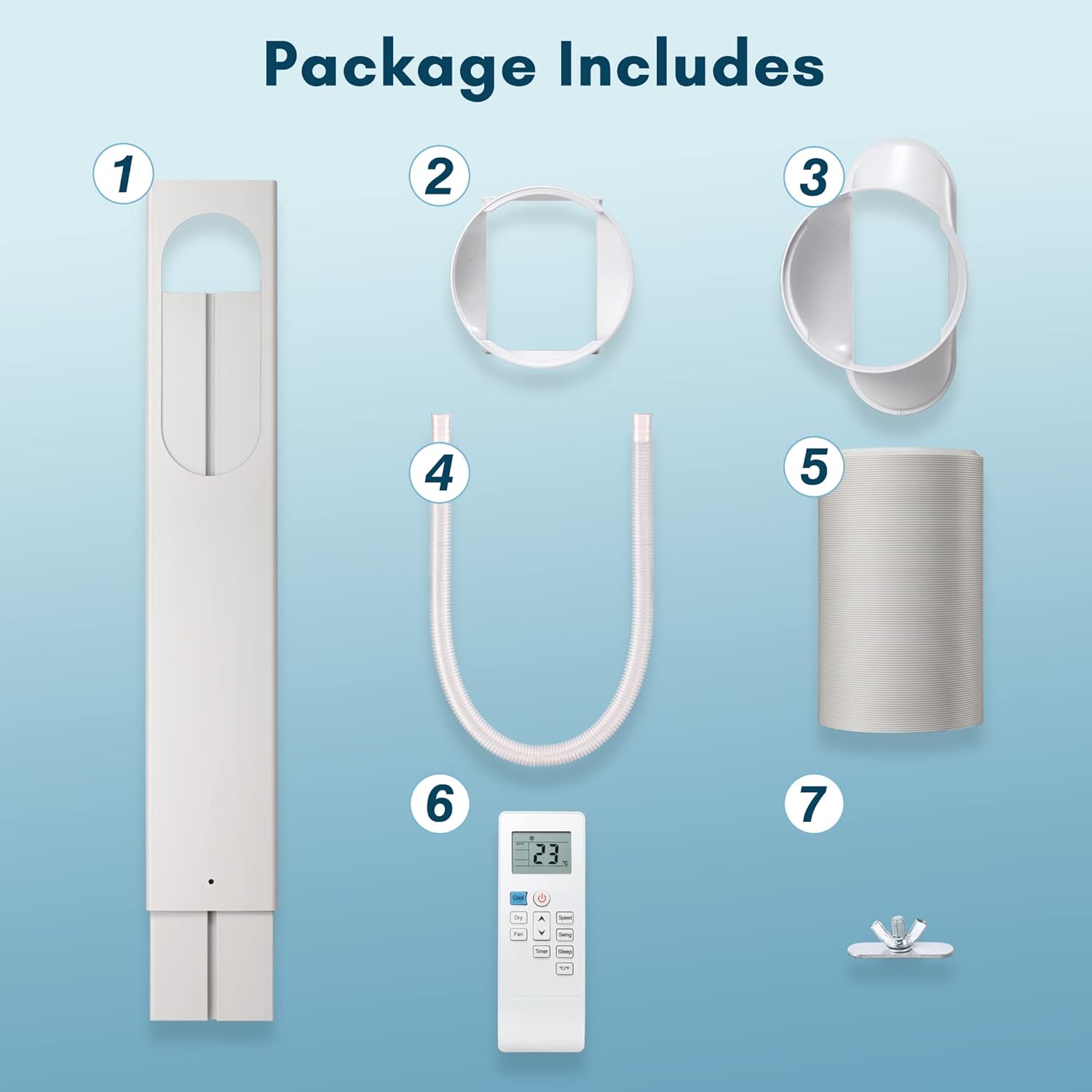
Figure 1: Package Contents
- Window Seal Plate Assembly
- Exhaust Hose Adapter (for unit)
- Exhaust Hose Adapter (for window)
- Drain Hose
- Exhaust Hose
- Remote Control
- Window Seal Plate Fasteners
- ZAFRO Portable Air Conditioner Unit
Product Overview
Familiarize yourself with the main components and control panel of your portable air conditioner.
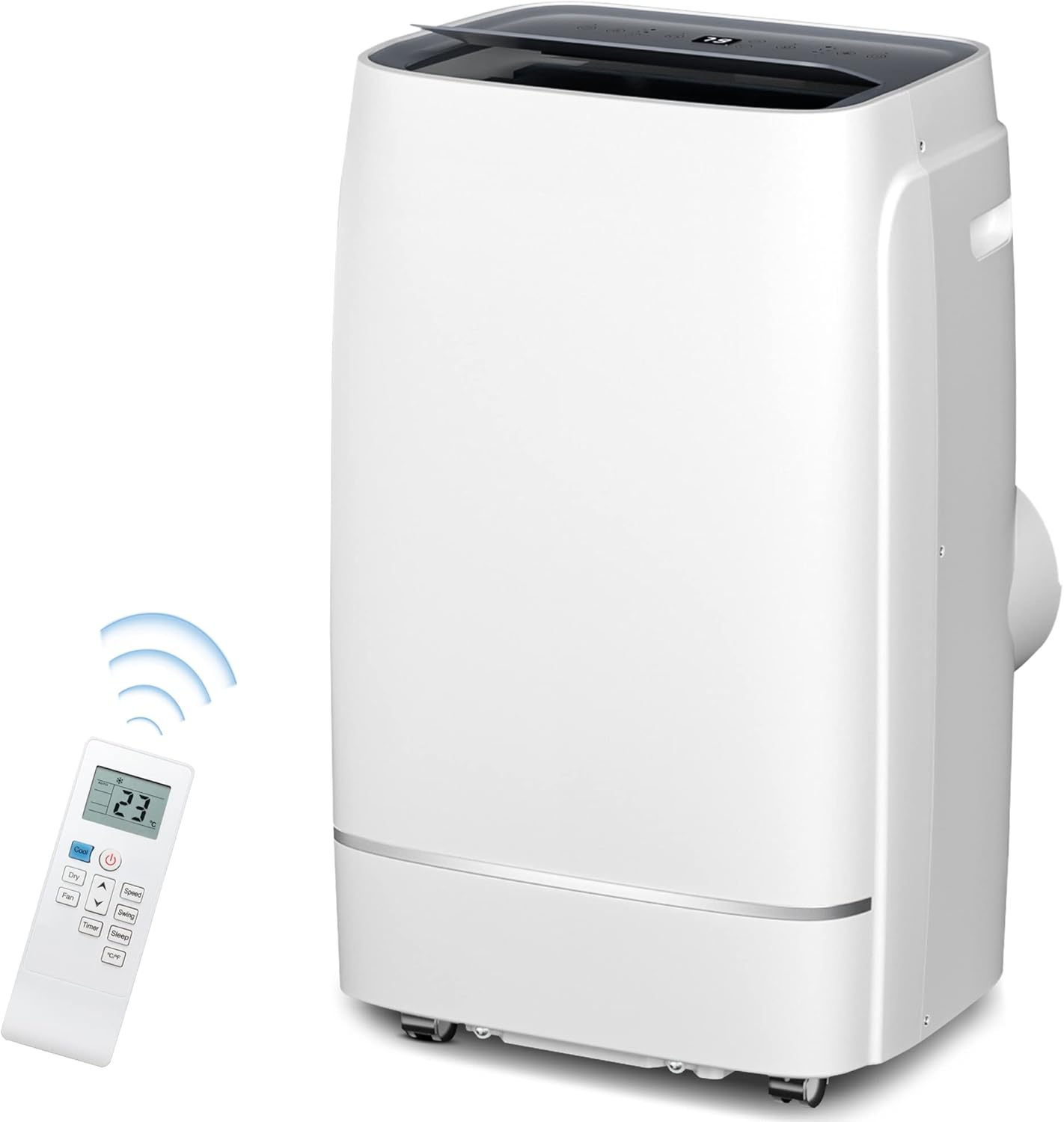
Figure 2: ZAFRO Portable Air Conditioner Unit and Remote
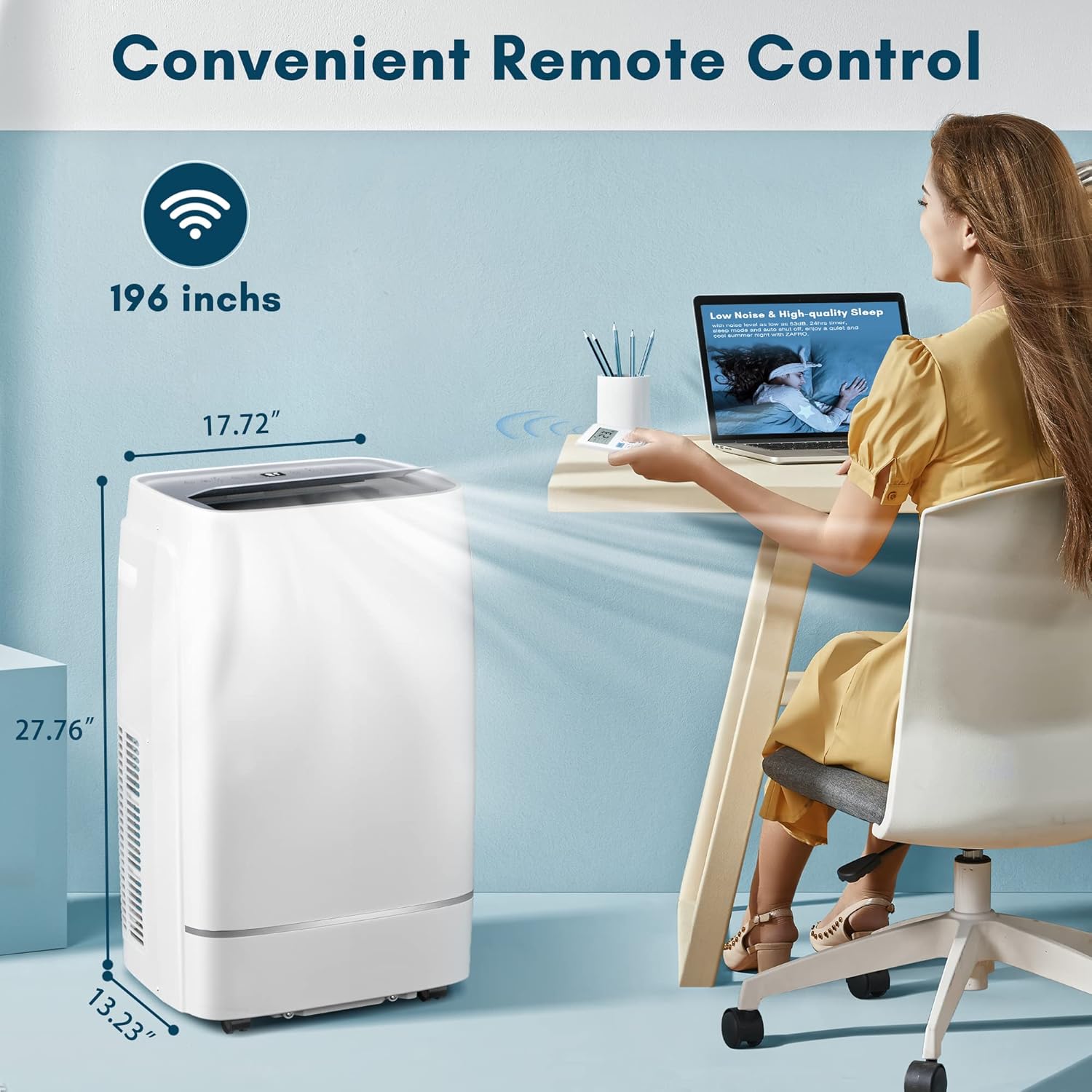
Figure 3: Unit Dimensions and Remote Control Range
Control Panel and Remote Functions
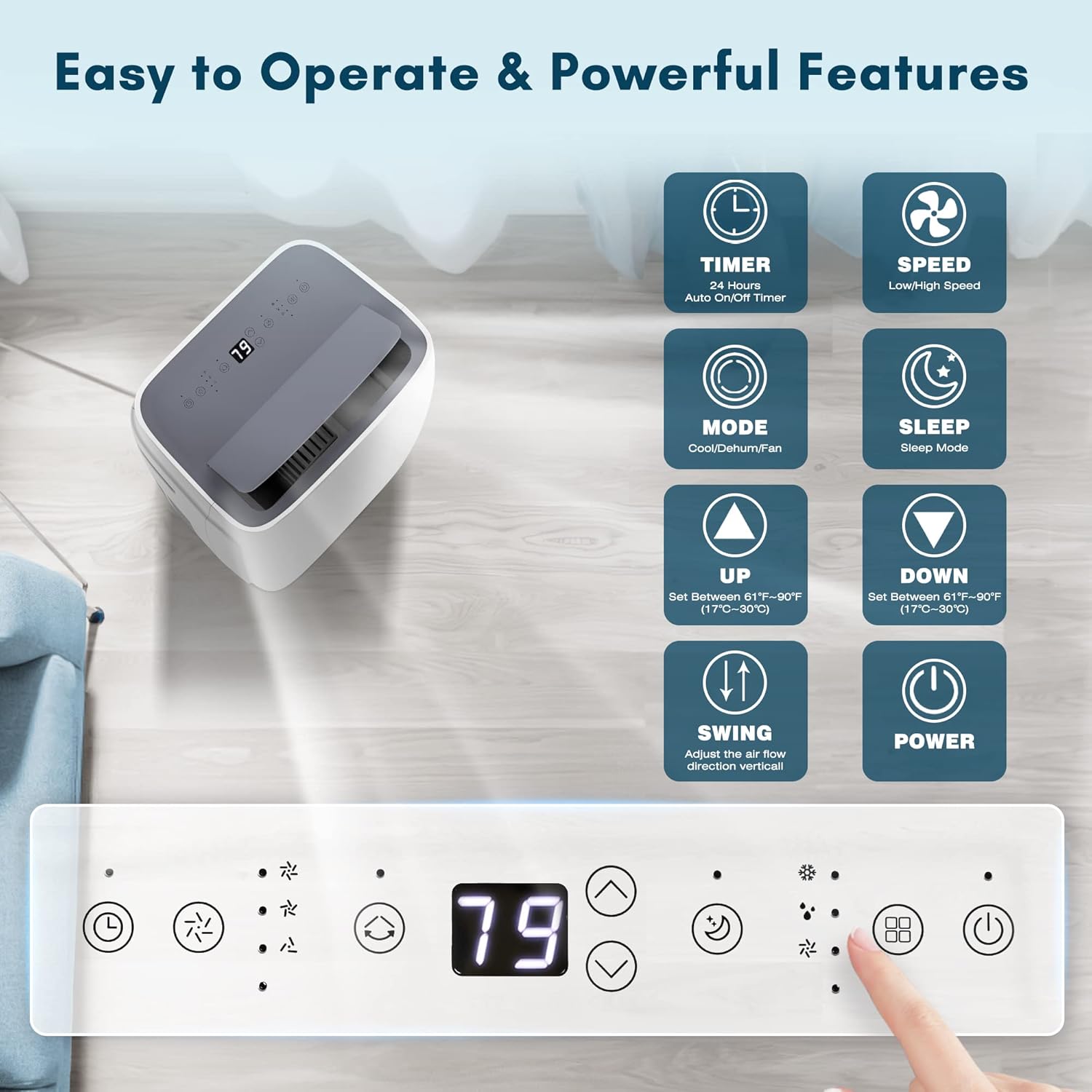
Figure 4: Control Panel and Remote Functions
- Timer: Set 24-hour auto ON/OFF.
- Speed: Adjust fan speed (Low/High).
- Mode: Select Cool, Dehumidify, or Fan mode.
- Sleep Mode: Activates quiet operation for sleeping.
- Up/Down Arrows: Adjust temperature (61°F-95°F / 17°C-35°C).
- Swing: Adjust the air flow direction vertically.
- Power: Turn the unit ON/OFF.
Setup and Installation
Proper installation is crucial for optimal performance. Follow these steps carefully.
Window Kit Installation
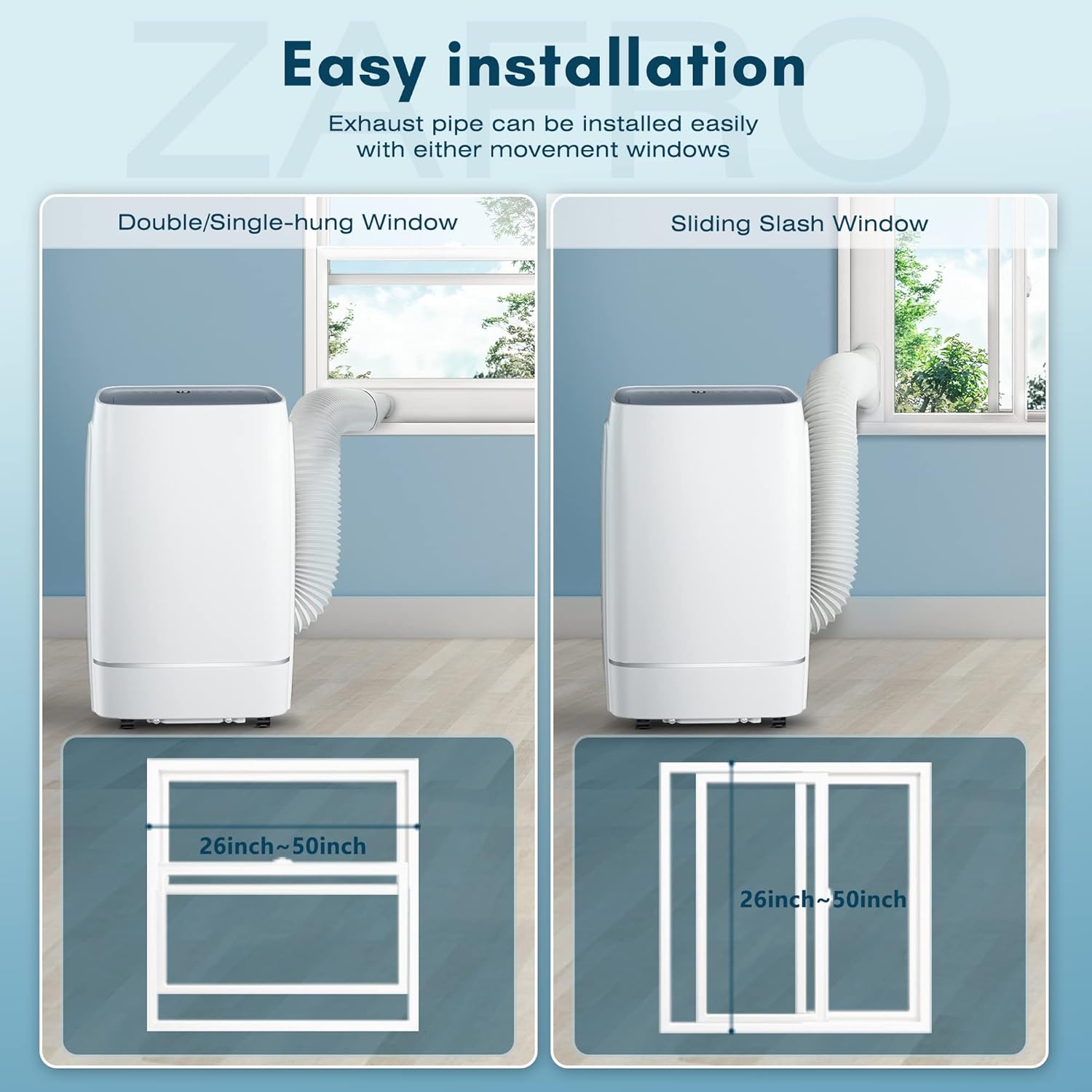
Figure 5: Window Installation Guide
- Assemble the window seal plate by sliding the adjustable panel into the main panel and securing it with fasteners.
- Connect the exhaust hose to the exhaust hose adapter for the unit.
- Connect the other end of the exhaust hose to the exhaust hose adapter for the window.
- Insert the window exhaust hose adapter into the opening of the window seal plate.
- Place the assembled window seal plate in your window opening (suitable for double/single-hung or sliding slash windows between 26 and 50 inches). Extend the plate to fit snugly and secure it.
- Connect the exhaust hose assembly to the exhaust port on the back of the portable air conditioner unit.
- Ensure the unit is placed on a flat, stable surface and is at least 20 inches away from walls or other objects to allow for proper airflow.
Operating Instructions
Learn how to use the various functions of your ZAFRO Portable Air Conditioner.
Modes of Operation
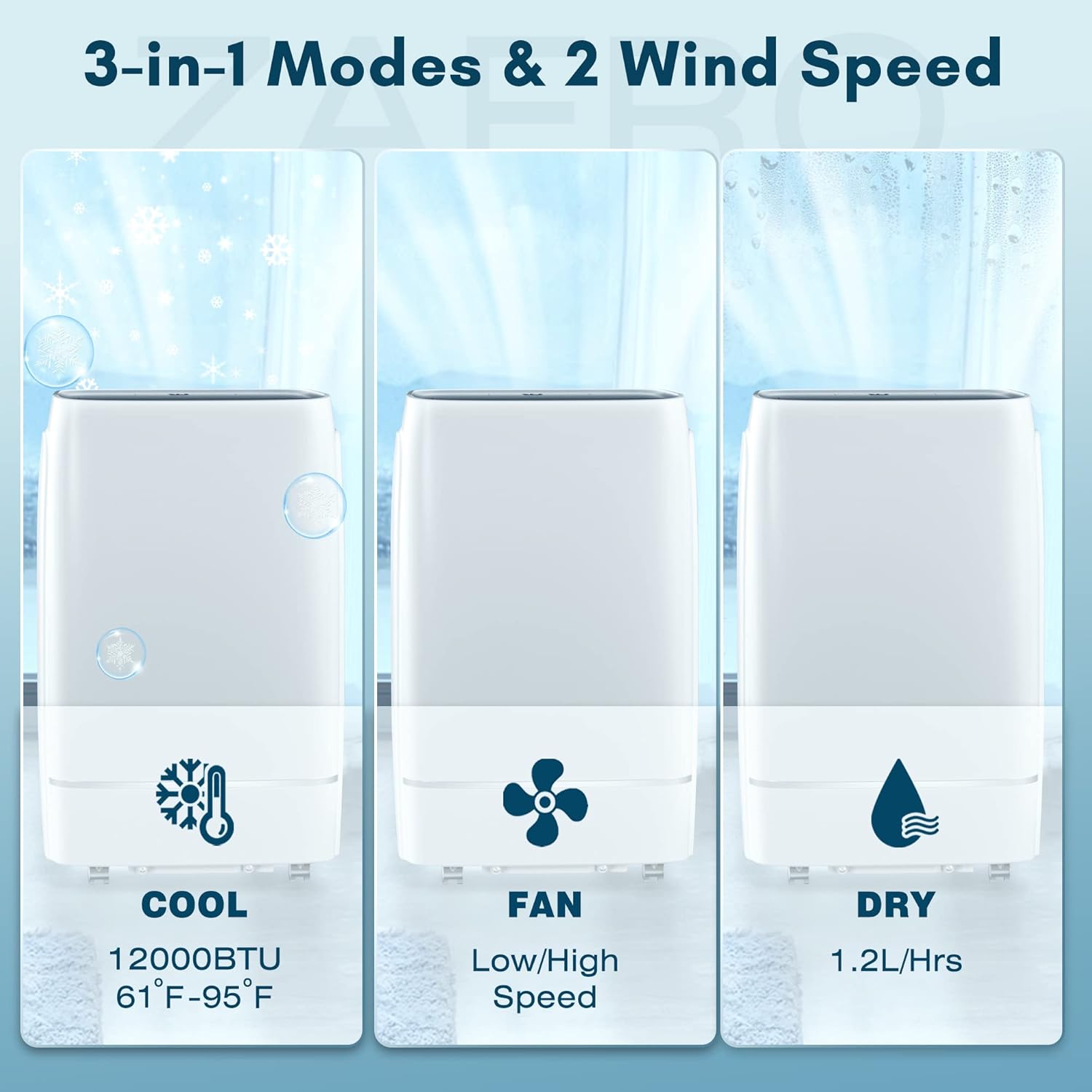
Figure 6: 3-in-1 Modes
- Cool Mode (12000 BTU): Provides powerful cooling for rooms up to 550 sq. ft. Use the Up/Down arrows to set your desired temperature between 61°F and 95°F.
- Fan Mode: Circulates air without cooling. Select Low or High fan speed.
- Dehumidifier Mode (1.2-1.3 L/H): Removes excess moisture from the air. The unit will operate in dehumidification mode, and you may need to connect the drain hose for continuous drainage in high humidity environments.
Special Features
- 24-Hour Timer: Press the Timer button to set a specific time for the unit to turn ON or OFF automatically.
- Sleep Mode: Activates a low-noise operation mode (≤ 52dB) for comfortable sleeping. In this mode, the set temperature will gradually increase by 2°F per hour to maintain comfort while saving energy.

Figure 7: Sleep Mode Benefits
- Auto Swing Function: Press the Swing button to activate the automatic vertical swing of the air outlet baffle (15-80° range). This ensures even distribution of cool air throughout the room.

Figure 8: Auto Swing Air Distribution
- Automatic Defrost: The unit is equipped with an automatic defrost function to prevent ice buildup on the evaporator coils.
- Automatic Restart: In case of a power outage, the unit will automatically restart with the previous settings once power is restored.
Maintenance
Regular maintenance ensures efficient operation and extends the lifespan of your unit.
Cleaning the Air Filter
The air filter should be cleaned weekly during operation to maintain optimal performance and air quality.
- Unplug the unit from the power outlet.
- Locate the air filter access panel (usually at the back or side of the unit).
- Remove the filter.
- Clean the filter with a vacuum cleaner or wash it with warm, soapy water. Rinse thoroughly.
- Allow the filter to air dry completely before reinserting it into the unit.
Draining Water
The unit has a self-evaporative system, but in high humidity conditions, the internal water tank may fill up. When this happens, the unit will stop operating and display an error code (e.g., "FL" for full tank). You will need to manually drain the water.
- Unplug the unit.
- Place a shallow pan or tray under the drain port at the bottom rear of the unit.
- Remove the drain plug/cap.
- Allow all water to drain out.
- Replace the drain plug/cap securely.
For continuous drainage in dehumidifier mode, connect the provided drain hose to the continuous drain port and route it to a floor drain or suitable container.
Troubleshooting
Refer to this section for common issues and their solutions.
| Problem | Possible Cause | Solution |
|---|---|---|
| Unit does not turn on. | No power; power cord not plugged in; circuit breaker tripped. | Check power connection; reset circuit breaker. |
| Unit does not cool effectively. | Air filter dirty; room too large; windows/doors open; exhaust hose blocked or disconnected. | Clean air filter; ensure room size is within specifications (550 sq. ft.); close windows/doors; check exhaust hose for blockages or proper connection. |
| Unit is noisy. | Unit not on a level surface; fan obstruction. | Place unit on a flat, stable surface; check for obstructions in fan area. |
| Water leakage. | Drain plug loose; drain hose not properly connected (if using continuous drain). | Ensure drain plug is secure; check drain hose connection. |
| "FL" or "E" error code displayed. | Water tank full (FL); other internal error (E). | Drain the water tank; if "E" code persists, contact customer support. |
Specifications
Technical details of the ZAFRO Portable Air Conditioner.
| Feature | Detail |
|---|---|
| Model Number | A4215-12K |
| Cooling Capacity | 12000 BTU |
| Coverage Area | Up to 550 Sq. Ft. |
| Functions | Cool, Dehumidifier, Fan |
| Dehumidification Capacity | 1.2-1.3 L/H |
| Voltage | 115 Volts |
| Wattage | 1065 watts |
| Noise Level | ≤ 52 dB |
| Refrigerant | R 410A |
| Product Dimensions (D x W x H) | 13.2 x 17.7 x 27.7 inches |
| Item Weight | 63.6 pounds |
Warranty and Support
ZAFRO is committed to providing high-quality products and customer satisfaction. For any questions, issues, or warranty claims, please contact ZAFRO customer support. Refer to your purchase documentation for specific warranty terms and contact information.
ZAFRO aims to resolve customer issues within 24 hours.
Related documentsA4215-12K


Ask a question about this manual
Ask about setup, troubleshooting, compatibility, parts, safety, or missing instructions. Manuals+ will review the question and use this page’s manual context to help answer it.