
1. Introduction
This manual provides detailed instructions for the installation, operation, and maintenance of your ANNKE 4MP PTZ Outdoor Security Camera (Model WPT400). This camera is designed to enhance home security with advanced features such as 4-megapixel resolution, Pan-Tilt-Zoom (PTZ) capabilities, AI human detection, color night vision, two-way audio, and compatibility with smart home systems like Amazon Alexa. Please read this manual thoroughly before using the product to ensure proper setup and optimal performance.

Figure 1: ANNKE 4MP PTZ Outdoor Security Camera (Model WPT400)
The ANNKE WPT400 camera offers comprehensive surveillance with its wide coverage and intelligent features, providing peace of mind for your home or property.
2. What's in the Box
Upon unboxing your ANNKE WPT400 camera, verify that all components listed below are present and in good condition:
- ANNKE 4MP PTZ Outdoor Security Camera
- Power Adapter
- User Manual
- Screw Pack (for mounting)
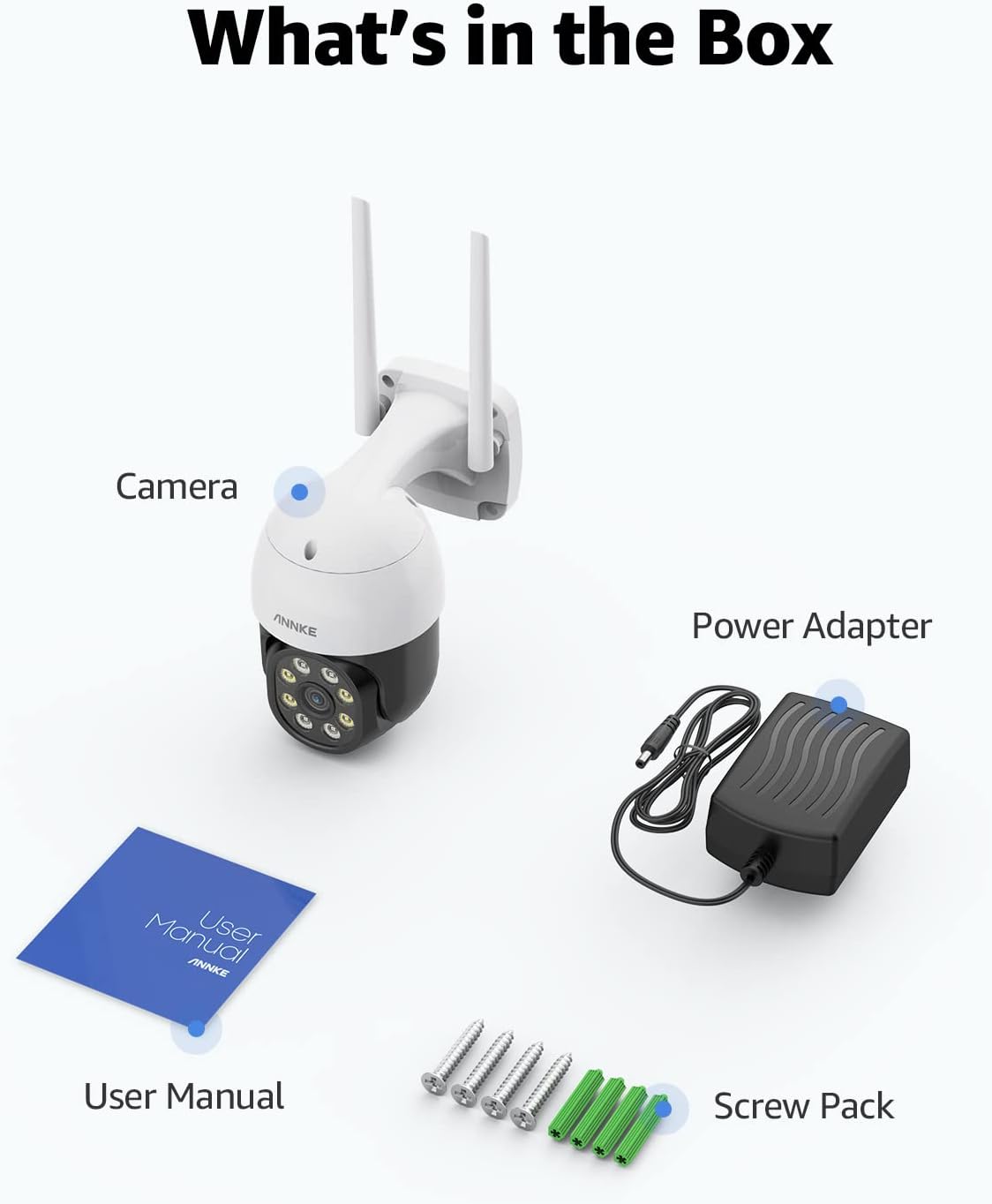
Figure 2: Included components in the product packaging.
3. Product Overview
The ANNKE WPT400 camera is equipped with several key features for robust outdoor security:
- 4MP Resolution: Captures clear and detailed video footage.
- PTZ (Pan-Tilt-Zoom) Functionality: Offers 350° horizontal pan and 90° vertical tilt for wide area coverage, along with 8X digital zoom to focus on specific details.
- Color Night Vision: Provides full-color video even in low-light conditions up to 33 feet, with traditional black and white night vision extending up to 66 feet.
- Two-Way Talk: Built-in microphone and speaker allow for real-time communication.
- AI Human Detection: Advanced artificial intelligence identifies human shapes, reducing false alarms from animals or other moving objects.
- H.264+ Video Compression: Efficiently compresses video files, saving bandwidth and storage space compared to standard H.264.
- Local & Cloud Storage: Supports up to 128GB MicroSD card for local storage and offers optional cloud storage services.
- IP66 Weatherproof: Designed to withstand various outdoor weather conditions.
- Alexa Compatibility: Integrates with Amazon Alexa for voice control and live view on compatible devices.

Figure 3: All-Around Vision with 350° Pan and 90° Tilt.

Figure 4: Extensive Pan and Tilt Coverage.

Figure 5: 8X Digital Zoom capability.

Figure 6: Detailed view with 8X Digital Zoom.

Figure 7: AI Human Detection in action.

Figure 8: Human Detection Plus Sound Detection features.

Figure 9: Clear and Crisp Two-Way Talk.

Figure 10: Two-Way Talk in use with a delivery.

Figure 11: Night Vision Modes (Color and B/W).

Figure 12: Visual representation of night vision capabilities.

Figure 13: H.264+ Video Format benefits.

Figure 14: Storage Options: MicroSD and Cloud.
4. Setup
Follow these steps to set up your ANNKE WPT400 camera:
4.1 Initial Setup
- Power On: Connect the camera to the provided power adapter and plug it into a power outlet. The camera will power on and perform a self-test.
- Download App: Download the 'Myannke' app from your smartphone's app store (available for iOS and Android).
- Create Account: Open the app and create a new user account or log in if you already have one.
- Add Device: Tap the '+' icon in the app to add a new device. Select your camera model or scan the QR code on the camera/packaging.
4.2 Network Connection
The ANNKE WPT400 camera supports 2.4GHz Wi-Fi networks. Ensure your smartphone is connected to a 2.4GHz Wi-Fi network during the setup process.
- Connect to Wi-Fi: Follow the in-app instructions to connect the camera to your home Wi-Fi network. This typically involves entering your Wi-Fi password.
- Router Configuration: If your router combines 2.4GHz and 5GHz frequencies under one name, you may need to log into your router's settings to separate or rename the 2.4GHz network to ensure proper connection.
4.3 Mounting
Choose a suitable outdoor location for mounting the camera, ensuring it has a clear view of the area you wish to monitor and is within range of your Wi-Fi signal. The camera is designed for wall mounting.
- Placement Considerations: Consider areas like courtyards, entrances, garages, or intersections for optimal coverage.
- Secure Mounting: Use the provided screw pack to securely mount the camera to a stable surface. Ensure the mounting is firm to prevent movement from wind or other external factors.
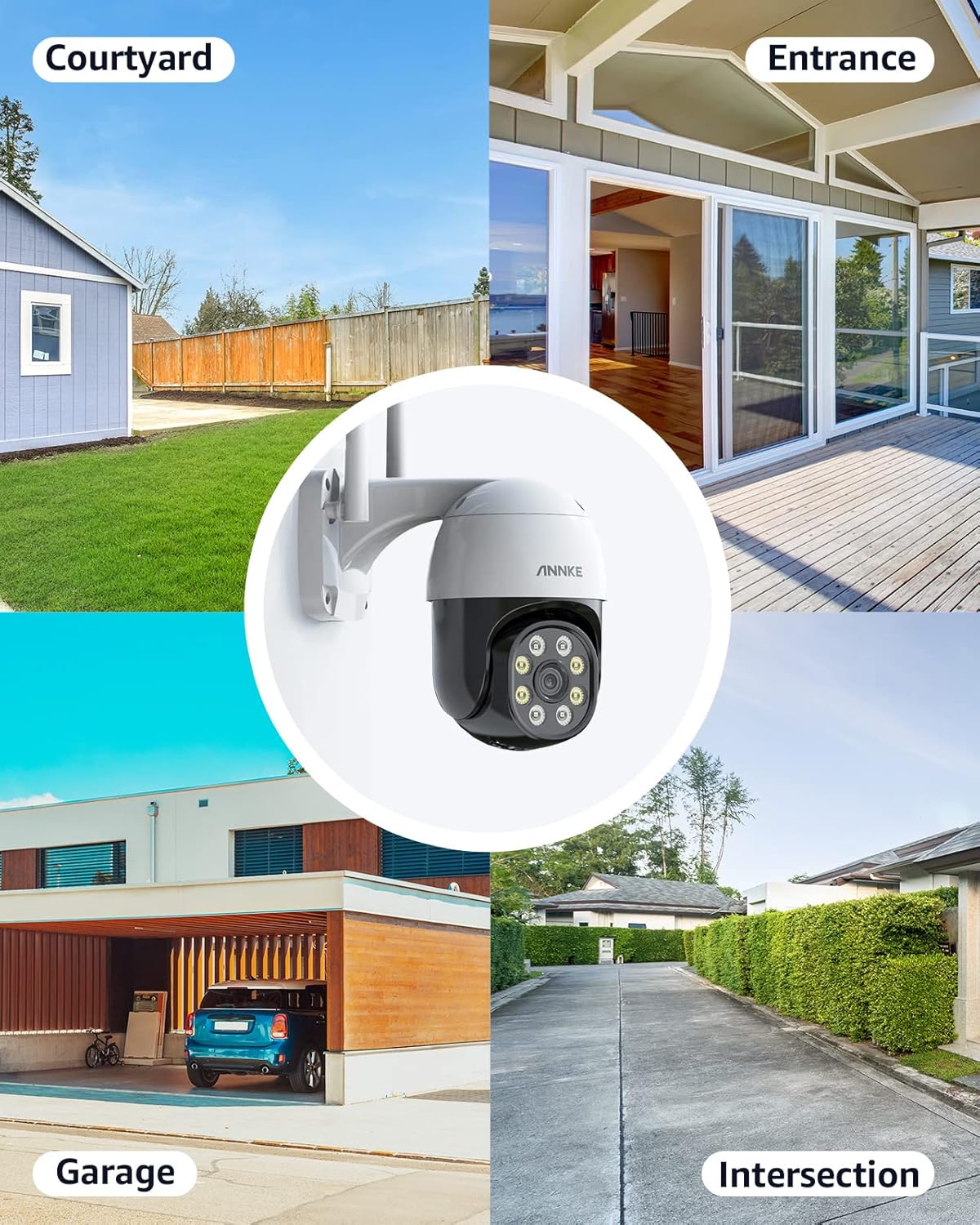
Figure 15: Recommended camera placement areas.

Figure 16: Versatile placement for various outdoor environments.
5. Operating Instructions
Once your camera is set up, you can utilize its features through the Myannke app or compatible smart home devices.
5.1 Live View & PTZ Control
Access the live video feed from your camera via the Myannke app. You can control the camera's pan and tilt movements by dragging your finger across the screen in the app. Use the pinch-to-zoom gesture for digital zoom.
5.2 Two-Way Talk
To use the two-way talk feature, tap the microphone icon in the live view interface of the app. Speak into your phone's microphone, and your voice will be transmitted through the camera's speaker. Release the icon to stop talking.
5.3 Recording & Storage
The camera supports continuous recording or event-triggered recording. You can store footage locally on a MicroSD card (up to 128GB) or subscribe to cloud storage for remote access and backup.
- MicroSD Card: Insert a formatted MicroSD card into the designated slot on the camera. The camera will record in a loop, overwriting the oldest footage when the card is full.
- Cloud Storage: Activate cloud storage through the Myannke app for off-site backup and access to recorded events from anywhere.
5.4 Motion Detection & Alerts
Configure motion detection settings in the app to receive instant alerts on your smartphone when human motion is detected. You can customize detection zones and sensitivity to minimize false alarms.
- Notification Types: Alerts can be sent via email, push notifications to your phone, or trigger a siren on the camera.
5.5 Night Vision Modes
The camera automatically switches between day and night modes. You can select preferred night vision settings in the app:
- Color Night Vision: Utilizes built-in spotlights to provide full-color video in low light.
- Infrared Night Vision: Provides clear black and white video in complete darkness.
5.6 Alexa Compatibility
Integrate your ANNKE WPT400 camera with Amazon Alexa for convenient voice control. Follow the instructions in the Myannke app to link your camera to your Alexa account. Once linked, you can use voice commands to view the live feed on compatible Alexa-enabled screens (e.g., "Alexa, show me the front door camera").

Figure 17: Seamless integration with Amazon Alexa.
6. Maintenance
Regular maintenance ensures the longevity and optimal performance of your camera:
- Cleaning: Periodically clean the camera lens and housing with a soft, damp cloth. Avoid abrasive cleaners that could scratch the lens.
- Firmware Updates: Check the Myannke app regularly for firmware updates. Keeping your camera's firmware up-to-date ensures access to the latest features and security enhancements.
- Power Supply: Ensure the power adapter and cable are free from damage. Replace if any wear or tear is observed.
- Wi-Fi Signal: Monitor your Wi-Fi signal strength in the app to ensure a stable connection. Poor signal can affect video quality and connectivity.
7. Troubleshooting
If you encounter issues with your ANNKE WPT400 camera, refer to the following common problems and solutions:
- Camera Offline/No Connection:
- Ensure the camera is powered on and the power adapter is securely connected.
- Verify your Wi-Fi network is active and the camera is within range.
- Confirm the camera is connected to a 2.4GHz Wi-Fi network. Many smart cameras do not support 5GHz networks. You may need to adjust your router settings to ensure the 2.4GHz band is distinct and available.
- Restart your router and the camera.
- Poor Video Quality:
- Check your Wi-Fi signal strength. A weak signal can lead to choppy or low-resolution video.
- Ensure the camera lens is clean and free from obstructions.
- Verify your internet connection speed.
- Motion Detection Not Working:
- Ensure motion detection is enabled in the Myannke app.
- Adjust the sensitivity settings.
- Check the detection zone settings to ensure the area of interest is covered.
- Two-Way Talk Issues:
- Ensure your phone's microphone is not muted and the app has microphone permissions.
- Check the camera's speaker volume settings in the app.
For further assistance, please refer to the official ANNKE support resources or contact customer service.
8. Specifications
| Feature | Specification |
|---|---|
| Brand | ANNKE |
| Model | WPT400 |
| Effective Video Resolution | 4 MP (2K) |
| Connectivity Technology | Wireless (Wi-Fi) |
| Wireless Communication Technology | Wi-Fi (2.4GHz) |
| Pan Range | 350° |
| Tilt Range | 90° |
| Digital Zoom | 8X |
| Night Vision Range | 33 Feet (Color), 66 Feet (B/W) |
| Audio | Two-Way Talk |
| Storage Options | MicroSD (up to 128GB), Cloud Storage |
| International Protection Rating | IP66 |
| Compatible Devices | Smartphone, Amazon Alexa |
| Item Dimensions L x W x H | 7.28 x 7.28 x 4.13 inches |
| Item Weight | 1.26 pounds |
9. Warranty and Support
ANNKE products are designed for reliability and performance. For information regarding warranty coverage, technical support, or service, please visit the official ANNKE website or contact their customer support team. Keep your purchase receipt as proof of purchase for warranty claims.