
1. Introduction
This manual provides detailed instructions for the installation, operation, and maintenance of your KOMIGAN Motion-Activated Cascading Effect LED Stair Lighting Kit, model KMG-3233-36IN-6K16. This system is designed to enhance safety and aesthetics on indoor staircases by providing sequential, motion-activated lighting.
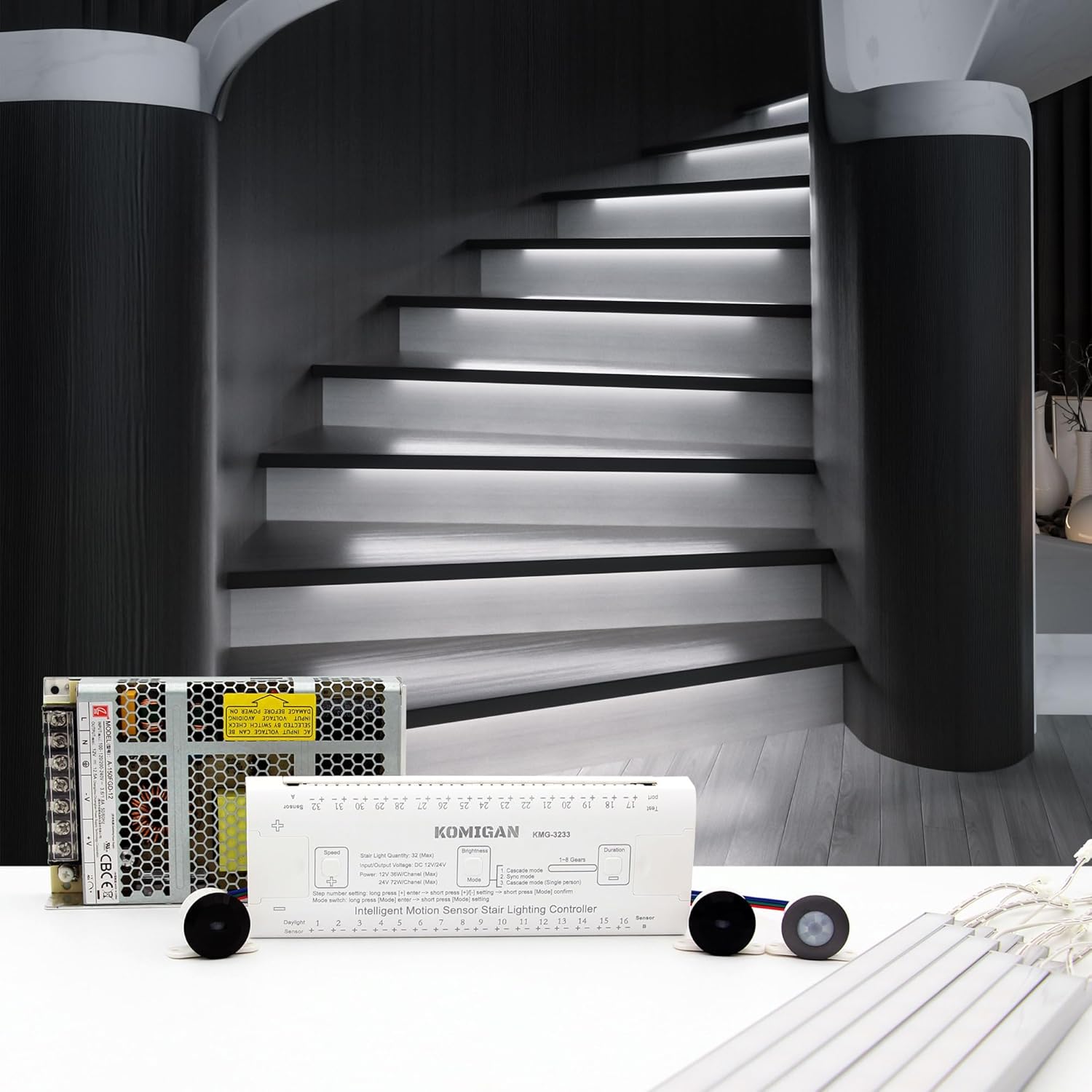
Figure 1.1: KOMIGAN KMG-3233 LED Stair Lighting Kit components.
2. Safety Information
- Read all instructions carefully before installation and use.
- This product is designed for indoor use only. Do not expose to moisture or outdoor elements.
- Ensure the power supply is disconnected before performing any installation, maintenance, or troubleshooting.
- Installation should be performed by a qualified individual if you are unsure about electrical wiring.
- Do not modify the components of the lighting kit. Unauthorized modifications may void the warranty and pose safety risks.
- Keep packaging materials away from children.
3. Product Overview
The KMG-3233 LED Stair Lighting Kit provides an intelligent lighting solution for staircases. Key features include:
- Motion-Activated Lighting: Lights illuminate sequentially as you step onto the staircase and turn off step by step when you leave, creating a smooth and elegant lighting effect.
- Versatile Control Modes: Customize your lighting experience with adjustable step count, brightness, speed, and delay time. Choose from multiple modes, including Motion Trigger, Daylight Sensor, Stay On, Cascade, and Sync Mode.
- High-Quality LED Light Bar: Features an ultra-bright, soft-glow design with no visible light spots. The 35.4" aluminum LED bar is ideal for stair treads 36" or wider.
- Quick & Easy Installation: The package includes all necessary components, with quick connectors simplifying the setup process.

Figure 3.1: Cascading lighting effect in action.
4. Setup and Installation
Before beginning installation, ensure you have all components included in the light kit. The kit includes the controller, power supply, LED light bars, and necessary connectors.
4.1 Light Bar Installation
The 35.4" aluminum LED light bars can be installed using either metal clips or double-sided adhesive, depending on your preference and surface type.

Figure 4.1: Light bar installation methods and dimensions.
- Metal Clip Fixing: Secure the metal clips to the desired location under each stair tread using screws (not included). Snap the LED light bar into the clips.
- Double-sided Adhesive Fixing: Apply double-sided adhesive tape (not included) to the back of the LED light bar and firmly press it onto the clean, dry surface under each stair tread.
4.2 Sensor Installation
The motion sensors and daylight sensor can be installed using either surface mounting or flush mounting techniques.

Figure 4.2: Sensor mounting options.
- Surface Mounting: Attach the sensor housings directly to the surface using screws.
- Flush Mounting: Drill appropriate-sized holes for the sensors to sit flush with the surface for a more discreet look.
4.3 Wiring Diagram
Follow the wiring diagram carefully to connect the power supply, controller, sensors, and LED light bars. Use the quick connectors provided for simplified setup.

Figure 4.3: System wiring diagram.
- Connect the power supply to the controller.
- Connect Sensor A (top of stairs) and Sensor B (bottom of stairs) to the designated ports on the controller.
- Connect the Daylight Sensor to its designated port.
- Connect each LED light bar to the corresponding numbered output on the controller. Ensure correct polarity.
5. Operating Instructions
The KMG-3233 controller offers various modes and adjustable settings to customize your lighting experience. Control is typically managed via the touch interface on the controller or an optional remote control (if included or purchased separately).
5.1 Control Modes
- Motion Trigger: Lights activate upon detecting motion from either Sensor A or Sensor B, illuminating sequentially.
- Daylight Sensor: The system can be configured to operate only when ambient light levels are below a certain threshold, saving energy during daylight hours.
- Stay On: All lights remain continuously illuminated.
- Cascade: The default motion-activated sequential lighting effect.
- Sync Mode: Allows synchronization with other compatible KOMIGAN lighting systems (if applicable).
5.2 Adjustable Settings
Refer to the controller's interface for specific button functions to adjust the following parameters:
- Step Count: Set the number of active stair lights (up to 16 for this model).
- Brightness: Adjust the intensity of the LED lights.
- Speed: Control the speed at which the lights illuminate and extinguish in cascading mode.
- Delay Time: Set the duration the lights remain on after motion detection ceases.
6. Maintenance
The KOMIGAN LED Stair Lighting Kit requires minimal maintenance to ensure optimal performance and longevity.
- Cleaning: Gently wipe the LED light bars and sensors with a soft, dry cloth. Do not use abrasive cleaners or solvents.
- Inspection: Periodically check all wiring connections to ensure they are secure.
- Dust Removal: Ensure sensors are free from dust or obstructions that might interfere with motion detection.
7. Troubleshooting
If you encounter issues with your lighting kit, refer to the following common problems and solutions:
| Problem | Possible Cause | Solution |
|---|---|---|
| Lights do not turn on. | No power to controller. Loose wiring connection. Faulty sensor. | Check power supply connection and outlet. Verify all quick connectors are securely attached. Ensure sensors are unobstructed and correctly positioned. |
| Lights stay on continuously. | Controller set to 'Stay On' mode. Constant motion detection. Daylight sensor issue. | Change controller mode to 'Motion Trigger' or 'Cascade'. Check for objects near sensors causing constant detection. Ensure daylight sensor is not covered or faulty. |
| Cascading effect is incorrect. | Incorrect step count setting. Sensor placement issue. | Adjust the step count setting on the controller. Verify Sensor A and Sensor B are correctly placed at the top and bottom of the stairs. |
| Some lights do not illuminate. | Loose connection to specific light bar. Damaged light bar. | Check the connection for the non-illuminating light bar. If connection is secure, the light bar may need replacement. |
If the problem persists after attempting these solutions, please contact KOMIGAN customer support.
8. Specifications
| Feature | Specification |
|---|---|
| Brand | KOMIGAN |
| Model Number | KMG-3233-36IN-6K16 |
| Color Temperature | Cool White 6000K |
| Material | Aluminum (Light Bar), Plastic (Controller/Sensors) |
| Product Dimensions (Controller) | 3.94"L x 1.97"W x 0.98"H |
| Light Bar Length | 35.4" (900mm) |
| Voltage | 110 Volts (AC) |
| Brightness | 8190 Lumen |
| Light Source Type | LED |
| Number of Light Sources | 16 (for 16 stairs kit) |
| Control Method | Touch, Remote Control |
| Installation Type | Surface Mount |
| Indoor/Outdoor Usage | Indoor |
| Item Weight | 8.58 pounds |
9. Warranty Information
For detailed warranty information regarding your KOMIGAN KMG-3233 LED Stair Lighting Kit, please refer to the warranty card included with your product packaging or visit the official KOMIGAN website. Warranty terms and conditions may vary.
10. Customer Support
If you have any questions, require technical assistance, or need to report an issue with your product, please contact KOMIGAN customer support through the following channels:
- Visit the official KOMIGAN store on Amazon: KOMIGAN Store
- Refer to the contact information provided in your product packaging.