
Introduction
Thank you for purchasing the 4ever2buy Nightstand with Charging Station and LED Lights. This manual provides essential information for the safe assembly, operation, and maintenance of your new nightstand. Please read these instructions carefully before beginning assembly and retain them for future reference.
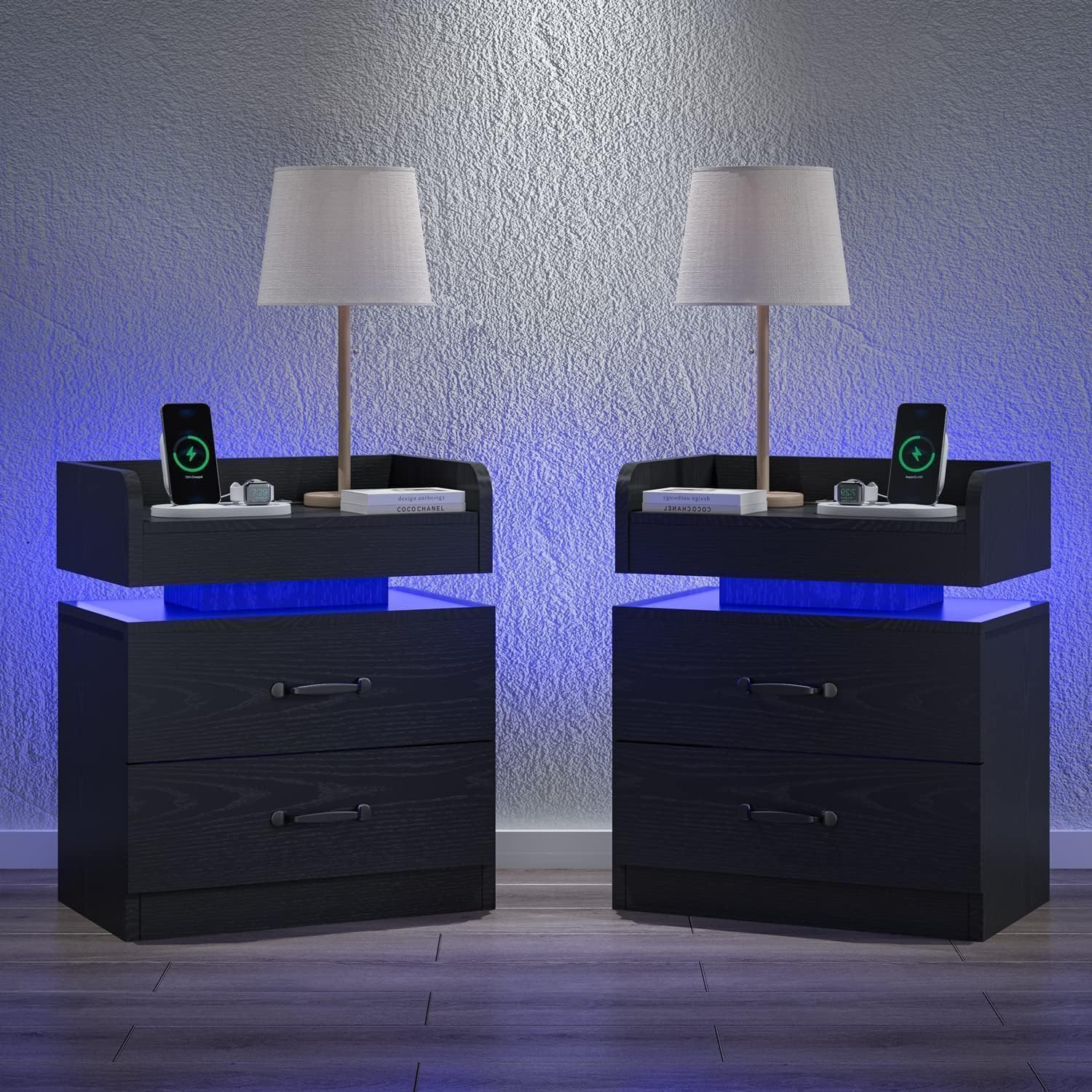
Image 1: Fully assembled 4ever2buy Black Nightstand.
Safety Information
For your safety and to prevent damage to the product, please adhere to the following guidelines:
- Refer to the included Assembly Guide for detailed safety instructions specific to this product.
- Ensure all components are securely fastened before use.
- Do not overload the drawers or the top surface.
- Keep liquids away from the charging station and electrical outlets.
- This product is intended for indoor use only.
Package Contents
Before assembly, verify that all parts are present and undamaged. If any parts are missing or damaged, please contact customer service.
- Nightstand components (engineered wood panels, drawers, hardware)
- Charging Station unit (pre-installed or separate)
- LED Light strip
- Assembly Guide
- Installation Tool (e.g., Allen wrench)
Specifications
| Feature | Detail |
|---|---|
| Brand | 4ever2buy |
| Model Name | Nightstand with Charging Station |
| Product Dimensions (D x W x H) | 13.4" x 19.3" x 23.6" |
| Item Weight | 26.5 Pounds |
| Frame Material | Engineered Wood |
| Color | Black |
| Number of Drawers | 2 |
| AC Outlets | 2 (120V/12A) |
| USB Ports | 2 (5V/2A) |
| Power Cord Length | 6.5 Feet |
| LED Light Color | Blue |

Image 2: Detailed dimensions of the nightstand components.
Assembly Instructions
Assembly of the 4ever2buy Nightstand requires careful attention to detail. Please follow the step-by-step instructions provided in the dedicated Assembly Guide included in your package. Ensure you have sufficient space and the necessary tools before starting.
- Identify all parts and hardware as per the Assembly Guide.
- Assemble the main frame of the nightstand.
- Install the drawer slides and assemble the drawers.
- Secure the charging station and LED light strip according to the guide.
- Tighten all screws and connections for stability.

Image 3: Detail of drawer handle and smooth slide mechanism.
Operating Instructions
LED Lights
The nightstand features integrated blue LED lighting. To activate the lights, connect the nightstand's power cord to a standard wall outlet. The LED lights will provide a soft, ambient blue glow. There is typically a switch or touch sensor to turn the lights on/off, or they may activate automatically when plugged in.
Charging Station
The integrated charging station includes two AC outlets and two USB ports. After connecting the nightstand to a power source, these ports become active.
- AC Outlets: Plug in devices requiring standard wall power (e.g., lamps, laptops).
- USB Ports: Connect USB cables to charge smartphones, tablets, and other compatible devices.

Image 4: Detail of the charging station and LED light strip.

Image 5: View of the nightstand's top tray and the blue LED illumination.
Video 1: Demonstration of the nightstand's LED lights and overall appearance.
Maintenance
To ensure the longevity and appearance of your nightstand, follow these maintenance tips:
- Cleaning: Wipe surfaces with a soft, damp cloth. Avoid harsh chemicals or abrasive cleaners, which can damage the finish.
- Spills: Clean spills immediately to prevent staining, especially on the engineered wood surfaces.
- Electrical Components: Keep the charging station and LED lights dry. Do not attempt to clean them with liquids while plugged in.
- Hardware: Periodically check and tighten all screws and fasteners to maintain stability.
Troubleshooting
If you encounter issues with your nightstand, refer to the following common problems and solutions:
| Problem | Possible Solution |
|---|---|
| LED lights do not turn on. | Ensure the power cord is securely plugged into a working wall outlet. Check if the light switch/sensor is activated. |
| Charging station ports are not working. | Verify the nightstand is plugged into a live power source. Test with different devices and cables. Check for any tripped circuit breakers. |
| Drawers are stiff or do not close properly. | Ensure drawers are not overloaded. Check that drawer slides are correctly aligned and free of obstructions. Re-check assembly steps for drawer installation. |
| Nightstand feels unstable. | Tighten all assembly screws. Ensure the nightstand is placed on a flat, level surface. |
If these solutions do not resolve the issue, please contact 4ever2buy customer support for further assistance.
Warranty and Support
For information regarding product warranty, returns, or technical support, please refer to the documentation included with your purchase or visit the official 4ever2buy website. Our customer service team is available to assist you with any questions or concerns.