
Introduction
This instruction manual provides essential information for the safe and efficient operation, maintenance, and troubleshooting of your Giftalk ST-6645 Mini Car Vacuum Cleaner. Please read this manual thoroughly before using the product and retain it for future reference.
Safety Information
- Ensure the vacuum cleaner is fully charged before first use.
- Do not use the vacuum cleaner to pick up flammable or combustible liquids, hot ashes, or sharp objects.
- Keep the vacuum cleaner away from water and high humidity.
- Do not operate the vacuum cleaner if it is damaged or malfunctioning. Contact customer support for assistance.
- Keep out of reach of children.
- Only use the provided charging cable and accessories.
Package Contents
Please verify that all items are present in your package:
- Giftalk ST-6645 Mini Car Vacuum Cleaner (1 unit)
- Long Blow Nozzle + Brush (1 set)
- Long Vacuum Nozzle + Brush (1 set)
- Blow Nozzle (1 unit)
- Vacuum Nozzle (1 unit)
- Storage Bag (1 unit)
- USB Cable (1 unit)
- Metal Washable Filter (1 unit)
- HEPA Washable Filter (2 units)
Product Overview

This image displays the Giftalk Mini Car Vacuum Cleaner along with all its included accessories, clearly labeling each component such as the vacuum cleaner unit, various nozzles, brushes, filters, USB cable, and storage bag.
The Giftalk ST-6645 is a versatile 3-in-1 handheld vacuum cleaner designed for various cleaning tasks. It features a powerful brushless motor, multiple washable filters, and a compact, portable design.
Setup
- Initial Charge: Fully charge the vacuum cleaner for 4 hours before its first use. Connect the USB cable to the charging port on the vacuum and a suitable USB power source. The charging indicator will be red while charging and turn green when fully charged.
- Filter Installation: Ensure the metal filter and one HEPA filter are correctly installed inside the dust cup before use.
- Nozzle Attachment: Select the appropriate nozzle for your cleaning task and firmly attach it to the vacuum's intake or exhaust port, depending on the desired function.

This image illustrates the charging process, showing the USB cable connected and the indicator lights (red for charging, green for full). It also demonstrates how to long press the power button for 3 seconds to turn on the device and short press to switch to high grade.
Operating Instructions
1. Vacuum Mode
Attach the desired vacuum nozzle (e.g., long vacuum nozzle with brush) to the intake port. Long press the power button for 3 seconds to turn on the vacuum. Move the nozzle over the area to be cleaned. For stubborn dirt, use the brush attachment. Short press the power button to switch to high-grade suction if needed.

This image shows the handheld vacuum cleaner being used to effectively clean dirt and debris from a car floor mat, demonstrating its vacuuming capability.

This image collage illustrates the versatility of the vacuum cleaner, showing it being used with different nozzles to clean tight spaces, car seats, and floor mats within a car's interior.
2. Dust Blower Mode
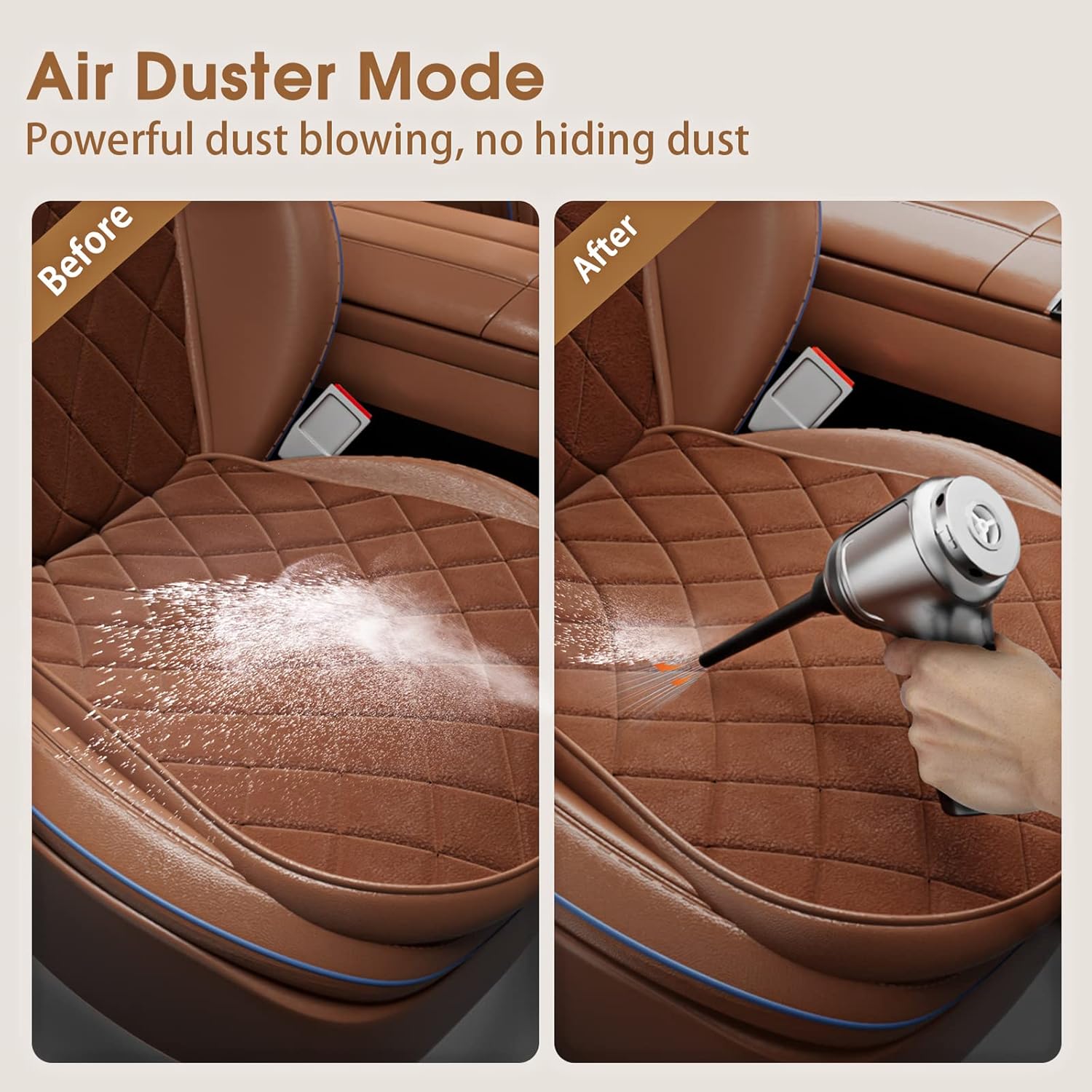
Attach the blow nozzle (or long blow nozzle with brush) to the exhaust port of the vacuum. Long press the power button to activate the blowing function. Use this mode to clear dust from keyboards, car vents, or other hard-to-reach areas where suction is not ideal.

This image demonstrates the vacuum cleaner's dust blowing function, showing it effectively clearing debris from a computer keyboard.
3. Vacuum Sealing Mode
Attach the vacuum sealing nozzle to the intake port. Place the nozzle over the air valve of a vacuum seal bag. Long press the power button to start vacuuming the air out of the bag. This mode is useful for compacting items for storage or travel.
This image illustrates the vacuum cleaner's capability to vacuum seal, showing it removing air from a bag containing food items.
Maintenance
1. Emptying the Dust Cup
Regularly empty the dust cup to maintain optimal suction power. Twist the dust cup counter-clockwise to detach it from the main unit. Dispose of collected debris and reattach the dust cup by twisting clockwise until secure.
2. Cleaning the Filters
The vacuum cleaner is equipped with 1 metal filter and 2 HEPA filters, which are washable and reusable. After emptying the dust cup, remove the filters. Rinse them under running water until clean. Allow the filters to air dry completely before reinserting them into the vacuum cleaner. Do not use a dryer or direct heat.

This image shows the washable metal and HEPA filters being rinsed under running water, highlighting the ease of maintenance for extended product life.
Troubleshooting
| Problem | Possible Cause | Solution |
|---|---|---|
| No power/Doesn't turn on | Battery is low or dead. | Charge the vacuum cleaner fully. |
| Weak suction | Dust cup is full. Filters are clogged. Nozzle is blocked. | Empty the dust cup. Clean or replace filters. Clear any blockages from the nozzle. |
| Unusual noise | Something is stuck in the fan or motor. | Turn off the device immediately. Inspect for foreign objects and remove them carefully. If noise persists, contact support. |
| Charging indicator not working | Faulty USB cable or power adapter. | Try a different USB cable or power adapter. |
Specifications
- Brand: Giftalk
- Model Name: Giftalk ST-6645
- Color: Silver
- Special Feature: Portable, 3-in-1 (Vacuum, Blower, Sealer)
- Filter Type: HEPA Filter (Washable and Reusable)
- Is Cordless?: Yes
- Wattage: 120 watts
- Maximum Suction: 12000 PA
- Recommended Uses: Car, Home, Keyboard, Office
- Form Factor: Handheld
- Product Dimensions: 9.23"L x 6.49"W x 2.68"H
- Battery Type: Lithium-Ion
- Noise Level: 70 dB
- Item Weight: 1.34 pounds
Warranty and Support
Your Giftalk ST-6645 Mini Car Vacuum Cleaner comes with a standard manufacturer's warranty. For specific warranty details, please refer to the warranty card included in your product packaging or visit the official Giftalk website. If you encounter any issues or require technical assistance, please contact Giftalk customer support through the contact information provided on the product packaging or their official website.


