
MOMAX BR5
MOMAX Key Finder Instruction Manual
Brand: MOMAX | Model: BR5
Introduction
The MOMAX Key Finder is a compact and efficient tracker tag designed to help you locate your valuable items with ease. Utilizing Apple's Find My network, it transforms your belongings into trackable devices, ensuring you can always find them. This device is ideal for tracking keys, luggage, wallets, pets, and more, offering broad and accurate location capabilities.
It operates seamlessly within the Apple ecosystem, providing encrypted and anonymous location data without requiring additional apps or paid features. With smart notification alerts and a long-lasting, replaceable battery, the MOMAX Key Finder offers peace of mind and convenience.
Setup Guide
Follow these steps to set up your MOMAX Key Finder with the Apple Find My app:
- Prepare the Device: Ensure the MOMAX Key Finder has its battery installed. If it's new, remove any protective tabs from the battery compartment.
- Open Find My App: On your iOS device (iPhone, iPad), open the "Find My" application.
- Add New Item: Navigate to the "Items" tab within the Find My app. Tap the "+" icon and select "Add Other Item".
- Connect to Your Tag: Your iOS device will begin searching for nearby compatible items. The MOMAX Key Finder (MOMAX BR5) should appear. Tap on it to connect.
- Name Your Tag: Once connected, you will be prompted to name your tag (e.g., "Keys", "Wallet", "Backpack") and assign an emoji for easy identification.
- Finish Setup: Review the settings and agree to the terms to complete the pairing process. Your MOMAX Key Finder is now ready to use.

Image: Step-by-step guide for connecting the MOMAX Key Finder to the Apple Find My app, showing the process from opening the app to naming the tag.
Operating Instructions
Using Apple Find My Network
The MOMAX Key Finder leverages the extensive Apple Find My network, allowing you to locate your items globally with the help of millions of Apple devices. This provides a virtually unlimited search range.

Image: A MOMAX Key Finder next to an iPhone displaying the Apple Find My map, illustrating its compatibility with the Find My network.
Sound Location
If your item is nearby but out of sight, you can make the MOMAX Key Finder emit a sound to pinpoint its exact location. Open the Find My app, select your tag, and tap "Play Sound".
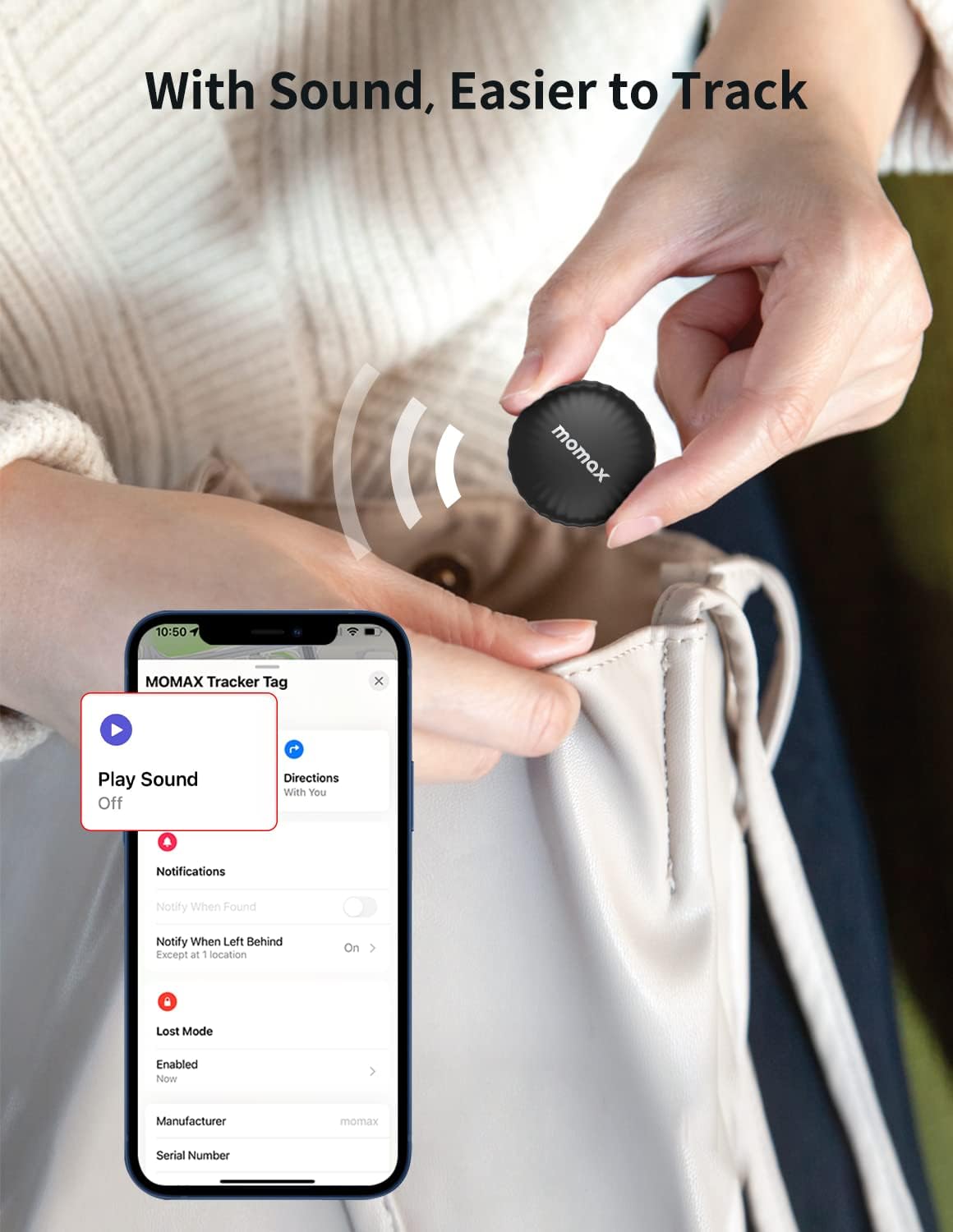
Image: A hand holding the MOMAX Key Finder near a bag, with an iPhone screen showing the "Play Sound" option in the Find My app, indicating sound-based tracking.
Tracking via Map
For items further away, the Find My app will show you the last known location on a map. You can get directions to the item's location directly from the app.

Image: An iPhone displaying a map with a route to the MOMAX Key Finder's location, demonstrating its ability to track items over distances.
Left-Behind Alert
Enable the "Notify When Left Behind" feature in the Find My app to receive an instant notification on your iPhone if you leave your tagged item too far away. This helps prevent loss.

Image: A MOMAX Key Finder attached to a backpack, with an iPhone displaying a "Left Behind" notification, illustrating the alert feature.
To set up Left-Behind Alert:
- In the Find My app, go to the "Items" tab and select your MOMAX Key Finder.
- Tap on "Notifications" and then toggle on "Notify When Left Behind".
- You can customize locations where you do not want to be notified (e.g., your home).

Image: Screenshots showing the steps to enable and customize the "Notify When Left Behind" feature in the Find My app.
Lost Mode
If your item is truly lost, activate "Lost Mode" in the Find My app. You can enter a contact phone number or email address. If someone finds your MOMAX Key Finder, they can tap it with an NFC-enabled smartphone to see your contact information and help return it.

Image: Screenshots detailing the process of activating Lost Mode, including entering contact information for a found item.
Preventing Unwanted Tracking
The MOMAX Key Finder is designed with privacy in mind. If an unfamiliar tracker tag is detected moving with you over time, your iOS device will notify you, and the tag will emit a sound to alert you to potential unwanted tracking.
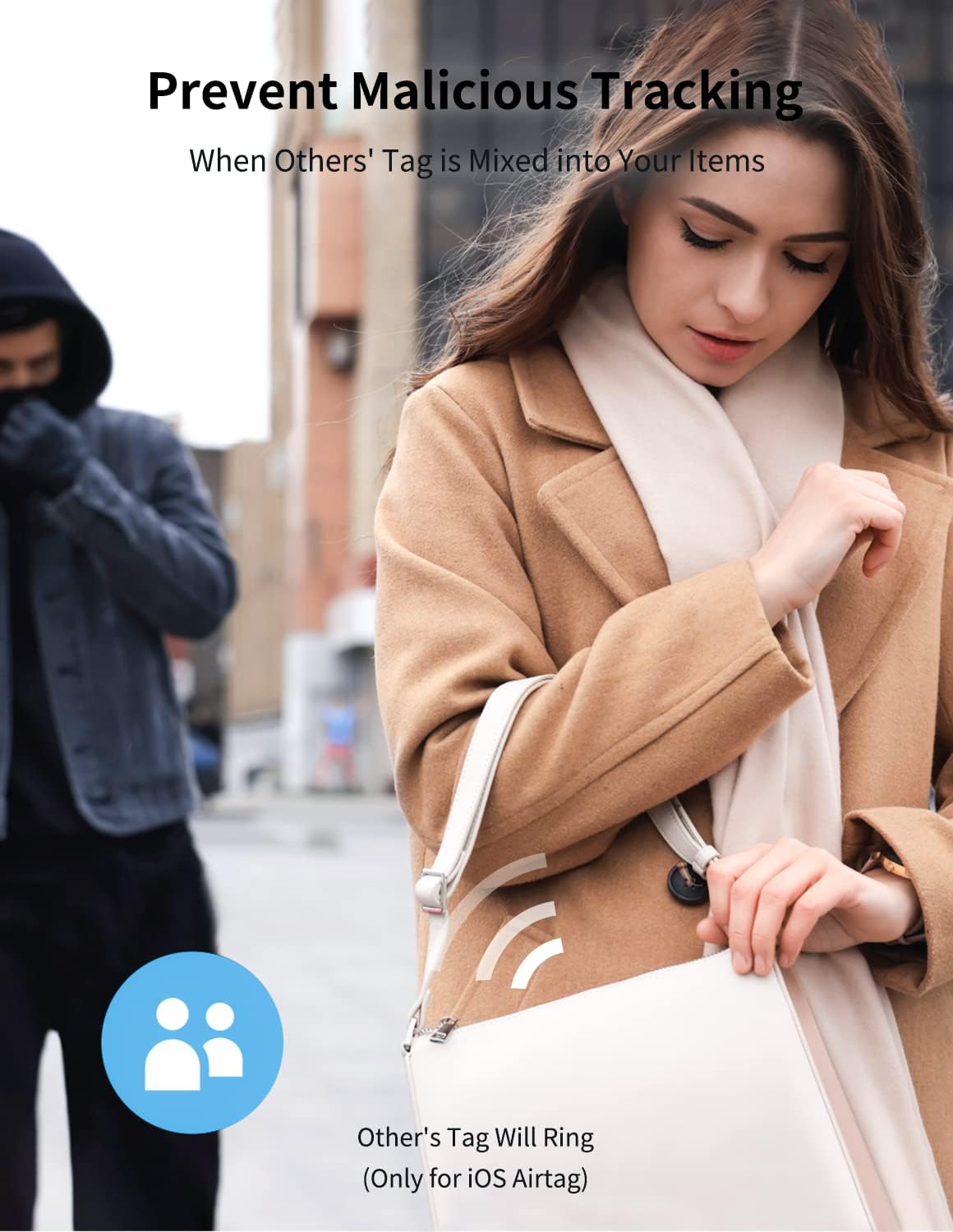
Image: An illustration depicting a person being alerted to an unfamiliar tracker tag, highlighting the anti-stalking feature.
Maintenance
Battery Replacement
The MOMAX Key Finder is powered by a standard CR2032 coin cell battery, which provides approximately one year of use. When the battery is low, you will receive a notification on your iOS device.
To replace the battery:
- Locate the battery cover on the back of the MOMAX Key Finder.
- Twist the cover counter-clockwise to unlock and remove it.
- Carefully remove the old CR2032 battery.
- Insert a new CR2032 battery with the positive (+) side facing upwards.
- Align the battery cover and twist it clockwise to secure it.

Image: An illustration showing the MOMAX Key Finder with a "365 Days" indicator, emphasizing its long-life and replaceable battery feature.
Troubleshooting
- Device Not Connecting to Find My:
Ensure Bluetooth is enabled on your iOS device. Make sure the MOMAX Key Finder's battery is not depleted. Try resetting the tag by removing and reinserting the battery. Move the tag closer to your iOS device during setup.
- Sound Alert is Faint:
The sound volume is designed to be audible in quiet environments. Ensure there are no obstructions muffling the sound. The sound is primarily for close-range location.
- Inaccurate Location:
The MOMAX Key Finder relies on the Find My network's Bluetooth signals. Accuracy can vary based on the density of Apple devices in the area and environmental factors. It does not use Ultra-Wideband (UWB) for precision finding like some other trackers.
- Battery Drains Quickly:
Ensure you are using a fresh, high-quality CR2032 battery. Excessive use of the sound feature or frequent "Left Behind" alerts in areas with poor signal can slightly reduce battery life.
Specifications
| Feature | Detail |
|---|---|
| Product Dimensions | 1.26 x 1.26 x 0.33 inches |
| Item Weight | 1.13 ounces |
| Model Number | BR5 |
| Battery Type | 1 CR2032 (replaceable) |
| Connectivity | Bluetooth |
| Compatible Devices | Apple Find My (iOS Only) |
| Color | Black |
| Manufacturer | Momax Technology (HongKong) Ltd. |
Warranty and Support
For specific warranty information regarding your MOMAX Key Finder, please refer to the documentation included with your purchase or visit the official MOMAX website. Warranty terms and conditions may vary by region.
For technical support, frequently asked questions, or further assistance, please visit the MOMAX Store on Amazon or the official MOMAX support channels.