
Introduction
Thank you for choosing the ANOUV Portable Charger. This 10000mAh power bank is designed for convenience and versatility, featuring built-in charging cables, multiple output ports, an LED display, and a dual LED flashlight. This manual provides essential information for safe and efficient use of your device.
Key Features
- Built-in Cables: Includes 3 built-in charging cables (Lightning, USB-C, Micro-USB) and 1 built-in USB-A cable for recharging the power bank itself.
- High Capacity: 10000mAh battery provides multiple charges for most smartphones and smart devices.
- Multiple Outputs: Features 5 output options (3 built-in cables + 2 USB-A ports) for simultaneous charging of various devices.
- Multiple Inputs: Can be recharged via the built-in USB-A cable, a USB-C port, or a Micro-USB port.
- Dual LED Flashlight: Integrated dual LED lights for emergency illumination.
- LED Digital Display: Clearly shows the remaining battery percentage.
- Compact & Slim Design: Portable and lightweight, ideal for travel.
- Safety Protection: Equipped with smart chip technology for short circuit, over-current, over-voltage, and over-heat protection.
Package Contents
- 1 x ANOUV 10000mAh Portable Power Bank (Model 618)
- 1 x User Manual
Product Overview

Image: Top view of the ANOUV Portable Charger highlighting its ports and flashlight.
The ANOUV Portable Charger features a sleek design with integrated cables and essential ports for convenient charging. Familiarize yourself with the components:
- Built-in Output Cables:
- Lightning Cable (for Apple devices)
- USB-C Cable (for modern Android devices and others)
- Micro-USB Cable (for older Android devices and accessories)
- Built-in Input Cable:
- USB-A Cable (for recharging the power bank)
- Output Ports:
- 2 x USB-A Output Ports (5V/2.4A)
- Input Ports:
- 1 x USB-C Input Port
- 1 x Micro-USB Input Port
- LED Digital Display: Shows battery percentage.
- Power Button: Activates the device and flashlight.
- Dual LED Flashlight: Provides illumination.

Image: The ANOUV Portable Charger showcasing its compact size and built-in cables.
Setup: Charging the Power Bank
Before first use, fully charge your ANOUV Portable Charger. For optimal performance, it is recommended to fully drain the power bank's original battery by charging your phone until it can no longer charge, then fully recharge the power bank to 100% and allow it to charge for an additional hour.

Image: The power bank being recharged using its built-in USB-A cable and an external USB-C cable.
You have multiple options to recharge the power bank:
- Using the Built-in USB-A Cable: Pull out the built-in USB-A cable and plug it into any USB wall adapter or computer USB port.
- Using the USB-C Input Port: Connect a USB-C cable (not included) to the power bank's USB-C input port and a compatible wall adapter.
- Using the Micro-USB Input Port: Connect a Micro-USB cable (not included) to the power bank's Micro-USB input port and a compatible wall adapter.
The LED digital display will show the charging progress. A full charge typically takes approximately 6 hours.
Operating Instructions
Charging Your Devices
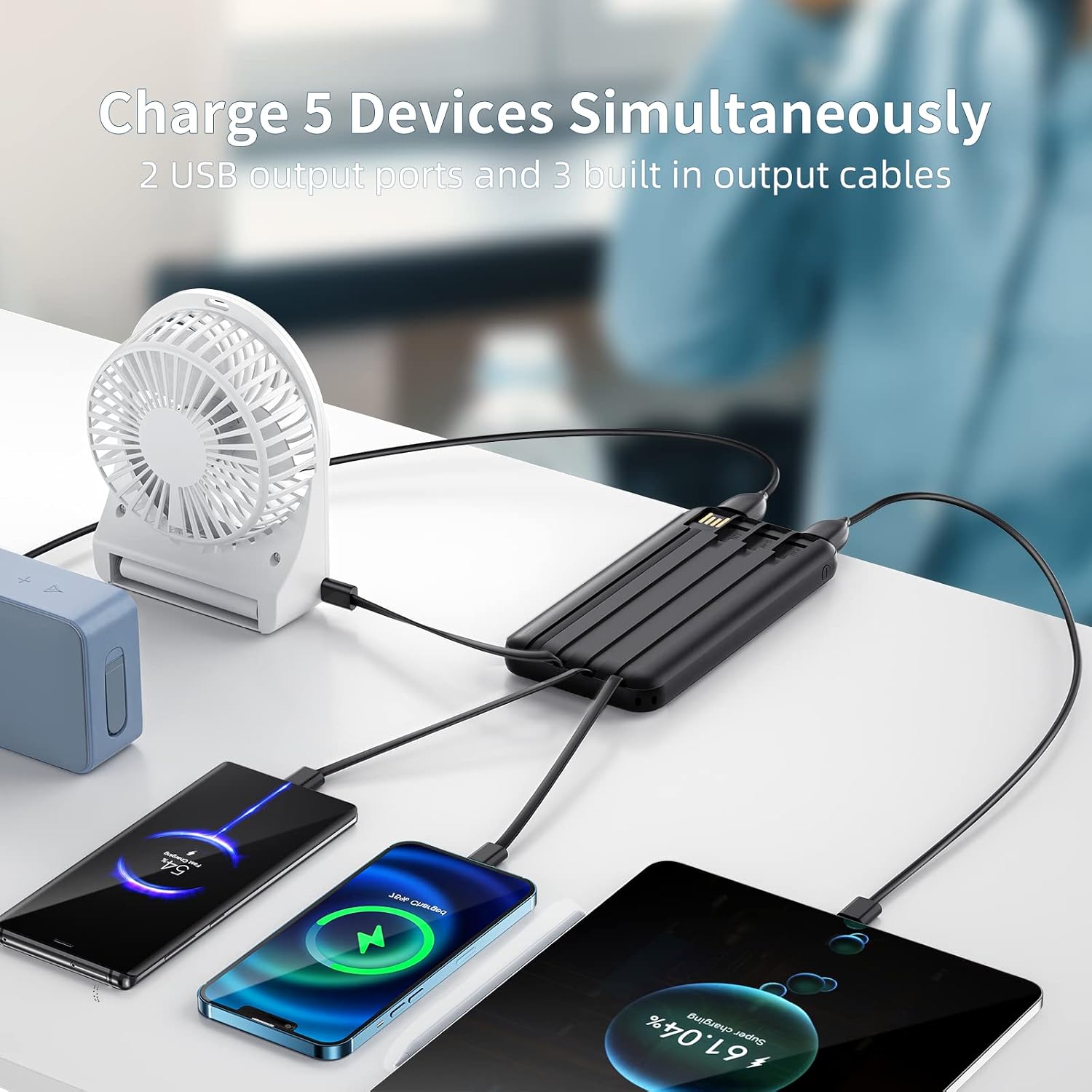
Image: The power bank connected to and charging a smartphone, a tablet, and wireless earbuds.
The ANOUV Portable Charger offers versatile charging options for your devices:
- Using Built-in Cables: Pull out the appropriate built-in cable (Lightning, USB-C, or Micro-USB) and plug it directly into your device. The power bank will automatically begin charging.
- Using USB-A Output Ports: Connect your device's charging cable (USB-A to your device's connector) to one of the two USB-A output ports on the power bank. The power bank will automatically begin charging.
You can charge up to 5 devices simultaneously using a combination of the built-in cables and USB-A output ports.
Using the Dual LED Flashlight

Image: The dual LED flashlight illuminated on the power bank.
To activate the dual LED flashlight, press and hold the power button for a few seconds. To turn it off, press and hold the power button again.
Charging Examples

Image: Infographic showing approximate charge capacities for various devices.
The 10000mAh capacity of the ANOUV Portable Charger can provide:
- Approximately 2 charges for an iPad Mini.
- Approximately 2.8 charges for a Samsung Galaxy S9.
- Approximately 13 charges for AirPods Pro.
- Approximately 2.5 charges for an iPhone 13 Pro.
Note: Actual charging times and number of charges may vary based on device battery size, usage, and environmental factors.
Specifications
| Feature | Detail |
|---|---|
| Model Number | 618 |
| Battery Capacity | 10000 Milliamp Hours (mAh) |
| Product Dimensions | 5.7 x 2.7 x 0.7 inches |
| Item Weight | 8.8 ounces |
| Connector Type | USB Type C (Input), Micro USB (Input), USB Type A (Output/Input) |
| Special Features | Built-in Cables, Digital Display, Flashlight, Slim Design |
| Color | Black |
| Batteries | 1 Lithium Ion battery required (included) |
Safety Information
- Do not expose the power bank to extreme temperatures (above 60°C/140°F or below 0°C/32°F).
- Avoid dropping, disassembling, or attempting to repair the device yourself.
- Keep away from water, moisture, and flammable materials.
- Store in a cool, dry place when not in use.
- Keep out of reach of children.
- Dispose of the power bank according to local regulations for electronic waste.
Troubleshooting
- Device not charging: Ensure the power bank is charged. Check cable connections. Try a different cable or port.
- Power bank not charging: Ensure the charging cable is properly connected to a power source. Try a different wall adapter or cable.
- LED display not working: Press the power button briefly to activate the display. If it remains off, the battery may be completely depleted or there may be a fault.
- Flashlight not working: Press and hold the power button for a few seconds to turn the flashlight on/off.
Maintenance
- Clean the power bank with a soft, dry cloth. Do not use liquid cleaners.
- Avoid exposing the device to direct sunlight for extended periods.
- If storing for a long time, charge the power bank to about 50-75% every 3 months to prolong battery life.
Warranty & Support
Your ANOUV Portable Charger comes with a 12-month quality warranty. If you encounter any problems or have questions regarding your product, please do not hesitate to contact us. We are committed to resolving your issue within 24 hours.
For support, please refer to the contact information provided with your purchase or visit the official ANOUV website.