
1. Product Overview
The Westinghouse iGen2550c Portable Inverter Generator is designed to provide reliable power for various applications, from emergency home backup to recreational use. It delivers 2,550 peak watts and 1,900 running watts, featuring clean power output suitable for sensitive electronics.

Figure 1.1: Front view of the Westinghouse iGen2550c Portable Inverter Generator, showcasing its compact blue design and control panel.
Key Features:
- Power Output: 2550 Peak Watts and 1900 Rated Watts.
- Clean Power: Less than 3% Total Harmonic Distortion (THD), safe for sensitive electronics.
- Lightweight & Portable: Weighs only 42.4 lbs with a built-in carrying handle.
- RV Ready: Equipped with one RV Ready TT-30R 30A outlet.
- Multiple Outlets: Includes two 120V 20 Amp outlets and two USB outlets.
- Quiet Operation: Operates as low as 52 dBA, quieter than average conversation.
- Fuel Efficiency: Up to 12 hours of run time on a 1.16-gallon gas tank with "Economy Mode".
- Digital Data Center: Rotating digital display shows fuel level, power output, remaining run time, and voltage output.
- Safety Features: Built-in low oil shutdown, overload protection, and CO Sensor.
- Parallel Capable: Can be paired with another Westinghouse Inverter Generator for increased power.

Figure 1.2: The iGen2550c in an outdoor setting, highlighting its quiet, portable, and powerful attributes for home use.
2. Safety Information
WARNING: Generators produce carbon monoxide, a colorless, odorless, poisonous gas. Operating a generator indoors can kill you in minutes. ALWAYS operate generators outdoors, far away from windows, doors, and vents.
General Safety Precautions:
- Read and understand the entire manual before operating the generator.
- Never operate the generator indoors, in a garage, or in any enclosed space.
- Ensure adequate ventilation when operating outdoors.
- Keep children and pets away from the generator during operation.
- Do not refuel a hot or running engine. Allow the generator to cool before adding fuel.
- Store fuel in an approved container in a well-ventilated area, away from ignition sources.
- Always ground the generator properly before use.
- Do not operate in wet conditions or expose to excessive moisture.
- The built-in CO Sensor will shut down the generator if carbon monoxide levels become unsafe. Do not disable or modify this sensor.
3. Setup and Initial Preparation
Before first use, the generator requires some initial setup, including adding engine oil and fuel.

Figure 3.1: Unboxing the iGen2550c: Included accessories for initial setup and maintenance.
What's Included:
- Westinghouse iGen2550c Inverter Generator
- Spark Plug Wrench
- Engine Oil & Funnel
- Screwdriver (Philips/Flat Head)
- Small Tool Bag
- Quick Start Guide
- Owner's Manual (this document)
Adding Engine Oil:
- Place the generator on a level surface.
- Locate the oil fill cap/dipstick.
- Using the provided funnel, carefully pour the recommended engine oil (typically 10W-30, refer to specifications) into the oil fill opening until it reaches the upper mark on the dipstick. Do not overfill.
- Replace the oil fill cap/dipstick securely.
Adding Fuel:
- Ensure the generator is turned off and cool.
- Open the fuel cap.
- Fill the fuel tank with fresh, unleaded gasoline (minimum 87 octane) up to the fill line, leaving space for expansion.
- Securely close the fuel cap.
4. Operating Instructions
Control Panel Overview:

Figure 4.1: Detailed view of the iGen2550c control panel with labeled components.
Starting the Generator:
- Place the generator on a firm, level, outdoor surface, away from combustible materials.
- Ensure all electrical devices are disconnected from the generator.
- Turn the fuel cap vent lever to the "ON" position.
- Turn the engine switch to the "ON" position.
- Pull the recoil starter handle firmly and smoothly until the engine starts.
- Allow the engine to warm up for a few minutes before connecting electrical loads.
Connecting Electrical Devices:
- Plug your devices into the appropriate outlets (120V AC 20A, TT-30R 30A, or USB).
- Do not exceed the generator's rated wattage (1900 running watts).
- The Digital Data Center will display power output and other vital information.
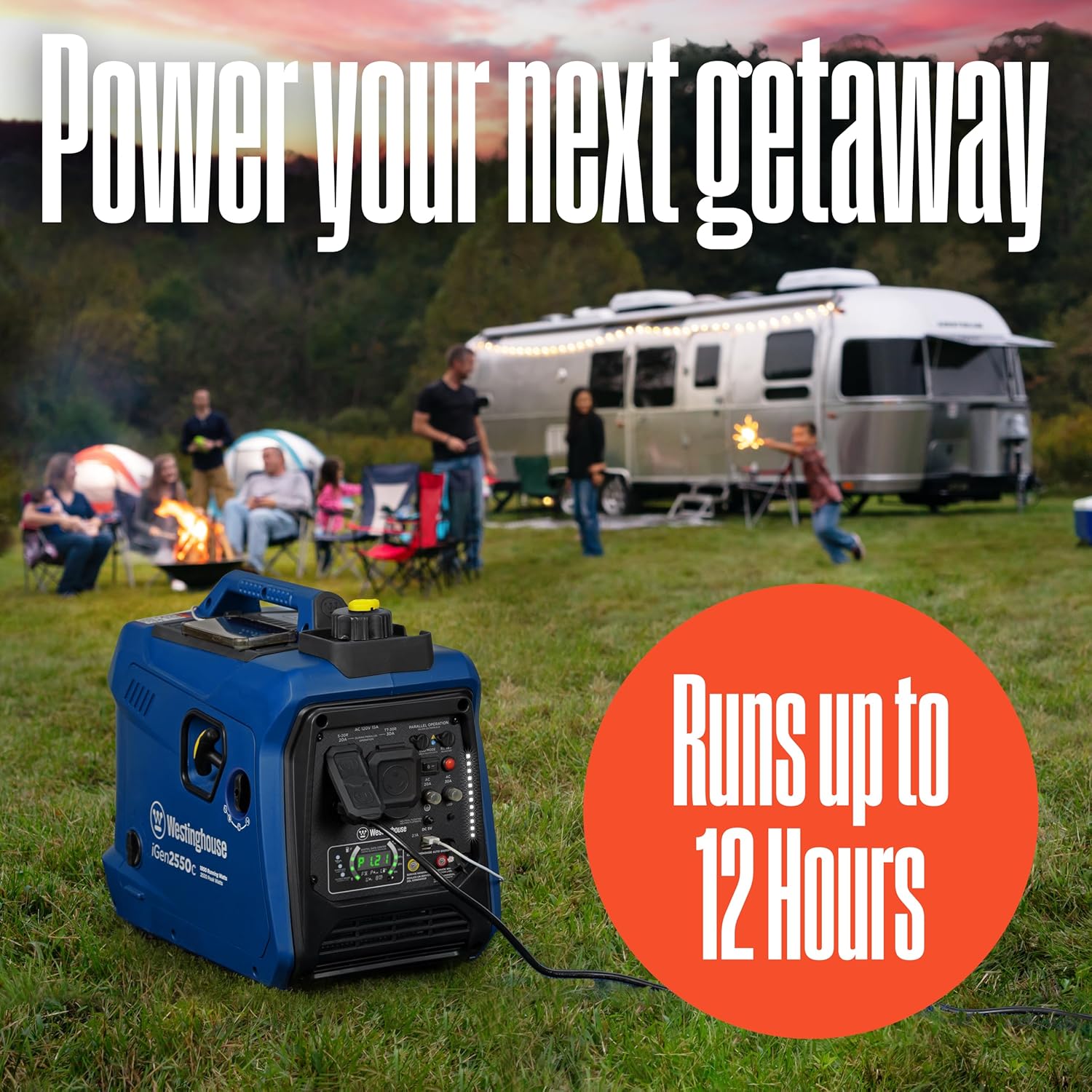
Figure 4.2: The iGen2550c providing power for outdoor activities, capable of running up to 12 hours.
Eco Mode:
The "Economy Mode" switch allows the generator to automatically adjust engine speed to match the load, improving fuel efficiency and reducing noise when less power is required. Flip the switch to "ON" for economy mode, or "OFF" for full power output.
Parallel Operation:
The iGen2550c is parallel capable, allowing you to connect two compatible Westinghouse inverter generators to double your power output. Refer to the parallel kit's instructions for detailed setup.

Figure 4.3: Two iGen2550c units connected for increased power output.
5. Maintenance
Regular maintenance ensures the longevity and optimal performance of your generator.
Maintenance Schedule:
| Item | Frequency | Action |
|---|---|---|
| Engine Oil | First 20 hours / Every 50 hours or 6 months thereafter | Change |
| Air Filter | Every 50 hours or 6 months | Clean / Replace if necessary |
| Spark Plug | Every 100 hours or annually | Inspect / Clean / Replace |
| Fuel Filter | Annually or as needed | Inspect / Replace |
| General Inspection | Before each use | Check for loose fasteners, fuel leaks, and general condition. |
Always use genuine Westinghouse replacement parts or equivalents. For detailed instructions on each maintenance task, refer to the specific sections in the full owner's manual.
6. Troubleshooting
This section provides solutions to common operational issues. For more complex problems, contact customer support.
Common Issues and Solutions:
- Generator will not start:
- Check fuel level and ensure fresh gasoline is used.
- Verify engine switch is in the "ON" position.
- Ensure fuel cap vent lever is in the "ON" position.
- Check engine oil level; low oil shutdown may be activated.
- Inspect spark plug for fouling or damage.
- No power output:
- Check if the circuit breakers have tripped. Reset if necessary.
- Ensure the generator is not overloaded. Reduce connected loads.
- Verify all connections are secure.
- Engine runs rough or stalls:
- Check fuel quality and ensure it's not stale.
- Clean or replace the air filter.
- Inspect the spark plug.
- Ensure the generator is not operating in an enclosed space (CO Sensor may activate).
- Overload Indicator Light is on:
- Disconnect all loads immediately.
- Press the Overload Reset button.
- Reduce the total wattage of connected devices before reconnecting.
7. Specifications
| Attribute | Value |
|---|---|
| Brand | Westinghouse |
| Model Name | Inverter Generators (iGen2550c) |
| Wattage (Peak) | 2550 Watts |
| Wattage (Running) | 1900 Watts |
| Fuel Type | Gasoline |
| Power Source | Fuel Powered |
| Item Weight | 42.3 Pounds |
| Voltage | 120 Volts |
| Product Dimensions | 21"L x 13"W x 21"H |
| Engine Type | 4 Stroke |
| Ignition System Type | Recoil start |
| Tank Volume | 1.16 Gallons |
| Runtime | 12 hours (at 25% load) |
| Total Power Outlets | 2 (plus 2 USB) |
| Frequency | 60 Hz |
| Special Features | Overload Protection, Automatic Voltage Regulation, Hour Meter, Fuel Gauge, CO Sensor, USB Port |

Figure 7.1: Product dimensions for the iGen2550c.
8. Warranty and Support
The Westinghouse iGen2550c Portable Inverter Generator is backed by a 3-year limited warranty. Westinghouse also provides lifetime technical support for this product.
For warranty claims, technical assistance, or to purchase replacement parts, please contact Westinghouse Outdoor Power Equipment customer service. Refer to the contact information provided in your Quick Start Guide or visit the official Westinghouse website.
All Westinghouse Portable Generators are functionally tested in the factory and may contain minimum residual oil and/or fuel odor. This is normal and does not indicate a defect.