
COSTWAY 10231US-WH-CYES
COSTWAY 4L Ultrasonic Humidifier Instruction Manual
Model: 10231US-WH-CYES
1. Important Safety Instructions
Please read and save these important safety instructions before using the humidifier. Failure to follow these instructions may result in electric shock, fire, or serious injury.
- Always place the humidifier on a firm, flat, water-resistant surface away from direct sunlight and heat sources.
- Do not place the humidifier directly on carpet, wood floors, or surfaces that may be damaged by water or moisture.
- Keep the humidifier out of reach of children and pets.
- Do not immerse the humidifier base in water or other liquids.
- Unplug the humidifier from the power outlet before filling, cleaning, or moving it.
- Do not add essential oils directly into the water tank. Use only the designated aromatherapy box.
- Do not block the mist outlet or air intake vents.
- If the humidifier runs out of water, it will automatically shut off and send an alarm, ensuring safety and preventing damage.
- Use only clean, cool tap water. Distilled or demineralized water is recommended to prevent mineral buildup.
- Do not attempt to repair or disassemble the humidifier yourself. Contact qualified service personnel.
2. Product Overview
2.1 Components
- Humidifier Unit
- Power Adapter
- Instruction Manual
2.2 Features
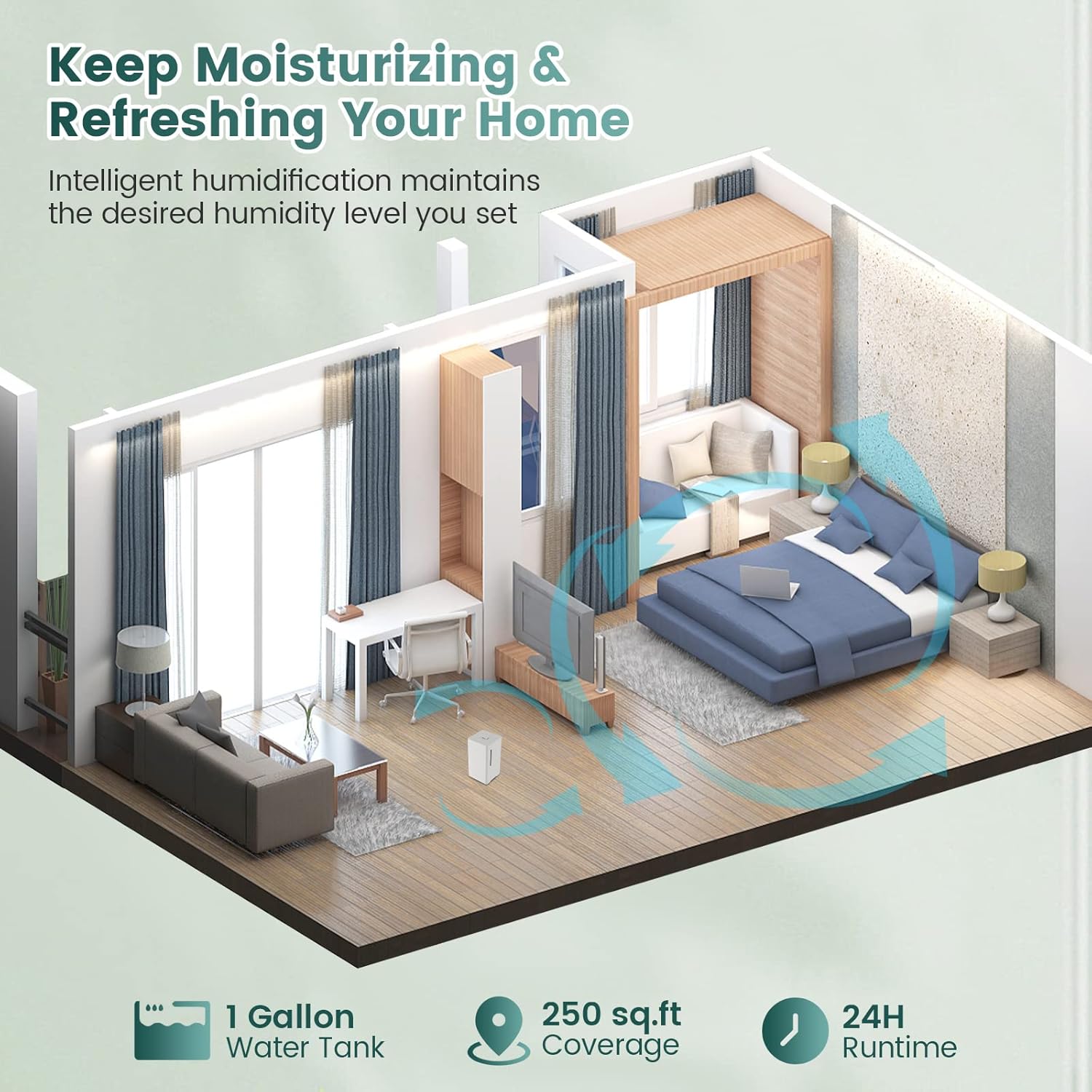
- 4L Large Capacity Water Tank: Provides up to 24 hours of continuous humidification.
- 2 Mist Output Levels: Choose between Low (160ml/h) and High (210ml/h) to meet your needs.
- Top-Fill Design: Convenient for adding water and effortless cleaning.
- 360° Rotatable Mist Nozzle: Efficiently humidifies the entire room.
- Essential Oil Diffuser: Integrated aromatherapy box for adding essential oils.
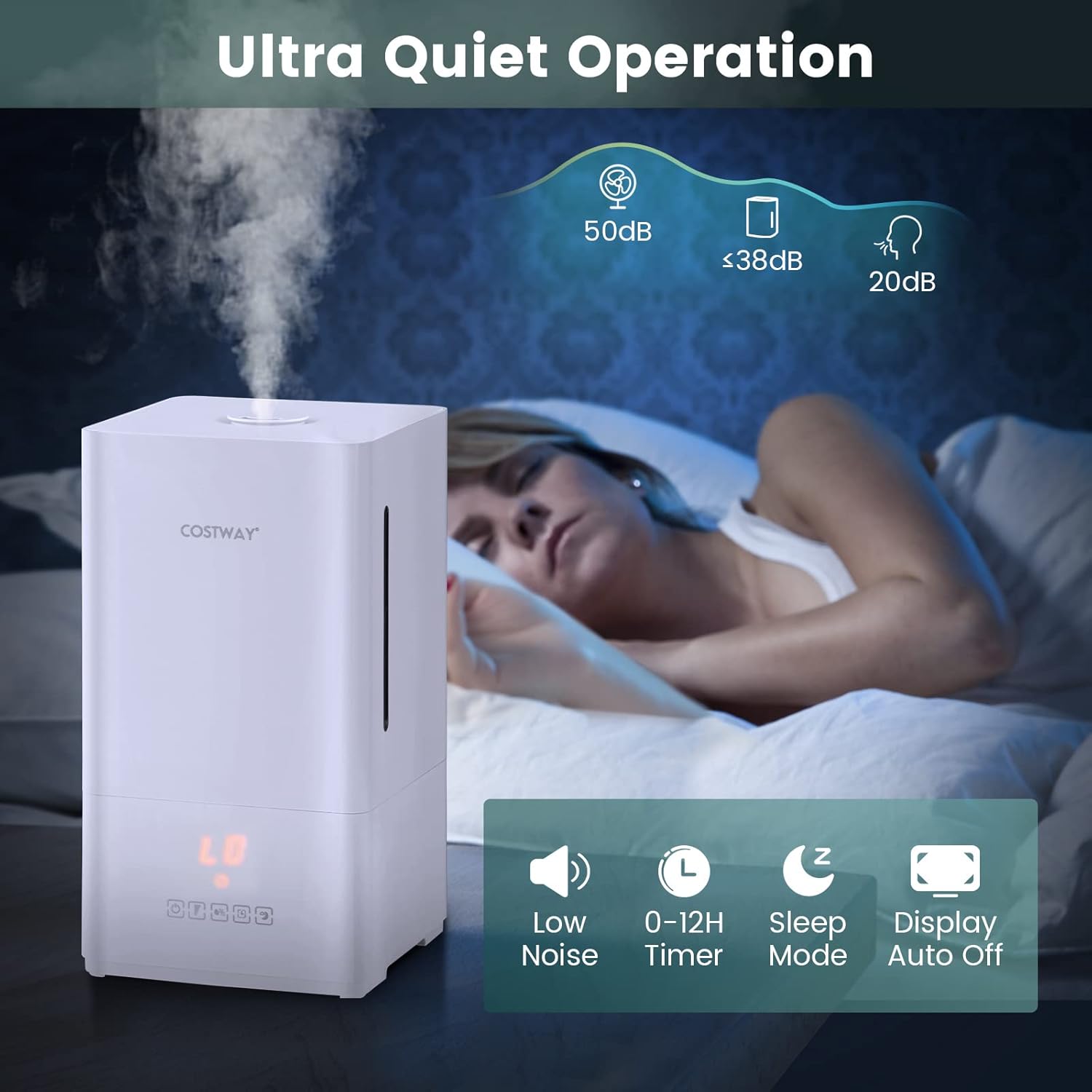
- 0-12 Hour Timer: Allows for scheduled operation and energy saving.
- Adjustable Humidity Range: Maintain desired humidity levels between 40% and 70%.
- Ultra Quiet Operation: Operates at less than 38dB for undisturbed sleep.
- Sleep Mode: Dims LED display for a comfortable night.
- LED Touch Control Panel: Easy and intuitive operation.
- Water Shortage Protection: Automatic shut-off and alarm when water runs out.
- BPA-Free & Clean Mist: Safe for babies and pets.
2.3 Product Visuals
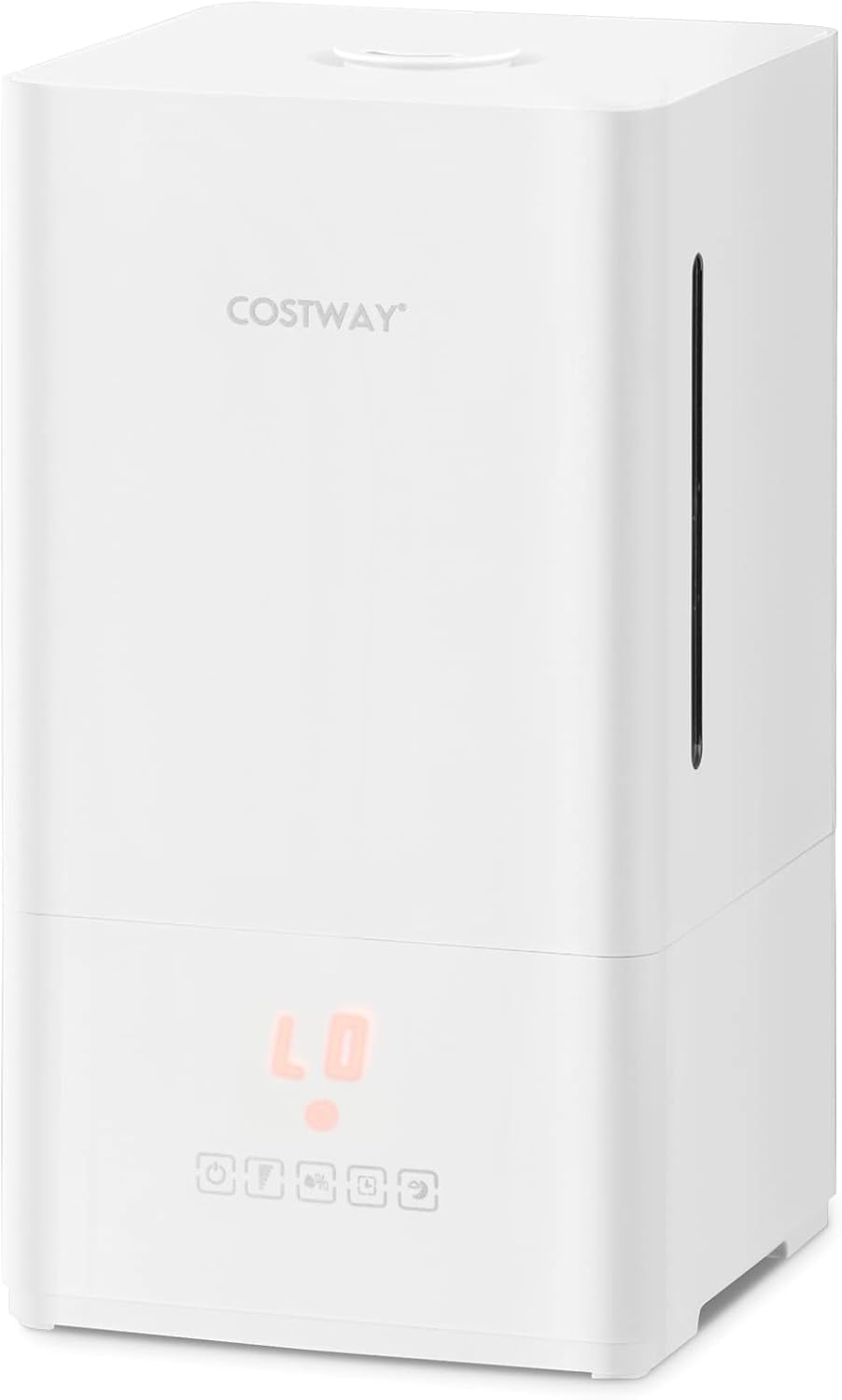





3. Setup
3.1 Unpacking
- Carefully remove the humidifier and all accessories from the packaging.
- Inspect the unit for any signs of damage. If damaged, do not use and contact customer support.
- Retain the packaging for future storage or transport.
3.2 Placement
- Place the humidifier on a flat, stable, and water-resistant surface at least 6 inches (15 cm) away from walls and furniture.
- Ensure the mist outlet is not directed towards walls, furniture, or electronic devices.
- Ideal for bedroom, living room, office, and nursery.
3.3 Filling the Water Tank
- Ensure the humidifier is unplugged from the power outlet.
- Remove the top cover of the humidifier.
- Pour clean, cool tap water directly into the water tank. Do not exceed the MAX water level indicator.
- Replace the top cover securely.
4. Operating Instructions
The humidifier features an intuitive LED touch control panel for easy operation.
- Power On/Off: Plug the power adapter into a suitable electrical outlet. Touch the Power button () to turn the humidifier on or off. The LED display will illuminate.
- Adjust Mist Output: Touch the Mist Output button () to cycle between Low and High mist levels. The display will show 'LO' for low and 'HI' for high.
- Set Humidity Level: Touch the Humidity button () to set your desired humidity level between 40% and 70%. The humidifier will automatically maintain this level.
- Set Timer: Touch the Timer button () to set the operating time from 0 to 12 hours. Each touch increases the timer by 1 hour. The humidifier will automatically turn off when the set time expires.
- Activate Sleep Mode: Touch the Sleep Mode button () to enter sleep mode. In this mode, the LED display will dim automatically and turn off after 30 seconds to ensure a peaceful sleeping environment.
- Using the Essential Oil Diffuser: Locate the aromatherapy box, usually a small tray or compartment, on the side or back of the humidifier. Add a few drops of your favorite essential oil to the aromatherapy box. Do not add essential oils directly into the water tank.
5. Maintenance and Cleaning
Regular cleaning is essential to maintain optimal performance and hygiene of your humidifier.
5.1 Daily Maintenance
- Unplug the humidifier before cleaning.
- Empty any remaining water from the tank.
- Wipe the water tank and base with a clean, damp cloth.
- Refill with fresh, cool water.
5.2 Weekly Cleaning
- Unplug the humidifier.
- Remove the top cover and empty the water tank.
- Pour 1 cup of white vinegar into the water tank and let it soak for 30 minutes to loosen mineral buildup.
- Use a soft brush or cloth to clean the inside of the tank and the ultrasonic transducer (the small disc at the bottom of the tank).
- Rinse the tank thoroughly with clean water until the vinegar smell is gone.
- Wipe the exterior of the unit with a soft, damp cloth.
- Clean the aromatherapy box with a damp cloth and allow it to air dry.
5.3 Storage
- Before storing, ensure the humidifier is completely clean and dry.
- Store the unit in a cool, dry place, preferably in its original packaging.
6. Troubleshooting
| Problem | Possible Cause | Solution |
|---|---|---|
| No mist or low mist output. |
|
|
| Unusual noise. |
|
|
| Water leakage. |
|
|
| Humidifier turns off unexpectedly. |
|
|
7. Specifications
| Model: | 10231US-WH-CYES |
| Color: | White |
| Material: | ABS |
| Product Dimensions (L x W x H): | 7" x 7" x 12.5" (17 cm x 17 cm x 31.5 cm) |
| Net Weight: | 3 lbs (1.4 kg) |
| Rated Power: | 22W |
| Voltage: | 120V |
| Rated Frequency: | 50/60Hz |
| Rated Humidification: | 280ml/h |
| Water Tank Capacity: | 4 L (1 Gallon) |
| Adjustable Humidity Range: | 40% - 70% |
| Length of Power Cord: | 5.9 ft (180 cm) |
| Coverage Area: | 23㎡ (250 sq.ft) |
| Runtime: | 24H (low mist level) / 18H (high mist level) |
| Timer: | 0-12 Hours |
| Noise Level: | ≤38 dB |
8. Warranty and Support
Specific warranty information may vary by region and retailer. Please refer to the warranty card included with your purchase or contact your point of sale for details.
For technical support, troubleshooting assistance, or replacement parts, please contact COSTWAY customer service. Contact information can typically be found on the product packaging or the official COSTWAY website.