
Focket Focketyrenfwqgsi
Focket Motorcycle Tire Pressure Monitoring System (TPMS) User Manual
Model: Focketyrenfwqgsi
1. Introduction
This manual provides detailed instructions for the installation, operation, and maintenance of your Focket Motorcycle Tire Pressure Monitoring System (TPMS). This system is designed to enhance riding safety by providing real-time monitoring of your motorcycle's tire pressure and temperature, as well as battery voltage. It features a high-definition LCD display, is waterproof and dustproof, and includes two external sensors for convenient use in various weather conditions.
Key Features:
- High-definition LCD display for clear tire pressure and temperature readings.
- Integrated QC3.0 USB quick charging output for mobile phones and cameras.
- Battery voltage monitoring with low power reminder.
- Loud audible alarm for critical warnings.
- Multiple tire pressure units selectable.
- Long reception distance and stable signal transmission.
- Waterproof and dustproof design for all-weather use.
2. Package Contents
Please check the package contents upon unboxing to ensure all items are present:
- 1 × Tire Pressure Monitoring System Display Unit
- 1 × Support Bracket
- 2 × External Sensors (Front Wheel 'FW' and Rear Wheel 'RW')
- 1 × User Manual
- 3 × Accessories (e.g., sensor wrench, anti-theft nuts, USB cable)
3. Setup and Installation
The Focket TPMS is designed for simple installation. Follow these steps:
3.1 Mounting the Display Unit
- Attach the support bracket to your motorcycle's handlebar or a suitable mounting point. Ensure it is securely fastened and does not obstruct your view or controls.
- Slide the TPMS display unit onto the bracket until it clicks into place. Adjust the viewing angle for optimal visibility.
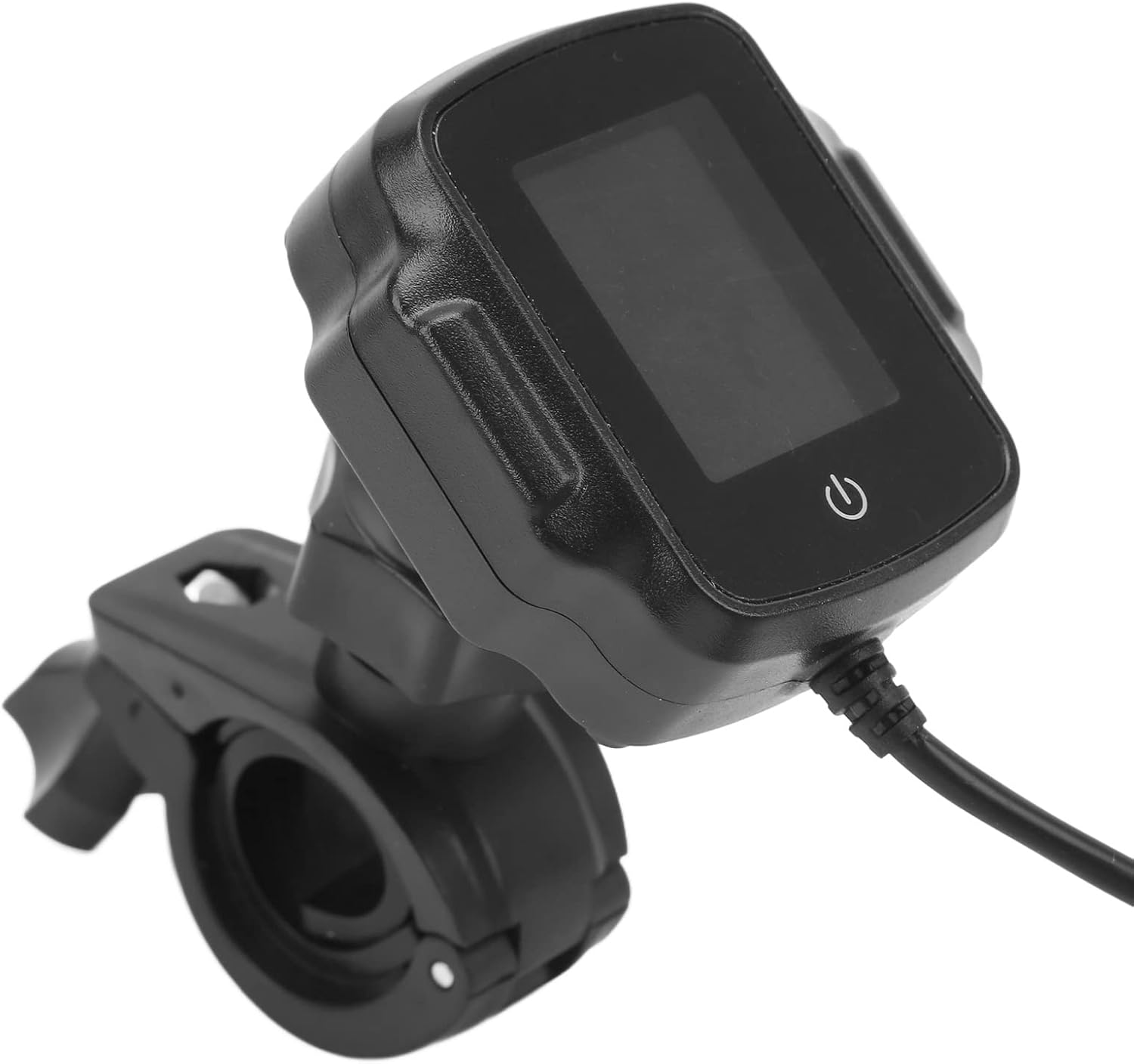
Image: The TPMS display unit securely mounted on a handlebar bracket.
3.2 Wiring the Power Supply
- Connect the red wire from the display unit's power cable to the motorcycle's positive (+) 12V power source (e.g., ignition-switched power).
- Connect the black wire to the motorcycle's negative (-) ground. Ensure connections are secure and insulated.

Image: The TPMS display unit showing its power cable with red and black wires for electrical connection.
3.3 Installing the External Sensors
- Identify the 'FW' (Front Wheel) and 'RW' (Rear Wheel) sensors.
- Unscrew the original valve caps from your motorcycle's tires.
- Screw on the anti-theft nuts onto the tire valve stems.
- Screw the corresponding 'FW' sensor onto the front tire valve stem and the 'RW' sensor onto the rear tire valve stem.
- Tighten the anti-theft nuts against the sensors using the provided wrench to secure them.
- Check for any air leaks.

Image: Close-up of the two external sensors, clearly marked 'FW' for front wheel and 'RW' for rear wheel.
4. Operating Instructions
Once installed, the TPMS unit will automatically power on with your motorcycle's ignition. The display will show real-time tire pressure, temperature, and battery voltage.
4.1 Display Overview
The LCD screen provides clear, digital readings. It typically shows:
- Tire Pressure: Displayed in your selected unit (e.g., Bar, PSI).
- Tire Temperature: Displayed in Celsius or Fahrenheit.
- Motorcycle Battery Voltage: Indicates the current voltage of your motorcycle's battery.
- Sensor Battery Indicator: Shows the battery status of each external sensor.

Image: A detailed view of the TPMS display, illustrating the digital readouts for tire pressure, temperature, and motorcycle battery voltage.
4.2 Power On/Off and Settings
- Power On: The unit powers on automatically with the motorcycle's ignition.
- Power Off: The unit powers off automatically when the motorcycle's ignition is turned off.
- Settings: Refer to the included quick start guide for specific button functions to adjust pressure units (Bar/PSI), temperature units (C/F), and alarm thresholds. Typically, a long press on the power button (⑂) enters settings mode.

Image: The side of the TPMS display unit, highlighting the USB charging port and the power/menu button.
4.3 Alarm Functions
The system will provide an audible and visual alarm under the following conditions:
- High Pressure Alarm: Tire pressure exceeds the preset upper limit.
- Low Pressure Alarm: Tire pressure falls below the preset lower limit.
- High Temperature Alarm: Tire temperature exceeds the preset upper limit.
- Fast Leak Alarm: Rapid decrease in tire pressure.
- Sensor Low Battery Alarm: Indicates that a sensor's battery is low and needs replacement.
- Motorcycle Battery Low Voltage Alarm: Indicates low voltage from the motorcycle's power supply.
When an alarm is triggered, the display will flash the relevant information, and an audible alert will sound. Address the issue immediately for safe riding.
5. Maintenance
5.1 Sensor Battery Replacement
The external sensors use CR1632 button cell batteries. When a sensor low battery alarm occurs, replace the battery:
- Unscrew the sensor from the tire valve stem.
- Carefully open the sensor casing (usually by twisting or prying gently).
- Remove the old CR1632 battery and insert a new one, ensuring correct polarity.
- Close the sensor casing securely and re-install it on the tire valve stem, tightening the anti-theft nut.
5.2 Cleaning
Wipe the display unit and sensors with a soft, damp cloth. Do not use abrasive cleaners or solvents. Ensure the USB charging port cover is properly sealed to maintain waterproofing.
5.3 Weather Resistance
The unit is designed to be waterproof and dustproof for use in various weather conditions. However, avoid prolonged submersion or high-pressure water jets directly on the unit or sensors.
6. Troubleshooting
If you encounter issues with your TPMS, refer to the following common problems and solutions:
| Problem | Possible Cause | Solution |
|---|---|---|
| Display not turning on | No power supply; loose wiring. | Check power connections (red to 12V+, black to ground). Ensure motorcycle ignition is on. |
| No tire pressure/temperature reading | Sensor not installed correctly; sensor battery low/dead; signal interference. | Ensure sensors are tightly screwed on. Replace sensor battery if indicated. Move motorcycle to an open area to check for signal. Drive for a few minutes for sensors to activate. |
| Inaccurate readings | Sensor not calibrated; external factors. | Verify tire pressure with a reliable gauge. Readings update periodically, not instantly. Ensure sensors are correctly paired (FW/RW). |
| Alarm sounds frequently | Tire pressure/temperature outside safe limits; alarm thresholds set too narrow. | Check tire pressure and temperature. Adjust alarm thresholds in settings if necessary (refer to quick start guide). |
| Condensation on display | Extreme temperature changes; seal compromise. | This can occur with rapid temperature shifts. If persistent or severe, check for damage to the unit's seals. |
7. Specifications
| Feature | Specification |
|---|---|
| Product Type | Motorcycle Tire Pressure Monitoring System (TPMS) |
| Display | High-definition LCD |
| Sensor Battery | 2 x CR1632 120mAh 3.0V button cells (integrated) |
| Storage Temperature | -30°C ~ 85°C (-22°F ~ 185°F) |
| Operating Temperature | -30°C ~ 80°C (-22°F ~ 176°F) |
| Operating Voltage | DC 12V (USB external charging) |
| Frequency | 433.92MHz ± 20.00MHz |
| Air Pressure Adjustment Range | 1.0 ~ 5.9 Bar |
| Dimensions (Shipping) | 15.8 x 14 x 4.4 cm |
| Item Weight | 150 g |
| Model Number | Focketyrenfwqgsi |
8. Warranty and Support
For warranty information, please refer to the terms and conditions provided by your retailer at the time of purchase. If you require technical support or have questions not covered in this manual, please contact the Focket customer service or your product retailer.
Ask a question about this manual
Ask about setup, troubleshooting, compatibility, parts, safety, or missing instructions. Manuals+ will review the question and use this page’s manual context to help answer it.