
Introduction
Thank you for choosing the Pfister Tenet LG42-TNT2B Single Hole Bathroom Faucet. This manual provides essential information for the proper installation, operation, and maintenance of your new faucet. Please read all instructions carefully before beginning installation and keep this manual for future reference.
Safety Information
- Always turn off the main water supply before installing or performing any maintenance on the faucet.
- Wear safety glasses and gloves during installation to prevent injury.
- If you are unsure about any part of the installation process, consult a qualified plumber.
- Ensure all connections are secure to prevent leaks.
- Do not use harsh chemicals or abrasive cleaners on the faucet finish, as this may damage it.
Package Contents
Verify that all components are present before beginning installation:
- Faucet Body (Gooseneck Spout, Single Handle)
- Mounting Hardware (Washer, Nut, Gasket)
- Hot and Cold Water Supply Lines
- Drain Assembly (Pop-up drain)
- User Manual
Tools Required
The following tools are typically required for installation:
- Adjustable Wrench
- Phillips Screwdriver
- Plumber's Putty or Silicone Sealant
- Flashlight (optional)
- Basin Wrench (optional)
Setup and Installation
This faucet is designed for single-hole, deck-mounted installation on a sink or countertop.
- Prepare the Sink: Ensure the mounting surface is clean and free of debris. If replacing an old faucet, remove it and clean the area thoroughly.
- Install the Faucet Body: Place the faucet body through the single hole in the sink or countertop. Ensure the gasket is properly seated between the faucet base and the mounting surface to create a watertight seal.
- Secure the Faucet: From underneath the sink, slide the rubber washer, then the metal washer, onto the threaded shank of the faucet. Hand-tighten the mounting nut, then use an adjustable wrench to secure it firmly, ensuring the faucet is aligned correctly.
- Connect Water Supply Lines: Attach the hot and cold water supply lines to the corresponding inlets on the faucet body. Connect the other ends of the supply lines to your hot and cold water shut-off valves. Hand-tighten, then use a wrench for a final quarter-turn, being careful not to overtighten.
- Install Drain Assembly: Follow the instructions provided with your specific drain assembly. Typically, this involves applying plumber's putty or silicone sealant around the drain flange, inserting it into the sink drain hole, and securing it from underneath with a gasket and nut. Connect the drain tailpiece to your P-trap.
- Test for Leaks: Once all connections are made, slowly turn on the main water supply. Check all connections for leaks. Run the faucet for a few minutes to flush out any debris and recheck for leaks.
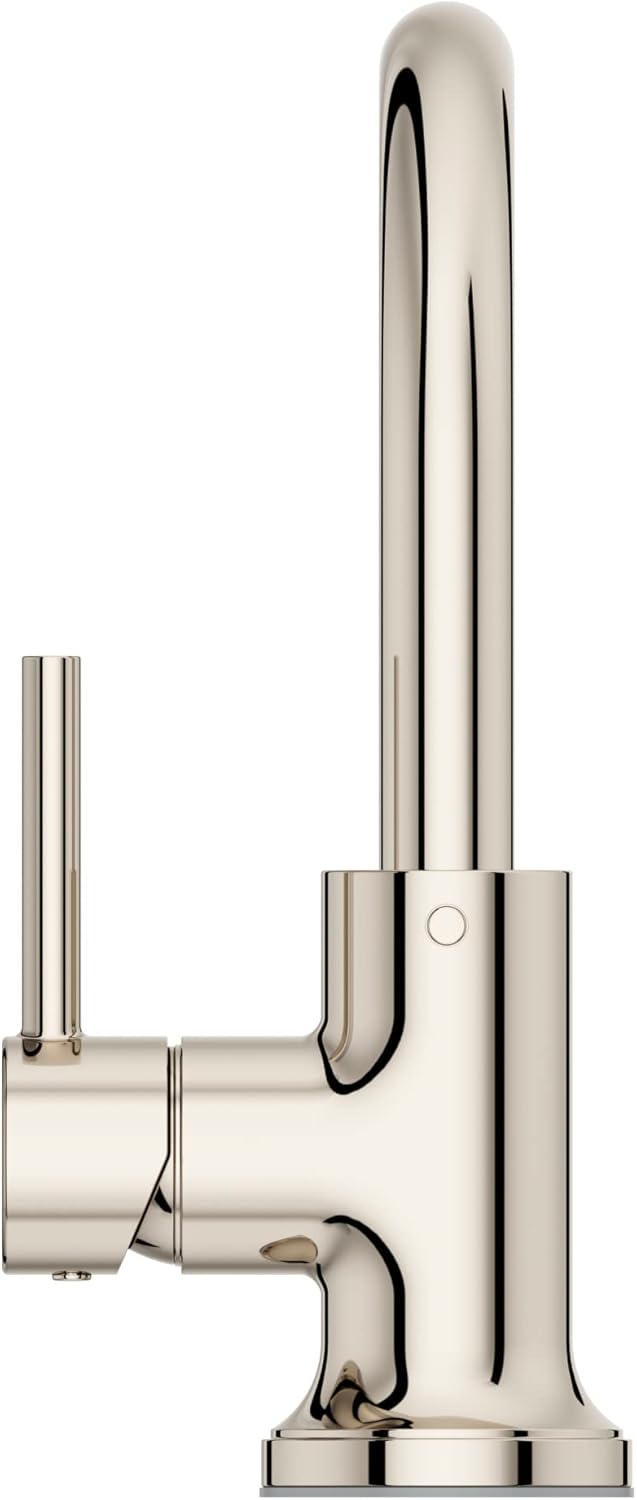
Image: Front view of the Pfister Tenet single-handle bathroom faucet in Matte Black, showing the gooseneck spout and lever handle.

Image: Side view of the Pfister Tenet single-handle bathroom faucet, highlighting the lever handle mechanism.
Operating Instructions
The Pfister Tenet faucet features a single lever handle for controlling both water flow and temperature.
- Turning On/Off: Lift the lever handle upwards to turn on the water. Push the lever handle downwards to turn off the water.
- Adjusting Water Flow: The further you lift the lever handle, the greater the water flow.
- Adjusting Water Temperature: Move the lever handle to the left for hot water and to the right for cold water. The center position provides a mix of hot and cold water.

Image: The Pfister Tenet faucet installed in a bathroom setting, with water flowing from the gooseneck spout.
Maintenance
Proper care will ensure the longevity and appearance of your Pfister Tenet faucet.
- Cleaning the Finish: Clean the Matte Black finish with a soft, damp cloth. For stubborn spots, use a mild soap and water solution, then rinse thoroughly and dry with a soft cloth.
- Avoid Abrasives: Do not use abrasive cleaners, harsh chemicals, or scouring pads, as these can scratch or damage the finish.
- Aerator Maintenance: If water flow decreases, the aerator may be clogged. Unscrew the aerator from the spout, clean any debris or mineral deposits, and reattach it.
Troubleshooting
| Problem | Possible Cause | Solution |
|---|---|---|
| Low Water Flow | Clogged aerator; partially closed shut-off valves; kinked supply lines. | Clean aerator; fully open shut-off valves; check and straighten supply lines. |
| Leaking at Faucet Base | Loose mounting nut; improperly seated gasket. | Tighten mounting nut; ensure gasket is correctly positioned. |
| Leaking from Handle | Worn cartridge. | Contact Pfister customer support for a replacement cartridge. |
| Water Temperature Issues | Incorrect supply line connection; water heater issues. | Verify hot and cold supply lines are connected correctly; check water heater settings. |
Specifications
- Brand: Pfister
- Model Number: LG42-TNT2B
- Style Name: Tenet
- Finish: Matte Black
- Material: Metal
- Mounting Type: Single Hole, Deck Mounted
- Number of Handles: 1 (Lever Handle)
- Spout Design: Gooseneck
- Valve Type: Cartridge Valve
- Recommended Use: Bathroom
- Item Weight: 3.44 Pounds
Warranty and Support
This Pfister faucet is covered under a Limited Lifetime Warranty. For specific warranty details, claims, or technical support, please contact Pfister customer service directly. You can find contact information on the official Pfister website or by referring to the packaging materials.
For additional resources and product information, visit the official Pfister website: www.pfisterfaucets.com


