
Introduction
Thank you for purchasing the Shinebella FT9D D Battery Powered Camping Fan. This versatile fan is designed to provide powerful airflow, illumination, and convenience for various indoor and outdoor settings. Please read this manual thoroughly before use to ensure proper operation and maintenance.
Important Safety Instructions
- Always ensure the fan is placed on a stable, flat surface to prevent tipping.
- Do not insert fingers or any objects into the fan grille when it is operating.
- Keep the fan away from water or other liquids to avoid electric shock.
- Do not operate the fan with a damaged cord or plug.
- Use only D-cell batteries as specified. Do not mix old and new batteries or different types of batteries.
- Remove batteries if the fan will not be used for an extended period.
- Keep out of reach of children.
Package Contents
Upon unpacking, please verify that all items listed below are included:
- 1 x Shinebella FT9D Camping Fan
- 1 x USB-C Charging Cable
- 1 x User Manual
Product Overview
The Shinebella FT9D is an 8.5-inch portable fan designed for convenience and performance. It features dual power sources, adjustable fan speed, multiple LED light modes, and a timer function.
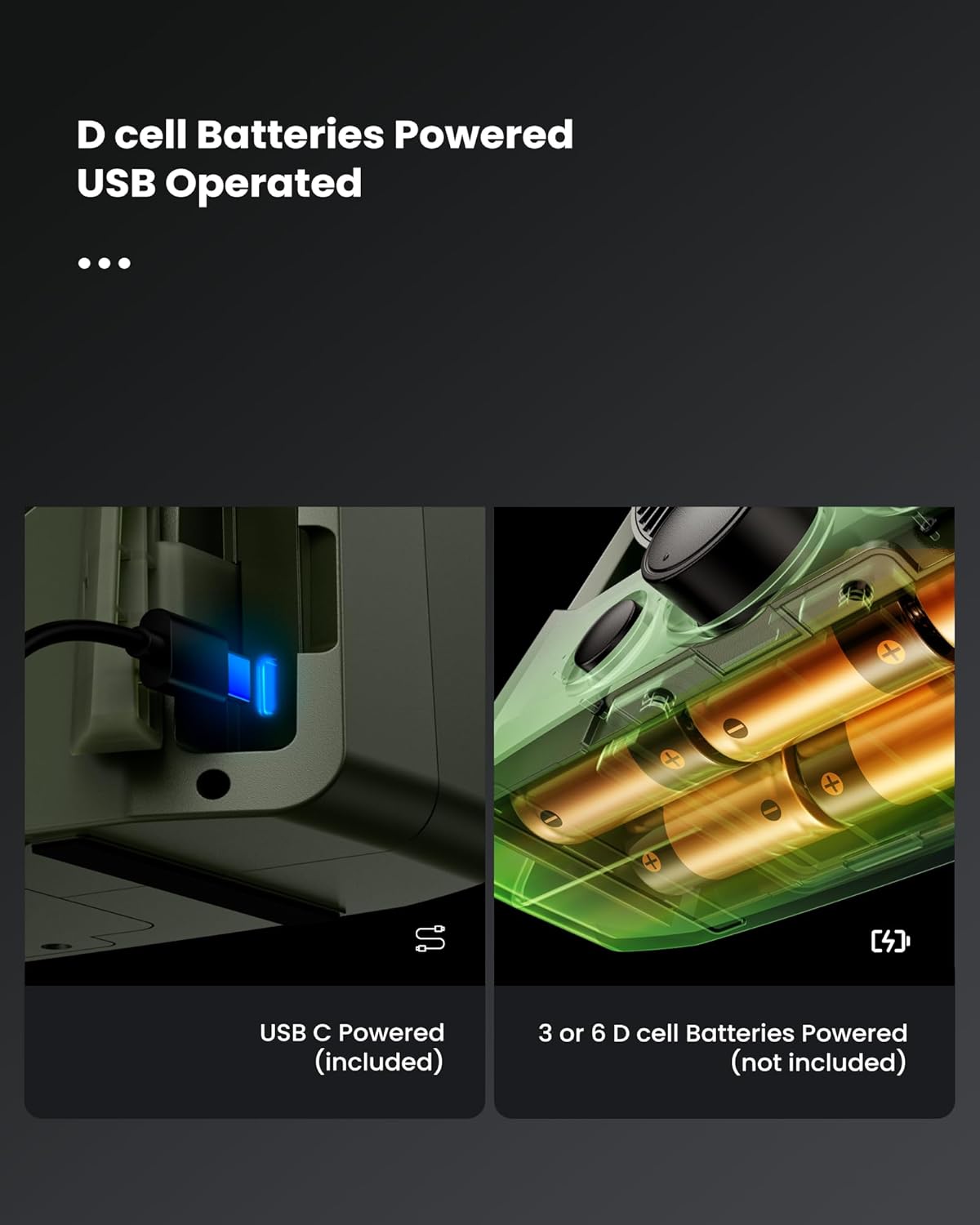
Figure 1: Shinebella FT9D Camping Fan - Front View
Setup
Powering the Fan
The fan can be powered by either D-cell batteries or via a USB connection.

Figure 2: USB-C port and D-cell battery compartments
1. Battery Installation (D-Cell Batteries - Not Included)
- Locate the battery compartment on the bottom of the fan.
- Unscrew the battery compartment cover using a small Phillips screwdriver (not included).
- Insert 3 or 6 D-cell batteries, ensuring correct polarity (+/-).
- Replace the battery compartment cover and secure it with the screw.
2. USB Power Connection
- Connect the provided USB-C cable to the USB-C port on the fan.
- Plug the other end of the USB-C cable into a compatible USB power adapter (not included) or a power bank.
Operating Instructions
1. Fan Speed Adjustment
The fan features a stepless speed control knob. Rotate the knob clockwise to increase fan speed and counter-clockwise to decrease it. Turn the knob to 'OFF' to power down the fan.

Figure 3: Stepless Speed Regulation
2. LED Light Operation
Press the light button to cycle through the 3 brightness settings (Low, Medium, High) and the SOS flashing mode. Press again to turn off the light.
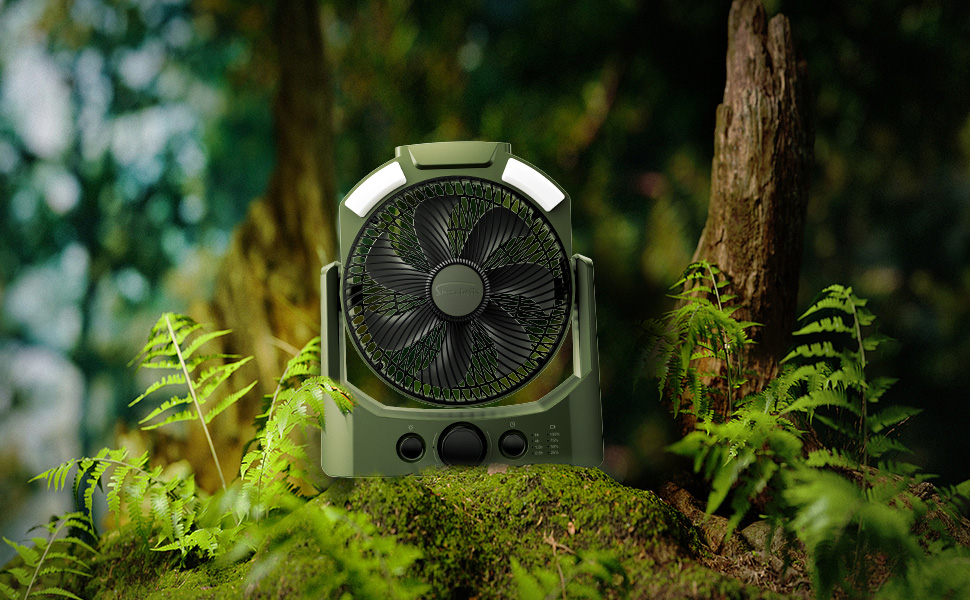
Figure 4: LED Lights with Adjustable Brightness and SOS Mode
3. Timer Settings
Press the timer button to set the fan to automatically turn off after a specified duration: 0.5 hours, 1.5 hours, 4 hours, or 8 hours. The corresponding indicator light will illuminate.
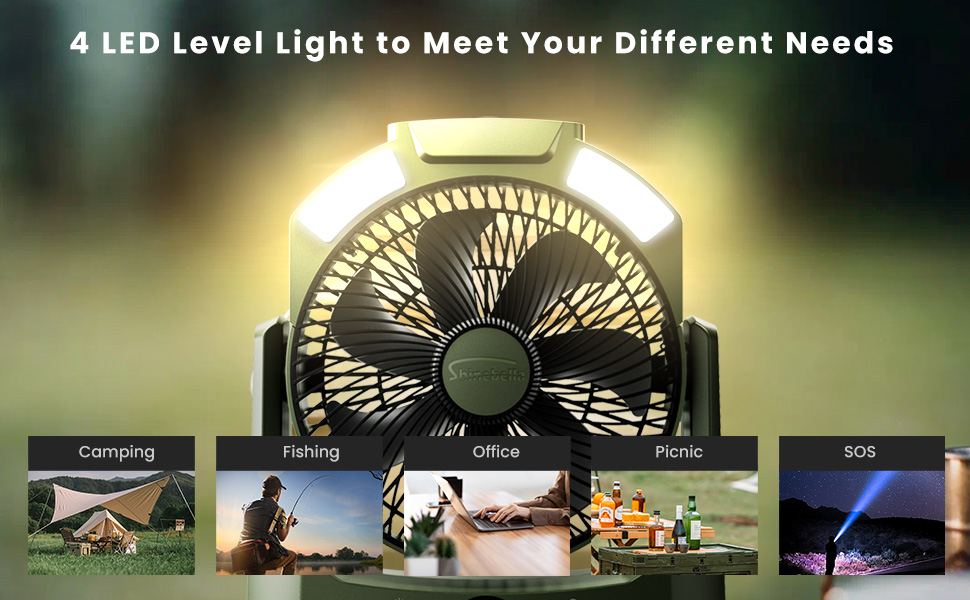
Figure 5: Fan with 4 Timer Modes
4. Battery Power Display
The fan features a battery indicator with four levels (25%, 50%, 75%, 100%) to show the remaining battery life.
5. 180° Rotation
The fan head can be manually adjusted 180 degrees to direct airflow as needed.

Figure 6: Fan with 180° Rotation Capability
6. Convenient Handle
The integrated handle allows for easy portability, making it ideal for travel, camping, and other outdoor activities.

Figure 7: Fan with Convenient Carry Handle
7. Official Product Video
Video 1: Official product overview demonstrating the D Battery Powered Camping Fan with LED Lights and Timer features.
Maintenance
1. Cleaning
- Ensure the fan is turned off and unplugged before cleaning.
- Use a soft, damp cloth to wipe the exterior surfaces. Do not use abrasive cleaners or solvents.
- Carefully use a soft brush or vacuum cleaner to remove dust from the fan grille and blades.
2. Storage
- Store the fan in a cool, dry place when not in use.
- If storing for an extended period, remove the D-cell batteries.
Troubleshooting
| Problem | Possible Cause | Solution |
|---|---|---|
| Fan does not turn on. | No power supply; Batteries depleted or incorrectly installed; USB cable not connected. | Check battery installation and charge level; Ensure USB cable is securely connected to a power source. |
| LED lights do not work. | No power supply; Light button not pressed. | Check power source; Press the light button to cycle through modes. |
| Fan speed is weak. | Low battery power; Speed knob set too low. | Replace or recharge batteries; Rotate speed knob clockwise to increase speed. |
| Timer function not working. | Timer button not pressed correctly. | Press the timer button to select a desired duration; Ensure indicator light is on. |
Specifications
| Feature | Detail |
|---|---|
| Brand | Shinebella |
| Model Name | FT9D |
| Power Source | Battery Powered (6 D batteries, not included) or USB |
| Product Dimensions | 8"D x 7"W x 5"H |
| Item Weight | 2.2 pounds (1000 Grams) |
| Special Features | Adjustable Tilt, LED Light, Lightweight, Portable, Timer |
| LED Light Modes | 3 Brightness Settings + SOS Light |
| Timer Settings | 0.5h, 1.5h, 4h, 8h |
| Rotation | 180° |
| Control Method | Push Button, Adjustable Knob |
| Voltage | 5 Volts |
| Wattage | 10 watts |
Warranty & Support
The Shinebella FT9D D Battery Powered Camping Fan comes with a one-year warranty from the date of purchase. This warranty covers manufacturing defects and workmanship under normal use. It does not cover damage caused by misuse, accidents, unauthorized modifications, or normal wear and tear.
For warranty claims, technical support, or any questions regarding your product, please contact Shinebella customer service through the retailer where you purchased the product or visit the official Shinebella website for contact information.