
NXPGKEA PST-130UC2-LB
NXPGKEA 130W USB C Charger User Manual
Brand: NXPGKEA | Model: PST-130UC2-LB
Introduction
Thank you for choosing the NXPGKEA 130W USB C Charger. This powerful and compact GaN charger is designed to provide efficient and fast charging for a wide range of devices, including laptops, tablets, and smartphones. Featuring two USB-C ports and one USB-A port, it allows you to charge multiple devices simultaneously. This manual provides essential information for safe and optimal use of your charger.

Image: The NXPGKEA 130W USB C Charger, a compact black power adapter with three charging ports (two USB-C, one USB-A) and a foldable US plug, shown alongside a braided USB-C to USB-C charging cable.
Package Contents
Please verify that all items are present in your package:
- 1x NXPGKEA 130W USB C Charger
- 1x 100W USB-C Charge Cable (2 meters)
- 1x User Manual (this document)
Setup
- Unfold the Plug: Gently unfold the AC prongs from the charger body.
- Connect to Power Outlet: Insert the charger into a standard wall outlet (AC 100-240V).
- Connect Devices: Use appropriate USB cables (such as the included 100W USB-C cable) to connect your devices to the charger's USB-C or USB-A ports.
- Begin Charging: Your devices will automatically begin charging. The charger intelligently distributes power based on the connected devices' requirements.

Image: The 130W USB C Charger plugged into a wall socket, demonstrating its ability to charge a laptop, a tablet, and a smartphone concurrently, highlighting its multi-device charging capability.
Operating Instructions
The NXPGKEA 130W charger features intelligent power distribution across its three ports:
- USB-C1 and USB-C2 Ports: These are the primary high-power delivery ports, capable of up to 100W each when used individually. When both USB-C ports are used simultaneously, the power is dynamically distributed (e.g., 65W + 65W for laptops).
- USB-A Port: This port provides up to 18W, suitable for smartphones, smartwatches, and other smaller devices.
- Simultaneous Charging: You can charge up to three devices at once. The charger's internal chip optimizes power output for each connected device to ensure efficient and safe charging.
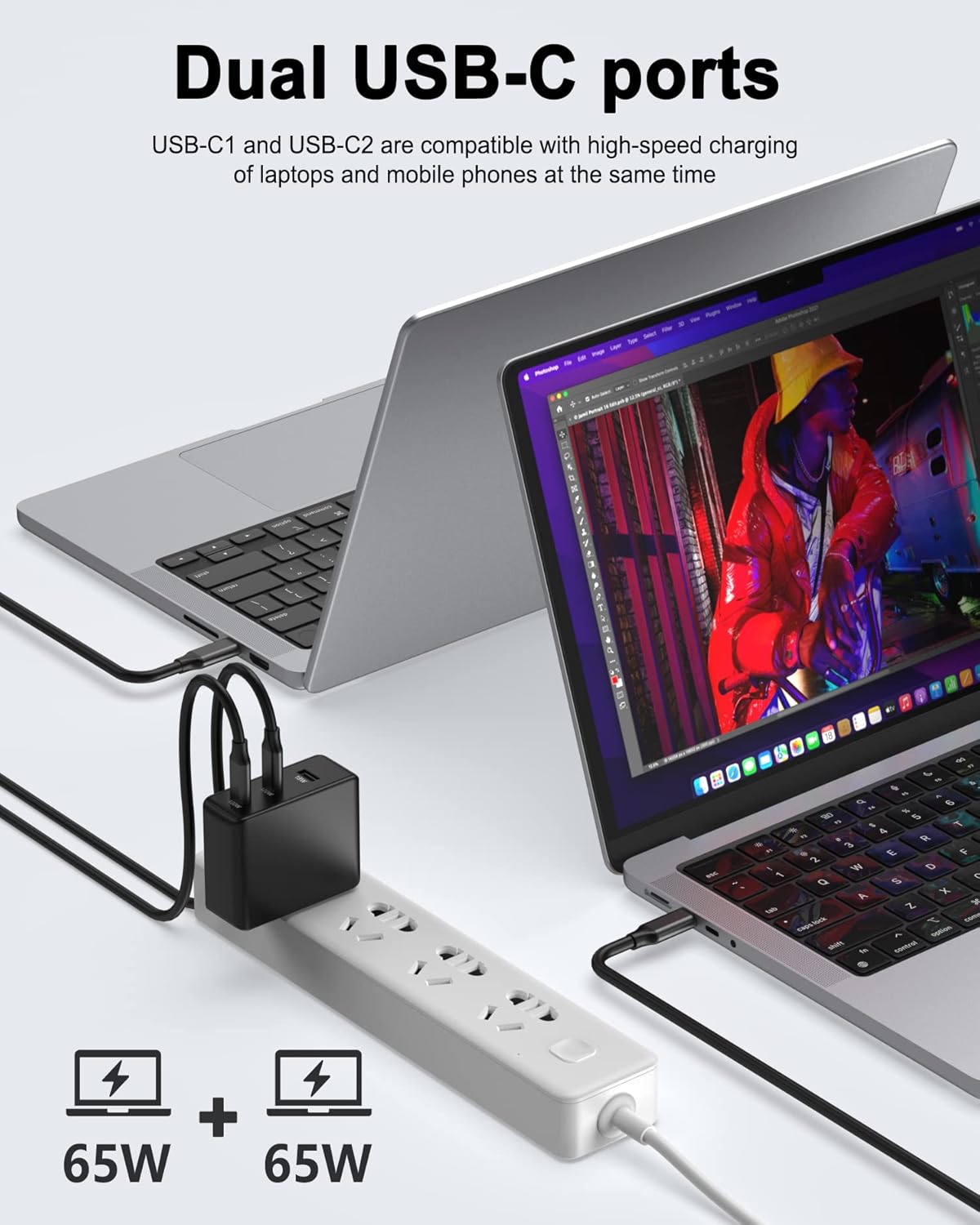
Image: The 130W USB C Charger connected to a power strip, simultaneously charging two laptops via its dual USB-C ports, indicating a 65W + 65W power split for efficient charging of multiple high-power devices.
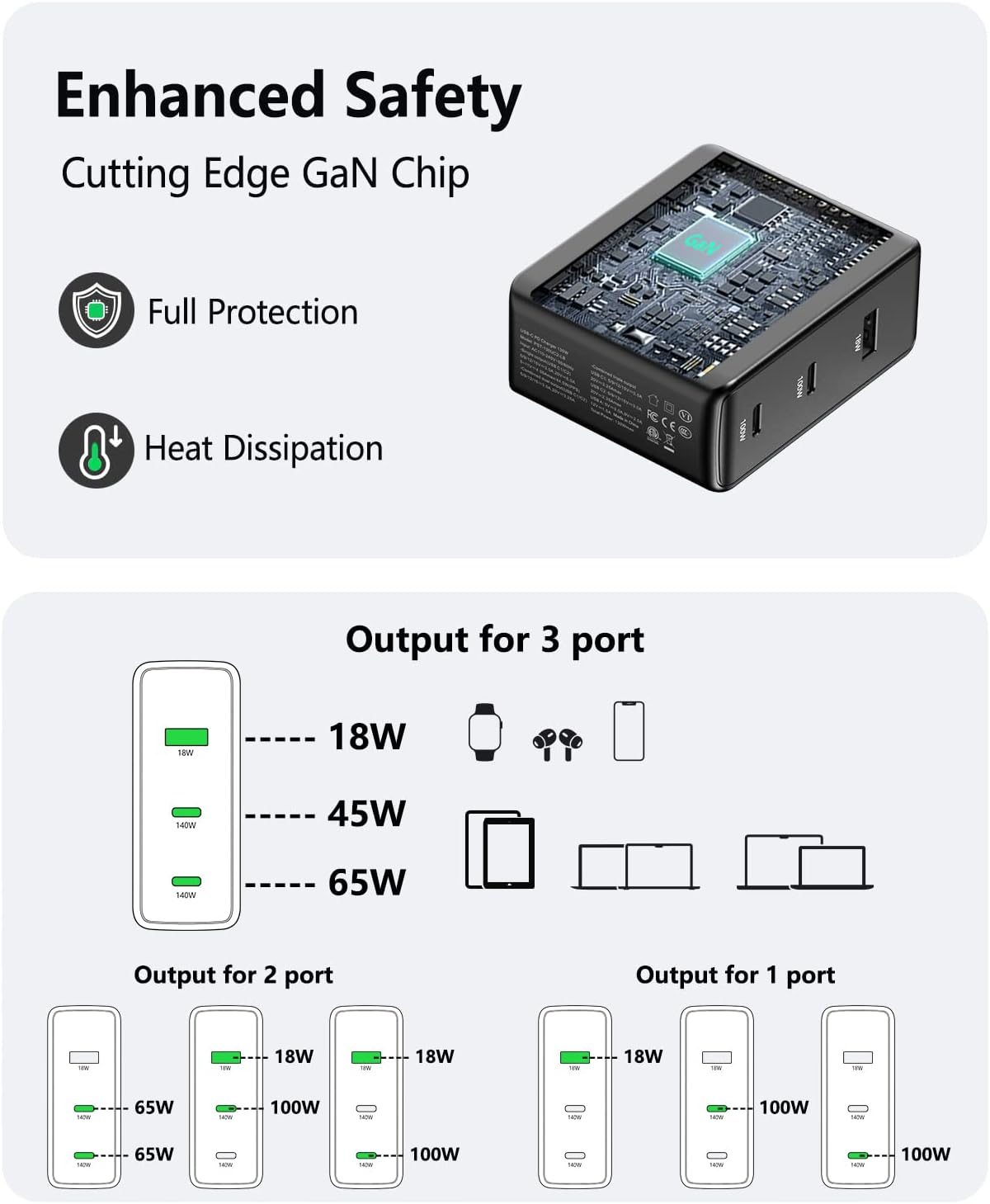
Image: A detailed diagram illustrating the power output configurations of the 130W USB C Charger when one, two, or three ports are in use, showing how wattage is dynamically allocated to connected devices.
Compatibility
This charger supports various fast charging protocols including Power Delivery 3.0, Quick Charge 4+, PPS, AFC, 5V2.4A, and BC1.2, ensuring wide compatibility with numerous devices. It is ideal for:
- Laptops: MacBook Pro, MacBook Air, Dell XPS, Lenovo Notebook, and other Type-C laptops.
- Phones & Tablets: iPhone 14/13/12 series, Galaxy S22/S21 series, iPad (all models), Steam Deck, and more.
- Other Devices: Nintendo Switch, AirPods/AirPods Pro, MagSafe chargers, smartwatches, etc.

Image: A graphic displaying various devices compatible with the 130W USB C Charger, categorized by laptops (MacBook Pro, MacBook Air, Dell XPS, Lenovo), phones & tablets (iPhone, Galaxy, iPad), and other devices (Nintendo Switch, AirPods, MagSafe).
Safety & Reliability
The NXPGKEA 130W charger incorporates advanced safety features to protect your devices and ensure reliable operation:
- GaN III Technology: Utilizes the latest Gallium Nitride (GaN) technology, which allows for a smaller, more efficient charger with lower heat generation compared to traditional silicon-based chargers.
- Multi-Protection System: Built-in safeguards protect against over-current, short-circuit, and over-voltage, ensuring the safety of your devices during charging.
- PC(V0) Fire Retardant Material: The outer casing is made from V0-grade fire-retardant PC material for enhanced safety.
- Built-in E-mark Chip: The included 100W USB-C cable features an E-mark chip to intelligently protect your device from sudden power spikes and ensure stable power delivery.
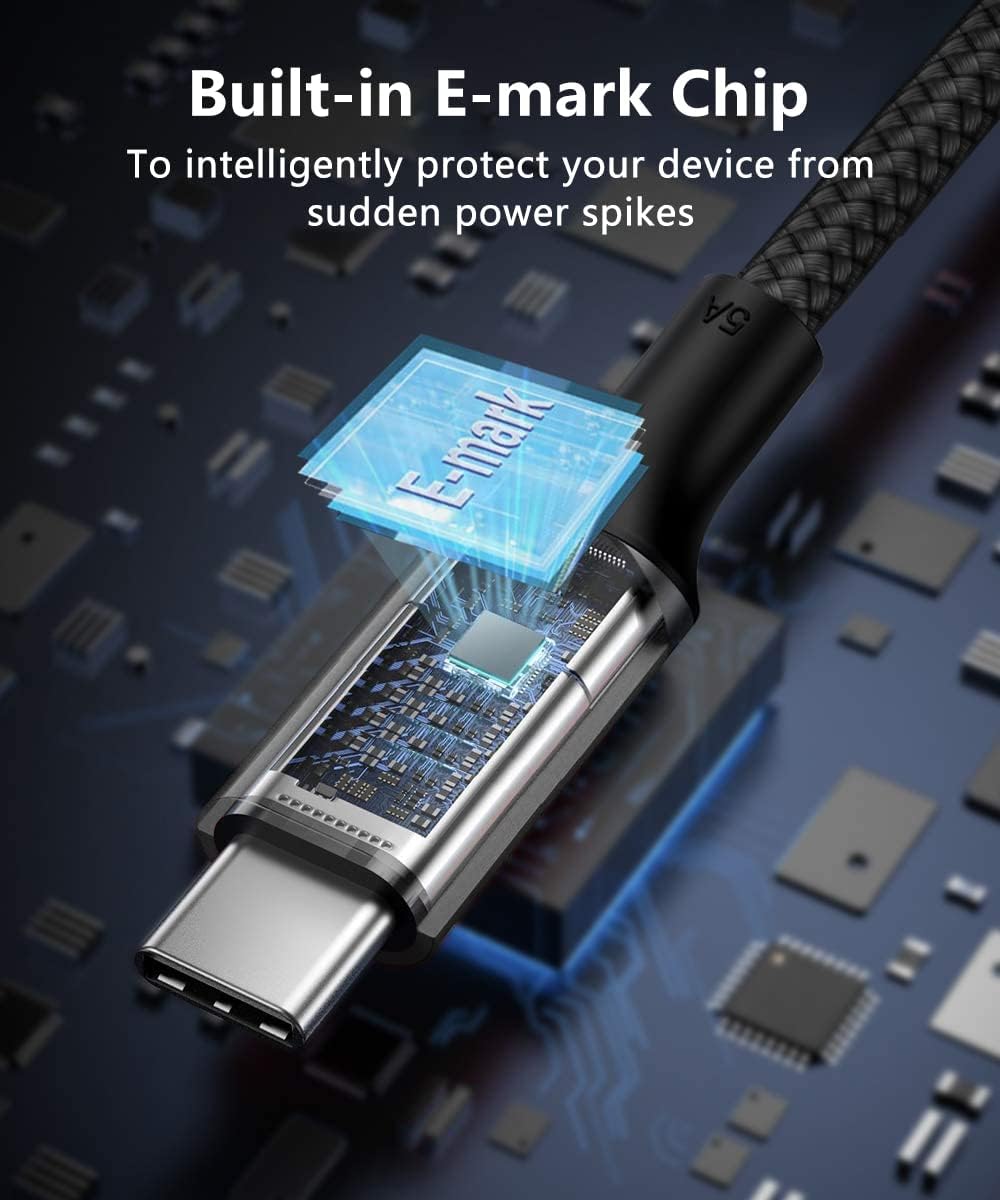
Image: A detailed view of the USB-C connector of the included cable, highlighting the integrated E-mark chip designed to provide intelligent protection against power fluctuations.
Maintenance
To ensure the longevity and optimal performance of your charger, follow these maintenance guidelines:
- Cleaning: Disconnect the charger from the power outlet and all devices before cleaning. Use a soft, dry cloth to wipe the surface. Do not use liquid cleaners or aerosols.
- Storage: Store the charger in a cool, dry place away from direct sunlight and extreme temperatures.
- Handling: Avoid dropping the charger or subjecting it to strong impacts. Do not attempt to disassemble or modify the charger.
- Cable Care: Avoid bending or crimping the charging cables excessively, especially near the connectors, to prevent internal damage.
Troubleshooting
If you encounter issues with your charger, please refer to the following common solutions:
| Problem | Possible Cause | Solution |
|---|---|---|
| Device not charging. | Loose connection, faulty cable, incompatible device, power outlet issue. | Ensure all connections are secure. Try a different cable. Test the charger with another device. Try a different power outlet. |
| Slow charging. | Cable not supporting fast charging, device not supporting fast charging, multiple devices drawing high power. | Use a high-quality cable that supports fast charging (e.g., the included 100W cable). Ensure your device supports the fast charging protocol. Disconnect other devices to allow more power to a single device. |
| Charger feels warm. | Normal operation during high-power charging. | This is normal. The GaN technology helps manage heat efficiently. If it becomes excessively hot or emits smoke/odor, disconnect immediately and contact customer service. |
If the problem persists after trying these solutions, please contact customer service for further assistance.
Specifications
| Feature | Detail |
|---|---|
| Model Number | PST-130UC2-LB |
| Total Wattage | 130W Max |
| USB-C Ports | 2 (Up to 100W each, dynamic distribution) |
| USB-A Port | 1 (Up to 18W) |
| Input Voltage | AC 100-240V, 50/60Hz |
| Dimensions | 4.88 x 3.82 x 1.73 inches (approx.) |
| Item Weight | 11.3 ounces (approx.) |
| Technology | GaN III |
| Safety Features | Over-current, Short-circuit, Over-voltage protection, PC(V0) fire retardant material |
Warranty & Customer Support
Your NXPGKEA 130W USB C Charger comes with a 12-month warranty from the date of purchase. This warranty covers manufacturing defects and ensures trouble-free customer service.
For any questions, concerns, or warranty claims, please do not hesitate to contact our customer service team. We are committed to providing perfect assistance for every customer.
Manufacturer: L Lab Corporation (Hui Zhou) Limited
Please refer to your purchase platform or product packaging for specific contact details or visit the official NXPGKEA store page on Amazon for support options.

Image: The NXPGKEA brand logo, a stylized text logo.
Ask a question about this manual
Ask about setup, troubleshooting, compatibility, parts, safety, or missing instructions. Manuals+ will review the question and use this page’s manual context to help answer it.