
1. Product Overview
The KORSKR i21 Wireless Earbuds are designed for an immersive audio experience with a secure and comfortable fit, ideal for sports and daily use. Featuring Bluetooth 5.3 for stable connectivity, these earbuds offer high-fidelity stereo sound with deep bass and clear call quality through built-in microphones. The accompanying charging case provides extended playtime and features a convenient dual digital power display.
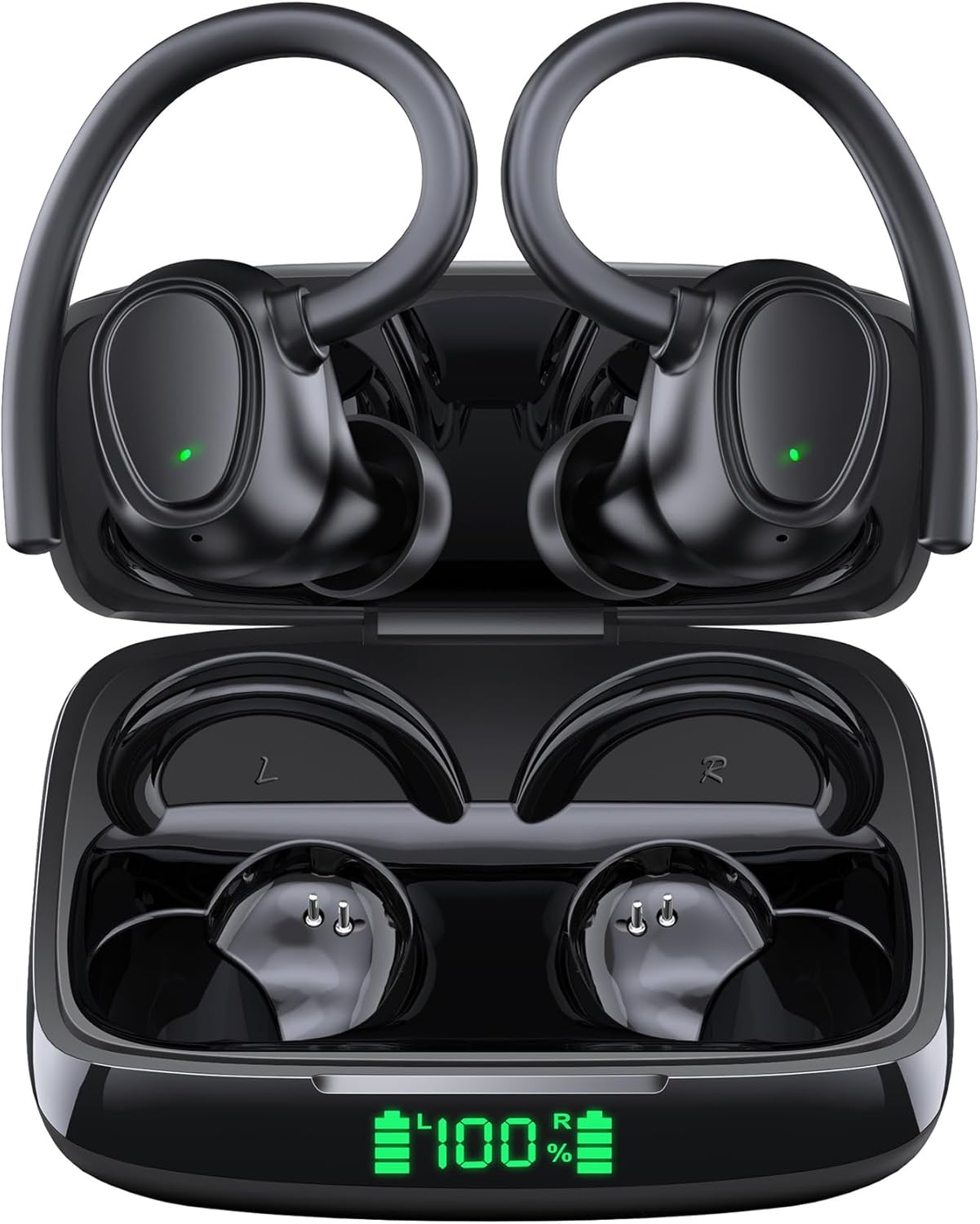
The KORSKR i21 Wireless Earbuds are shown within their charging case, which features a clear digital display indicating the battery percentage. The earbuds themselves are black with ear hooks, designed for a secure fit.
2. What's in the Box
Please check the package contents upon unboxing to ensure all items are present:
- Charging Case
- Wireless Earbuds (Left and Right)
- Replacement Eartips (S/M/L sizes)
- USB Type-C Charging Cable
- User Manual

This image displays all items included in the KORSKR i21 Wireless Earbuds package: the charging case, wireless earbuds, replacement eartips (S, M, L), packaging box, user manual, and a USB-C charging cable.
3. Product Components
Familiarize yourself with the main components of your KORSKR i21 Wireless Earbuds:
- Earbuds: Left (L) and Right (R) earbuds with integrated ear hooks and touch control areas.
- Charging Case: Portable case for charging and storing earbuds, featuring a digital LED power display.
- Eartips: Silicone eartips in various sizes (S, M, L) for a customized and comfortable fit.
- USB-C Port: Located on the charging case for power input.
This image displays the KORSKR i21 Wireless Earbuds nestled in their charging case. The left and right earbuds are clearly marked with 'L' and 'R' respectively, indicating their proper placement within the case for charging and storage.

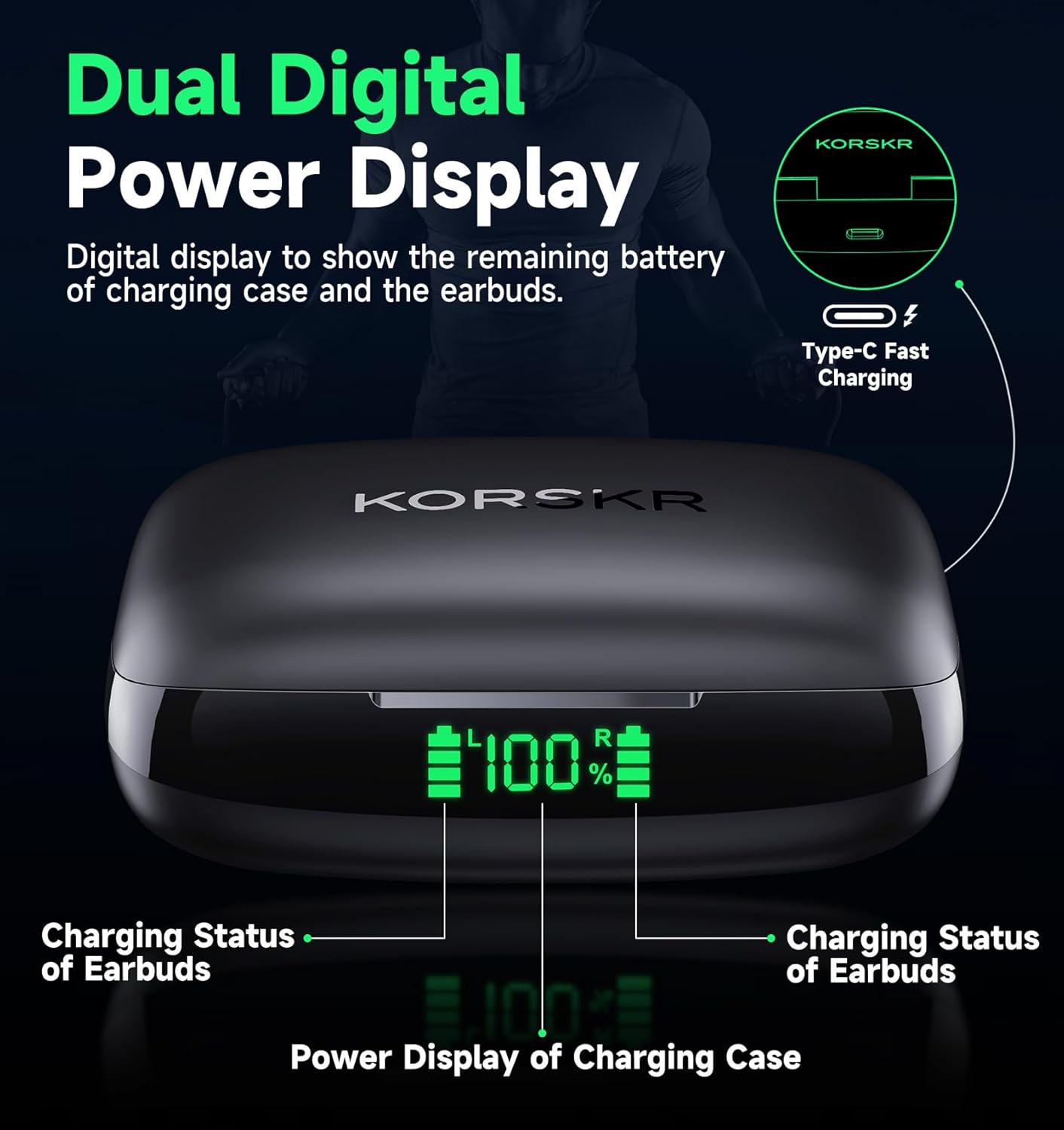
A detailed view of the KORSKR i21 charging case's dual digital power display. The screen shows the remaining battery percentage of the charging case and individual battery indicators for both the left and right earbuds, facilitating easy monitoring of power levels.
4. Setup
4.1 Charging the Earbuds and Case
Before first use, fully charge both the earbuds and the charging case.
- Place the earbuds into the charging case. Ensure they are correctly seated in their respective slots (L for left, R for right).
- Close the charging case lid.
- Connect the USB Type-C charging cable to the charging port on the case and the other end to a USB power adapter (not included) or a computer's USB port.
- The LED display on the charging case will show the battery level. The earbuds will indicate charging status with a light.
- Charging time for earbuds is approximately 1.2 hours, and for the charging case, it is approximately 1.6 hours.
A fully charged case can provide multiple charges to the earbuds, extending total playtime up to 42 hours.
4.2 Bluetooth Pairing
The earbuds feature one-step pairing for convenience.
- Ensure the earbuds are charged.
- Open the charging case. The earbuds will automatically power on and enter pairing mode (indicated by flashing lights).
- On your device (smartphone, tablet, laptop), enable Bluetooth.
- Search for available Bluetooth devices and select "i21" from the list.
- Once connected, the earbuds will indicate successful pairing, and the lights will stop flashing.
- For subsequent uses, the earbuds will automatically connect to the last paired device when taken out of the case, provided Bluetooth is enabled on your device.

This image illustrates the one-step pairing process of the KORSKR i21 Wireless Earbuds. The earbuds are shown next to a smartphone displaying its Bluetooth settings, with 'i21' highlighted as a connected device, demonstrating the ease of initial connection.
4.3 Wearing the Earbuds
For optimal sound quality and comfort, ensure the earbuds are worn correctly.
- Select the appropriate size of eartips (S, M, L) that provide a snug fit in your ear canal.
- Insert the eartip into your ear canal.
- Position the ear hook over the back of your ear, ensuring it sits securely.
- Adjust the earbud and ear hook until it feels comfortable and stable, forming a good seal in your ear for enhanced audio performance.

A visual guide demonstrating the three steps to correctly wear the KORSKR i21 earbuds for optimal sound quality: 1. Insert the eartip into your ear; 2. Put the ear clip over your ear; 3. Adjust the position for a secure and comfortable fit.

A woman is depicted running outdoors while wearing the KORSKR i21 earbuds, emphasizing their comfortable and secure fit during physical activity. The image highlights the ergonomic design, elastic ear hooks, and included S, M, L eartip options for a customized fit.
5. Operating Instructions
5.1 Touch Controls
The KORSKR i21 earbuds feature intuitive touch controls on each earbud. The functions are mirrored on both left and right earbuds unless specified.
| Action | Gesture |
|---|---|
| Play/Pause | Tap the MFB (Multi-Function Button) once (L/R) |
| Next Song | Keep pressing MFB for 1s (L/R) |
| Previous Song | Keep pressing MFB for 1s (L/R) |
| Volume Up/Down | Double tap the MFB (R/L) |
| Answer/End Call | Tap the MFB once (L/R) |
| Reject Call | Long press the MFB for 2 seconds (L/R) |
| Activate Voice Assistant (Siri, Google Assistant) | Triple tap the MFB (L/R) |

This image details the smart haptic touch controls of the KORSKR i21 earbuds. It visually explains various functions such as play/pause, next/previous song, volume adjustment, answering/ending calls, and activating voice assistant through simple touch gestures on the earbud.
5.2 Mono and Dual Mode
The KORSKR i21 earbuds support both mono (single earbud) and dual (both earbuds) modes.
- Dual Mode: Take both earbuds out of the charging case. They will automatically connect to each other and then to your paired device for a stereo audio experience.
- Mono Mode: You can use either the left or right earbud independently. Simply take one earbud out of the case, and it will connect to your device. The other earbud can remain in the charging case.

This image illustrates the flexibility of using KORSKR i21 earbuds in both mono and dual modes. It shows scenarios where one earbud can be used independently while the other is in the case, or both earbuds can be used simultaneously for stereo sound.
6. Maintenance
6.1 Cleaning
Regular cleaning helps maintain the performance and longevity of your earbuds.
- Use a soft, dry, lint-free cloth to wipe the earbuds and charging case.
- Gently remove any earwax or debris from the eartips and speaker mesh using a small, soft brush or cotton swab.
- Do not use abrasive cleaners, alcohol, or chemical solvents.
6.2 Storage
When not in use, store the earbuds in their charging case to protect them from dust, damage, and to keep them charged.
6.3 Water Resistance (IPX6)
The KORSKR i21 earbuds are IPX6 sweatproof, meaning they can withstand heavy splashes of water and sweat. They are suitable for workouts and outdoor activities. However, they are not designed for submersion in water. Do not swim or shower with the earbuds.

The KORSKR i21 earbuds are shown with water droplets on their surface, visually representing their IPX6 sweatproof and water-resistant capabilities, making them suitable for sports and workouts.
7. Troubleshooting
If you encounter issues with your KORSKR i21 Wireless Earbuds, please refer to the following common solutions:
- Earbuds not pairing with device:
- Ensure earbuds are fully charged.
- Make sure Bluetooth is enabled on your device.
- Turn off Bluetooth on other nearby devices to avoid interference.
- Forget/delete "i21" from your device's Bluetooth list and try pairing again.
- Place earbuds back in the case, close the lid, wait a few seconds, then open to reset and re-enter pairing mode.
- Only one earbud working:
- Ensure both earbuds are charged.
- Place both earbuds back into the charging case, close the lid, and then open it again. This should force them to re-sync.
- If the issue persists, try resetting the earbuds (refer to the full user manual for specific reset instructions if available, or try forgetting the device and re-pairing).
- No sound or low volume:
- Check the volume level on both your device and the earbuds.
- Ensure the earbuds are properly seated in your ears to form a good seal.
- Clean any debris from the eartips and speaker mesh.
- Reconnect the earbuds to your device.
- Charging case not charging:
- Ensure the USB-C cable is securely connected to both the case and the power source.
- Try a different USB-C cable or power adapter.
- Ensure the charging port on the case is clean and free of debris.
8. Specifications
| Feature | Detail |
|---|---|
| Model Name | i21 |
| Connectivity Technology | Wireless (Bluetooth) |
| Bluetooth Version | 5.3 |
| Bluetooth Range | Up to 49 Feet (approx. 15 meters) |
| Earbud Battery Life | Up to 7 Hours (single charge) |
| Total Playtime (with Charging Case) | Up to 42 Hours |
| Earbud Charging Time | 1.2 Hours |
| Charging Case Charging Time | 1.6 Hours |
| Audio Driver Size | 10 Millimeters (Dynamic Driver) |
| Control Type | Touch Control |
| Water Resistance Level | IPX6 (Sweatproof) |
| Earpiece Shape | In-ear with ear hooks |
| Included Components | Charging Case, Earbuds, Eartips, USB Type-C Cable, User Manual |
| Material | Plastic Earbuds, Silicone Eartips |
| Item Weight | 0.11 Kilograms (earbuds + case) |

A visual representation of the KORSKR i21 earbuds' extended battery life. The diagram shows that the earbuds offer 7 hours on a single charge, 21 hours with the charging case in dual mode, and up to 42 hours in mono mode, highlighting the 400mAh charging case and 40mAh earbud battery capacities.
9. Safety Information
Please read and follow these safety guidelines to prevent injury or damage to your device:
- Hearing Protection: Avoid listening at high volume levels for extended periods to prevent hearing damage.
- Driving Safety: Do not use earbuds while driving or cycling where the inability to hear ambient sounds could pose a danger.
- Charging: Use only the provided USB-C cable and a compatible power adapter. Do not use damaged cables or chargers.
- Battery: Do not attempt to replace the battery yourself. Do not expose the battery to excessive heat, direct sunlight, or dispose of it in fire.
- Cleaning: Keep the earbuds and charging case dry. Do not use harsh chemicals or detergents for cleaning.
- Disposal: Dispose of this product responsibly according to local regulations. Do not dispose of with household waste.
10. Warranty and Support
For warranty information and customer support, please refer to the warranty card included in your product packaging or visit the official KORSKR website. You may also contact KORSKR customer service directly for assistance with product inquiries, troubleshooting, or warranty claims.