
XY-70
User Manual for Wireless Bluetooth TWS Earbuds XY-70
Model: XY-70 | Brand: Generic
1. Introduction
Thank you for choosing the XY-70 Wireless Bluetooth TWS Earbuds. These earbuds are designed to provide a superior audio experience with advanced features such as Active Noise Cancellation (ANC) and Environmental Noise Cancellation (ENC) for clear calls and immersive sound. Their lightweight and ergonomic design ensures comfort for extended use. This manual will guide you through the setup, operation, and maintenance of your new earbuds.
2. Package Contents
Please verify that all items are present in your package:
- 1 pair of Wireless Bluetooth Earbuds (XY-70)
- 1 Wireless Charging Case
- 1 Mini USB Type-C Cable
- Ear Cushions (4 pieces: L, S sizes)
- 1 User Manual (this document)

Image: The XY-70 Wireless Bluetooth Earbuds in their charging case, showcasing their compact design.
3. Product Features
3.1 HiFi Stereo Sound & Clear Calls
The XY-70 earbuds are equipped with advanced audio drivers providing crystal clarity and deep resonant bass for an immersive listening experience. Noise-canceling technology ensures clear phone calls even in noisy environments.
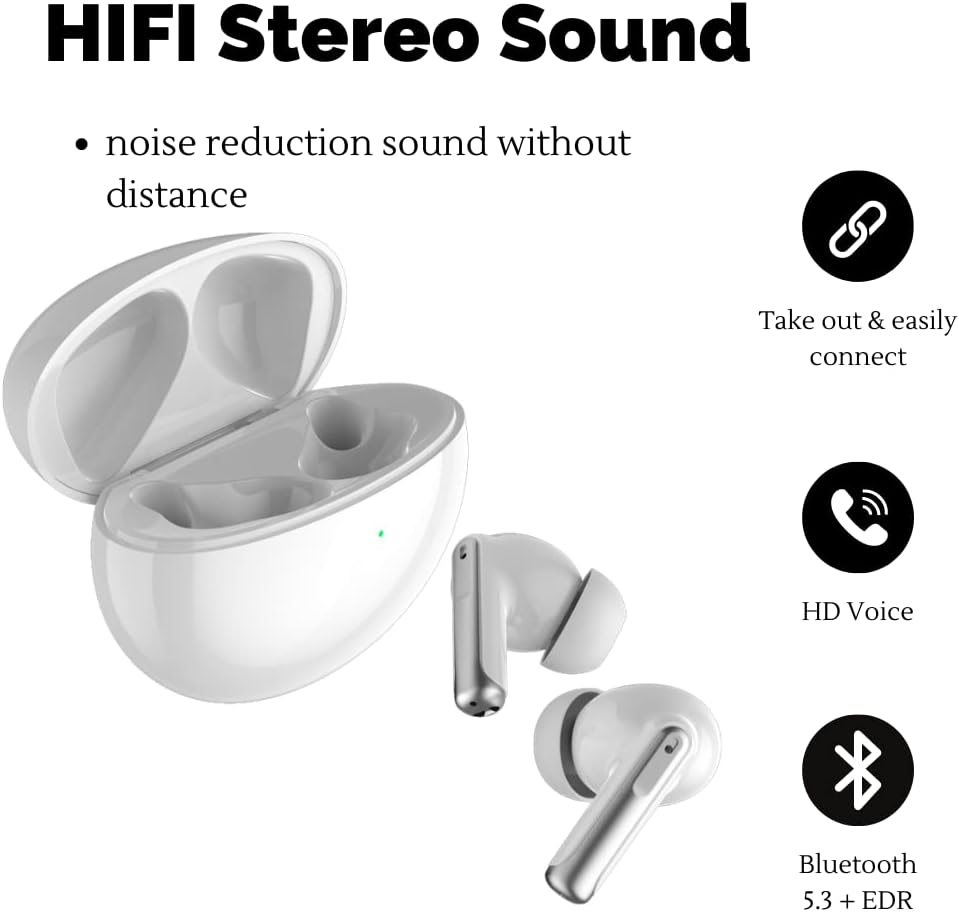
Image: Visual representation highlighting HiFi Stereo Sound, HD Voice, and Bluetooth connectivity features of the earbuds.
3.2 ANC & Transparency Mode
Featuring Active Noise Cancellation (ANC) and Environmental Noise Cancellation (ENC) technology, these earbuds effectively block up to 90% of ambient noise, allowing you to focus on your audio. The Transparency mode enables you to hear your surroundings while still enjoying your music, enhancing situational awareness.
3.3 USB-C Fast Charging & Long Battery Life
Each earbud has a 30mAh battery capacity, providing 3-5 hours of single-use playtime. The 400mAh charging case extends the total battery life to up to 24 hours. A full charge for the case takes approximately 1 hour.

Image: Infographic showing 24 hours of total battery life, 4 hours for single use, and 1 hour charging time via USB-C.
4. Setup Guide
4.1 Initial Charging
- Before first use, place both earbuds into the charging case.
- Connect the provided USB Type-C cable to the charging port on the case and plug the other end into a USB power source (e.g., wall adapter, computer USB port).
- The indicator light on the charging case will show charging status. Allow approximately 1 hour for a full charge.
4.2 Pairing with Your Device
- Ensure the earbuds are charged.
- Open the charging case. The earbuds will automatically enter pairing mode.
- On your device (smartphone, tablet, laptop), go to Bluetooth settings and turn Bluetooth on.
- Search for available devices. You should see "XY-70" in the list.
- Select "XY-70" to connect. Once connected, a voice prompt will confirm successful pairing.
- The XY-70 earbuds are compatible with iOS, Android, Windows, and other Bluetooth-enabled devices.
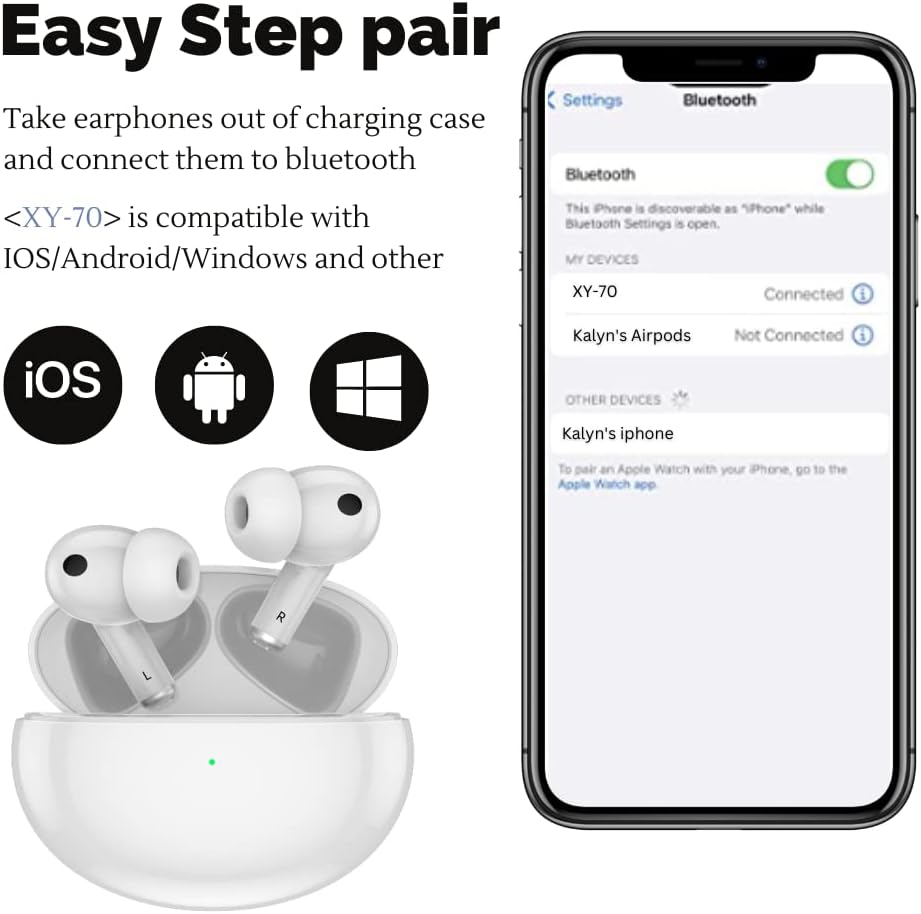
Image: A visual guide demonstrating the simple pairing process of the XY-70 earbuds with a mobile device via Bluetooth settings.
5. Operating Instructions
5.1 Basic Controls
The XY-70 earbuds feature touch controls for easy management of audio and calls:
- Play/Pause: Single tap on either earbud.
- Next Track: Double tap on the right earbud.
- Previous Track: Double tap on the left earbud.
- Answer/End Call: Single tap on either earbud.
- Reject Call: Press and hold either earbud for 2 seconds.
- Activate Voice Assistant (Siri/Google Assistant): Triple tap on either earbud.
5.2 Switching Noise Control Modes
The XY-70 earbuds support three modes: Normal, Transparency, and Active Noise Cancellation (ANC).
- Toggle Modes: Press and hold the touch area on the left earbud for 2 seconds to cycle through Normal, Transparency, and ANC modes. A voice prompt will confirm the selected mode.
6. Maintenance
Proper maintenance ensures the longevity and optimal performance of your earbuds:
- Cleaning: Regularly clean the earbuds and charging case with a soft, dry, lint-free cloth. Do not use abrasive cleaners or solvents.
- Ear Tips: Remove ear tips and clean them with mild soap and water if necessary. Ensure they are completely dry before reattaching.
- Charging Ports: Keep the USB-C charging port free of dust and debris.
- Storage: When not in use, store the earbuds in their charging case to protect them and keep them charged.
- Water Resistance: The earbuds are waterproof. However, avoid prolonged submersion in water and do not expose them to saltwater or other corrosive liquids. Dry them thoroughly if they get wet.
7. Troubleshooting
If you encounter issues with your XY-70 earbuds, please refer to the following common solutions:
| Problem | Possible Cause | Solution |
|---|---|---|
| Earbuds not pairing | Low battery; Bluetooth off; Earbuds not in pairing mode; Interference. | Charge earbuds and case. Ensure Bluetooth is on. Place earbuds in case, close, then open to re-enter pairing mode. Move closer to device. |
| No sound from one earbud | Low battery; Not properly connected; Earbud malfunction. | Ensure both earbuds are charged. Place both earbuds back in the case, close, then open and reconnect. Try resetting earbuds (refer to manufacturer's specific reset instructions if available). |
| Charging case not charging | Faulty cable; Faulty power source; Dirty charging port. | Try a different USB-C cable and power adapter. Clean the charging port. |
| Poor sound quality | Ear tips not sealed; Distance from device; Interference. | Ensure ear tips fit snugly. Reduce distance between earbuds and device. Avoid strong electromagnetic interference. |
8. Specifications
| Feature | Detail |
|---|---|
| Model Name | XY-70 Bluetooth Earbuds |
| Noise Control | Active Noise Cancellation (ANC), Environmental Noise Cancellation (ENC) |
| Connectivity Technology | Wireless (Bluetooth 5.0) |
| Bluetooth Range | Up to 10 meters (33 feet) |
| Earbud Battery Capacity | 30mAh (each earbud) |
| Charging Case Battery Capacity | 400mAh |
| Single Use Playtime | 3-5 hours |
| Total Playtime (with case) | Up to 24 hours |
| Charging Time | Approx. 60 minutes (for case) |
| Headphones Jack | Mini USB (Type-C) |
| Compatible Devices | Cellphones, Tablets, Laptops, Desktops (with Bluetooth) |
| Control Type | Touch, Voice (Siri, Google Assistant) |
| Water Resistance Level | Waterproof |
| Frequency Range | 20 Hz - 20,000 Hz |
| Item Weight | 37 Grams (total) / 1.31 ounces |
| Product Dimensions | 4.92 x 3.35 x 1.52 inches |
| Material | Acrylonitrile Butadiene Styrene (ABS) |
| Manufacturer | Shenzhen Xiangxiangyu Technology Co.,Ltd |
9. Warranty and Support
For warranty information and customer support, please refer to the warranty card included in your product packaging or contact the seller directly.
If you have any questions or require assistance with your XY-70 earbuds, please reach out to the customer service team of the retailer where you purchased the product.
Related Documents - XY-70
 |
1MORE SonoFlow Active Noise Cancelling Headphones User Manual User manual for the 1MORE SonoFlow over-ear Bluetooth headphones, featuring active noise cancellation, LDAC Hi-Res audio, 70-hour playtime, and app control. Includes setup, operation, safety, and compliance information. |
 |
Philips TAH8000EWT Wireless Over-Ear Headphones - Hi-Res Audio, ANC, 70h Playtime Discover the Philips TAH8000EWT wireless over-ear headphones. Featuring Hi-Res Audio, Active Noise Cancelling Pro, 70 hours of playtime, Auracast™ connectivity, and comfortable design for immersive sound and clear calls. Includes detailed technical specifications. |
 |
Noise Three Wireless Headphones User Manual Comprehensive user manual for Noise Three wireless headphones, covering specifications, features, controls, charging, warranty, and safety guidelines. Enjoy up to 70 hours of playtime with Bluetooth 5.3 connectivity. |
 |
boAt Airdopes 131 Gen 2: Smart Guide - Features, Pairing, and Specifications Comprehensive smart guide for boAt Airdopes 131 Gen 2 True Wireless Earbuds. Learn about package contents, product features, Bluetooth pairing, touch controls, voice assistant, BEAST™ mode, reset procedures, LED status, and technical specifications. |
 |
TWS XY-17 Wireless Earbuds User Manual and Instructions Comprehensive user manual for the TWS XY-17 wireless earbuds, covering setup, operation, pairing, troubleshooting, and FCC compliance. Learn how to use your XY-17 earbuds effectively. |
 |
TWS XY-30 Wireless Earbuds: User Manual and Specifications Comprehensive guide for the TWS XY-30 wireless earbuds, detailing setup, operation, features, specifications, and FCC compliance information. |