1. Introduction
This manual provides instructions for the Silverline Audio Alesis SE Surge/Command 8-inch Mesh Drum Pad and Trigger Cable Bundle. This bundle is designed to offer a responsive drumming experience for electronic drum kits, featuring a dual-zone mesh head for versatile playability. The mesh head is velocity-sensitive, providing dynamic response suitable for various playing styles.
2. Package Contents
Verify that all components listed below are included in your package:
- Alesis 8-inch Special Edition Command Mesh Head Pad
- L-Arm for mounting
- Clamp for attaching to a drum rack
- Silverline Audio 10ft Trigger Cable
- Standard Drum Key (for mesh head tension adjustment)

Image 2.1: Overview of the Alesis 8-inch Mesh Drum Pad bundle, including the mesh pad, L-arm, clamp, 10ft trigger cable, and drum key.
3. Setup Instructions
3.1 Mounting the Drum Pad
- Attach the L-Arm to the mounting bracket on the rear of the 8-inch mesh drum pad. Secure it firmly.
- Attach the clamp to the L-Arm.
- Secure the clamp onto a compatible drum rack tube (typically 1 1/2 inch diameter). Adjust the position and angle of the pad for comfortable playing.
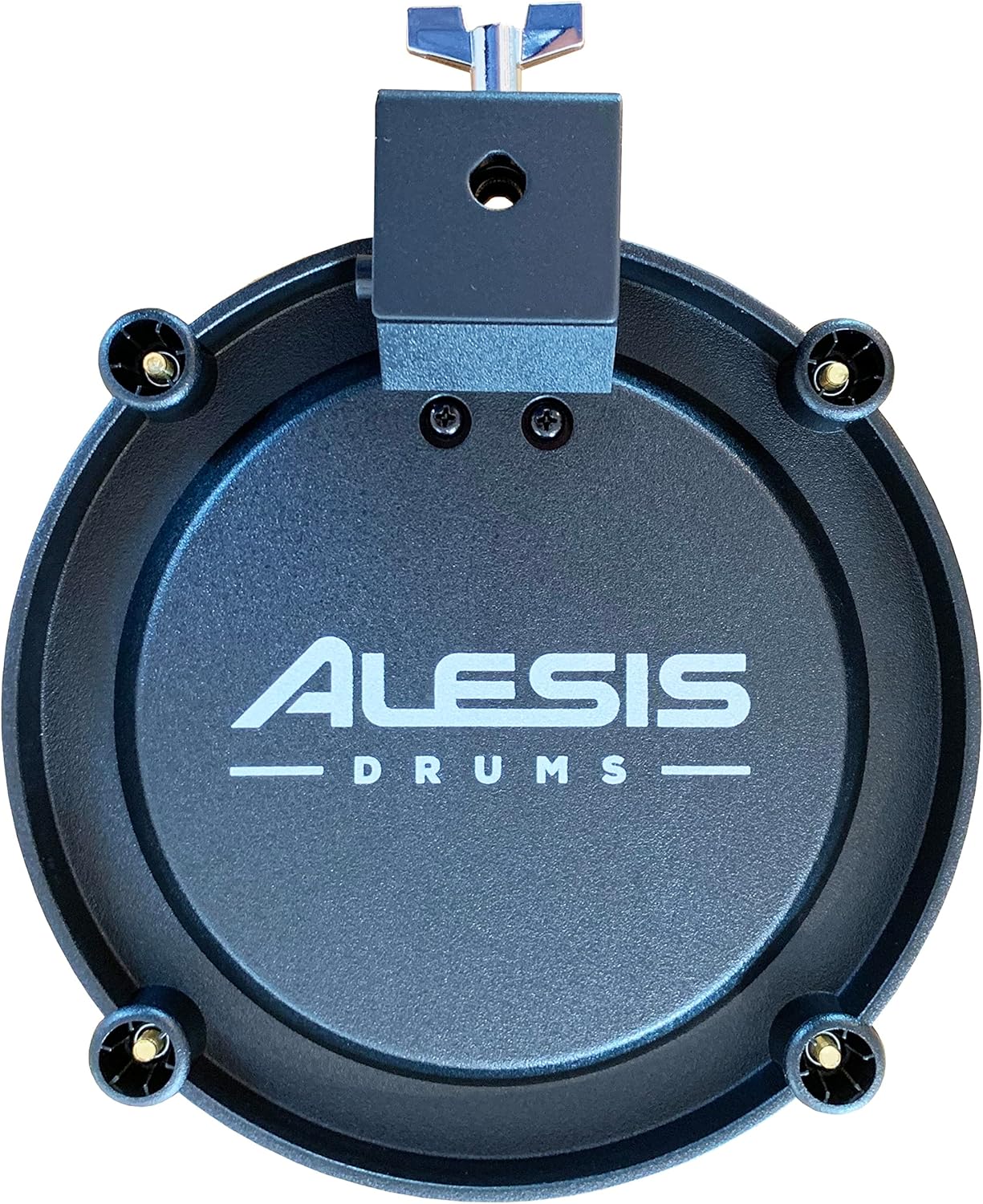
Image 3.1: The 8-inch mesh drum pad securely mounted on a drum rack using the L-arm and clamp, ready for use.

Image 3.2: A detailed view of the clamp component, used for attaching the L-arm and drum pad to a drum rack.
3.2 Connecting to a Drum Module
- Locate the input jack on the rear of the mesh drum pad.
- Connect one end of the Silverline Audio 10ft Trigger Cable to the pad's input jack.
- Connect the other end of the trigger cable to an available trigger input on your electronic drum module. Refer to your drum module's manual for specific input assignments.
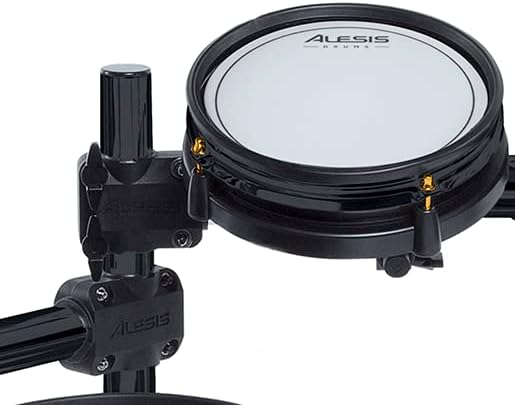
Image 3.3: A close-up view of the input jack located on the back of the mesh drum pad, where the trigger cable connects.

Image 3.4: The Silverline Audio 10ft trigger cable with 1/4-inch jacks, used for connecting the drum pad to an electronic drum module.
4. Operating Instructions
The 8-inch mesh drum pad is designed for intuitive use with electronic drum modules.
- Dual-Zone Functionality: This pad features dual-zone technology, allowing for different sounds or articulations depending on where the pad is struck (e.g., head and rim). Ensure your drum module is configured to recognize dual-zone inputs for optimal performance.
- Velocity Sensitivity: The mesh head is velocity-sensitive, meaning the volume and timbre of the sound produced by your drum module will vary based on how hard you strike the pad. This allows for expressive and dynamic drumming.
5. Compatibility
This mesh drum pad is compatible with a range of electronic drum kits and modules. Please review the compatibility list below:
5.1 Compatible Kits and Racks
- Alesis Special Edition Surge Mesh Kit
- Alesis Special Edition Command Mesh Kit
- Alesis Surge Mesh Kit
- Alesis Command Mesh Kit
- Alesis Forge Kit
- Alesis Strike Kit(s)
- Alesis Crimson Kit(s)
- Alesis Nitro Express Kit
- Alesis Nitro Pro Kit
- Roland/Yamaha/Simmons racks that have 1 1/2 inch tubes
5.2 Incompatible Kits
Please Note: This mesh drum pad is not compatible with the Alesis Nitro Mesh Kit or Alesis Nitro Max Kit due to differing mounting requirements.
6. Maintenance
6.1 Mesh Head Tension Adjustment
The tension of the mesh head can be adjusted to suit your playing preference and rebound feel. Use a standard drum key (included) to tighten or loosen the tension rods around the perimeter of the pad. Adjust evenly for consistent feel across the head.

Image 6.1: The standard drum key used for adjusting the tension of the mesh drum pad head.
6.2 General Cleaning
To clean the mesh pad, use a soft, dry cloth. Avoid using abrasive cleaners or solvents, as these may damage the mesh material or the pad's finish.
7. Troubleshooting
- Pad Not Triggering:
- Ensure the trigger cable is securely connected to both the drum pad and the electronic drum module.
- Verify that the correct input on your drum module is selected and configured for a pad.
- Check the trigger cable for any visible damage.
- Inconsistent or Weak Response:
- Adjust the mesh head tension using the drum key. A tighter head may provide more rebound and a different trigger response.
- Check the sensitivity settings on your electronic drum module for the corresponding input.
- Cable Damage:
- Exercise care when connecting and disconnecting the trigger cable to prevent stress on the cable and its connectors. Repeated bending or pulling on the cable near the jack can cause internal wire damage.
- If a cable is damaged, replace it with a new, compatible trigger cable.
8. Specifications
| Feature | Detail |
|---|---|
| Pad Size | 8 inches |
| Pad Type | Dual-zone Mesh Head |
| Weight | 3 pounds |
| Connectivity | 1/4-inch TRS (included trigger cable) |
| First Available Date | April 3, 2023 |
9. Support
For further assistance, technical support, or inquiries regarding your Silverline Audio Alesis SE Surge/Command 8-inch Mesh Drum Pad Bundle, please contact Silverline Audio & Electronics directly. Refer to your purchase documentation for contact information.


