
Introduction
Thank you for choosing the Okamura Potam Office Chair. This chair is designed to provide comfort and support in various work environments, balancing functionality with sustainability. This manual provides detailed instructions on how to use and maintain your chair to ensure optimal performance and longevity.
Product Overview
The Okamura Potam Office Chair, model CF14ZA-FXW5, is an armless, standard-back chair featuring dark green interlock fabric upholstery and a dark gray frame. It is delivered as a completed product, requiring no assembly.
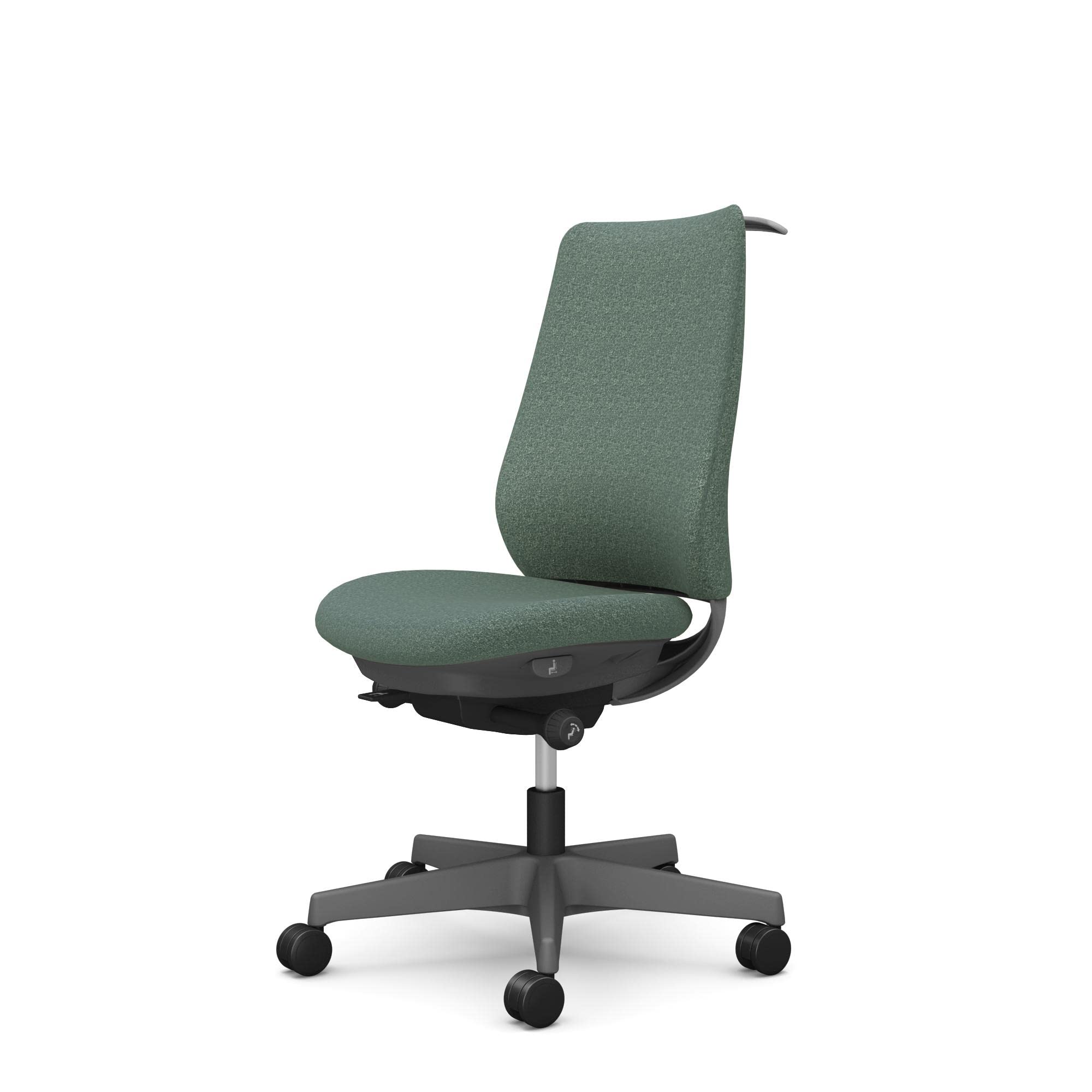
Image: Front view of the Okamura Potam Office Chair, model CF14ZA-FXW5, showing overall dimensions. The chair features a dark green interlock fabric back and seat, with a dark gray frame and urethane casters.
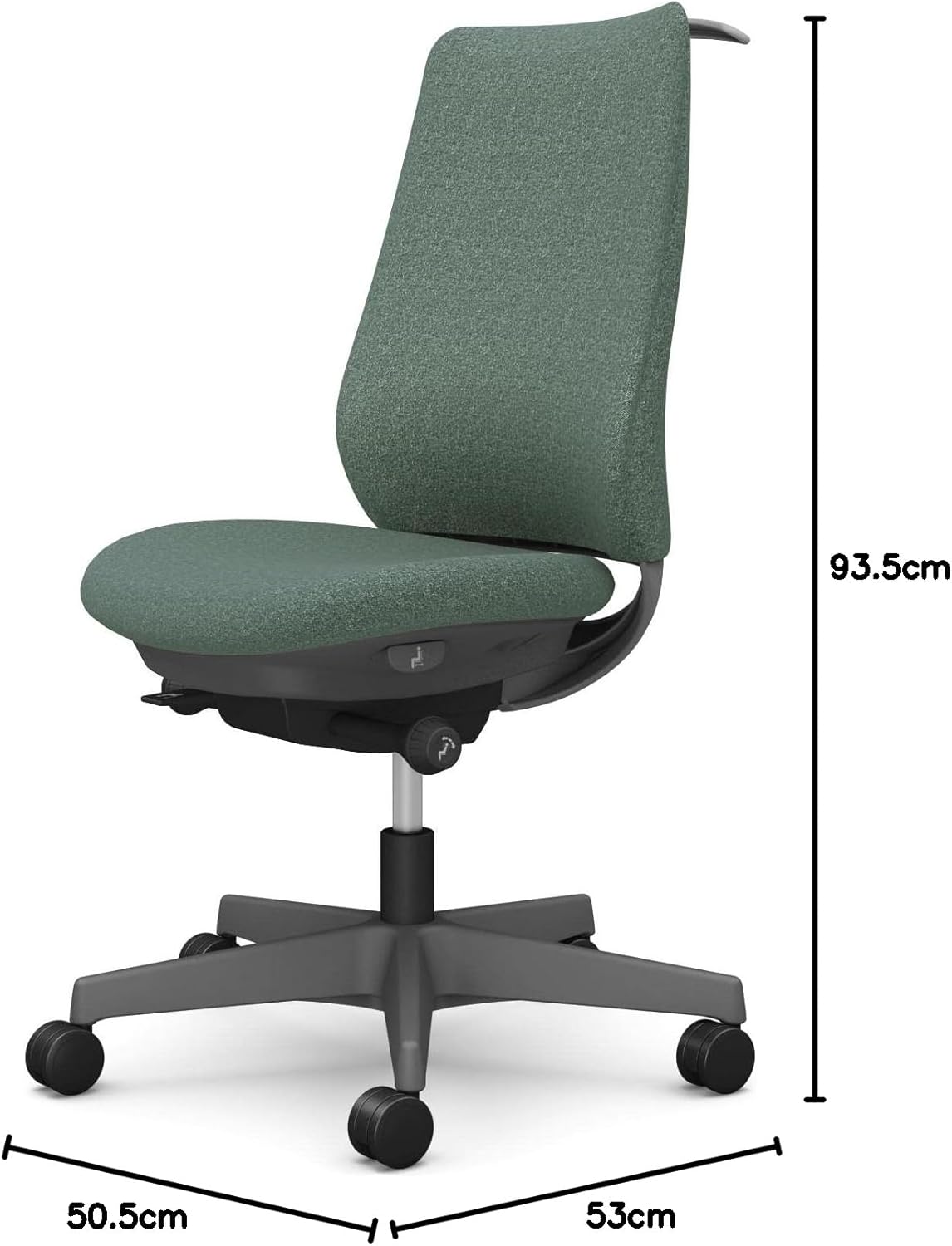
Image: Side view of the Okamura Potam Office Chair, highlighting its profile and armless design.
Setup and Initial Use
Your Okamura Potam Office Chair is delivered fully assembled. Upon receipt, simply place it in your desired work area. The following adjustments can be made to customize your seating experience.
1. Seat Height Adjustment
To adjust the seat height, locate the lever on the right side beneath the seat. While seated, pull the lever up to raise the seat. To lower the seat, pull the lever up while applying your weight to the seat. Release the lever at the desired height.

Image: Illustration of the seat height adjustment lever and its range of motion (9.2 cm).
2. Seat Depth Adjustment
To adjust the seat depth, locate the lever on the left side beneath the seat. Pull the lever and slide the seat forward or backward to achieve a comfortable position. Ensure there is a gap of approximately two to three fingers between the edge of the seat and the back of your knees. Release the lever to lock the seat in place.

Image: Illustration of the seat depth adjustment mechanism, showing a 4 cm adjustment range.
Operating the Chair Functions
1. Synchronized Reclining
The chair features a synchronized reclining mechanism, allowing the backrest and seat to recline in a coordinated motion. To recline, lean back gently. To lock the recline position, use the recline lock lever, typically located on the left side beneath the seat. To unlock, push the lever back.

Image: Illustration demonstrating the synchronized reclining function, showing a recline angle of up to 20 degrees.
2. Backrest Bending Function
The backrest is designed with a bending function to adapt to your posture, providing flexible support. This feature allows the backrest to flex slightly, enhancing comfort during movement.

Image: Close-up view of the backrest, illustrating its flexible bending capability.
3. Hanger Use
This model includes a hanger integrated into the backrest. Use this hanger to conveniently store jackets or other garments, keeping your workspace tidy.

Image: Detail showing the optional hanger and lumbar support components on the chair's backrest.
Specifications
| Feature | Detail |
|---|---|
| Brand | Okamura |
| Model Number | CF14ZA-FXW5 |
| Dimensions (W x D x H) | 50.5 x 53-57 x 93.5-102.7 cm |
| Seat Height Range | 42-51.2 cm |
| Leg Outer Diameter | 66 cm |
| Weight | 18.2 kg |
| Armrests | Armless |
| Back Size | Standard |
| Casters | Urethane |
| Frame Color | Dark Gray |
| Upholstery | Interlock Fabric (Dark Green) |
| Included Features | Hanger |
Care and Maintenance
To ensure the longevity and appearance of your Okamura Potam Office Chair, follow these care and maintenance guidelines:
- Cleaning: For fabric parts, gently wipe with a damp cloth and mild soap. Avoid harsh chemicals. For plastic and metal parts, use a soft, dry cloth.
- Regular Inspection: Periodically check all screws and connections to ensure they are tight. Tighten if necessary.
- Caster Care: Keep casters free of debris such as hair or lint to ensure smooth movement.
- Avoid Direct Sunlight: Prolonged exposure to direct sunlight can cause fabric fading.
Troubleshooting
If you encounter any issues with your chair, refer to the following common troubleshooting tips:
- Chair does not adjust height: Ensure the height adjustment lever is fully engaged and that there is no obstruction. If the gas lift cylinder is faulty, contact customer support.
- Chair wobbles: Check that all screws and bolts are securely tightened. Ensure the chair is on a flat, even surface.
- Casters do not roll smoothly: Inspect casters for trapped debris (hair, lint) and clean them. Ensure the casters are correctly installed.
- Recline mechanism is stiff: Apply a small amount of silicone-based lubricant to moving parts if accessible, or contact customer support.
Warranty and Support
Your Okamura Potam Office Chair is covered by a manufacturer's warranty against defects in materials and workmanship. For specific warranty details, including coverage period and terms, please refer to the warranty card included with your purchase or visit the official Okamura website.
For technical support, parts replacement, or any other inquiries, please contact Okamura customer service through their official channels. Keep your proof of purchase handy when contacting support.
Contact Information: Please refer to the official Okamura website or your purchase documentation for the most current contact details.