
1. Introduction
The ACTIVA Gracia 1200MM BLDC Ceiling Fan is engineered for energy efficiency and quiet operation. It features an integrated LED light and a smart remote control for convenient use. This manual provides essential information for the safe installation, operation, and maintenance of your fan, ensuring optimal performance and longevity.
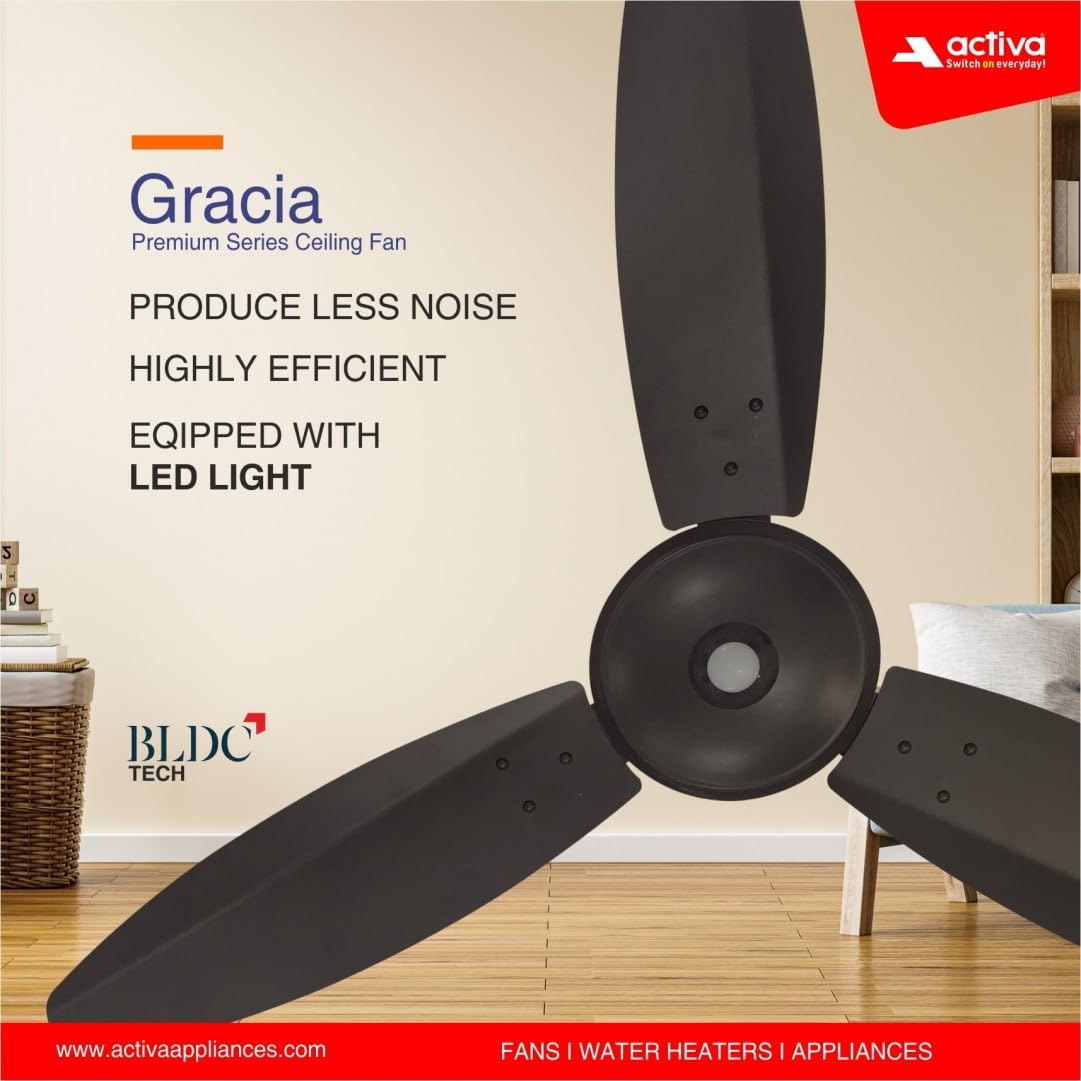
Image 1.1: ACTIVA Gracia BLDC Ceiling Fan highlighting key features.
2. Safety Information
- Always disconnect power at the circuit breaker before installing, cleaning, or servicing the fan.
- Ensure the fan is securely mounted to a ceiling structure capable of supporting its weight.
- Do not insert fingers or any objects into the fan blades while the fan is operating.
- Keep children and pets away from the fan during operation.
- Do not attempt to repair or modify the fan yourself. Contact authorized service personnel for assistance.
- Ensure all electrical connections comply with local codes and regulations.
3. Package Contents
Verify that all components are present in the package:
- 48" Fan Motor
- Blades Set (3 blades)
- Canopy Set (Top and Bottom)
- Down Rod
- Shackle
- Remote Control
- Warranty Card
- Screws and Washers for assembly
4. Setup and Installation
Mandatory Step: Disconnect the regulator from the connection before installing the ACTIVA fan to ensure seamless performance.
Step 1: Unpacking the Motor
Open the box and carefully remove the fan motor. Place it on a soft surface to prevent any scratches or damage to the body.

Image 4.1: Fan motor and components.
Step 2: Attaching the Down Rod and Shackle
Place the canopy inside the down rod. Fix the shackle to the ceiling hook using the screws provided in the box. Securely fasten the nut, washer, and R pin to prevent any slippage. Position the top canopy to cover both the assembly and electrical connections.

Image 4.2: Down rod and shackle assembly.
Step 3: Installing the Blades
Make uniform holes on the blade shank to align with the motor holes. Attach each blade to the motor using the provided screws and washers. Ensure all blades are securely tightened.

Image 4.3: Blade installation.
Step 4: Hanging the Fan and Final Assembly
Insert the screws to assemble the shaft and the down rod. Insert the washer, nut, and R-pin in the sequence depicted in the illustration. Pull down the canopy to cover the motor/PCB box and complete the installation.
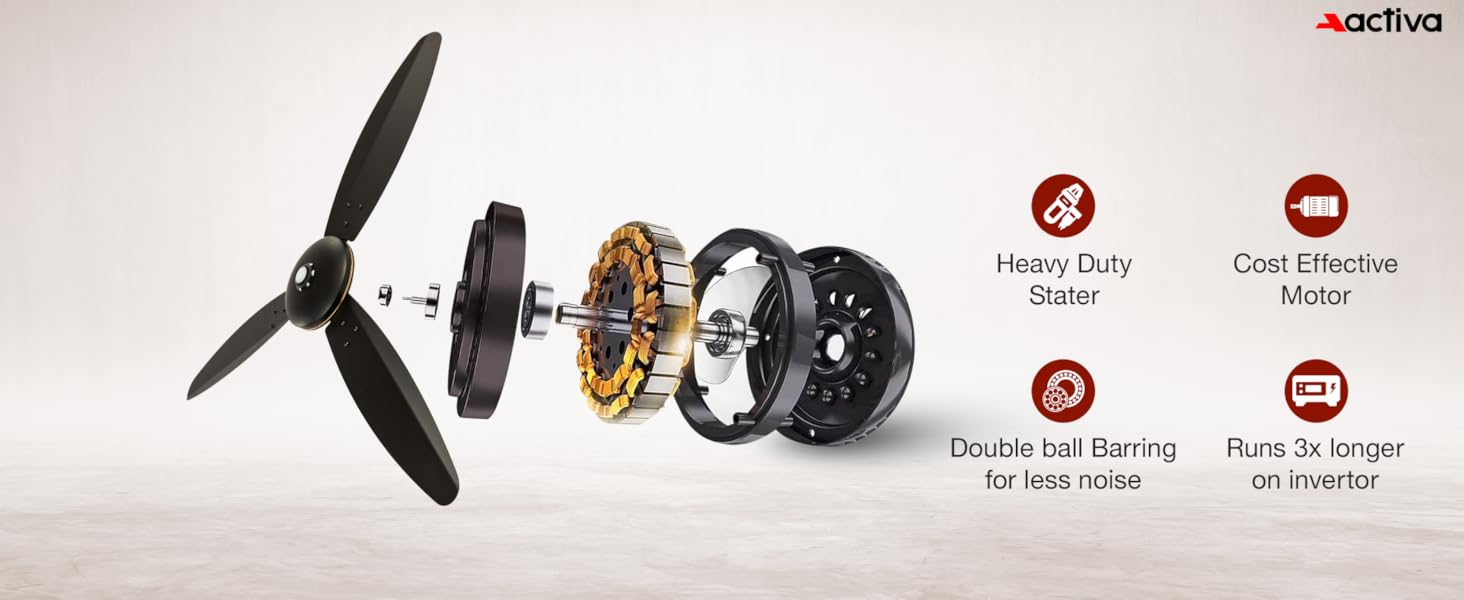
Image 4.4: Final fan assembly and hanging.
Note: It is recommended to have a qualified technician remove any previous fan regulator before installing this BLDC fan.
5. Operating Instructions
Using the Remote Control
The ACTIVA Gracia fan comes with a smart IR remote control for convenient operation. Point the remote directly towards the fan's receiver for optimal functionality.

Image 5.1: Remote control functions.
- Power ON/OFF: Press the power button to turn the fan on or off.
- Speed Control: Use buttons 1-6 to select your desired fan speed.
- Boost Mode: Activates a one-touch high-speed setting for maximum air delivery.
- Timer: Set the fan to automatically turn off after 2, 4, or 8 hours.
- LED Light: Press the LED light button to turn the integrated light on or off. This also functions as a night lamp.
- Reverse Rotation: Reverses the blade rotation, useful for circulating warm air in cooler conditions.
- Nature Mode: Automatically adjusts fan speed to simulate a natural breeze.
Controlling Fan Speed Without Remote
The fan's main switch can also be used to control its speed. To turn the fan ON, quickly toggle the main switch ON and OFF twice (you will hear a long buzzer sound). To adjust the speed, toggle the main switch ON and OFF repeatedly with approximately a 1-second delay between toggles to cycle through the speed settings. If toggling is too fast or too slow, this function may not work correctly.
6. Maintenance
The ACTIVA Gracia BLDC Ceiling Fan is designed for low maintenance with an anti-rust coating. Follow these guidelines to ensure its continued performance:
- Cleaning: Regularly clean the fan blades and motor housing with a soft, dry cloth to prevent dust accumulation.
- Avoid Chemicals: Do not use harsh chemicals, abrasive cleaners, or solvents, as these can damage the fan's finish and components.
- Tighten Connections: Periodically check and ensure all screws and connections, especially those on the blades and mounting, remain tight.
- Lubrication: The fan's double ball bearings are factory-lubricated and generally do not require additional lubrication.
7. Troubleshooting
If you encounter any issues with your ACTIVA Gracia BLDC Ceiling Fan, refer to the following common troubleshooting steps:
| Problem | Possible Cause | Solution |
|---|---|---|
| Fan does not turn on | No power supply Remote control battery low/dead Main switch off | Check circuit breaker and wall switch Replace remote control batteries Ensure main switch is ON |
| Fan makes unusual noise | Loose blades or mounting Internal motor issue | Check and tighten all blade and mounting screws If noise persists, contact customer support |
| Remote control not working | Low/dead battery Obstruction between remote and fan receiver Incorrect pairing (if applicable) | Replace remote control batteries Ensure clear line of sight Refer to remote pairing instructions (if provided separately) |
| LED light not working | Light switch off on remote LED component failure | Press the LED light button on the remote Contact customer support |
For issues not listed above or if troubleshooting steps do not resolve the problem, please refer to the Warranty and Support section for assistance.
8. Specifications
Detailed technical specifications for the ACTIVA Gracia BLDC Ceiling Fan:

Image 8.1: Key specifications and features.
- Brand: ACTIVA
- Model Name: Graica BLDC Ceiling Fan
- Size: 1200 mm (48 Inches Blade Length)
- Wattage: 28 Watts
- Motor Type: Brushless DC (BLDC)
- Number of Blades: 3
- Speed: 380 RPM
- Number of Speeds: 6 (with Boost Mode)
- Voltage: 220 Volts
- Special Features: BEE 5 Star Rated, Inbuilt LED Light with Night Lamp Mode, Silent High Speed Air Delivery, Smart Remote Control Operation, Double Ball Bearing, Anti-Dust Coating
- Material: Aluminium (Blades and Body)
- Item Weight: 3.9 Kilograms
- Product Dimensions (D x W x H): 52D x 23W x 18H Centimeters
- Indoor Outdoor Usage: Indoor
- Controller Type: Remote Control
- Installation Type: Self-Installation
- Certification: CE
9. Warranty and Support
Warranty Information
The ACTIVA Gracia BLDC Ceiling Fan comes with a 3 Year Assured Replacement Warranty of Motor. This warranty is valid only from our Authorized Service Center.
Installation and Service
- Product installation is to be done by the customer.
- For repairs, the customer is required to send the product to an authorized service center.
- All repairs will be conducted exclusively at our service center.
Contact Information
For warranty claims or any product-related issues, please contact us:
- Email: info@activaappliances.com
- Phone: 9999427599
- Manufacturer: TECHVISION INTERNATIONAL PVT. LTD. INDIA


