
Uandear F9
Uandear IPX7 Portable Bluetooth Speaker User Manual
Model: F9
1. Introduction
Thank you for purchasing the Uandear IPX7 Portable Bluetooth Speaker. This speaker is designed to provide high-quality audio with enhanced bass, offering an immersive listening experience. Its robust IPX7 waterproof rating makes it suitable for various environments, from your bathroom to outdoor adventures. Featuring Bluetooth 5.0 for stable connectivity, TWS functionality for stereo pairing, and a long-lasting battery, this speaker is built for convenience and performance. Please read this manual carefully to ensure proper use and maintenance of your device.
2. Product Overview
Familiarize yourself with the components and features of your Uandear Bluetooth Speaker.

Figure 2.1: Front view of the Uandear IPX7 Portable Bluetooth Speaker, showcasing its compact, cylindrical design and control panel.

Figure 2.2: Internal structure of the speaker, highlighting the 5W dual driver and two high-performance subwoofers for powerful, immersive sound with enhanced bass.

Figure 2.3: The speaker's IPX7 waterproof capability, allowing safe use in wet environments such as bathrooms, beaches, or by the pool without concern for water damage.

Figure 2.4: Illustration of True Wireless Stereo (TWS) functionality, enabling two speakers to be paired for a left and right channel setup, delivering a 360° stereo sound experience.
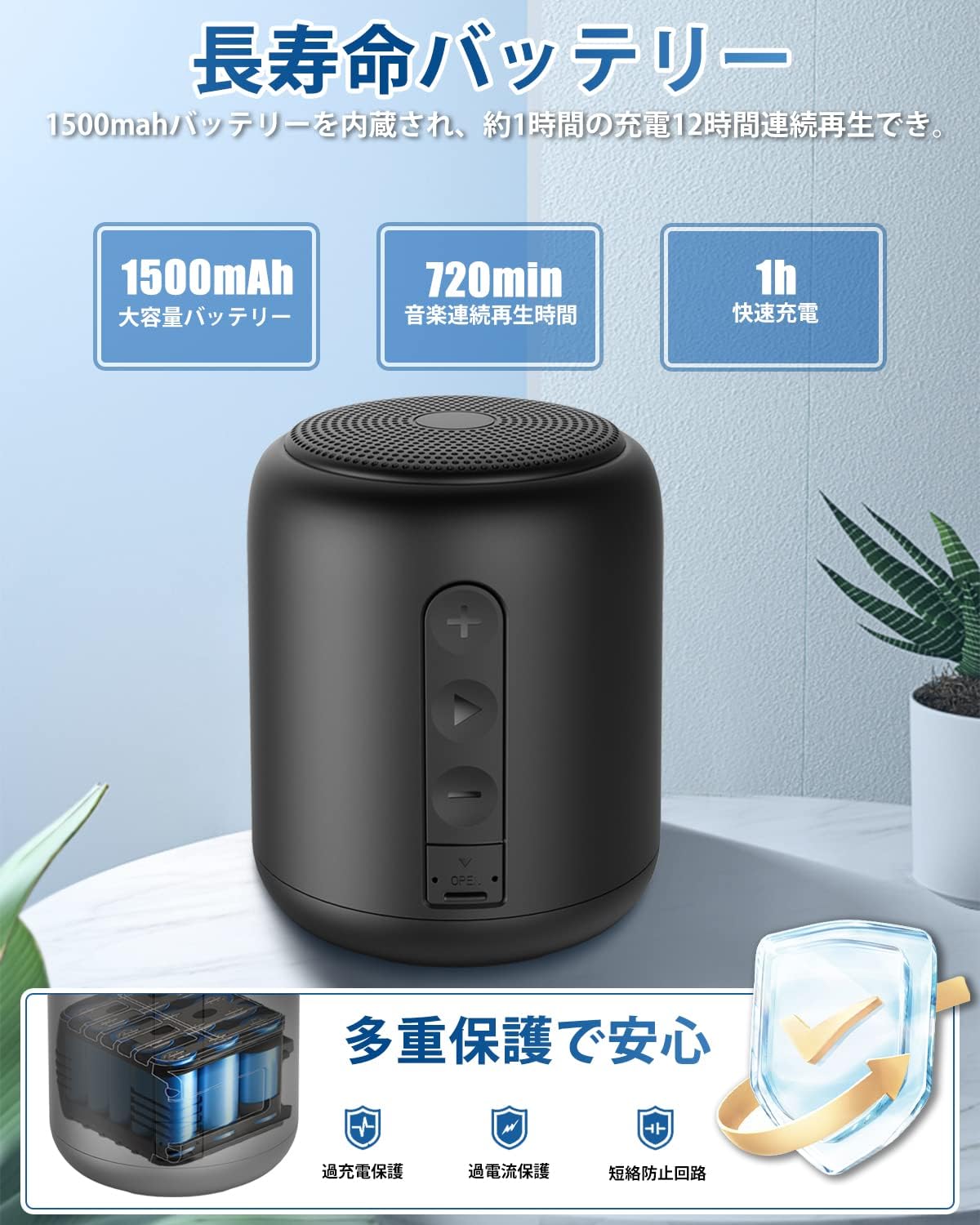
Figure 2.5: The speaker's impressive battery life, offering up to 12 hours of continuous playback (approximately 400 songs) on a single 1-hour charge, thanks to its 1500mAh battery.

Figure 2.6: The speaker's portable and lightweight design, making it easy to carry and enjoy music anywhere, whether connected via Bluetooth or playing directly from a Micro SD card.

Figure 2.7: A close-up of the speaker's multi-function buttons and ports, including the power/play/pause button, volume/track control buttons, TF card slot, and charging port. The compact and lightweight design (320g) is also highlighted.

Figure 2.8: The speaker's broad compatibility with various Bluetooth-enabled devices, including iPhones, iPads, Android smartphones, tablets, Windows PCs, and Mac computers.

Figure 2.9: Examples of diverse usage scenarios for the speaker, including outdoor activities like camping and BBQ, indoor use for work or relaxation, and wet environments like bathing or poolside.
3. Setup
3.1 Charging the Speaker
Before first use, fully charge the speaker. Connect the provided USB charging cable to the speaker's charging port and a USB power adapter (not included). The charging indicator light will show the charging status. A full charge takes approximately 1 hour and provides up to 12 hours of playback.
3.2 Powering On/Off
- To power on: Press and hold the Play/Pause (>) button for a few seconds until you hear an audible prompt.
- To power off: Press and hold the Play/Pause (>) button again for a few seconds until the speaker powers down.
3.3 Bluetooth Pairing
- Ensure the speaker is powered on and in Bluetooth pairing mode (it will usually enter this mode automatically upon first power-on or if no device is connected).
- On your smartphone, tablet, or other Bluetooth-enabled device, go to the Bluetooth settings.
- Search for available devices and select "F9" from the list.
- Once connected, you will hear a confirmation sound from the speaker.
The speaker will automatically attempt to reconnect to the last paired device when powered on.
4. Operating Instructions
4.1 Music Playback
- Play/Pause: Short press the Play/Pause (>) button.
- Volume Up: Short press the Volume Up (+) button.
- Volume Down: Short press the Volume Down (-) button.
- Next Track: Long press the Volume Up (+) button.
- Previous Track: Long press the Volume Down (-) button.
4.2 Call Handling (Hands-Free)
The built-in microphone allows for hands-free calling when connected to your smartphone.
- Answer Call: Short press the Play/Pause (>) button when an incoming call rings.
- End Call: Short press the Play/Pause (>) button during a call.
- Reject Call: Long press the Play/Pause (>) button when an incoming call rings.
4.3 TWS (True Wireless Stereo) Pairing
To achieve a true stereo sound experience, you can pair two Uandear IPX7 Portable Bluetooth Speakers together.
- Ensure both speakers are powered off.
- Power on both speakers simultaneously. They will enter pairing mode.
- On one of the speakers (this will become the master speaker), double-press the Play/Pause (>) button. The speakers will attempt to connect to each other.
- Once successfully paired, you will hear a confirmation sound. The master speaker's indicator light will flash, and the secondary speaker's light will be solid.
- Now, connect your device to the master speaker via Bluetooth as described in Section 3.3. Both speakers will play audio in stereo.
To disconnect TWS, power off either speaker, or long press the Play/Pause button on the master speaker.
4.4 Micro SD Card Mode
The speaker supports music playback directly from a Micro SD card.
- Insert a Micro SD card (with supported audio files) into the TF card slot. The speaker will automatically switch to Micro SD card mode and begin playback.
- Use the Play/Pause (>), Volume Up (+), and Volume Down (-) buttons to control playback as described in Section 4.1.
Note: Due to structural design, the waterproof cover may not completely seal when a TF card is inserted. This does not affect the aesthetic appearance. If waterproof performance is critical while using a TF card, please be aware of this point.
4.5 AUX-in Mode
The speaker supports audio input via an AUX cable (not included).
- Connect one end of a 3.5mm AUX cable to the speaker's AUX port and the other end to your audio source.
- The speaker will automatically switch to AUX mode. Control playback and volume from your connected audio source.
5. Maintenance
- Cleaning: Wipe the speaker with a soft, damp cloth. Do not use harsh chemicals or abrasive cleaners.
- Storage: Store the speaker in a cool, dry place away from direct sunlight and extreme temperatures.
- Waterproof Care: While the speaker is IPX7 waterproof, ensure the charging port and TF card slot covers are securely closed before exposing it to water. After exposure to water, wipe the speaker dry before charging.
- Battery: To prolong battery life, charge the speaker regularly, even if not in frequent use. Avoid fully discharging the battery for extended periods.
6. Troubleshooting
| Problem | Possible Cause | Solution |
|---|---|---|
| Speaker does not power on. | Low battery. | Charge the speaker fully. |
| Cannot pair with Bluetooth device. | Speaker not in pairing mode; Device Bluetooth off; Too far from speaker. | Ensure speaker is in pairing mode. Turn Bluetooth on/off on your device. Move device closer to speaker (within 10m). |
| No sound or low volume. | Volume too low on speaker or device; Incorrect input mode. | Increase volume on both speaker and connected device. Ensure correct mode (Bluetooth, Micro SD, AUX) is active. |
| TWS pairing fails. | Speakers not reset; Too far apart. | Ensure both speakers are powered off before attempting TWS pairing. Keep speakers close during pairing. |
| Loud sound on power-on when Micro SD card is inserted. | Automatic playback at default volume. | This is a known characteristic. It is recommended to remove the Micro SD card before powering off if you are in a quiet environment, or to be prepared to quickly adjust volume. |
7. Specifications
| Brand | Uandear |
| Model | F9 |
| Connectivity Technology | Bluetooth 5.0 |
| Speaker Type | Outdoor / Portable |
| Max Output Power | 5 Watts |
| Waterproof Rating | IPX7 |
| Battery Capacity | 1500mAh |
| Battery Life | Up to 12 Hours |
| Charging Time | Approx. 1 Hour |
| Dimensions (L x W x H) | 170 x 47 x 57 mm |
| Weight | 320 grams |
| Controller Type | Button |
| Special Features | Wireless, Built-in Microphone, TWS Function, Micro SD Card Support, AUX-in |
8. Warranty and Support
Uandear is committed to providing high-quality products and excellent customer service. If you encounter any issues or have questions regarding the product's operation, please do not hesitate to contact our customer support team. You can reach us through your order history on Amazon. We aim to respond to all inquiries within the shortest possible business day.
This product comes with a standard manufacturer's warranty. Please refer to your purchase documentation for specific warranty terms and conditions.
Ask a question about this manual
Ask about setup, troubleshooting, compatibility, parts, safety, or missing instructions. Manuals+ will review the question and use this page’s manual context to help answer it.