
1. Product Overview
The NEEWER NW635II-S is a versatile TTL camera flash speedlite designed for use with Sony A-series cameras. It offers automatic TTL flash capabilities, manual control, and various advanced modes to enhance your photography lighting.

Figure 1: NEEWER NW635II-S Speedlite and accessories (soft diffuser, protective case, hot shoe stand).
Key Features:
- TTL Flash Compatibility: Supports automatic TTL flashes and ±3 levels of exposure compensation.
- High Guide Number: GN58 (ISO 100, 180mm) for powerful output.
- Versatile Modes: Manual (M), Stroboscopic (Multi), and Optical Slave (S1/S2) modes.
- Flexible Flash Head: Swivels -7° to 90° vertically and rotates 270° horizontally.
- Adjustable Flash Coverage: Automatic or manual adjustment between 24-180mm.
- Fast Recycle Time: Approximately 3.5 seconds.
- Consistent Color Temperature: 5600K±200K.
- Power Supply: Requires 4 AA batteries.
2. Package Contents
Verify that all items are present in the package:
- 1 x NEEWER NW635II-S Flash Speedlite
- 1 x Protective Case
- 1 x Light Diffuser
- 1 x Hot Shoe Stand

Figure 2: Included items in the NW635II-S package.
3. Setup
3.1 Battery Installation
- Open the battery compartment cover located on the side of the speedlite.
- Insert four (4) AA batteries, ensuring correct polarity (+/-).
- Close the battery compartment cover securely.
Note: For optimal performance and recycle times, use high-quality alkaline or NiMH rechargeable AA batteries. The speedlite is also compatible with the CP-E4 compact battery pack (not included) for extended power.

Figure 3: Battery installation and external power interface.
3.2 Mounting on Camera
- Slide the speedlite's hot shoe onto your camera's hot shoe mount.
- Rotate the locking ring clockwise until the speedlite is securely fastened to the camera.
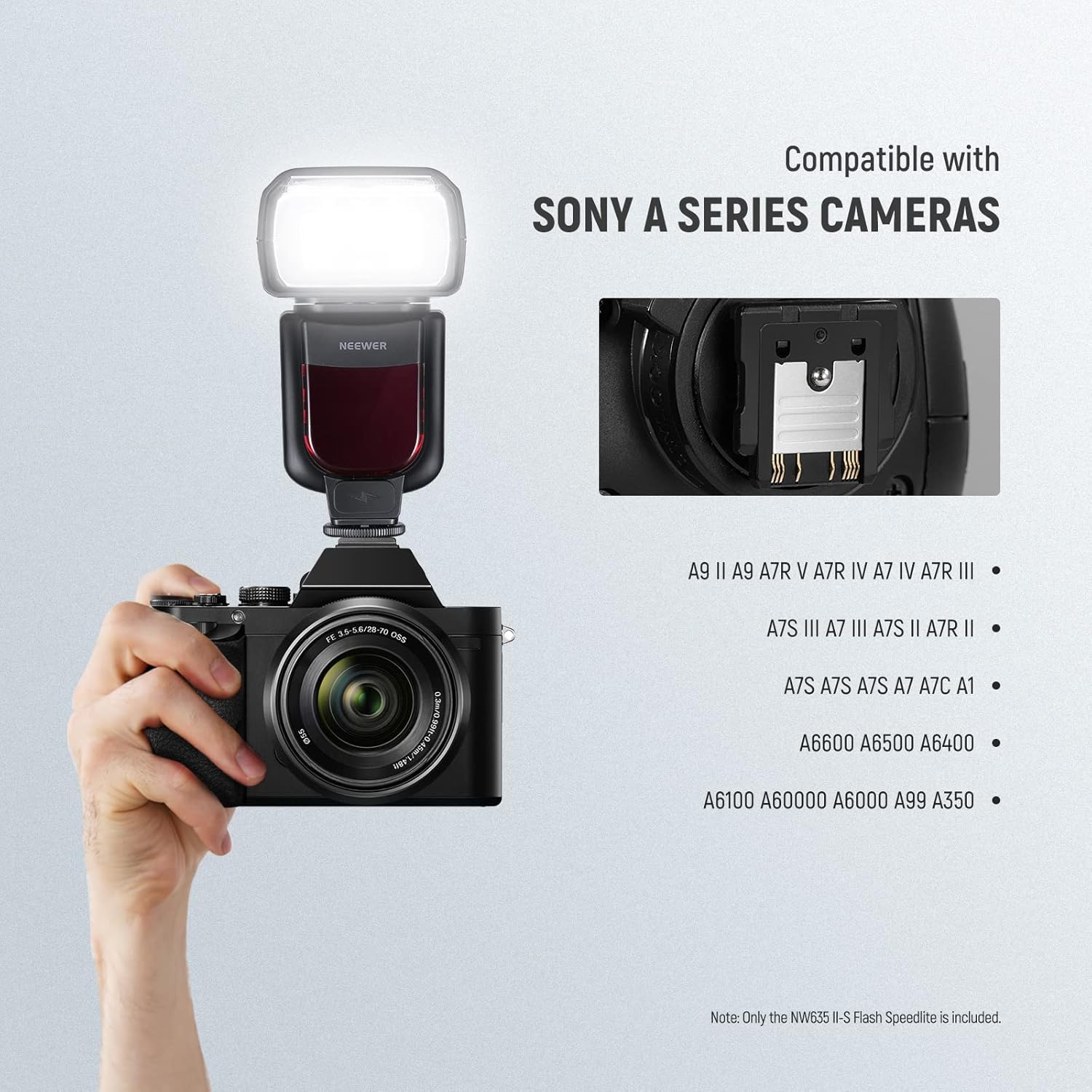
Figure 4: Speedlite mounted on a Sony A-series camera.
3.3 Attaching Diffuser and Reflector
The NW635II-S includes a built-in wide-angle diffuser and a reflector card. Additionally, a soft light diffuser is provided for softer lighting effects.
- Built-in Reflector Card: Pull out the small white card from the flash head to use as a reflector for catchlights or subtle bounce.
- Built-in Wide-Angle Diffuser: Pull out the wider, translucent panel from the flash head to broaden the flash coverage for wide-angle lenses.
- External Soft Light Diffuser: Slide the external soft light diffuser over the flash head for a softer, more even light output.

Figure 5: Using the included diffusers and reflector for various lighting effects.
4. Operating Instructions
4.1 Power On/Off
Press and hold the power button to turn the speedlite on or off. The LCD screen will illuminate upon power-on.
4.2 Flash Modes
Press the MODE button to cycle through the available flash modes:
- TTL Mode (Through-The-Lens): The flash automatically determines the optimal light output based on the camera's metering system.
- Exposure Compensation: In TTL mode, use the directional buttons to adjust flash exposure compensation from -3 to +3 EV in 1/3 stop increments.
- Manual (M) Mode: Allows manual control over flash output.
- Use the directional buttons to set the flash output from 1/1 (full power) to 1/128 power in 1/3 stop increments.
- Multi Mode (Stroboscopic Flash): Fires a series of rapid flashes during a single exposure to capture multiple images of a moving subject.
- Adjust the number of flashes, flash frequency (Hz), and flash output.
- S1/S2 Mode (Optical Slave): The speedlite acts as a slave unit, triggered by another flash.
- S1 Mode: Triggers when it detects the first flash from a master unit. Suitable for manual flash or TTL flash without pre-flash.
- S2 Mode: Ignores the pre-flash from a master TTL flash and triggers on the main flash.

Figure 6: Diverse flash modes and their applications.
Figure 7: Manual mode display on the LCD screen.
4.3 Flash Head Adjustment
The flash head can be adjusted to bounce light off ceilings or walls for softer, more natural illumination.
- Vertical Rotation: The flash head can tilt upwards from -7° to 90°.
- Horizontal Rotation: The flash head can rotate 270° (180° to the left, 90° to the right).

Figure 8: Flexible flash head angles for bounce lighting.
4.4 Flash Coverage (Zoom)
The flash coverage can be automatically or manually adjusted to match the focal length of your lens.
- Automatic Zoom: In TTL mode, the flash will automatically adjust its zoom position (24-180mm) to match the lens's focal length.
- Manual Zoom: In Manual mode, you can manually set the zoom position using the control buttons.
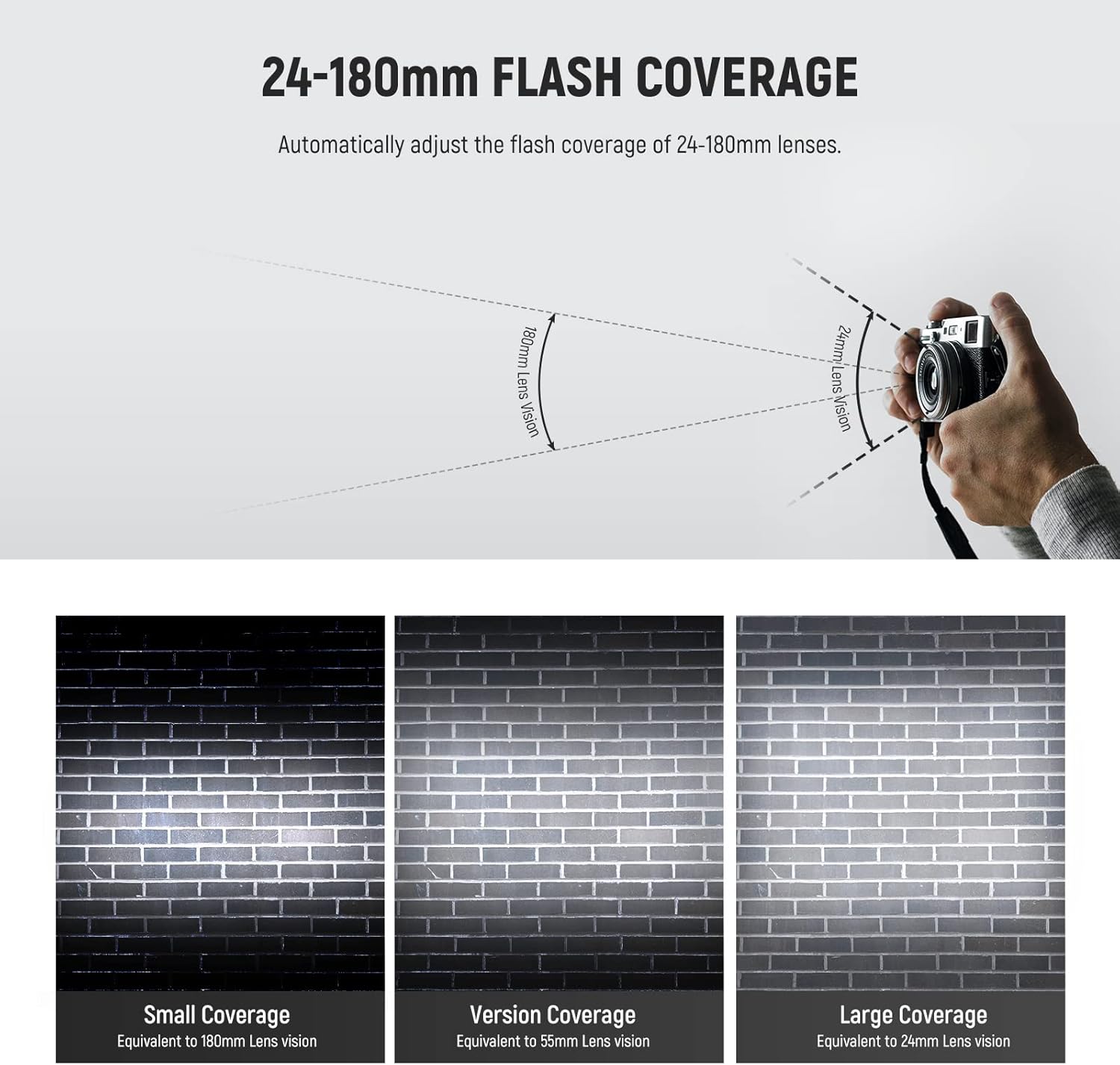
Figure 9: Flash coverage examples at different focal lengths.
4.5 Wireless Triggering (Optional)
The NW635II-S can be used with an optional 2.4GHz wireless flash trigger (e.g., NEEWER FC-16, sold separately) for off-camera flash setups.
- Attach the FC-16 transmitter to your camera's hot shoe.
- Attach the FC-16 receiver to the NW635II-S speedlite.
- Ensure both units are set to the same channel.
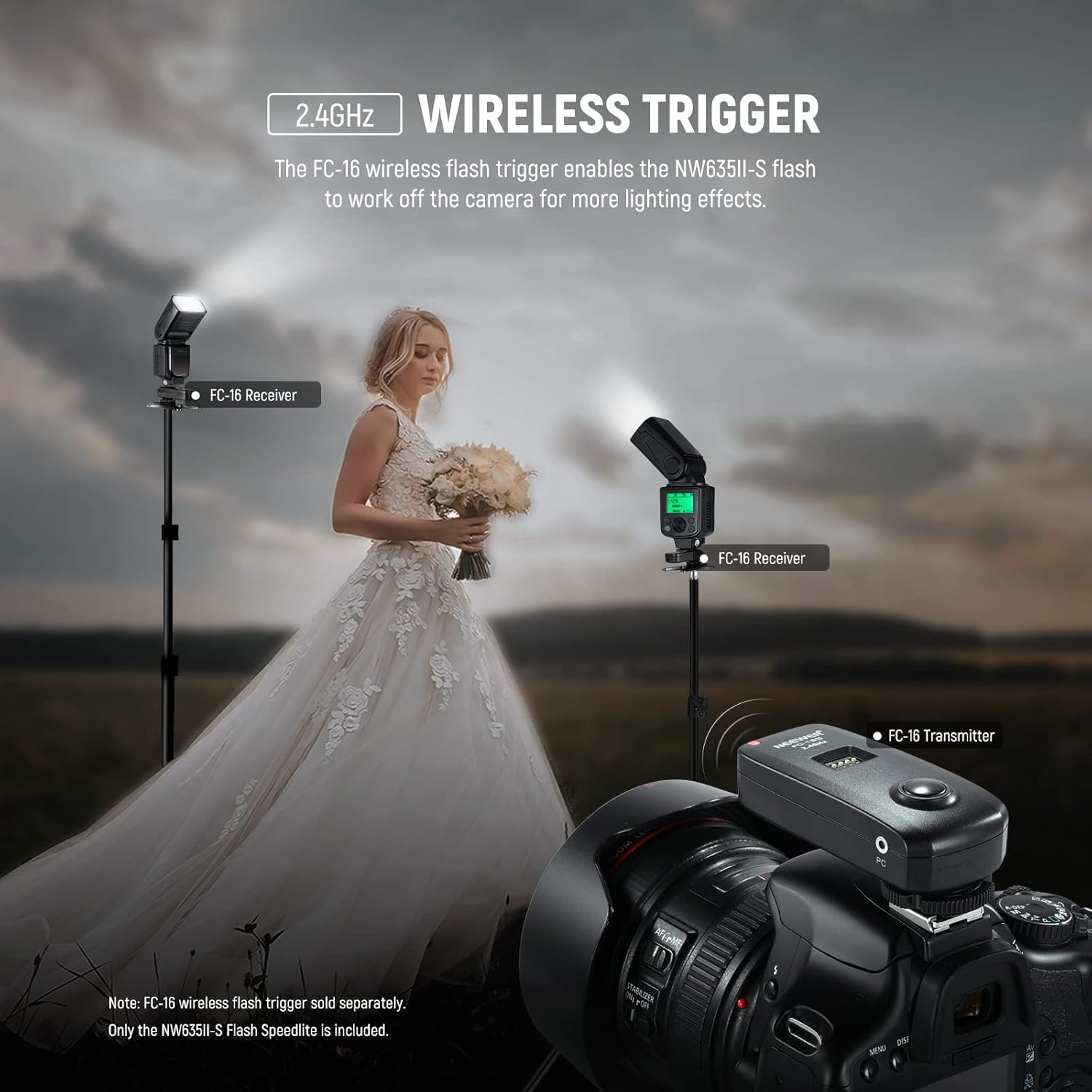
Figure 10: Wireless flash setup with optional FC-16 trigger.
5. Maintenance
- Cleaning: Use a soft, dry cloth to clean the flash body and LCD screen. For the flash tube, use a lens cleaning cloth. Avoid using solvents or abrasive cleaners.
- Battery Care: Remove batteries if the speedlite will not be used for an extended period to prevent leakage.
- Storage: Store the speedlite in a cool, dry place, away from direct sunlight and extreme temperatures. Use the provided protective case for storage and transport.
6. Troubleshooting
- Flash does not fire:
- Ensure batteries are correctly installed and have sufficient charge.
- Check if the speedlite is securely mounted on the camera's hot shoe.
- Verify that the camera's flash settings are enabled and compatible with an external flash.
- If using optical slave mode (S1/S2), ensure the sensor is unobstructed and the master flash is firing correctly.
- Flash output is inconsistent or incorrect:
- In TTL mode, check flash exposure compensation settings.
- In Manual mode, verify the power output setting.
- Ensure the flash coverage (zoom) setting matches your lens focal length or is set to auto.
- Check for obstructions between the flash and subject, or if the flash head is angled incorrectly for bounce.
- Slow recycle time:
- Replace batteries with fresh ones or use high-capacity rechargeable batteries.
- Consider using an external power pack (e.g., CP-E4, sold separately) for faster recycle times.
- LCD screen is blank or unresponsive:
- Turn the speedlite off and then on again.
- Check battery levels.
7. Specifications

Figure 11: NEEWER NW635II-S Specifications Overview.
| Feature | Detail |
|---|---|
| Model | NW635II-S |
| Guide Number | GN58 (ISO 100, 180mm) |
| Flash Coverage | Auto zoom, 24-180mm manual zoom, flash head rotation |
| Flash Mode | TTL, Manual, Stroboscopic flash, Optical slave S1/S2 |
| Wireless Flash Distance | 66'-98' / 20-30m (indoor), 33'-49' / 10-15m (outdoor) |
| Number of Full Power Flashes | 230 |
| Recycling Time | 3.5s |
| Color Temperature | 5600K±200K |
| Flash Control | 1/128-1/1 |
| Tilt Angle | -7° - 90° |
| Rotating Angle | -90° - 180° |
| Power Supply | 4 x AA alkaline/NiMH battery |
| Dimensions | 8" x 3" x 2.4" / 203 x 76 x 61mm |
| Weight | 14.1oz / 400g |
8. Warranty and Support
For warranty information and technical support, please refer to the official NEEWER website or contact their customer service directly. Specific warranty terms and support contact details are not provided within this manual.
You can typically find support information on the manufacturer's website: www.neewer.com