
CFIAI PB-08
CFIAI PB-08 Portable Charger Power Bank
User Manual
1. Introduction
Thank you for choosing the CFIAI PB-08 Portable Charger Power Bank. This device is designed to provide reliable and fast charging for your electronic devices on the go. Featuring a 15000mAh capacity, built-in USB-C and iOS cables, and multiple charging ports, it offers convenience and versatility. Please read this manual carefully to ensure proper use and maintenance of your power bank.
2. Safety Information
To ensure safe operation and prevent damage to the device or injury, please observe the following safety precautions:
- Do not expose the power bank to extreme temperatures (above 60°C/140°F) or direct sunlight.
- Avoid dropping, disassembling, or attempting to repair the device yourself.
- Keep away from water, moisture, and flammable materials.
- Use only certified charging cables and adapters.
- Keep out of reach of children.
- Dispose of the power bank responsibly according to local regulations.
3. Product Overview
The CFIAI PB-08 Portable Charger Power Bank is equipped with various features for optimal performance:
- 15000mAh High Capacity: Provides multiple charges for smartphones and other devices.
- Built-in Cables: Includes one USB-C cable (22.5W output) and one iOS cable (20W output) for direct device charging.
- Multiple Charging Ports: Features USB-A (15W output), Type-C (18W output), and Micro USB (18W input) ports.
- Digital LED Display: Shows the remaining battery percentage accurately (0-100%).
- Fast Charging Technology: Supports PD & QC fast charging for quick power delivery.
- Compact and Lightweight Design: Easy to carry for travel and daily use.
- Multi-Protection System: Built-in safeguards against over-charge, over-discharge, short circuit, over-current, and temperature fluctuations.

Figure 1: Front view of the CFIAI PB-08 Portable Charger Power Bank, showing the digital display and integrated cables.

Figure 2: Detailed view of the power bank's ports and built-in cables, highlighting the Micro USB input, Type-C input/output, USB-A output, Type-C cable output, and iOS cable output.
4. Setup
4.1 Initial Charging of the Power Bank
Before first use, it is recommended to fully charge your CFIAI PB-08 Power Bank. The intelligent LED digital display will show the battery percentage from 0-100%, allowing you to monitor the charging progress accurately.
- Connect the power bank to a power source using a compatible charging cable. You can use the included Type-C charging cable or a Micro USB cable (not included).
- The Type-C input/output port supports faster charging for the power bank itself, taking approximately 3.5 hours for a full charge with a 15W or above adapter. The Micro USB input port takes approximately 5 hours.
- The digital display will illuminate and show the increasing battery percentage.
- Once the display shows "100%", the power bank is fully charged and ready for use.

Figure 3: Illustration of charging the power bank via Micro USB input (5 hours) and Type-C input/output (3.5 hours).
5. Operating Instructions
5.1 Charging Your Devices
The CFIAI PB-08 Power Bank can charge up to four devices simultaneously using its built-in cables and additional ports.
- Using Built-in Cables:
- Pull out the integrated USB-C cable or iOS cable from its storage slot.
- Connect the appropriate cable directly to your device (e.g., iPhone, Android phone, tablet).
- The power bank will automatically begin charging your device.
- Using External Cables with Ports:
- Connect your device's charging cable to one of the available output ports on the power bank (USB-A or Type-C).
- Connect the other end of the cable to your device.
- The power bank will automatically begin charging.
- Checking Battery Level: Briefly press the power button once to activate the digital LED display, which shows the remaining battery percentage.
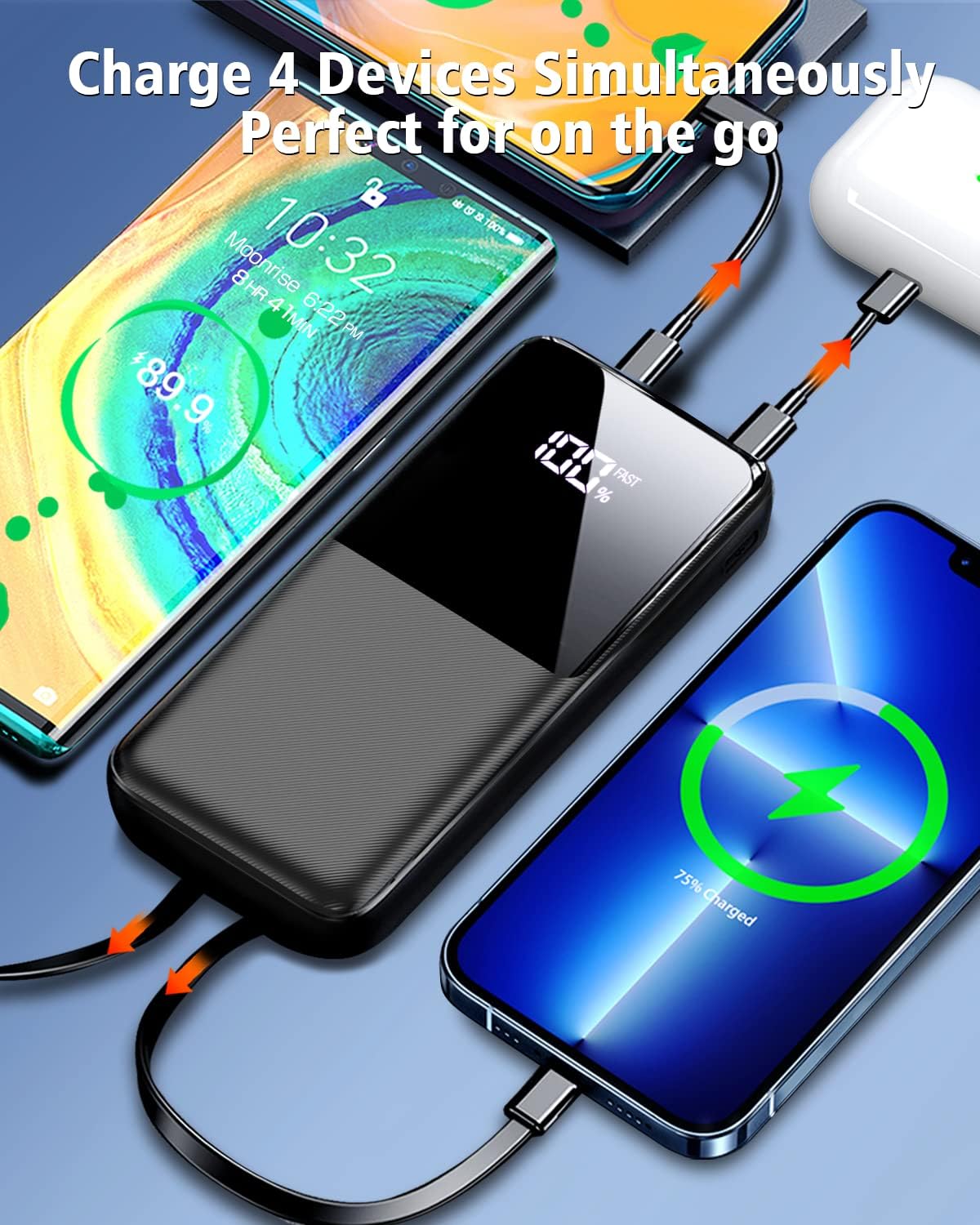
Figure 4: The power bank charging multiple devices simultaneously using its built-in cables and external ports.

Figure 5: Demonstrating the 22.5W super fast charging, capable of charging an iPhone 15 from 0 to 50% in approximately 30 minutes.

Figure 6: The power bank charging an iPhone using its integrated iOS cable.

Figure 7: The power bank charging a Type-C device using its integrated Type-C cable.
6. Maintenance
6.1 Battery Care
- To prolong battery life, avoid fully discharging the power bank regularly. Recharge it when the battery level is low.
- If storing the power bank for an extended period, charge it to about 50-70% and recharge every 3-6 months to prevent deep discharge.
- Avoid exposing the power bank to extreme heat or cold, as this can degrade battery performance.
6.2 Cleaning
- Wipe the exterior of the power bank with a soft, dry cloth.
- Do not use harsh chemicals, abrasive cleaners, or immerse the device in water.
- Ensure ports are free of dust and debris. Use a soft brush or compressed air if necessary.
7. Troubleshooting
If you encounter issues with your CFIAI PB-08 Power Bank, refer to the following common problems and solutions:
| Problem | Possible Cause | Solution |
|---|---|---|
| Power bank not charging | Charging cable or adapter faulty; power bank fully discharged; charging port blocked. | Try a different cable and adapter. Ensure the power bank is not completely depleted. Clean the charging port. |
| Device not charging from power bank | Power bank is out of charge; device cable faulty; incorrect port used; device not compatible. | Recharge the power bank. Try a different device cable. Ensure you are using an output port. Verify device compatibility. |
| Slow charging | Cable or adapter not supporting fast charging; multiple devices charging simultaneously; device's charging limit. | Use a fast-charging compatible cable and adapter. Charge fewer devices at once. Check your device's charging specifications. |
| Digital display not working | Power button not pressed; device malfunction. | Briefly press the power button. If the issue persists, contact customer support. |
The power bank features multiple intelligent protection systems (over-charge, over-discharge, short circuit, over-current, temperature control) to ensure safety. If the power bank stops functioning unexpectedly, it might be due to one of these protections being activated. Disconnect all devices and cables, wait a few minutes, and then try again.
8. Specifications
| Feature | Specification |
|---|---|
| Model Number | PB-08 |
| Battery Capacity | 15000mAh |
| Product Dimensions | 5.9 x 0.7 x 2.69 inches |
| Item Weight | 8.8 ounces |
| Built-in iOS Cable Output | 20W |
| Built-in USB-C Cable Output | 22.5W |
| USB-A Port Output | 15W |
| Type-C Port Input/Output | 18W (Input), 18W (Output) |
| Micro USB Port Input | 18W |
| Battery Type | Lithium Metal |
| Color | A: 15000mAh Black |
| What's in the Box | 1* power bank, 1* type c charging cable, 1* user manual |
9. Warranty and Support
CFIAI is committed to providing high-quality products. For specific warranty information, please refer to the documentation included with your purchase or visit the official CFIAI website. If you encounter any issues or have questions regarding your PB-08 Portable Charger Power Bank, please contact CFIAI customer support for assistance.
You can also refer to the official User Manual PDF available at: https://manuals.plus/m/a626d141887c339ce9d33e4b19c36c648c64709ed8cd0796223e4a383f1ea1bc
Related documentsPB-08

Ask a question about this manual
Ask about setup, troubleshooting, compatibility, parts, safety, or missing instructions. Manuals+ will review the question and use this page’s manual context to help answer it.