
1. Introduction
This manual provides essential instructions for the safe and efficient use of your Weilianda Home Theater Seating. Please read this manual thoroughly before assembly and operation, and retain it for future reference.
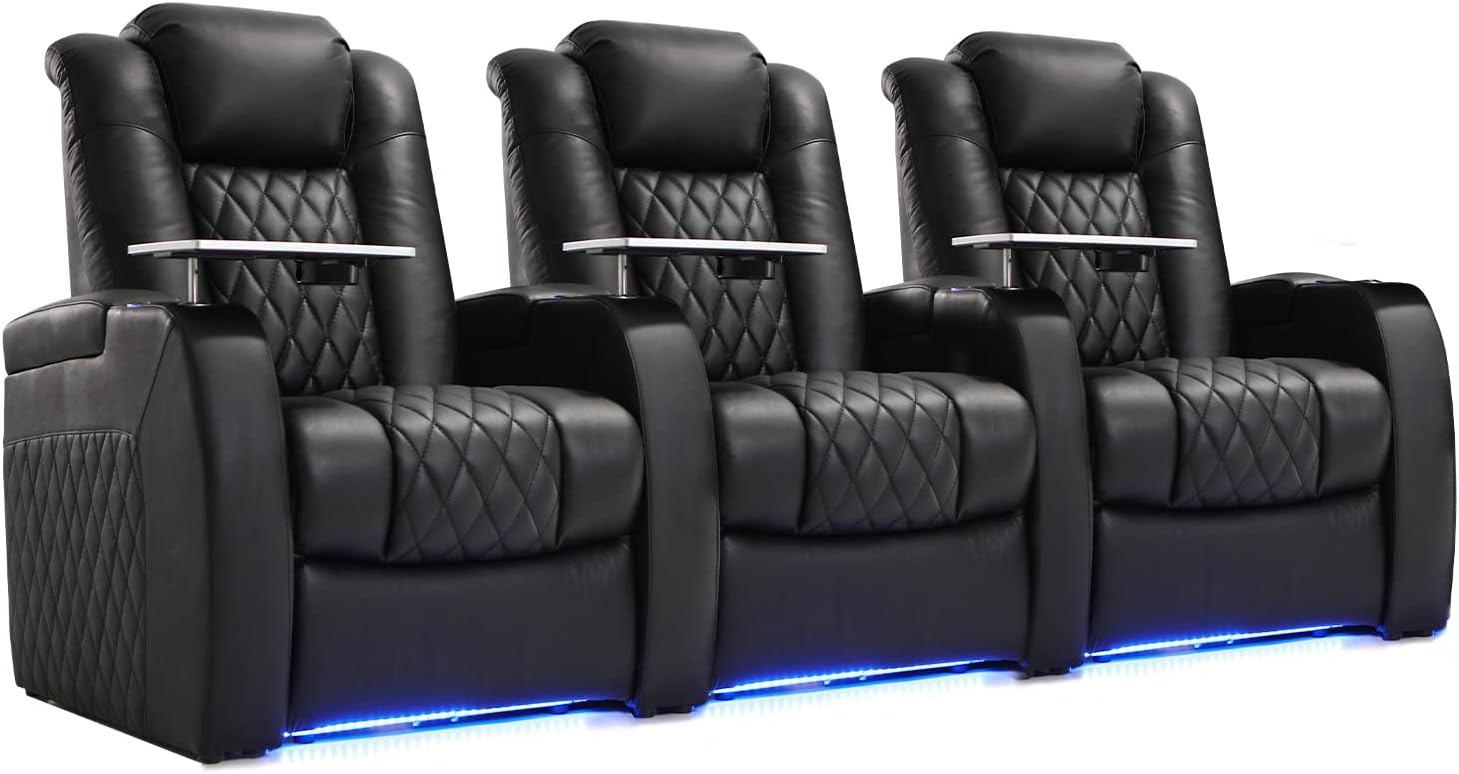
Image 1.1: Weilianda Home Theater Seating, a row of three black leather recliners with ambient lighting and tray tables.
2. Safety Information
For your safety and to prevent damage to the product, observe the following guidelines:
- Always assemble the chair according to the provided instructions.
- Do not exceed the maximum weight recommendation of 350 pounds to ensure safety and stability.
- Keep children and pets away from moving parts during operation.
- Ensure all electrical connections are secure and follow local electrical codes.
- Avoid placing the seating near heat sources or in direct sunlight to prevent material degradation.
3. Package Contents
Verify that all components are present before beginning assembly:
- Sofa sections (backrests, seat cushions, armrests)
- Power cord(s)
- Tray table(s)
- User Manual

Image 3.1: Illustration of various seating configurations, including single seats, loveseats, and rows of 3, 4, and 5 seats, demonstrating the modular design.
4. Assembly Instructions
The Weilianda Home Theater Seating is designed for effortless, tool-free assembly. Follow these steps:
- Unpack Components: Carefully remove all parts from the packaging.
- Attach Backrest: Simply insert the backrest into the corresponding slots on the seat cushion until it clicks securely into place.
- Connect Power: Connect the power cord(s) to the designated ports on the seating unit and then to a power outlet.
- Install Tray Table (Optional): Insert the tray table into the receiver located in the armrest. The tray table can swivel 360 degrees.
Assembly typically takes approximately 10 minutes per seat.
Video 4.1: An official Weilianda video demonstrating the assembly process and key features of the home theater seating.
5. Operating Instructions
Your Weilianda Home Theater Seating offers several features for enhanced comfort and convenience.
5.1 Power Recline and Headrest
Utilize the control panel located on the armrest to adjust your seating position. The power recline mechanism allows for smooth adjustment to your ideal position, including a zero-gravity recline. The power headrest can be adjusted to any angle for personalized neck and head support.
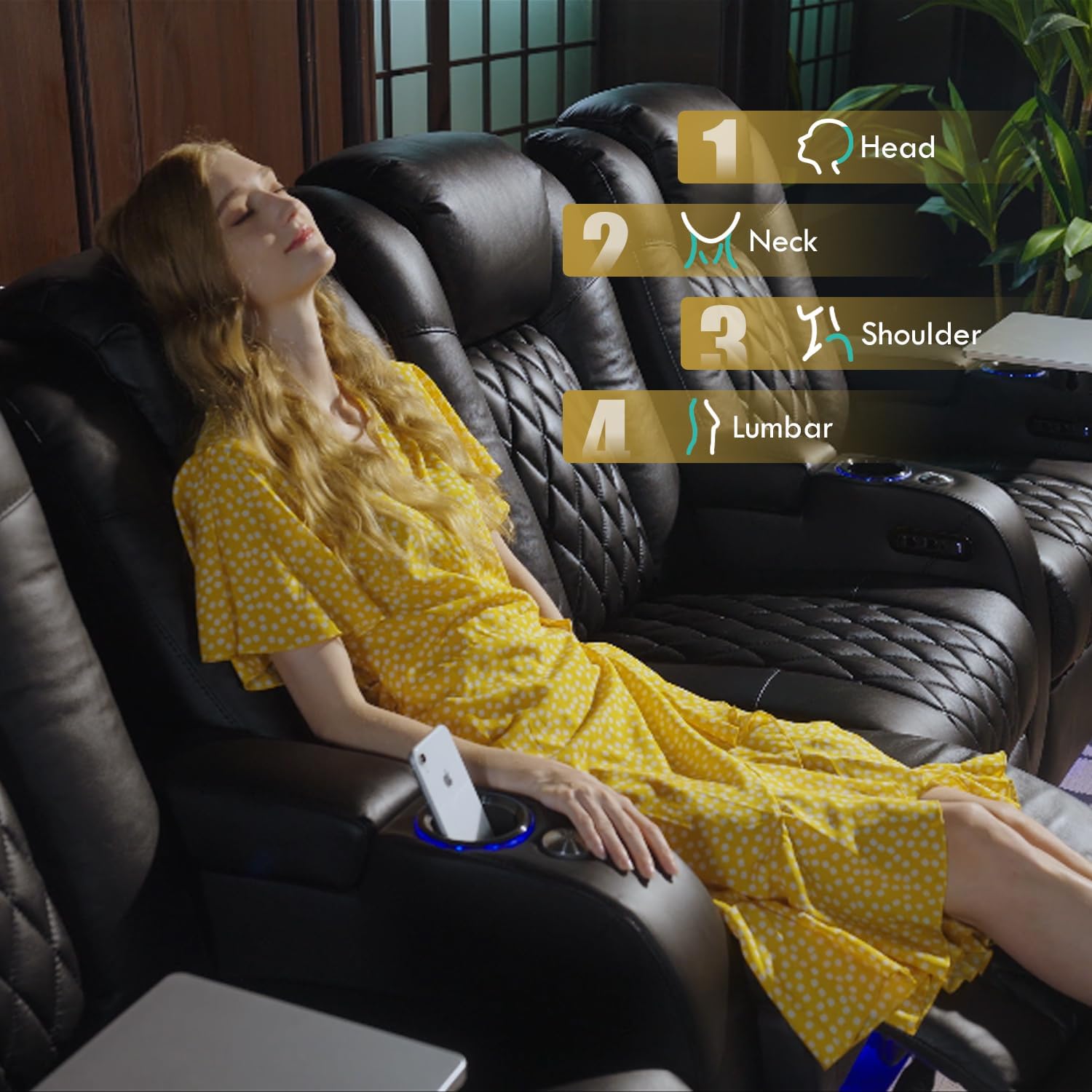
Image 5.1: Detailed view of the control panel, highlighting buttons for power recline, power headrest, LED light, and USB charging ports.
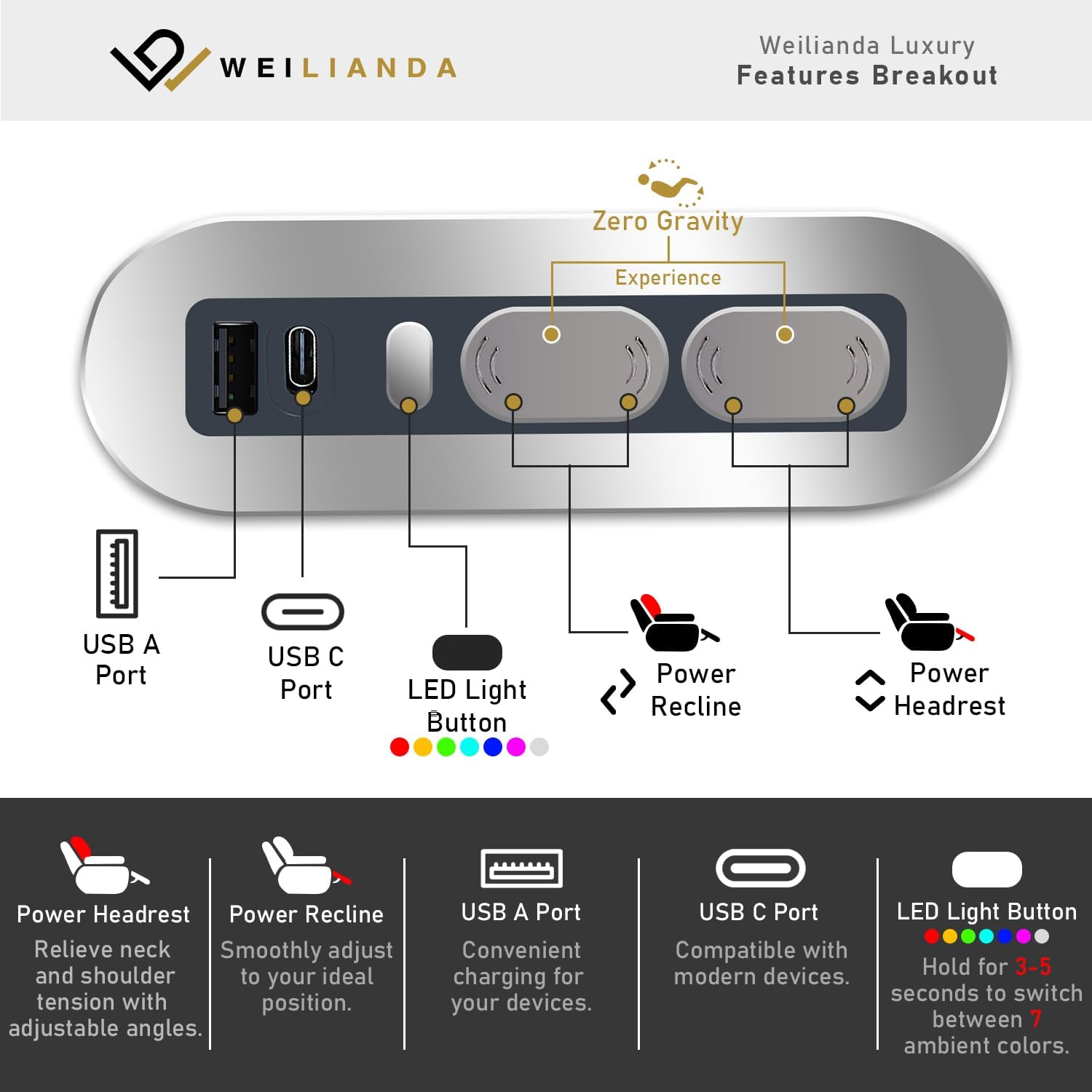
Image 5.2: A person demonstrating the zero-gravity recline feature, designed to alleviate pressure and provide ergonomic support.
5.2 Ambient Lighting
The seating features customizable 7-color ambient lighting located in the cup holders and along the base. Press and hold the LED Light Button on the control panel for 3-5 seconds to cycle through the 7 ambient colors. Short presses may adjust brightness levels if available.

Image 5.3: Visual representation of the 7-color ambient lighting feature and adjustable brightness settings.
5.3 USB Charging Ports
Each armrest is equipped with USB-A and USB-C charging ports to keep your devices powered. Simply connect your device's charging cable to the appropriate port.

Image 5.4: A close-up of the USB-C charging port, illustrating its use for device charging.
5.4 Tray Table
The included 360° swivel tray table provides a convenient surface for snacks, drinks, or devices. It can be easily inserted into and removed from the armrest receiver.

Image 5.5: The swivel tray table in use, holding a bowl of popcorn and a drink, demonstrating its practicality.
5.5 Hidden Armrest Storage
Each armrest features a hidden storage compartment, ideal for stowing remotes, snacks, or other small essentials.

Image 5.6: The hidden storage compartment within the armrest, shown open to illustrate its capacity.
6. Maintenance
To ensure the longevity and appearance of your Weilianda Home Theater Seating:
- Cleaning: The top grain leather upholstery requires dry cleaning. For minor spills, gently wipe with a clean, damp cloth and dry immediately. Avoid harsh chemicals or abrasive cleaners.
- Regular Inspection: Periodically check all connections and moving parts for tightness and proper function.
- Avoid Direct Sunlight: Prolonged exposure to direct sunlight can cause the leather to fade or crack.

Image 6.1: A close-up of the top grain leather, showcasing its texture and diamond pattern, emphasizing the material's quality.
7. Troubleshooting
If you encounter issues with your seating, refer to the following common solutions:
| Problem | Possible Cause | Solution |
|---|---|---|
| Recline function not working | Power cord disconnected; circuit breaker tripped; motor issue. | Ensure power cord is securely plugged in. Check household circuit breaker. If problem persists, contact customer support. |
| Ambient lights not illuminating | Power issue; LED button not pressed correctly. | Verify power connection. Press and hold the LED Light Button for 3-5 seconds. |
| USB ports not charging | Power issue; device cable faulty; device incompatible. | Check power connection. Try a different USB cable or device. |
| Backrest feels loose | Backrest not fully engaged. | Ensure the backrest is fully inserted into the seat cushion slots until it locks. |
For issues not listed here, please contact Weilianda customer support.
8. Product Specifications
| Feature | Detail |
|---|---|
| Brand | Weilianda |
| Model Name | WLD-SF-LUXURY |
| Material | Top Grain Leather (100% Top Grain Leather) |
| Color | Black (for this variant) |
| Product Dimensions (D x W x H) | 40"D x 93"W x 42.5"H (Row of 3) |
| Item Weight | 359 Pounds |
| Maximum Weight Recommendation | 350 Pounds |
| Features | Power Recline, Power Adjustable Headrest, Zero Gravity Reclining, 7-Color Ambient Lighting, LED-Lit Cup Holders, Hidden Armrest Storage, 360° Swivel Tray Table, USB-A & USB-C Charging Ports |
| Assembly | Required, Tool-free |
| Product Care | Dry Clean |

Image 8.1: Dimensional diagram of the Weilianda Home Theater Seating, illustrating height, depth, and width for a three-seat configuration.
9. Warranty and Support
Weilianda is committed to providing high-quality products and excellent customer service.
- 1-Year Warranty: The product is backed by a 1-year warranty covering non-human damage and factory defects. We guarantee repairs or replacements for eligible issues.
- 15-Day Return Policy: Refer to your purchase agreement for details on the 15-day return policy.
- Lifetime After-Sales Service: We offer lifetime after-sales service and technical support.
- Customer Support: Our customer support team is available 24/7 for quick resolution of any inquiries.

Image 9.1: Overview of Weilianda's customer support and warranty commitments.