
Verkstar K7-Black
Verkstar Karaoke Machine User Manual
Model: K7-Black
Brand: Verkstar
Introduction
This manual provides essential information for the safe and effective operation of your Verkstar Portable Karaoke Machine. Please read this manual thoroughly before using the product and retain it for future reference. This portable karaoke system is designed to provide high-quality audio and entertainment for various occasions, featuring wireless microphones, dynamic LED lighting, and multiple connectivity options.
Package Contents
Upon opening the package, please ensure all the following items are present and in good condition:
- 1 x Verkstar Karaoke Machine (Main Unit)
- 2 x Wireless Microphones
- 1 x USB Type-C Charging Cable
- 1 x User Manual (this document)

Figure 1: Included components of the Verkstar Karaoke Machine.
Product Overview
The Verkstar Karaoke Machine is a compact and portable audio system designed for entertainment. It features a main speaker unit and two wireless microphones. The main unit includes a speaker with dynamic LED lights, a control panel, and integrated storage slots for the microphones.

Figure 2: Front view of the karaoke machine with microphones.

Figure 3: Compact design and dimensions of the unit.
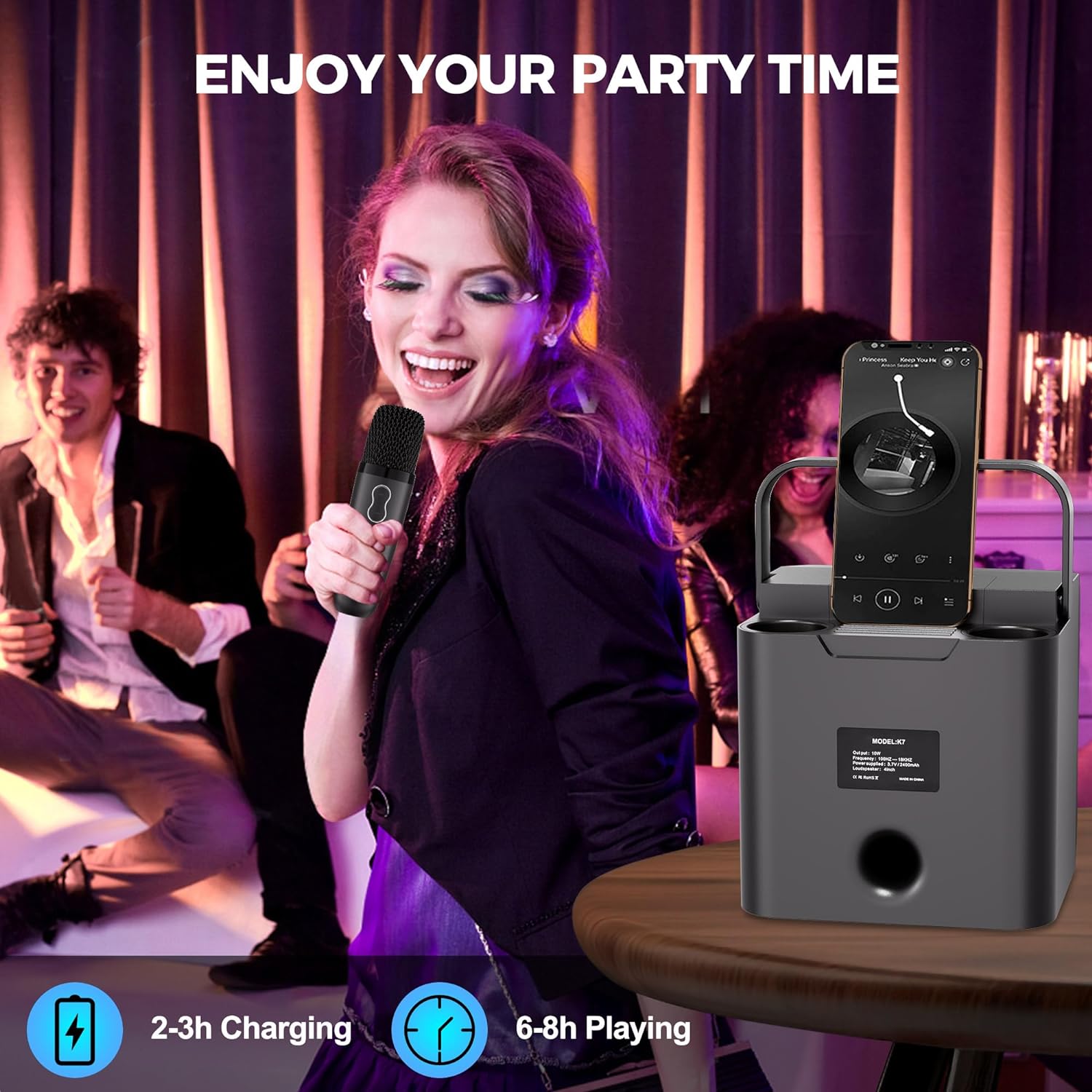
Figure 4: Integrated microphone storage slots.
Setup
- Charging the Unit: Before first use, fully charge the karaoke machine and both wireless microphones using the provided USB Type-C charging cable. The charging port for the main unit is typically located on the rear or side panel. Microphones have individual charging ports.
- Power On: Locate the power button on the main unit and press and hold it to turn on the device. The LED lights on the speaker will illuminate, indicating it is active. Power on each microphone individually.
- Bluetooth Pairing:
- Ensure Bluetooth is enabled on your smartphone, tablet, or other audio source device.
- On your audio source, search for Bluetooth devices. The karaoke machine will appear as "Verkstar K7" or similar.
- Select the device to pair. A confirmation sound will indicate successful pairing.
- Microphone Connection: The wireless microphones are designed to automatically connect to the main unit when both are powered on. If a microphone does not connect, power it off and on again.
Operating Instructions
The control panel on the top of the main unit allows for various adjustments and functions. Familiarize yourself with the buttons:

Figure 5: Control Panel Layout.
- Volume Control: Use the "V-/K<" and "V+/K>" buttons on the main unit to adjust the overall volume of the speaker. The microphones also have independent volume controls.
- Voice Effects: Press the "Voice" button to cycle through five different voice modes: Magic, Baby, Female, Male, and Original. Long press the "Voice" button to reset to the original voice.

Figure 6: Available Voice Effects.
- Echo Adjustment (ECH): Press the "ECH" button to adjust the echo level of the microphone's output. This adds a reverberation effect to your singing.
- LED Lights Control: Press the "LED" button to cycle through three vibrant light modes that sync with the music rhythm. Long press the "LED" button to turn off the lights.

Figure 7: LED Light Modes.
- Mode Button: Use the "MODE" button to switch between different input modes (e.g., Bluetooth, USB, AUX).
- Play/Pause: Press the "Play/Pause" button to control music playback from your connected Bluetooth device.
- Previous/Next Track: Use the "V-/K<" and "V+/K>" buttons (short press) to navigate between tracks when playing music via Bluetooth.
- Accompany Mode: Some microphones may feature an "Accompany Mode" button. Pressing this button can reduce or remove the vocal track from a song, allowing you to sing along with the instrumental version.
Maintenance
- Cleaning: Use a soft, dry cloth to clean the surface of the karaoke machine and microphones. Do not use abrasive cleaners or solvents.
- Storage: When not in use, store the device in a cool, dry place away from direct sunlight and extreme temperatures. Utilize the integrated microphone storage slots for convenience.
- Battery Care: To prolong battery life, avoid fully discharging the unit frequently. Charge the device regularly, even if not in constant use.
Troubleshooting
| Problem | Possible Cause | Solution |
|---|---|---|
| No sound from speaker. | Unit is off, low battery, volume too low, or not paired correctly. | Ensure unit is powered on and charged. Increase volume. Re-pair Bluetooth device. |
| Microphone not working. | Microphone is off, low battery, or out of range. | Ensure microphone is powered on and charged. Move closer to the main unit. |
| Feedback/Squealing sound. | Microphone too close to the speaker. | Move the microphone further away from the main speaker unit. Reduce microphone volume if necessary. |
| LED lights not working. | Lights are turned off or unit is off. | Press the "LED" button to cycle through modes. Ensure the main unit is powered on. |
Specifications
| Feature | Detail |
|---|---|
| Model Number | K7-Black |
| Item Weight | 2.58 pounds |
| Product Dimensions | 5.5 x 6.3 x 6.4 inches |
| Output Wattage | 10 Watts |
| Speaker Count | 1 (with dual speakers for stereo sound) |
| Power Source | Battery Powered |
| Compatible Devices | Smartphone, Tablet |
| Connector Type | Type C |
| Included Components | Karaoke Machine with 2 Wireless Microphones |
Warranty and Support
Verkstar products are designed and manufactured to the highest quality standards. For warranty information and customer support, please refer to the contact details provided with your purchase documentation or visit the official Verkstar website. If you have any questions or encounter issues, please reach out to our customer service team through your order details on the platform where the product was purchased.