
1. Introduction
Thank you for choosing the Aiwa MI-X330 Meteor Bluetooth Speaker. This portable speaker is designed to deliver powerful audio with deep bass and clear sound, offering versatile connectivity and a long-lasting battery. Please read this manual carefully before using the product to ensure proper operation and to maximize your listening experience.

Figure 1: Front view of the Aiwa MI-X330 Meteor Bluetooth Speaker.
2. Product Overview
Key Features:
- Powerful Sound Output: 60W high-quality audio with deep bass and crystal-clear sound.
- Multiple Connectivity Options: Supports Bluetooth, AUX, USB, and Mic input.
- Long-Lasting Battery: 5000mAh heavy-duty Li-Ion battery with Type-C fast charging, providing 6 to 10 hours of playtime.
- Digital Display: Easily view battery status, mode selection, and playback details.
- TWS Dual-Link Technology: Wirelessly pair two speakers for a powerful stereo sound experience.
- Premium Metallic Finish: Designed with a sleek and durable metallic build.
Speaker Dimensions:
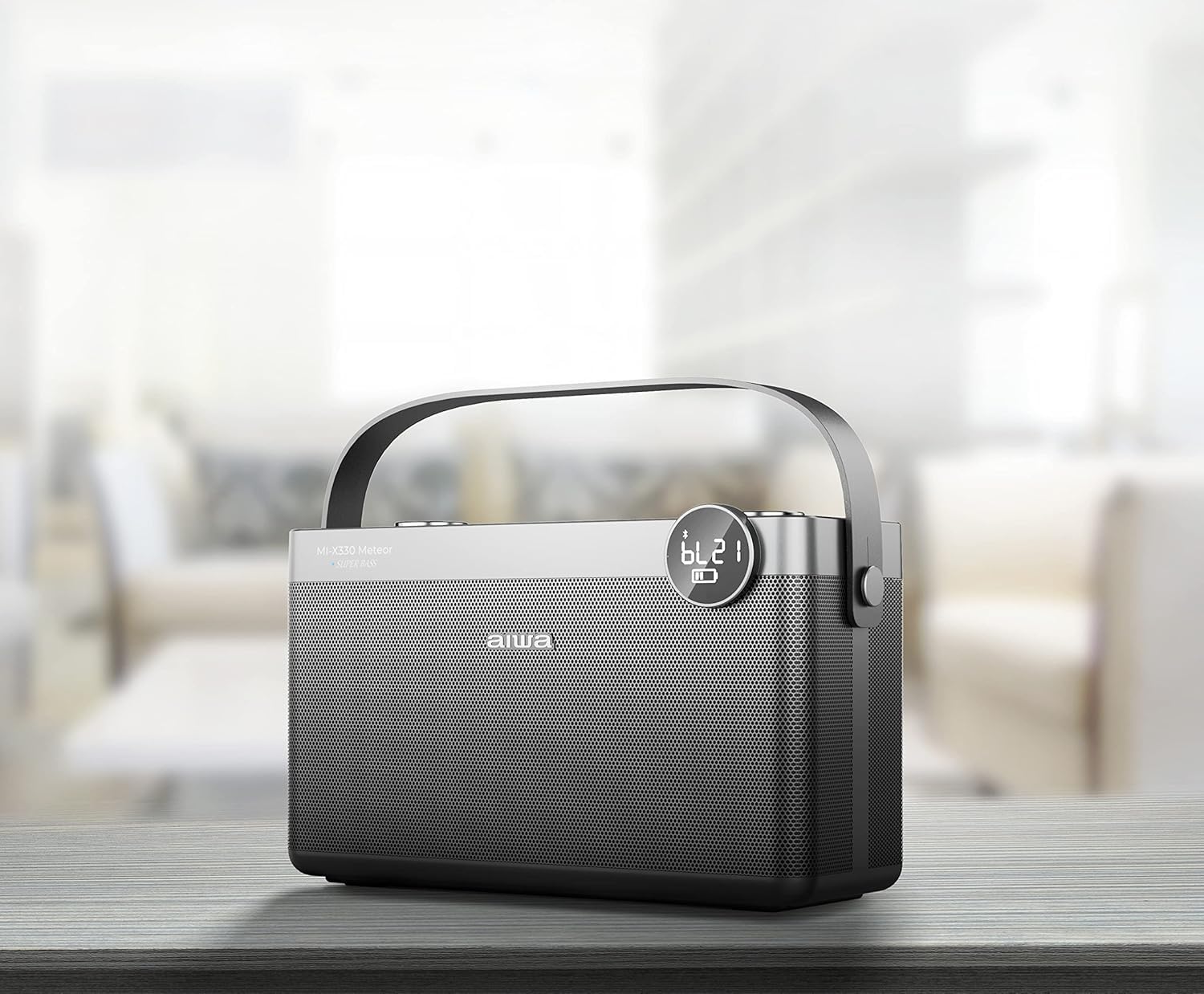
Figure 2: Aiwa MI-X330 Meteor Bluetooth Speaker with indicated dimensions.
3. Setup
3.1 Initial Charging
- Before first use, fully charge the speaker using the provided Type-C charging cable.
- Connect the Type-C cable to the speaker's charging port and the other end to a compatible USB power adapter (not included).
- The digital display will indicate charging status. Charging is complete when the battery indicator shows full.
3.2 Powering On/Off
- To power on, press and hold the Power button until the digital display illuminates.
- To power off, press and hold the Power button again until the display turns off.
4. Operating Instructions
4.1 Bluetooth Pairing
- Ensure the speaker is powered on and in Bluetooth mode (indicated on the digital display). If not, press the 'M' (Mode) button to switch to Bluetooth mode.
- On your mobile device (smartphone, tablet, etc.), enable Bluetooth and search for available devices.
- Select "AIWA MI-X330 Meteor" from the list of devices.
- Once paired, the speaker will emit an audible confirmation, and the display will show a stable Bluetooth icon.
4.2 TWS Dual-Link Technology (Pairing Two Speakers)
For a true stereo experience, you can pair two Aiwa MI-X330 Meteor speakers together.
- Ensure both speakers are powered on and in Bluetooth mode, but not yet paired with any device.
- On one of the speakers (this will be your primary speaker), press and hold the TWS button (refer to button layout on speaker).
- The primary speaker will search for the secondary speaker. Once connected, both speakers will emit an audible confirmation.
- Now, pair your mobile device with the primary speaker as described in Section 4.1. Audio will play in stereo through both speakers.
4.3 Other Connectivity Options
- AUX Input: Connect an external audio device using the provided AUX line cable to the speaker's AUX port. Press the 'M' button to switch to AUX mode.
- USB Input: Insert a USB flash drive containing audio files into the USB port. The speaker will automatically switch to USB mode and begin playback.
- Mic Input: Connect a microphone to the Mic input port for karaoke or public address functions.
4.4 Controls
The speaker features intuitive controls for managing your audio.
- Power Button: Press and hold to power on/off.
- Mode ('M') Button: Short press to cycle through input modes (Bluetooth, AUX, USB).
- Play/Pause Button: Press to play or pause audio.
- Previous/Next Track Buttons: Press to skip to the previous or next track.
- Volume Knob: Rotate to adjust the overall volume level.
- Bass Knob: Rotate to adjust the bass intensity.
5. Charging and Battery
The Aiwa MI-X330 Meteor is equipped with a 5000mAh Li-Ion battery, offering extended playtime.
- Battery Life: Provides approximately 6 to 10 hours of playtime, depending on volume level and audio content.
- Charging Time: Varies based on the power adapter used. Use a compatible Type-C charger for optimal charging speed.
- Battery Indicator: The digital display shows the current battery level. Charge the speaker when the indicator is low to prevent interruption.
6. Maintenance
- Cleaning: Use a soft, dry cloth to clean the speaker's exterior. Do not use abrasive cleaners or solvents.
- Storage: Store the speaker in a cool, dry place away from direct sunlight and extreme temperatures when not in use for extended periods.
- Water Resistance: The product is not water resistant. Avoid exposure to water or high humidity.
7. Troubleshooting
| Problem | Possible Cause | Solution |
|---|---|---|
| Speaker does not power on. | Low battery. | Charge the speaker fully. |
| No sound. | Volume too low; incorrect input mode; device not paired. | Increase volume; switch to correct input mode (Bluetooth, AUX, USB); re-pair Bluetooth device. |
| Bluetooth pairing fails. | Speaker not in pairing mode; device too far; interference. | Ensure speaker is in Bluetooth mode; move device closer; clear other Bluetooth devices. |
| TWS pairing fails. | Speakers not in TWS pairing mode; too far apart. | Ensure both speakers are in TWS pairing mode and close to each other. |
8. Specifications
| Feature | Detail |
|---|---|
| Brand | Aiwa |
| Model Name | MI-X330 Meteor |
| Model Number | LA |
| Speaker Maximum Output Power | 60 Watts |
| Frequency Response | 70 Hz |
| Connectivity Technology | Bluetooth |
| Audio Output Mode | Stereo |
| Mounting Type | Floor Standing |
| Speaker Type | Woofer |
| Colour | Black |
| Battery Average Life | 7 Hours |
| Is Waterproof | False (Not Water Resistant) |
| Control Method | Touch |
| Speaker Size | 303 Millimetres (approx. 30.3 cm) |
| Tweeter Driver Diameter | 1 Inches |
| Item Dimensions (D x W x H) | 34.3D x 44.5W x 35.6H Centimeters |
| Item Weight | 3.5 Kilograms |
| Compatible Devices | Smartphone, Tablet |
| Audio Driver Type | Dynamic Driver |
| Power Source | Battery Powered |
| Number of Batteries | 1 Lithium Metal (included) |
9. What's in the Box
Upon opening your Aiwa MI-X330 Meteor package, you should find the following items:
- Aiwa MI-X330 Meteor Bluetooth Speaker (1)
- Type-C Charging Cable (1)
- AUX Line Cable (1)
- User Manual (1)
- Warranty Card (1)
10. Warranty and Support
Warranty Information:
This product comes with a 1 Year Warranty from the date of purchase. Please refer to the included Warranty Card for detailed terms and conditions.
Customer Support:
For any support, queries, or service requests, please contact Aiwa customer service:
- Importer: AIWA INDIA SALES & SERVICES PRIVATE LIMITED
- Address: 2E/26, Jhandewalan Extn, New Delhi -110055
- Contact Number: 1800-120-5619
- Email: getintouch@aiwaindia.com