
sophovival JSK-80
sophovival JSK-80 UV-Free LED Light Therapy Lamp with White Noise User Manual
Model: JSK-80
1. Introduction
Thank you for choosing the sophovival JSK-80 UV-Free LED Light Therapy Lamp. This device is designed to provide 10,000 lux of UV-free light, simulating natural sunlight to support well-being. It features adjustable brightness, color temperature, a timer function, and integrated white noise sounds for enhanced relaxation and focus. Please read this manual thoroughly before use to ensure proper operation and to maximize your experience with the product.

Figure 1: sophovival JSK-80 UV-Free LED Light Therapy Lamp. This image shows the front view of the white light therapy lamp with its light panel illuminated.
2. Safety Information
- Read all instructions before using the appliance.
- Do not immerse the device, cord, or plug in water or other liquids.
- Keep the device away from heat sources, direct sunlight, and moisture.
- Do not operate the device if it has a damaged cord or plug, or if it malfunctions or has been damaged in any manner.
- This device is for indoor use only.
- Unplug the device from the outlet when not in use and before cleaning.
- Keep out of reach of children.
3. Package Contents
Please check the package for the following items:
- sophovival JSK-80 Light Therapy Lamp Unit
- Power Adapter
- User Manual
4. Product Features
- UV-Free LED Light: Provides 10,000 lux of bright, UV-free light.
- Adjustable Brightness: 10 levels of brightness adjustment from 10% to 100%.
- Adjustable Color Temperature: Multiple color temperature settings to suit various preferences.
- 6-Gear Timing: Integrated timer with 10-minute increments for customizable session lengths.
- 10 White Noise Sounds: Features a selection of natural sound music to aid relaxation and sleep.
- Ultra-Large Flat Surface: Designed for a wider lighting area.
- Foldable Stand: Allows for easy angle adjustment and portability.
5. Setup
- Unpack: Carefully remove the light therapy lamp and all accessories from the packaging.
- Placement: Place the lamp on a stable, flat surface. Ensure it is positioned where the light can reach you comfortably without obstruction.
- Adjust Stand: Extend the integrated stand at the back of the lamp to your desired viewing angle. The stand is adjustable to multiple positions for optimal light direction.

Figure 2: The adjustable stand allows for various viewing angles, typically between 50 and 85 degrees. This image illustrates the range of motion for the lamp's stand.
- Power Connection: Connect the power adapter to the DC input port on the lamp, then plug the adapter into a standard electrical outlet.
6. Operating Instructions
6.1 Power On/Off
Press the Power button ( ) to turn the lamp on or off.
6.2 Brightness Adjustment
The lamp offers 10 levels of brightness, ranging from 10% to 100%. Use the Brightness Up ( ) and Brightness Down (
 ) buttons to cycle through the brightness levels.
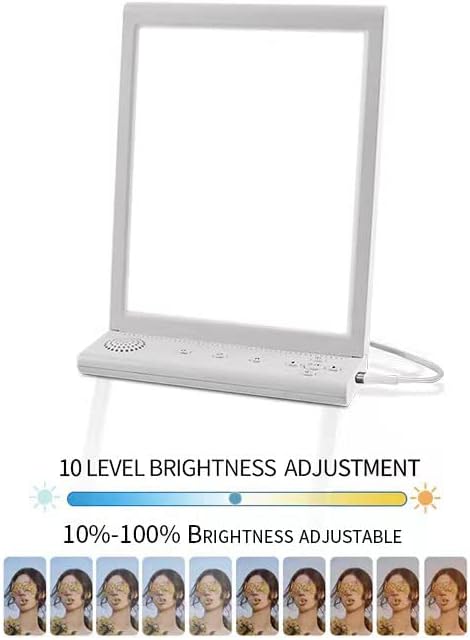
Figure 3: Visual representation of the 10-level brightness adjustment, from minimum (10%) to maximum (100%).
6.3 Color Temperature Adjustment
The lamp features adjustable color temperature settings. Press the Color Temperature button to switch between different light hues (e.g., cool white, natural white, warm white).

Figure 4: The lamp displaying three distinct color temperature options, from cool white to warm white, indicated by circular swatches.
6.4 Timer Function
The built-in timer allows you to set the lamp to automatically turn off after a specified duration. Press the Timer button to select from 6 timing gears, typically in 10-minute increments (e.g., 10, 20, 30, 40, 50, 60 minutes). The lamp will automatically shut down once the set time expires.
6.5 White Noise Sounds
The lamp includes 10 different white noise sounds to promote relaxation and improve sleep. Press the White Noise button to cycle through the available sounds. Use the volume buttons to adjust the audio level.
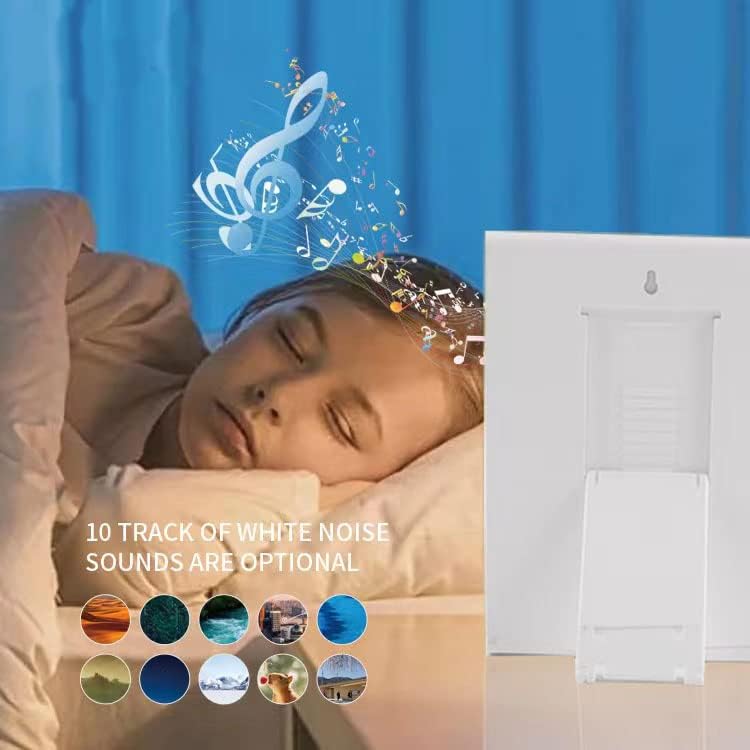
Figure 5: A visual representation of the 10 optional white noise tracks, depicted by various nature-themed icons.
7. Maintenance
7.1 Cleaning
- Ensure the lamp is unplugged before cleaning.
- Wipe the surface of the lamp with a soft, dry, or slightly damp cloth.
- Do not use abrasive cleaners, solvents, or harsh chemicals, as these may damage the finish.
- Avoid spraying liquids directly onto the lamp.
7.2 Storage
When not in use, store the lamp in a cool, dry place, away from direct sunlight and extreme temperatures. The foldable design allows for compact storage.
8. Troubleshooting
| Problem | Possible Cause | Solution |
|---|---|---|
| Lamp does not turn on. | No power connection. | Ensure the power adapter is securely plugged into both the lamp and a working electrical outlet. |
| Light is too dim or too bright. | Brightness setting is not optimal. | Adjust the brightness using the Brightness Up/Down buttons. |
| White noise not playing or sound is distorted. | Volume too low or sound selection issue. | Increase the volume using the volume buttons. Cycle through white noise sounds to ensure one is selected. |
| Timer function not working. | Timer not set correctly. | Press the Timer button to select a desired duration. Ensure the indicator light for the timer is active. |
9. Specifications
| Feature | Detail |
|---|---|
| Model Number | JSK-80 |
| Light Source Type | LED |
| Brightness | 10,000 Lux |
| Brightness Adjustment | 10 Levels (10% - 100%) |
| Color Temperature | Adjustable |
| Timer Settings | 6-Gear Timing (e.g., 10, 20, 30, 40, 50, 60 minutes) |
| White Noise Sounds | 10 Tracks |
| Power Source | Corded Electric |
| Wattage | 8 watts |
| Voltage | 110 Volts |
| Material | Plastic |
| Finish Type | Matte |
| Product Dimensions | 0.6"D x 6.3"W x 10.1"H (15mm x 160mm x 256mm) |
| Item Weight | 1.15 pounds |
| Control Method | Remote (implied by data, but physical buttons are primary) |
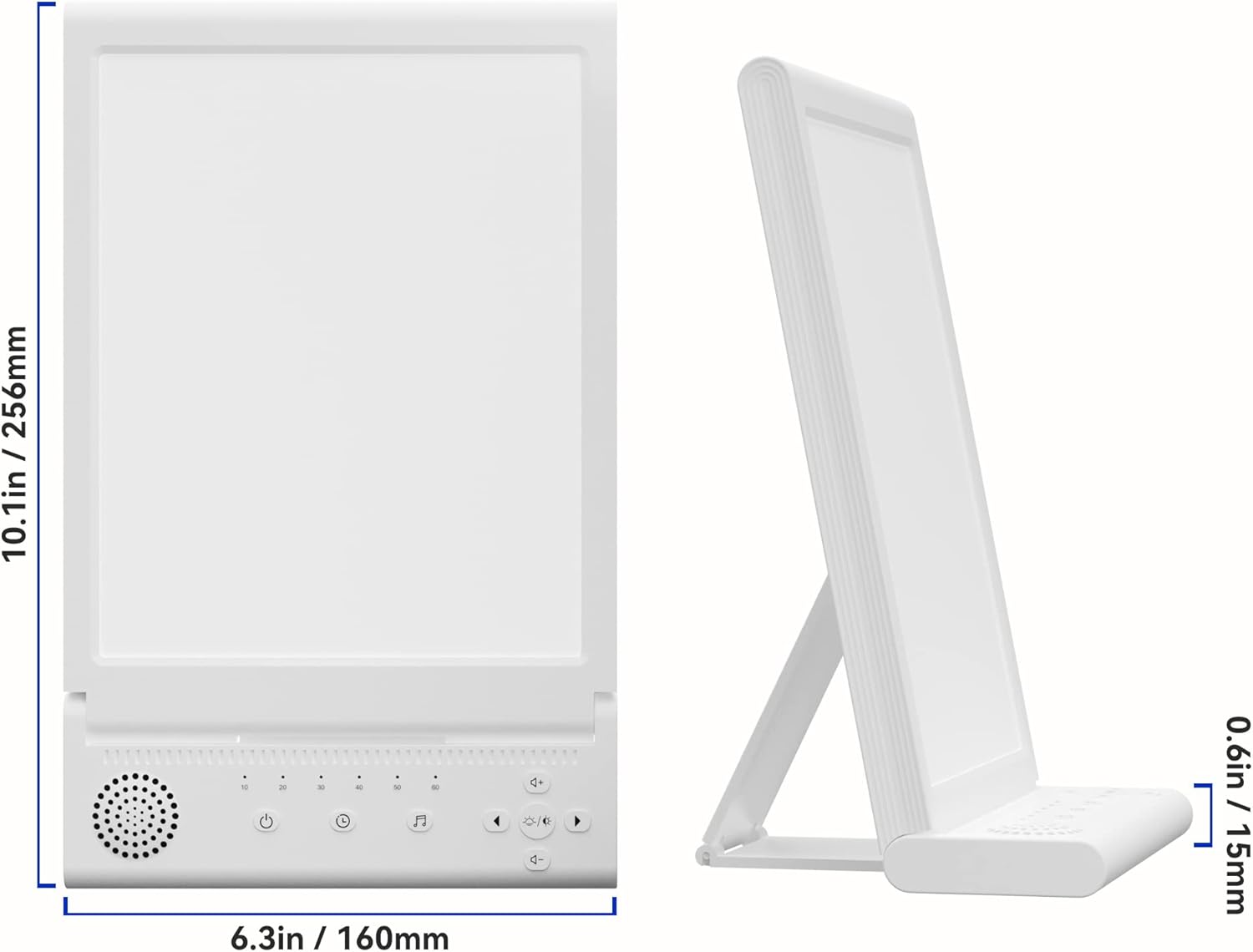
Figure 6: Detailed dimensions of the sophovival JSK-80 Light Therapy Lamp, showing its height (10.1in / 256mm), width (6.3in / 160mm), and depth (0.6in / 15mm).
10. Warranty and Support
For warranty information or technical support, please refer to the contact details provided with your purchase or visit the official sophovival website. Keep your proof of purchase for any warranty claims.
Related Documents - JSK-80
 |
JSK-40 LED Daylight Lamp User Manual - Features, Operation, and Safety Comprehensive user manual for the JSK-40 LED Daylight Lamp. Learn about its features, benefits, operation, recommended programs, care, cleaning, troubleshooting, and technical specifications. |
 |
SUXIO HappyLamp-1 Light Therapy Lamp: User Manual & Features Comprehensive guide to the SUXIO HappyLamp-1 Light Therapy Lamp, covering features, setup, specifications, troubleshooting, and warranty information for managing mood and vitality. |
 |
Lastar Light Therapy Lamp User Manual User manual for the Lastar Light Therapy Lamp (Model CM021), detailing its features, usage, precautions, and warranty information. The lamp offers adjustable brightness and color temperature, with timer functions for convenient light therapy sessions. |
 |
FBBJFF Light Therapy Lamp: Setup and Pairing Guide Instructions for setting up and pairing the FBBJFF Light Therapy Lamp with its remote control, detailing included components and the pairing process. |
 |
FBBJFF Light Therapy Lamp User Manual User manual for the FBBJFF Light Therapy Lamp, detailing package contents, installation, remote control functions, floor lamp button descriptions, specifications, and important attention points. |
 |
Lumie Task Bright Light Therapy Lamp User Manual Comprehensive user manual for the Lumie Task bright light therapy lamp, covering safety, setup, operation, and maintenance. Mimics natural daylight for mood enhancement, alertness, and vision support. |
Ask a question about this manual
Ask about setup, troubleshooting, compatibility, parts, safety, or missing instructions. Manuals+ will review the question and use this page’s manual context to help answer it.